
Cutout Pro makes a tempting promise: upload a photo, click once, and the background falls away in seconds, with no Photoshop and no green screen. Millions have taken it up on that, yet its reputation splits sharply between the software directories that praise it and the review sites that warn against it. This review weighs both sides honestly, looking past the marketing at what the tool actually delivers and the trust questions worth settling before you sign up.

Verdict at a glance
| Software directories | Consumer review sites |
|---|---|
G2: 4.4 / 5 From 13 verified reviews | Trustpilot: ~1.8 / 5 From roughly three dozen reviews |
Heads up: security researchers and reviewers report data breaches in 2023 and 2024. This is covered in the Trust and safety section below.
Ratings are shown as listed on each platform. Scores and pricing change often, so confirm current details at the source.
What Cutout Pro is
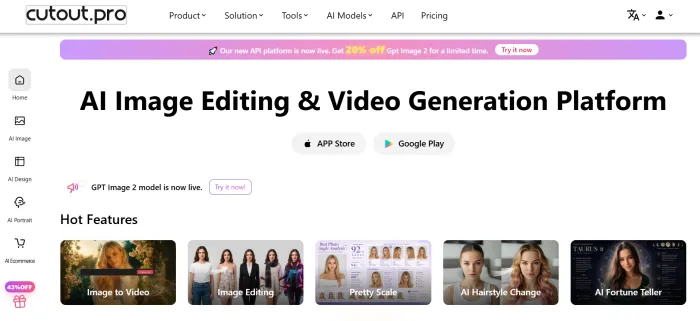
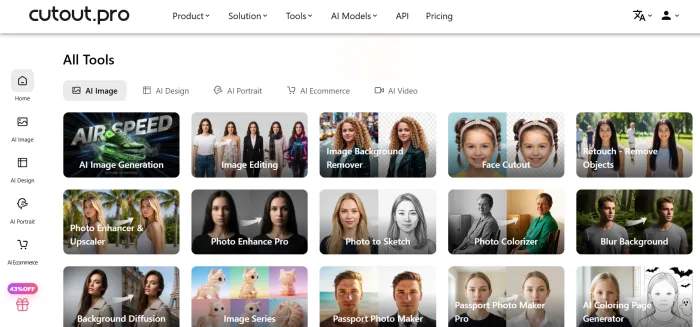
According to its own website, Cutout Pro (also written Cutout.Pro or cutout.pro) is an AI based visual editing platform built around background removal. The goal is to turn jobs that used to need Photoshop into a one-click, browser-based process. The figures below are the company's own, so they are best read as claims rather than audited facts.
What the brand says it does
| Capability | What the brand says |
|---|---|
| Background removal | Works on both images and video, which it calls its signature feature |
| Photo enhancement | Upscales photos and restores or colorizes old images |
| ID photos and cutouts | Passport and ID photos, face cutouts, and object or watermark removal |
| Creative styles | Cartoon and anime effects, plus AI art generation |
| E-commerce | Virtual model staging, product posters, and print-on-demand design |
| Workflow | Batch processing and a developer API |
Worth knowing
| Aspect | What it means |
|---|---|
| Scale claimed | More than 3 million users and 25,000 plus clients, which are the brand's own figures |
| Breadth | A suite rather than a single tool, so several reviewers note the dashboard can feel busy |
| Access | Web based, with mobile apps and an API as extra ways in |
Common use cases
Reviews and the brand's own examples point to a handful of jobs people reach for it most. Here is where it tends to fit, and the kind of user each one suits.
| Use case | Who it suits | What they do with it |
|---|---|---|
| Product photos | Online sellers | Clear backgrounds in bulk for clean, consistent listings |
| Social content | Creators and marketers | Quick cutouts and visuals without opening a full editor |
| ID and passport photos | Individuals and small offices | Compliant sizes made at home rather than at a studio |
| Old photo restoration | Families | Colorizing and sharpening faded or damaged pictures |
| Cartoon and avatar art | Hobbyists and POD sellers | Turning photos into stylized avatars or merchandise designs |
| Video backgrounds | Talking-head and demo creators | Removing backgrounds without a green screen |
Pricing runs on credits, not a flat fee
This is the part most worth understanding before you add a card. You buy or earn credits and then spend them on edits, so cost depends on how much you process.
| Tier | What the brand or listing advertises | Notes worth knowing |
|---|---|---|
| Free | Around 5 credits at signup, with unlimited low-resolution previews | Full-resolution downloads generally require credits |
| Image subscription | Roughly $5 to $6 per month | Credit counts per tier vary by source |
| Pay-as-you-go credits | Small packs starting near $5 | Described as longer lasting than subscription credits |
| Video processing | Billed by the second, pay-as-you-go | Costs can climb fast on longer footage |
| Mobile app listings | Weekly and annual options | May differ from the web platform (see the app note) |
• Standard background removal is usually 1 credit per image, while the enhancer or HD output is around 2.
• Previews are low resolution, so a usable download spends credits.
• Video is the easiest place to overspend because of the per-second rate.
• Treat the table as a starting point and confirm live pricing on the official site.
What users say across platforms
The reputation here is genuinely split. Business software directories lean positive, while consumer review sites lean sharply negative. Reading both is the only honest way to size it up.

| Platform | Score reported | Sample size | What the pattern suggests |
|---|---|---|---|
| G2 | 4.4 / 5 | 13 verified reviews | Generally positive; speed and ease of use stand out |
| Capterra | 5.0 / 5 | 1 review | Positive but a very small sample, so hard to rely on |
| Trustpilot | ~1.7 / 5 | ~ 36 reviews | Heavily negative; billing and data concerns dominate |
| SaaSworthy | ~86% | Aggregate, not a star average | An algorithmic ranking, not direct user ratings |
| SoftwareSuggest | Positive | Small set | Favorable sentiment, limited volume |
The split itself is a useful clue. Directory ratings often capture people who did a quick task and left happy, while the lower consumer scores tend to come from those who hit a wall later, usually around payment or account issues. Both experiences appear to be real.
What fans praise
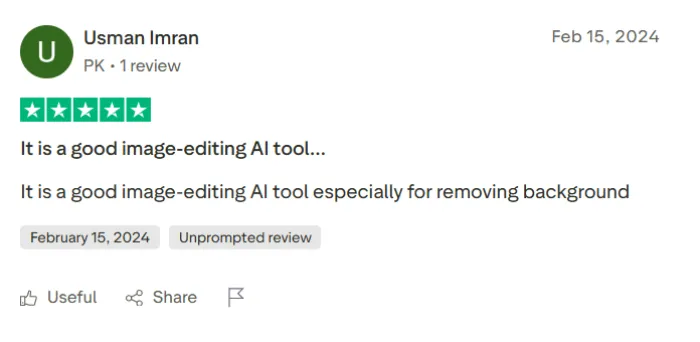
• Background removal that often finishes in seconds
• Almost no learning curve, even for beginners
• Handles hair and fur better than many one-click tools
• A lot of features gathered in one place
• Browser based, so it runs across devices
What critics flag
• Recurring charges and trouble cancelling
• Email support described as slow or unresponsive
• Stray lines or leftover background on tricky images
• Credits, especially for video, deplete quickly
• Not a layer-based editor for advanced retouching
How well it works, by image type
Independent reviewers who tested it report results that depend heavily on the image. None of this was verified in this review, but the pattern is consistent across write-ups, so treat it as a useful expectation rather than a guarantee.
| Image type | What reviewers report |
|---|---|
| Clean product shots | Often near perfect, with most outputs usable as is |
| Straight hair, clear contrast | Strong results, with only minor cleanup needed |
| Curly, backlit, or wind-blown hair | Mixed, with visible artifacts along the edges |
| Fine, light hair on bright backgrounds | Weakest case, often needing manual touch-up |
| Glass, metal, and reflections | Tricky, since edges and transparency can confuse it |
| Low-contrast subjects | Drops off when subject and background tones are close |
• Reviewers commonly place complex-edge accuracy in the high 80s to low 90s percent, behind specialist still-image tools.
• For pixel-perfect hair on hard shots, most reviewers still finish in a dedicated editor.
A note on the mobile apps
The brand says a Cutout Pro app exists on both the Apple App Store and Google Play, but in practice a clean official rating is hard to confirm, because searching either store turns up a crowded field. Many of the listings use the words "cutout" and "pro" yet come from different developers, and some appear to be third-party tools with their own separate subscriptions rather than the official app. Since a clearly official listing with a trustworthy star rating is difficult to isolate, it is worth confirming the developer name through the official cutout.pro site before you install.
Trust and safety
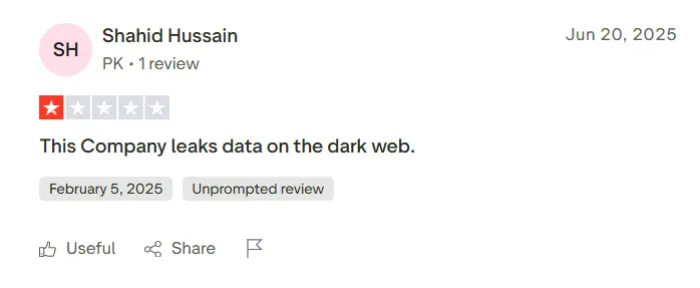
This matters more than the feature list, so here it is plainly. A large share of negative reviews and several security reports point to data exposure.
What has been reported
• 2023: Cybernews reported that misconfigured servers left user data exposed, including email and IP addresses.
• February 2024: a threat actor claimed to post several gigabytes on a hacking forum. Reports cite tens of millions of records and close to 20 million users, including emails, names, IP and phone details, API keys, and salted password hashes.
• Aftermath: reviewers say the matter was not publicly resolved to their satisfaction, alongside reports of dark web alerts, unauthorized charges, and slow support.
A user-first checklist
• Think twice before uploading anything sensitive, especially passports or IDs.
• Use a unique password, not one shared with other accounts.
• Watch your payment details and subscription settings closely.
For fairness: these are researcher and reviewer reports, not claims the company promotes, and a breach does not mean every user is affected. Even so, the volume and seriousness are hard to ignore.
My testing: trying to process a downloaded reel
Video background removal without a green screen is the feature the brand leans on hardest, so the plan was to download a short vertical reel and run it through the video tools to see how the output looked on real footage.
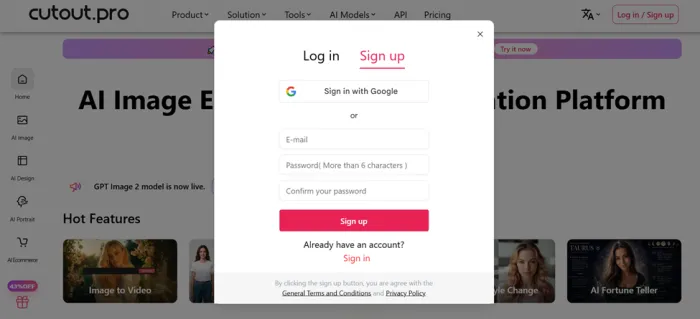
Test not completed. The test could not be finished, and the reason is worth stating directly rather than dressing up.
Why the test stopped
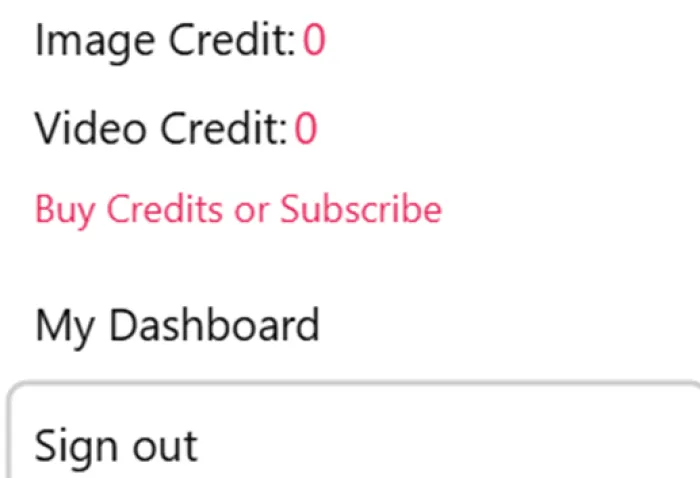
• There were no usable credits available on the account.
• No test asset made it through to a downloadable result.
• The free tier offers low-res previews, but video needs credits to process and download.
So instead, here is the honest split
• What the brand claims: it removes video backgrounds frame by frame without a green screen and can upscale footage.
• What other reviewers report: it works on simple clips, but fast motion and fine hair cause edge artifacts, and per-second billing gets expensive.
• What this review can confirm: nothing on the reel firsthand, because the processing step was never reached.
To run this test properly you would need a few credits, a short clip of your own, and a willingness to pay the per-second video rate to reach a full-resolution download. That step was the one missing here.
Who it is for, and who it is not
| Likely a good fit | Likely a poor fit |
|---|---|
| Sellers cleaning up product photos in bulk | Pros needing precise, layer-based control |
| Social media creators making quick visuals | Detailed compositing or fine retouching |
| Anyone who wants a background gone in seconds | Anyone handling private or identity documents |
| Casual jobs with non-sensitive images | People who need responsive customer support |
| People who value breadth of tools in one place | Heavy video work, given per-second pricing |
How it compares
If background quality or data trust is your priority, it helps to see where Cutout Pro sits next to common alternatives. These notes summarize how reviewers position each option, not head-to-head testing done here.
| Tool | Often picked for | Trade-off reviewers mention |
|---|---|---|
| Cutout Pro | All-in-one editing plus video background removal | Trust concerns and uneven edges on hard images |
| remove.bg | High reported edge accuracy on still images | Narrower toolset, focused on background removal |
| Adobe (Photoshop, Express) | Precise, layer-based control | Steeper learning curve and an ongoing subscription |
| Specialist video tools | Cleaner results on motion and fine detail | Less of an all-in-one image suite |
The bottom line
Here is the honest summary. As a fast, one-click editor for everyday images, Cutout Pro mostly delivers, and its no-green-screen video background removal is a feature few rivals match. The doubts are not really about the cutouts themselves; they sit with everything around the tool, from a very low Trustpilot score and repeated billing complaints to, above all, the reported data breaches. None of that makes it unusable, but it does shift the real question from whether it can remove a background to how much you are willing to trust it with.
Try the free tier first if your work is low-stakes, your images are not sensitive, and you mostly want speed. | Compare alternatives if you handle private documents, need reliable support, or want long-term peace of mind about your data. |
Whichever way you lean, go in with clear eyes: try the free tier before you pay, keep sensitive files off it, and let your own results, not the marketing, make the final call.