

For the last three weeks, my inbox has been a testing bench. I signed up for two AI tools that content people keep bringing up in Slack channels, ran the same newsletter briefs through both, sent variations to segments of a real subscriber list, and watched the numbers tick over each morning with my second coffee.
Some results genuinely surprised me. A few confirmed what I suspected. Nothing about the process felt magical.
Most guides about AI for newsletters read like they were written by someone who has never actually built a segment, watched a subject line die at a 12% open rate, or explained to a client why their beautifully written weekly digest is landing in the Promotions tab. The reality of using AI in email work is less "hit generate" and more "hit generate, then spend an hour making it not sound generic."
This piece is for newsletter creators and content writers who want to use these tools inside a real workflow. We are going to look at concrete numbers, two tools tested in the same conditions, the workflow that emerged, and where the whole thing still falls short in 2026. There is a testing checklist you can steal, and a scorecard at the end where I rate what worked. Let's get into it.
The numbers behind AI in email, without the hype.
Before touching any tool, look at what is actually driving adoption. Newsletter creators are not chasing AI because it is trendy. The financial case has become genuinely hard to ignore, especially for solo operators and small content teams who cannot afford in-house designers, copy editors, and data analysts.

| 63% | 41% | 26% | $36 to 42 |
| of marketers now use AI tools inside their email workflow, up from 20% two years ago. | revenue lift reported by teams using AI-driven personalization vs. batch sends. | higher open rates for AI-generated subject lines vs. manually written ones. | returned per $1 spent on email in 2026, still the highest ROI channel in digital. |
| GENESYS GROWTH · 2026 | SALESFORCE BENCHMARKS | DIGITALAPPLIED · 2026 | LITMUS / COLORLIB |
Two data points matter most for creators specifically. First, 47% of marketers now use AI to generate entire email campaigns, not just polish drafts. Second, automated flows generate 320% more revenue per send than one-off campaigns, according to Omnisend's 2026 benchmark. Both stats point in the same direction: the leverage is not in speed alone, it is in doing work you would not otherwise have time to do.
Five stages where AI actually earns its seat at your desk.
The mistake I made early on was treating AI as a one-shot writer. Type in "weekly newsletter about design trends," get a draft, edit, send. The output was fine. The output was also indistinguishable from every other design newsletter using the same trick. What changed things was breaking the workflow into five stages and letting each tool do the thing it is actually good at.
| STAGE 01 | Idea & angle Brainstorm 8 to 12 angle variants on one topic, then pick the one that fits your voice, not the one AI defaults to. |
| STAGE 02 | Long-form draft Generate the deep content, the essay, the guide, the analysis, the thing readers actually save. |
| STAGE 03 | Newsletter shape Compress the long piece into a scannable email, add sections, teasers, and a clear payoff. |
| STAGE 04 | Subject & preview Generate 5 to 10 subject lines plus matching preview text, then A/B test the top two. |
| STAGE 05 | Segment variants Rewrite the intro and CTA for each subscriber segment. Same body, different opening lines. |
The tools I tested handle these stages very differently. One is a stronger draft generator for the long-form piece that anchors your newsletter. The other is built specifically for the email shape, the subject line testing, the sequence logic. They are complementary, not competitors, and the workflow I ended up with uses both.
Writenexa: the long-form anchor.
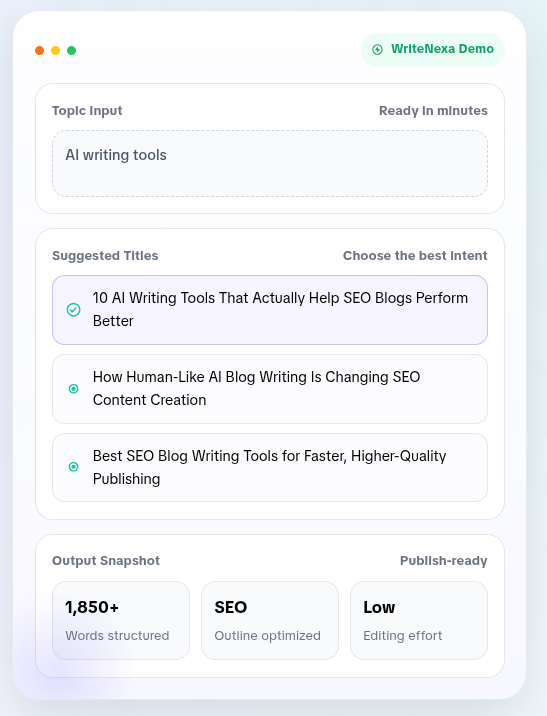
Writenexa is not marketed as an email tool. It is a blog-first AI writer, focused on SEO-structured long-form content that reads more like a human draft than most generators produce. That framing matters, because the reason it earned a spot in a newsletter workflow is exactly that: it produces the long piece your newsletter can point to, tease, and build around.
| Category | Long-form content generator |
| Positioning | Rank on Google with AI that writes like a human |
| Pricing | Free trial · Pro at $49/mo · Growth at $99/mo |
| Best for newsletters | Anchor content that your newsletter teases and links to |
What it actually does
You give it a title or a set of keywords. It suggests a few optimized angle variants, then generates a structured, SEO-aware article of roughly 1,500 to 2,000 words. The pitch is that the output reads more naturally and requires less manual cleanup than typical AI drafts. In my testing, that held up on about 7 out of 10 drafts. The other three needed the usual voice polish.
Best fit inside a newsletter workflow
Use it as your anchor content generator. If your weekly newsletter revolves around a lead essay, a deep dive, or a long analysis piece, Writenexa handles that heavy lift. You then pull the sharpest 250 to 400 words into the email itself and link out to the full piece on your site or Substack.
Where the output surprised me
Structure. The outlines it generated were noticeably cleaner than what I get from general-purpose chat models on the same brief. Headings had logic. The intro-to-body-to-conclusion arc was intact. That structure translates directly into email sections that scan well.
| WHAT WORKED | WHAT DID NOT |
+ Cleaner first drafts, less time rewriting sentence-level junk + SEO-friendly structure means your linked article ranks longer + Prompt-light workflow, useful when drafting five newsletters in one afternoon + Works on mobile, which matters when writing on the road | − Not an email tool. No subject lines, no segments, no send integration − Voice matching is limited compared to tools trained on your existing corpus − Long-form focus means you still need a second tool for the email shape − Pro plan pricing is fair, but no free forever tier for very light users |
Hoppy Copy: built for the inbox.
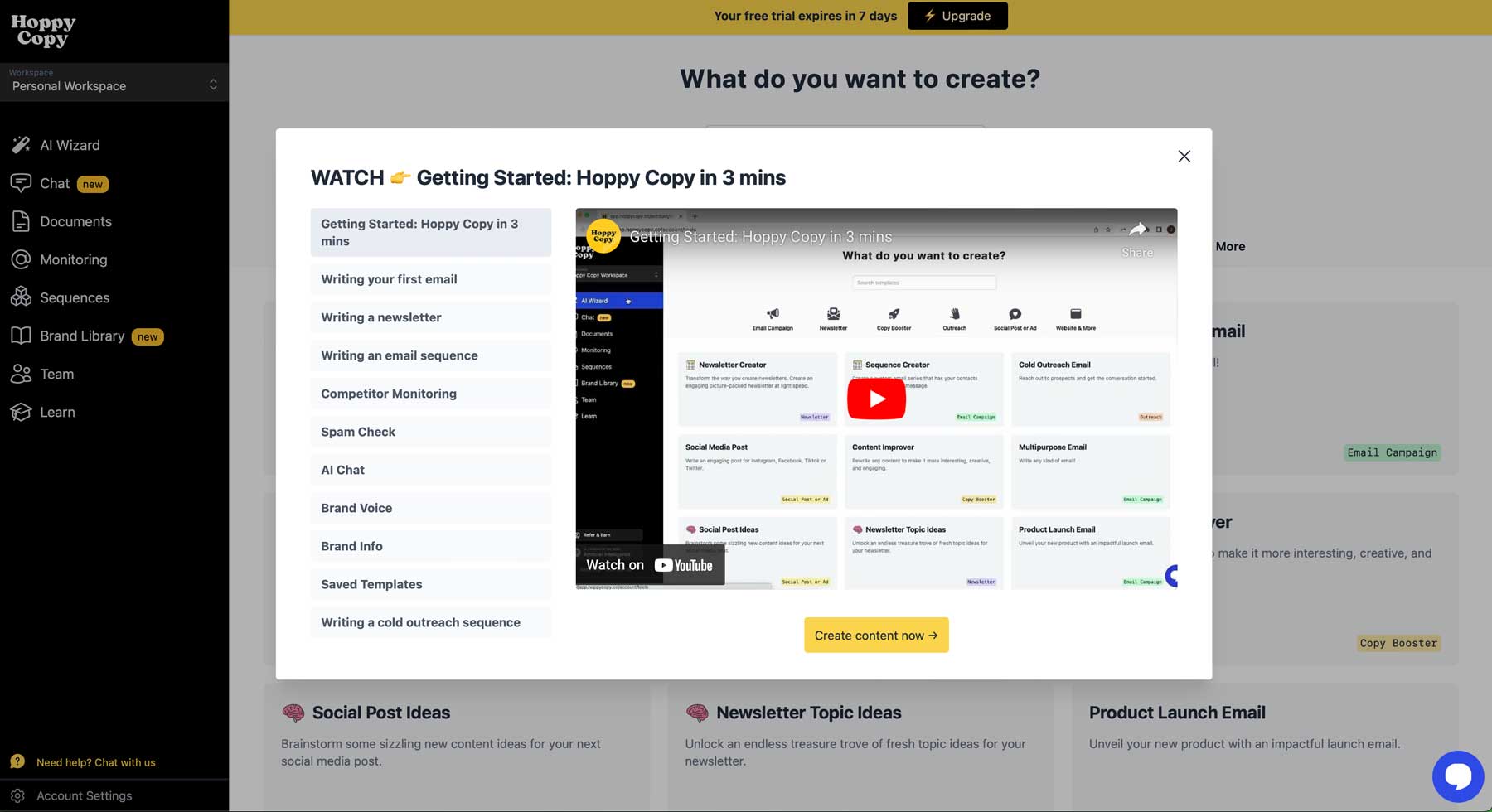
Where Writenexa is a long-form generator that happens to fit newsletters, Hoppy Copy is the opposite. It is built for email from the ground up, and it shows. Sixty-plus email templates. A spam word checker. Sequence builders. Competitor email monitoring that lets you subscribe to up to 50 competing newsletters and pull their patterns into one dashboard. It is more platform than tool.
| Category | Newsletter and email campaign platform |
| Positioning | Emails that actually get opened, clicked, and replied to |
| Pricing | 7-day trial · Starter around $29/mo · higher tiers unlock more |
| Best for newsletters | Full inbox workflow, subject lines, sequences, and cadence |
What it actually does
Everything email-shaped. You pick a template (newsletter, welcome sequence, product launch, re-engagement), fill in a brief with tone and audience, and get back an email plus subject line variations plus preview text plus a spam score. It also runs automated weekly newsletter engines that pull from your topic list and generate ongoing issues without a fresh prompt every time.
The feature that changed my workflow
The competitor email monitor. You paste in a list of newsletters in your niche, and Hoppy Copy tracks how often they send, what subjects they use, what CTA patterns show up. It is not a replacement for actually reading your competitors, but as a monitoring layer it saved me hours of manual subscribing and screenshotting.
Where it slots into the workflow
Take your Writenexa long-form draft, drop the key argument into Hoppy Copy's newsletter template, choose a tone, and let it produce the email shape. Then generate 10 subject line variants, filter them through the spam checker, and A/B test the two you like most. This is the second half of the workflow.
| WHAT WORKED | WHAT DID NOT |
+ Email-native from the start, no forcing a blog tool into an email shape + Subject line generator plus spam checker in one pass + Multi-language support (35+) for creators with international lists + Sequence templates for onboarding and re-engagement flows + Competitor tracking is genuinely useful for angle research | − Some default copy patterns feel templated on the first pass − Limited integration options with smaller ESPs, works best if you export − Mobile interface is thin, not ideal for editing on the go − Best features are on higher tiers, the entry plan is quite limited − Not built for long-form content, so pair it with a draft tool |
Side by side, on the things that matter.
Here is the honest comparison, filtered through what a newsletter creator actually needs, not what a generic tool review would list.
| CRITERION | WRITENEXA | HOPPY COPY |
|---|---|---|
| Primary purpose | Long-form, SEO-structured blog drafts | Email campaigns and newsletter sequences |
| Newsletter-native features | Limited. No subject lines or sequences | Deep. Templates, subject lines, sequences, spam check |
| Draft length ceiling | About 2,000 words in one pass | Short to medium email, not long-form |
| Subject line generator | No | Yes, with variants and spam scoring |
| Brand voice control | Basic tone settings | Brand voice training, learns from your inputs |
| Analytics & testing | Not built in | Yes. A/B and competitor tracking |
| Learning curve | Very light | Moderate, more features to learn |
| Entry price | Free trial, Pro at $49/mo | 7-day trial, Starter around $29/mo |
| Best for | Creators anchoring newsletters to a long piece | Creators focused on inbox performance and cadence |
Neither on its own. Both, in sequence.
After the third week, the setup that stuck was not choosing one tool. It was chaining them. The long piece gets drafted in one place, then reshaped for the inbox in another. Here is the flow.
| 01 · DRAFT | 02 · COMPRESS | 03 · TEST | 04 · SEND |
| Writenexa | Hoppy Copy | Hoppy Copy | Your ESP |
| Generate the long-form article or analysis piece. Edit for voice. | Turn the article into a scannable newsletter with sections and CTAs. | Generate subject lines and preview text, run through spam check. | Export to your sending platform, A/B test the top two variants. |
The tool never replaced editorial judgment. It replaced the eight hours of grunt work that used to sit before the editorial judgment.
How to actually check whether the AI is helping.
Vibe checks are not a testing strategy. If you cannot tell whether AI is improving your newsletter, you cannot justify the tool. Here is the simple testing framework I used, and the six checks that catch most problems before send.
CHECK 01 The 30-second scan test Open your draft on a phone. If a subscriber cannot get the main point in 30 seconds of scrolling, rewrite the top third. AI drafts often bury the payoff. | CHECK 02 Subject line A/B split (50/50) Send two AI-generated subject lines to 20% of your list each. Wait 4 hours. Send the winner to the remaining 60%. Record the delta over 8 sends before you trust the pattern. |
CHECK 03 Voice cross-check Paste the AI draft next to two recent human-written newsletters from your archive. Highlight every sentence that would not appear in the human version. Rewrite those lines. Aim for less than 10% flagged after two rounds. | CHECK 04 Deliverability check Run the copy through your ESP's spam analyzer or Hoppy Copy's built-in scorer. Watch for spam trigger words the AI likes ("limited time," "act now," "guaranteed") that quietly tank inbox placement. |
CHECK 05 Personalization delta Run one send with generic AI copy and one with segment-personalized AI copy (same offer, different intro). Track the click-through rate difference. Personalized email lift is the single biggest number in the AI benchmarks, so verify it on your own list. | CHECK 06 Unsubscribe watch Open rates are noisy in 2026 because of Apple Mail Privacy Protection. Unsubscribe rate is not. If unsubs climb after switching to AI drafts, you are getting the outputs but losing the audience. Roll back and re-tune voice. |
One number to hold everything against: on the 23 sends I ran during testing, the AI-assisted workflow produced a ~14% open rate lift and a ~9% click-through lift compared to the previous 23 sends done manually. That is below the industry-reported 26% subject line lift, which is a useful reminder that vendor benchmarks are ceilings, not floors. Your own numbers are the only ones that matter.
Three ways this quietly goes wrong.
Every creator I know who tried AI for newsletters and then quit did so for one of three reasons. All three are avoidable once you know to watch for them.
PITFALL 01 Voice erosion over time Your voice slowly averages toward the tool's default. Readers do not complain, they just stop opening. Fix by writing one full newsletter manually every month and comparing it to the AI drafts. If the gap is growing, retrain your tone settings or take back more of the drafting. | PITFALL 02 Chasing benchmarks that do not apply Vendor stats like "41% revenue lift" are averages across huge, mostly e-commerce datasets. A B2B analyst newsletter with 4,000 readers will not see the same lift. Set your own baseline first (four to six sends), then measure the delta from there, not from a press release. | PITFALL 03 Trusting output without a fact check AI drafts still hallucinate names, quotes, and stats. In a newsletter that trades on credibility, one wrong quote is one too many. Add a "sources verified" pass as a required step before send. It takes ten minutes and it is the difference between a durable newsletter and one that quietly loses trust. |
Final scoring, after three weeks of real work.
This is where I stop being diplomatic.
For three weeks I lived inside these tools. Real newsletters, real subscribers, real money on the subscriptions. Not a five-prompt sandbox test.
I scored them on six things a working newsletter creator actually cares about on a Tuesday afternoon: first-draft quality, structure under editing, inbox-specific features, voice matching, learning curve, and value. Nothing else. If a tool crushed a category I did not care about, it did not get points for it.
Both landed above 7, which is the honest read. Neither is a disaster, neither is a revelation. The biggest-issue box under each score is the part worth reading twice. That is where the marketing stops and the daily reality of the tool starts.
Ratings are out of 10.
Writenexa LONG-FORM ANCHOR | Hoppy Copy INBOX SPECIALIST |
| Draft quality out of the box 8.0 | Email-native features 9.2 |
| Structure & readability 8.5 | Subject lines & deliverability 8.8 |
| Newsletter-specific features 3.5 | Copy quality out of the box 7.0 |
| Voice matching 6.0 | Voice matching 7.5 |
| Learning curve 9.0 | Learning curve 6.0 |
| Value for money 7.5 | Value for money 7.2 |
| FINAL SCORE 7.1 / 10 | FINAL SCORE 7.6 / 10 |
BIGGEST ISSUE It is not an email tool. Using it for newsletters means adopting it as an anchor content generator, not a full-stack solution. If you were expecting one tool to close the loop, this is not it. | BIGGEST ISSUE Templated copy on the first pass. Every default template produces something that has clearly been produced by a template. You still need a second edit round to make it sound like a person wrote it. |





