You signed up for Writesonic because the demo looked effortless. Then month two arrived, the credit meter started blinking, and you realized the plan you picked tracks one brand on one AI platform while quietly nudging you toward an upgrade. That moment is why most people start shopping for alternatives.
Here is the honest framing: Writesonic isn't bad. It's just built for a particular buyer: a marketing team that wants AI writing and AI-search visibility tracking bolted together in one dashboard. If that's not you, you're paying for a room you never walk into. The six tools below each win a specific job better than a do-everything suite does, and I've ranked them by the kind of writer they suit rather than by a meaningless overall score.
How to read this guide Each tool gets four tables: features, pricing, a pros-and-cons split, and a verdict with a star rating. Skim the table that matches your situation (solo blogger, performance marketer, SEO lead) and ignore the rest. Annual billing saves roughly 20% almost everywhere, so the monthly numbers shown are the worst case. |
Why people actually leave Writesonic
Before you can pick a replacement, it helps to name the itch. In researching this piece, the same three complaints surfaced again and again, and they're worth saying out loud because each one points you toward a different alternative.
The first is the credit system. Writesonic prices content in credits, and the consumption is genuinely hard to predict. A single long article using the advanced article writer can eat several times what a short caption costs. Users routinely report spending more than they budgeted simply because the meter behaves in ways the pricing page doesn't make obvious. If unpredictable billing is what's driving you out, you want a tool with flat, unlimited-word pricing, which is exactly where Copy.ai and Jasper sit.
The second is tier instability. Writesonic has renamed and re-tiered its plans repeatedly: Free, Lite, Standard, Professional, and a rotating cast of older names like Small Team and Individual. That churn makes long-term budgeting a guessing game, and it's a big reason agencies in particular start looking for something with a steadier structure.
The third is the all-in-one tax. Writesonic bundles AI writing with AI-search visibility tracking, and you pay for the whole bundle whether or not you touch the GEO dashboard. Plenty of writers signed up for the AI writer and never once opened the visibility tracker. If that's you, a focused single-purpose tool will almost always be cheaper and better at the one thing you came for. Hold those three frustrations in mind as you read; the right swap is usually the tool that solves your specific one.
The Shortlist at a Glance
Before the deep dives, here's the whole field on one screen. Entry price is the cheapest paid tier; the rating blends G2 and Capterra scores.
| Tool | Best for | Entry price (paid) | Free tier? | Rating |
|---|---|---|---|---|
| Jasper | Brand-voice teams & long-form | $39/mo (annual) | Trial only (7-day) | 4.7 ★ |
| Copy.ai | Free starters & GTM workflows | $36/mo (annual) | Yes, 2,000 words/mo | 4.4 ★ |
| Rytr | Budget short-form writers | $7.50/mo (annual) | Yes, 10k chars/mo | 4.6 ★ |
| Surfer SEO | Search-ranking content teams | $79/mo (annual) | No (7-day refund) | 4.7 ★ |
| Anyword | Conversion / paid-media copy | $33/mo (annual) | Trial only (7-day) | 4.6 ★ |
| HyperWrite | In-browser daily assistant | $16/mo (annual) | Yes, limited daily | 4.4 ★ |
Notice the spread: from Rytr's pocket-change tier to Surfer's serious six-articles-pays-for-itself bet. Price tracks intent, not quality.
Jasper
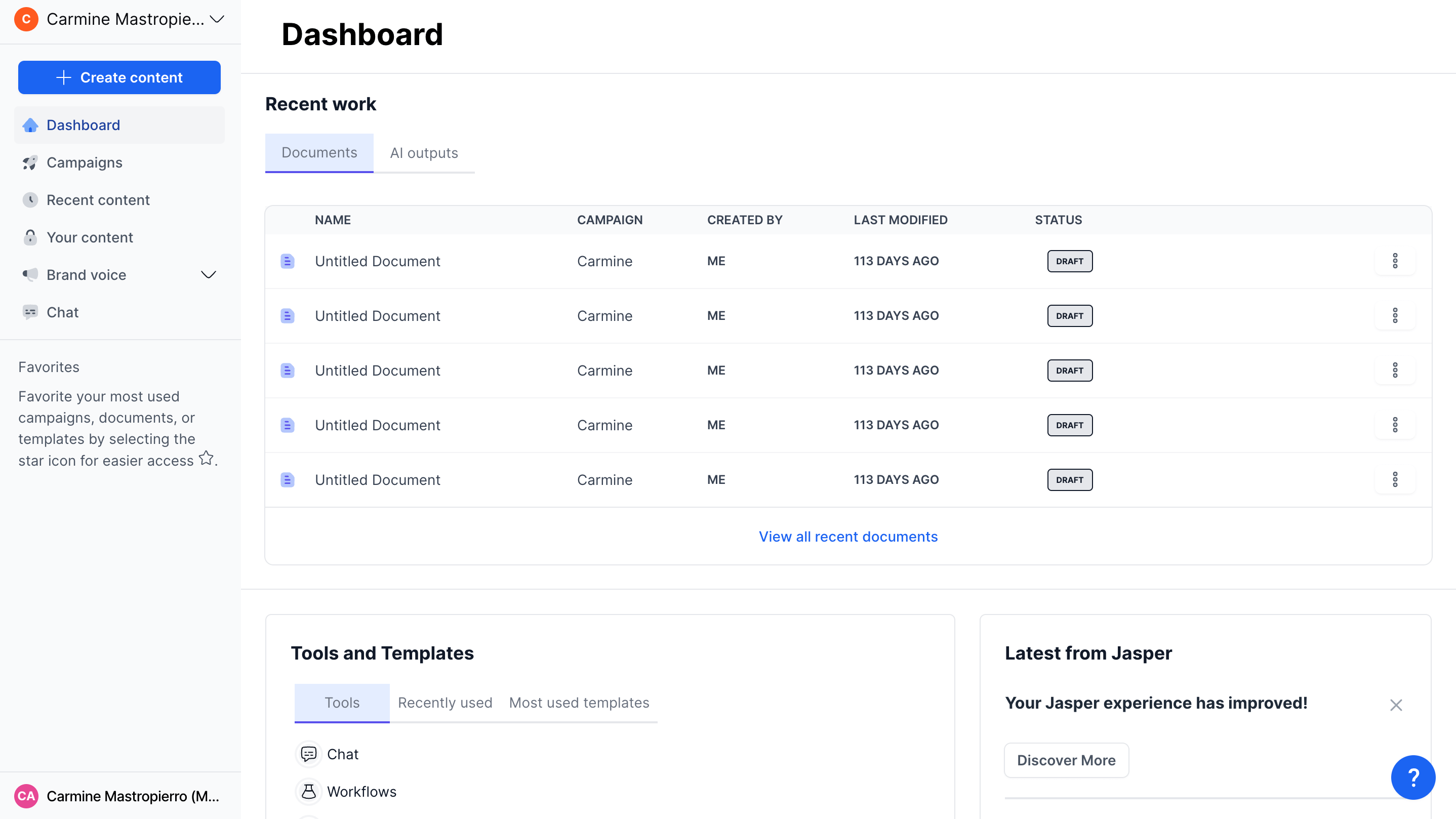
If Writesonic feels like a Swiss Army knife, Jasper is the chef's knife: fewer gimmicks, sharper on the one thing teams actually pay for, namely keeping every piece of content on-brand at scale. It's the tool agencies reach for when three writers need to sound like one voice. The trade-off is the price floor and the cliff between solo and team plans.
Output quality ★★★★½ Best-in-class long-form | Ease of use ★★★★½ Clean Canvas editor | Value ★★★½☆ Premium pricing | Overall (G2) ★★★★½ 1,268 reviews |
Key features
| Capability | What it does | Tier needed |
|---|---|---|
| Brand Voice | Trains on your existing copy so output matches tone; Creator gets 1, Pro gets 2. | Creator+ |
| Canvas | Long-form workspace that chains prompts, briefs and drafts into one document. | Creator+ |
| Knowledge assets | Feed product facts and style rules the AI must respect (5 on Pro). | Pro |
| Jasper Studio / App Builder | No-code builder for repeatable content apps and agent workflows. | Business |
| Browser extension | Runs Jasper inside Google Docs, Gmail and the wider web. | Creator+ |
| API & SSO | Custom integrations, role permissions, dedicated success manager. | Business |
Pricing breakdown
| Plan | Monthly | Annual (per mo) | Seats | Who it's for |
|---|---|---|---|---|
| Creator | $49 | $39 | 1 | Solo writers, freelancers |
| Pro | $69 | $59 | Up to 5 | Small marketing teams |
| Business | Custom | Custom | Unlimited | Enterprises needing governance |
Pros and cons
| ✓ Where it wins | ✕ Where it bites |
|---|---|
| • Strongest long-form coherence of the group | • No permanent free tier |
| • Brand Voice genuinely reduces editing time | • Jump from Pro to Business is a cliff, not a step |
| • No monthly word caps on paid plans | • Per-seat math gets steep for larger teams |
| • 7-day trial with uncapped generation | • Reports of billing after cancellation surface in reviews |
Performance & verdict
| Dimension | Assessment |
|---|---|
| Best use case | Multi-author teams producing campaigns, landing pages and articles under one or two brands. |
| Skip it if | You're a solo blogger who writes occasionally, so you'll underuse the brand controls you're paying for. |
| 5-seat annual cost | ~$3,540/year on Pro, competitive for the feature set but well above Copy.ai's team access. |
| Bottom line | The default choice when brand consistency is the whole point. ★★★★½ |
In practice
Where Jasper earns its premium is the boring, unglamorous work of consistency. Feed it a few thousand words of your existing copy and the Brand Voice feature starts producing drafts that sound like your house style rather than generic AI prose. For a single writer that's a nice-to-have; for a five-person team all publishing under one masthead, it's the difference between a coherent brand and a patchwork. That's the real product here, and it's why agencies tolerate the price.
The friction point is the gap between the Pro and Business plans. Pro tops out at five seats and two brand voices, and the moment you need a sixth seat, a third voice, or any kind of admin control, you're pushed into custom-quoted Business territory with no gentle middle step. Procurement data puts those Business deals anywhere from several hundred to several thousand dollars a month. Plan your team size honestly before you commit, because growing into that cliff mid-contract is an unpleasant surprise.
Copy.ai
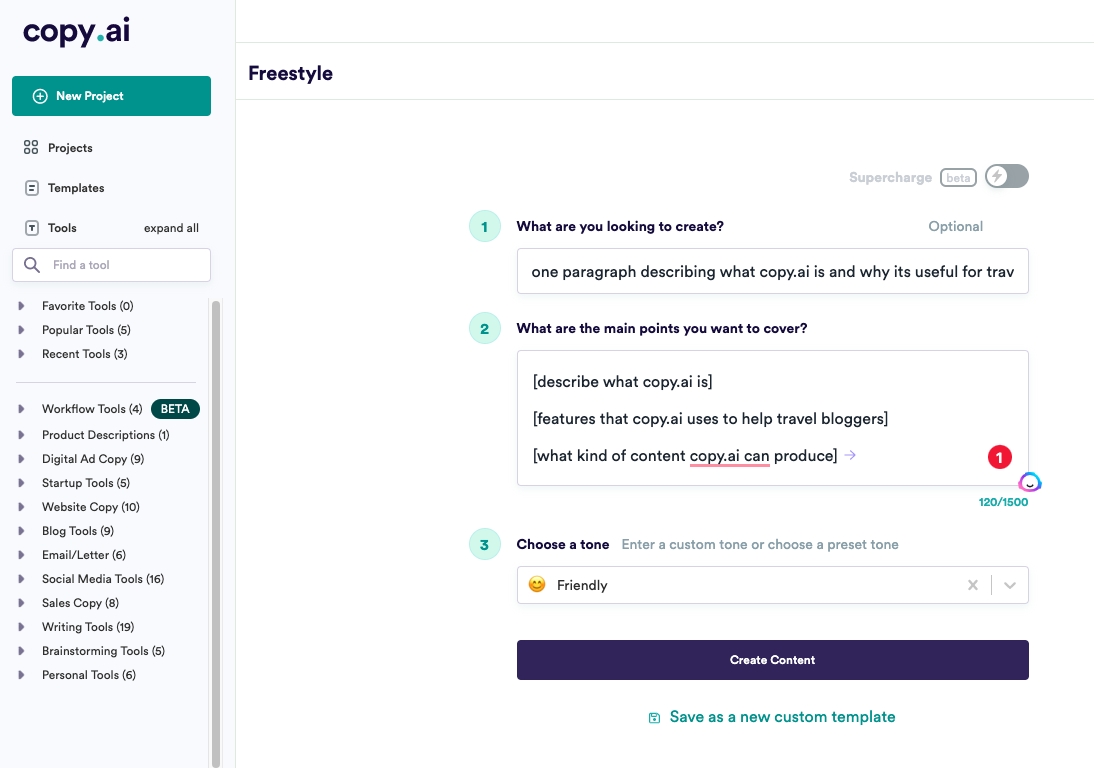
Copy.ai is the rare tool in this category with a free plan you can actually live on for light work: 2,000 words a month, no card, no expiry. It has since repositioned as a go-to-market platform, leaning into workflow automation for sales and marketing teams. For most readers, though, the appeal is simpler: a flat $36-a-month Pro tier with unlimited words and no per-word anxiety.
Output quality ★★★★☆ Solid short-form | Ease of use ★★★★½ Beginner-friendly | Value ★★★★½ Real free tier | Overall (Capterra) ★★★★☆ 67 reviews |
Key features
| Capability | What it does | Tier needed |
|---|---|---|
| Free generation | 2,000 words/month across 90+ templates with no credit card. | Free |
| Unlimited words | Removes the word ceiling entirely on paid plans. | Pro+ |
| Infobase | Stores brand facts and context to keep output relevant. | Pro+ |
| Workflow automation | Chains prompts into repeatable GTM sequences (product desc., ad variants). | Team+ |
| Brand Voice | Applies a saved voice across generations. | Pro+ |
| API & integrations | Bulk workflow runs and 20+ tech integrations. | Enterprise |
Pricing breakdown
| Plan | Monthly | Annual (per mo) | Seats | Headline feature |
|---|---|---|---|---|
| Free | $0 | $0 | 1 | 2,000 words/mo, 90+ templates |
| Pro | $49 | $36 | Up to 5 | Unlimited words + Infobase |
| Advanced / Team | $249 | ~$186 | 5+ | 2,000 workflow credits/mo |
| Enterprise | Custom | Custom | Custom | API, bulk runs, account team |
Pros and cons
| ✓ Where it wins | ✕ Where it bites |
|---|---|
| • One of the only genuine free tiers in the space | • Long-form quality trails Jasper |
| • Flat, predictable Pro pricing, no credit roulette | • Noticeable gap between Pro and the $249 Team tier |
| • Gentle learning curve for non-marketers | • Occasional latency reported on heavy use |
| • Workflow automation scales into real GTM use | • Automation value is wasted on solo users |
Performance & verdict
| Dimension | Assessment |
|---|---|
| Best use case | Freelancers and small teams who write short-form daily and want zero word-count stress. |
| Skip it if | Your priority is polished long-form articles, so you'll edit more than you'd like. |
| Free-tier verdict | Best risk-free way to test AI writing on your real tasks before paying anyone. |
| Bottom line | The value pick that lets you start at $0 and grow into automation. ★★★★ |
In practice
Copy.ai's free tier deserves more credit than it usually gets. Two thousand words a month with no card and no expiry isn't a trial that quietly converts you. It's a permanent floor you can build a light workflow on. For a freelancer testing whether AI writing fits their process at all, it removes the only real risk: paying before you know.
The strategic wrinkle is that Copy.ai has spent the last couple of years repositioning itself as a go-to-market platform rather than a writing app. That's why the leap from the $36 Pro tier to the $249 Team tier feels so steep. You're not buying more words, you're buying workflow automation that chains prompts into repeatable sequences for things like bulk product descriptions or localized ad variants. If you run content at that scale, the jump makes sense. If you just want to write, stay on Pro and ignore the upsell.
Rytr
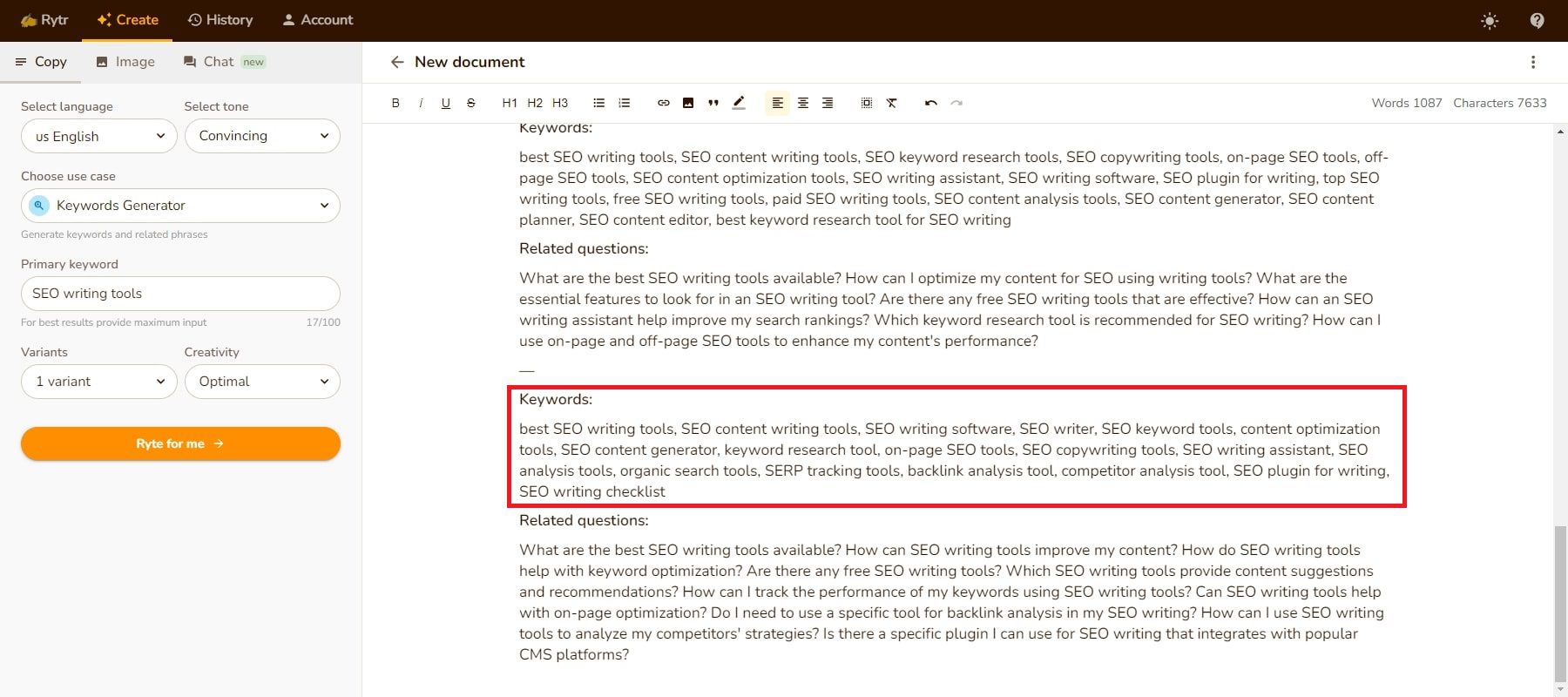
At $7.50 a month on annual billing, Rytr is the cheapest serious option on this list, and it knows exactly what it is. Eight-million-plus users, a four-person team, bootstrapped, fast. It excels at short-form: ad copy, product descriptions, captions, email drafts. Ask it to carry a 2,000-word think-piece and the cracks show, but that's not the job it's priced for.
Output quality ★★★½☆ Great short, weaker long | Ease of use ★★★★½ Minutes to first draft | Value ★★★★★ Hard to beat on price | Overall (G2) ★★★★½ Thousands of reviews |
Key features
| Capability | What it does | Tier needed |
|---|---|---|
| 40+ use cases | Pre-built templates for blogs, ads, emails, product copy, social posts. | Free |
| 20+ tones | Switch voice from formal to playful without re-prompting. | Free |
| Plagiarism checker | Copyscape-powered; 50 checks on Unlimited, 100 on Premium. | Free (limited) |
| Unlimited characters | Removes the 10k-character monthly free cap. | Unlimited+ |
| 35+ languages | Multi-language generation for international content. | Premium |
| Custom use cases | Build your own template and train multi-tone voices. | Premium |
Pricing breakdown
| Plan | Monthly | Annual (per mo) | Limit | Who it's for |
|---|---|---|---|---|
| Free | $0 | $0 | 10k chars/mo | Testing the waters |
| Unlimited | $9 | $7.50 | Unlimited (1 lang) | Solo English short-form |
| Premium | $29 | ~$24 | Unlimited (35+ langs) | Multi-client / multilingual |
Pros and cons
| ✓ Where it wins | ✕ Where it bites |
|---|---|
| • Lowest cost-per-month of any tool here | • Long-form output gets repetitive |
| • Near-zero learning curve | • Output is often flagged by AI detectors |
| • Plagiarism checker even on free plan | • Free cap (~1 long blog draft) fills fast |
| • 10k free characters genuinely usable for evaluation | • Editor-first model adds friction for in-browser work |
Performance & verdict
| Dimension | Assessment |
|---|---|
| Best use case | Solo creators churning out social posts, ad copy and product descriptions on a tight budget. |
| Skip it if | You publish long-form regularly or need copy that passes AI-detection cleanly. |
| Cost reality | $90/year for unlimited short-form is roughly one-tenth of Surfer's entry plan. |
| Bottom line | Unbeatable on price for the job it's built for. ★★★★½ |
In practice
Rytr's whole identity is constraint. It does short-form well and cheaply, and it doesn't pretend otherwise. The template-driven interface means you can generate a usable product description or ad variant within minutes of signing up, with none of the prompt-engineering learning curve that bigger tools quietly assume. For a solo creator pumping out volume, that speed-to-draft is the entire value.
Two honest limitations keep it out of the top spot for serious work. First, long-form output drifts into repetition once you push past a few hundred words, so it's a poor fit for in-depth articles. Second, and more practically, Rytr's output is frequently flagged by AI-detection tools, because its style is consistent enough to be recognizable. If you're producing client work where detection matters, factor in a human editing pass, which narrows the price gap with pricier rivals. Used for what it's built for, though, nothing here touches it on cost.
Reality check on AI detection Reviewers consistently note Rytr's output gets flagged by detection tools without editing. If detection matters for client work, budget a human editing pass, or look at Jasper, whose longer output reads more naturally out of the box. |
Surfer SEO

Surfer isn't really a writing tool. It's a content-scoring tool that happens to write. It reverse-engineers the top results for your keyword and tells you, in real time, exactly what your draft is missing to rank: word count, headings, entities, internal links. If organic search is your channel, this is the most surgical option here. The catch is the $79 floor and the per-article add-on costs.
SEO depth ★★★★★ Best-in-class scoring | Ease of use ★★★★☆ Clear, some add-ons | Value ★★★½☆ Pays off at volume | Overall (G2) ★★★★½ Strongly positive |
Key features
| Capability | What it does | Tier needed |
|---|---|---|
| Content Editor | Real-time ranking score as you write, benchmarked against the live SERP. | Essential+ |
| SERP Analyzer | Breaks down what top pages share; a $29 add-on on Essential. | Add-on |
| Surfer AI | Generates full 2,000–3,500 word optimized drafts; ~$19–29 per article. | Add-on |
| Content Audit | Flags decaying pages and suggests refresh actions (100 pages on Scale). | Scale |
| Grow Flow | Weekly AI task list tied to your Search Console data. | Scale |
| AI visibility tracker | Monitors brand mentions in ChatGPT, Claude, Perplexity (extra cost). | Add-on |
Pricing breakdown
| Plan | Monthly | Annual (per mo) | Content Editor | AI articles |
|---|---|---|---|---|
| Essential | $99 | $79 | 30 articles/mo | 5 (then ~$29 ea) |
| Scale | $219 | $175 | 100 articles/mo | 20 (then add-on) |
| Enterprise | Custom | Custom | Unlimited | Custom limits |
Pros and cons
| ✓ Where it wins | ✕ Where it bites |
|---|---|
| • Most granular on-page scoring on the market | • No permanent free plan (7-day refund only) |
| • Integrates with Google Docs and WordPress | • Key features sit behind paid add-ons |
| • Surfer AI drafts arrive pre-optimized to rank | • AI drafts still need real editing |
| • Early mover on AI-search visibility tracking | • Hard to justify under ~4 articles/month |
Performance & verdict
| Dimension | Assessment |
|---|---|
| Best use case | SEO teams and consultants whose entire game is ranking content on Google. |
| Skip it if | You publish a handful of pieces a month, so the cost outruns the benefit. |
| ROI logic | One article that breaks into page one typically repays the $99 month on its own. |
| Bottom line | A specialist's tool that earns its keep at volume. ★★★★½ |
In practice
The mental shift with Surfer is realizing you're not paying for writing, you're paying for a verdict. Its Content Editor reverse-engineers the live top results for your keyword and scores your draft in real time against them: word count, heading structure, the entities Google expects to see, internal links. After heavy testing, most reviewers land in the same place: it's the most granular on-page optimization tool available, and nothing else matches it for SERP-driven scoring.
The cost story is where you have to be honest with yourself. Beyond the $79 base, the real optimization muscle often sits in add-ons: the SERP Analyzer, the AI article generator at roughly $19 to $29 per piece, the separate AI-visibility tracker. None of that is hidden, but it stacks. The clean rule of thumb from people who've run it on live sites: below about four articles a month, the math doesn't work; at ten-plus, it pays for itself and then some. Surfer is a volume play, not a dabbler's tool.
Anyword

Anyword's pitch is unusual: it predicts how well your copy will perform before you publish it. Its predictive performance score is trained on real A/B-test data, which is why paid-media teams at brands like Amazon and IBM lean on it. You're not really buying better prose, you're buying an analytics layer that tells you which version of an ad to run. For five-figure ad budgets, the subscription is a rounding error.
Output quality ★★★★☆ Competent, not poetic | Predictive scoring ★★★★★ The real draw | Value ★★★½☆ Premium for the data | Overall (Trustpilot) ★★★★½ Performance fans |
Key features
| Capability | What it does | Tier needed |
|---|---|---|
| Predictive score | Forecasts conversion performance per copy variant before launch. | Starter+ |
| Copy Intelligence | Scans your top-performing content to learn winning patterns. | Data-Driven+ |
| Cross-channel scoring | Works across ads, email subject lines and landing pages. | Starter+ |
| Brand rules / voice | Enforces tone and messaging guardrails; more rules on higher tiers. | Data-Driven+ |
| Chrome extension | Live scoring inside Facebook Ads Manager and other platforms. | Starter+ |
| Custom data models | Connect your own performance data to tune predictions. | Business+ |
Pricing breakdown
| Plan | Monthly | Annual (per mo) | Words | Headline feature |
|---|---|---|---|---|
| Starter | $39 | ~$33 | Unlimited | 100+ templates, fewer predictions |
| Data-Driven | $99 | ~$79 | Unlimited | Copy Intelligence + more scores |
| Business | Custom | Custom | Unlimited | Custom models, security |
Pros and cons
| ✓ Where it wins | ✕ Where it bites |
|---|---|
| • Performance prediction is a genuine differentiator | • Pricier than Rytr or Writesonic at entry |
| • Unlimited words on every paid plan | • Writing itself is good, not exceptional |
| • Most mature in-platform scoring (Ads Manager) | • No permanent free plan (7-day trial) |
| • Directly tied to ad-spend ROI | • Overkill if you don't run paid campaigns |
Performance & verdict
| Dimension | Assessment |
|---|---|
| Best use case | Performance marketers and paid-media teams optimizing ads, emails and landing pages. |
| Skip it if | You just need general blog writing, which cheaper tools cover. |
| The math | For teams spending five figures monthly on media, the fee is trivial against the lift. |
| Bottom line | Buy it for the predictions, not the prose. ★★★★ |
In practice
Anyword answers a question the other tools mostly ignore: not "is this copy good?" but "will this copy convert?" Its predictive performance score is trained on real A/B-test data from thousands of campaigns, so instead of guessing which headline to run, you get a forecast before a single dollar of ad spend goes out. The Chrome extension brings that scoring directly into Facebook Ads Manager, which is about as close to a live performance heads-up display as marketing copy gets.
The honest caveat is that you're buying the analytics layer, not dramatically better writing. The prose Anyword produces is competent and on-brand, but it isn't meaningfully sharper than what cheaper tools generate. The value is entirely in the prediction. That makes the pricing logic binary: if you run paid campaigns at scale, a better-converting variant pays for the subscription many times over, and the cost is trivial against a five-figure media budget. If you don't run ads, you're paying a premium for a feature you'll never use.
HyperWrite

The other five tools want you to come to them. HyperWrite goes the other way. It lives in your browser and helps where your writing already happens: Gmail, Slack, LinkedIn, Google Docs. At $16 a month it's positioned as a daily assistant rather than a content factory, and for professionals whose writing is scattered across tools, that lower-friction model is the entire point.
Convenience ★★★★½ Goes where you write | Ease of use ★★★★½ Nothing to learn | Value ★★★★☆ Low entry price | Overall ★★★★☆ Strong daily-use scores |
Key features
| Capability | What it does | Tier needed |
|---|---|---|
| Browser-wide assistant | Drafts, rewrites and replies inside any text field on the web. | Premium+ |
| Personalized style | Learns your voice so suggestions sound like you. | Premium+ |
| AutoWrite / rewrite | Expands bullet points or polishes existing text in place. | Free (limited) |
| Research & summarize | Pulls and condenses information without leaving the page. | Premium+ |
Pricing breakdown
| Plan | Monthly | Annual (per mo) | Best for |
|---|---|---|---|
| Free | $0 | $0 | Light daily use, evaluation |
| Premium | $19 | $16 | Professionals writing across tools |
| Ultra / higher | Higher | Higher | Power users needing more volume |
Pros and cons
| ✓ Where it wins | ✕ Where it bites |
|---|---|
| • Lowest-friction option, no separate app to open | • Not built for long-form article production |
| • Cheapest paid entry after Rytr | • Fewer marketing-specific templates |
| • Style learning makes replies feel native | • Less suited to team/agency workflows |
| • Useful free tier for casual use | • Volume limits on lower tiers |
Performance & verdict
| Dimension | Assessment |
|---|---|
| Best use case | Professionals whose daily writing is spread across email, chat and docs. |
| Skip it if | You need a dedicated long-form or SEO content pipeline. |
| Bottom line | The quiet productivity pick that works where you already do. ★★★★ |
In practice
HyperWrite is the contrarian pick because it rejects the premise of the others. Tools like Jasper and Surfer want to be a destination, a place you go to make content. HyperWrite assumes your writing is already scattered across a dozen browser tabs and meets you there instead, surfacing drafts and rewrites inside Gmail, Slack, LinkedIn, and Google Docs. For a knowledge worker whose output is fifty short messages a day rather than five long articles a month, that lack of context-switching is the whole appeal.
What you give up is depth. There's no SEO scoring, no predictive analytics, no team brand-governance layer, and it isn't built to manufacture long-form articles at volume. It's an assistant, not a factory. But at $16 a month with a genuinely useful free tier, it's the cheapest paid entry on this list after Rytr, and for the right person, someone who never wanted a content platform but just wanted help writing faster wherever they happen to be typing, it quietly outperforms tools that cost three times as much.
Head-to-Head: Picking by Job, Not by Hype
A ranked list is fine until you remember every reader wants a different thing. So here's the same six tools sorted by the decision you're actually trying to make.
| If your priority is… | Pick | Why it wins | Watch out for |
|---|---|---|---|
| Spending as little as possible | Rytr | $7.50/mo unlimited short-form | Edit before publishing |
| Starting free, no card | Copy.ai | 2,000 words/mo forever | Long-form is average |
| On-brand team content | Jasper | Brand Voice + Canvas | Pricey beyond one seat |
| Ranking on Google | Surfer SEO | Live SERP-based scoring | Add-on costs stack |
| Higher ad conversion | Anyword | Predictive performance score | Overkill without ad spend |
| Writing across all your tools | HyperWrite | Lives in your browser | Not a long-form factory |
How the money compares over a year
Annual cost for a single user on each tool's entry paid plan. The bars are scaled to the priciest option so the gap is easy to feel.
| Rytr | $90 |
| HyperWrite | $192 |
| Copy.ai | $432 |
| Jasper | $468 |
| Anyword | $396 |
| Surfer SEO | $948 |
Figures are entry-tier annual totals (single user). Surfer sits highest because it's a different category of tool: content intelligence, not just generation.
How to Actually Make the Switch
Choosing a tool is the easy part. Migrating without losing a week of productivity is where most switches go sideways. A few hard-won principles keep the move clean.
Run a real brief through the free tier or trial before you cancel anything. This is the single most useful step and the one people skip. Don't test a new tool with a toy prompt. Give it an actual piece of work from your queue, the kind of brief you'd normally hand to Writesonic, and judge it on the output you'd genuinely ship. A polished demo tells you nothing; your own messy real-world brief tells you everything.
Keep both subscriptions running for one overlap cycle. The temptation to cancel Writesonic the moment you sign up elsewhere is strong, but a few weeks of overlap costs less than a stalled content calendar. Use the overlap to rebuild your templates, brand voice, and saved prompts in the new tool while the old one is still there as a safety net. Once you've published a full week of work on the new platform without reaching back, you're safe to cancel.
Export and save anything you want to keep. Brand voice settings, prompt libraries, and any content you haven't published elsewhere live inside the tool until you pull them out. Copy them into a plain document before you close the account. And if billing is part of why you're leaving, watch your statement for a cycle or two after cancelling, because review sites flag occasional post-cancellation charges across this whole category, not just one vendor, so it pays to confirm the meter actually stopped.
A quick gut check before you commit Ask yourself one question: what was the single thing Writesonic kept doing for you that you'd miss tomorrow? If the answer is SEO scoring, go to Surfer. If it's free generous output, Copy.ai. If it's clean long-form for a team, Jasper. If it's cheap volume, Rytr. The clearer your answer, the easier the decision. And if you can't answer it, you may not need a replacement at all. |
So Which One Replaces Writesonic?
There's no single winner, and anyone who tells you otherwise is selling something. The right swap depends on the one job you kept hiring Writesonic to do. Loved the SEO angle? Surfer does it deeper. Lived in the AI writer? Jasper writes cleaner long-form, Copy.ai gives you a free runway, and Rytr does it for the price of a coffee.
My honest advice: don't migrate your whole stack on a hunch. Pick the two tools that match your actual workflow, run a week of real briefs through each free tier or trial, and let your own editing time make the call. The best tool is the one you stop second-guessing by Friday.
It's also worth zooming out for a second. The entire AI-writing market is consolidating around specialization. The days of one tool credibly claiming to do writing, SEO, image generation, and analytics equally well are fading, and the products that survive are the ones that pick a lane and own it. That's good news for you as a buyer. Instead of paying for a bundle where half the features gather dust, you can assemble a lean stack of one or two focused tools that each do their job exceptionally. For many people, the real answer to "what replaces Writesonic" turns out to be "a cheaper, sharper tool plus the base ChatGPT or Claude subscription I already pay for."
Whatever you land on, make the decision on evidence rather than marketing copy. You've already learned the lesson once: the demo is never the product. Test on your own work, watch the first invoice, and keep the receipts. Do that, and the switch will feel less like a gamble and more like the obvious upgrade it should be.
One last thing Pricing and plan names in this category shift constantly, and Writesonic alone has re-tiered several times. Treat every number here as a verified-as-of-May-2026 snapshot and glance at the vendor's pricing page before you put in a card. |