
Here is the quiet truth nobody puts on a pricing page: most people who cancel Synthesia don't leave because the avatars are bad. They leave because they wanted to make one kind of video and the platform is brilliant at a different kind. Synthesia is a corporate-training engine wearing a creator's clothes.
If your job is turning a 40-slide onboarding deck into a clean, multilingual talking-head module, it is hard to beat. But if you opened it hoping to make a cinematic product teaser, a face-swap meme, or a scrappy daily TikTok, you ran into the same wall everyone does: a yearly minute cap, a credit meter, and a presenter who is very polite and very not the vibe.
So this guide skips the ranking-by-popularity routine. Instead, every tool below gets sorted by the one question that matters: what is this actually best at, and what will quietly drive you up the wall? Prices were pulled from live vendor pages in Q2 2026, because in this category last quarter's numbers age like milk.
Start here: which alternative matches your job
Before the deep dives, a thirty-second triage. Find your use case on the left and the tool worth your trial week is on the right.
| If you mainly need… | Reach for | Why it fits | Rough entry cost |
|---|---|---|---|
| Avatar videos that beat Synthesia on realism + translation | HeyGen | Avatar V lip-sync leads benchmarks; 175+ languages | $24/mo annual |
| Cinematic, generated scenes (not a presenter) | Runway | Gen-4.5 motion, editing suite, Act-Two | $12/mo annual |
| High-volume short-form + face swap + remixing | Magic Hour | Multi-model suite, credits never expire | $10/mo |
| A chatty, on-brand AI persona / interactive character | Character.AI | Best-known character chat for scripted personas | $9.99/mo |
| Fast text-to-image-to-video art for thumbnails & B-roll | Leonardo AI | Strong image gen feeding video workflows | $12/mo annual |
| Reality check: There is no single “Synthesia killer.” The category split into avatar tools, generative-video tools, and creator suites. Picking the right lane saves more money than picking the cheapest plan. |
HeyGen — the closest like-for-like upgrade

If Synthesia made you fall in love with the idea of a talking avatar but not the execution, HeyGen is the natural jump. It plays the same sport and, on most benchmarks, plays it better. Its Avatar V model posts the highest face-similarity score in the category (0.840), and the automatic video translation keeps lip movement matched across 175+ languages — the feature people actually gasp at in demos.
The catch is structural, not cosmetic. HeyGen runs on a credit system where premium avatar minutes burn roughly 20 credits each, so the headline “unlimited videos” really means “unlimited until your credits run dry around the ten-minute mark.” Knowing that going in changes how you budget.
Feature breakdown
| Capability | What you get | Edge vs Synthesia |
|---|---|---|
| Avatar realism | Avatar V, micro-expressions, body motion | Higher benchmarked similarity |
| Languages | 175+ languages with lip-synced translation | Beats Synthesia's 140+ |
| Custom avatar | Digital Twin from ~2 min of footage | Faster, cheaper to spin up |
| Creative range | Talking photo, face swap, text-to-video | Broader than Synthesia |
| L&D fit | SCORM export on Business tier (2026) | Closed a real gap mid-market |
Pricing (verified Q2 2026)
| Plan | Cost | Credits / output | Best for |
|---|---|---|---|
| Free | $0 | 3 videos/mo, watermark, 1-min clips | Kicking the tires |
| Creator | $24/mo annual ($29 monthly) | 200 credits (~10 min premium avatar) | Solo creators, freelancers |
| Pro | $99/mo | More credits + advanced features | Power users |
| Business | $149/mo + $20/seat | 4K, custom avatars, SSO, SCORM | Teams & L&D |
| Enterprise | Custom | Unlimited video, 200 credits/seat | Large orgs |
| Hidden cost: Credits don't roll over, and a busy month can push you into $15 priority-processing or $15 Avatar-IV credit packs. A “$29” plan often lands nearer $59 once you produce seriously. |
Pros and cons
| What wins | What grates |
|---|---|
| + Best-in-class avatar realism and lip-sync | – Credit math caps premium output near 10 min/mo |
| + 175+ languages with matched mouth movement | – Credits expire monthly — quiet months are wasted |
| + Cheap entry ($24/mo) for what it delivers | – Looser avatar-consent rules raise ethics questions |
| + Genuinely useful creative extras (face swap, talking photo) | – True cost creeps past the headline fast |
Performance & use cases
| Use case | Verdict | Notes |
|---|---|---|
| Multilingual training / onboarding | Excellent | Translation + lip-sync is the killer feature |
| Marketing explainers with a presenter | Excellent | Avatar V looks the part |
| Faceless high-volume short-form | Weak | Credit ceiling fights you |
| Cinematic / scene-based video | Not the tool | Use Runway instead |
Rating
Avatar quality ★★★★½ 4.8/5
Value for money ★★★½☆ 3.9/5
Ease of use ★★★★½ 4.5/5
Creative range ★★★★☆ 4.2/5
Overall ★★★★☆ 4.4/5
Runway — when you want a film, not a presenter
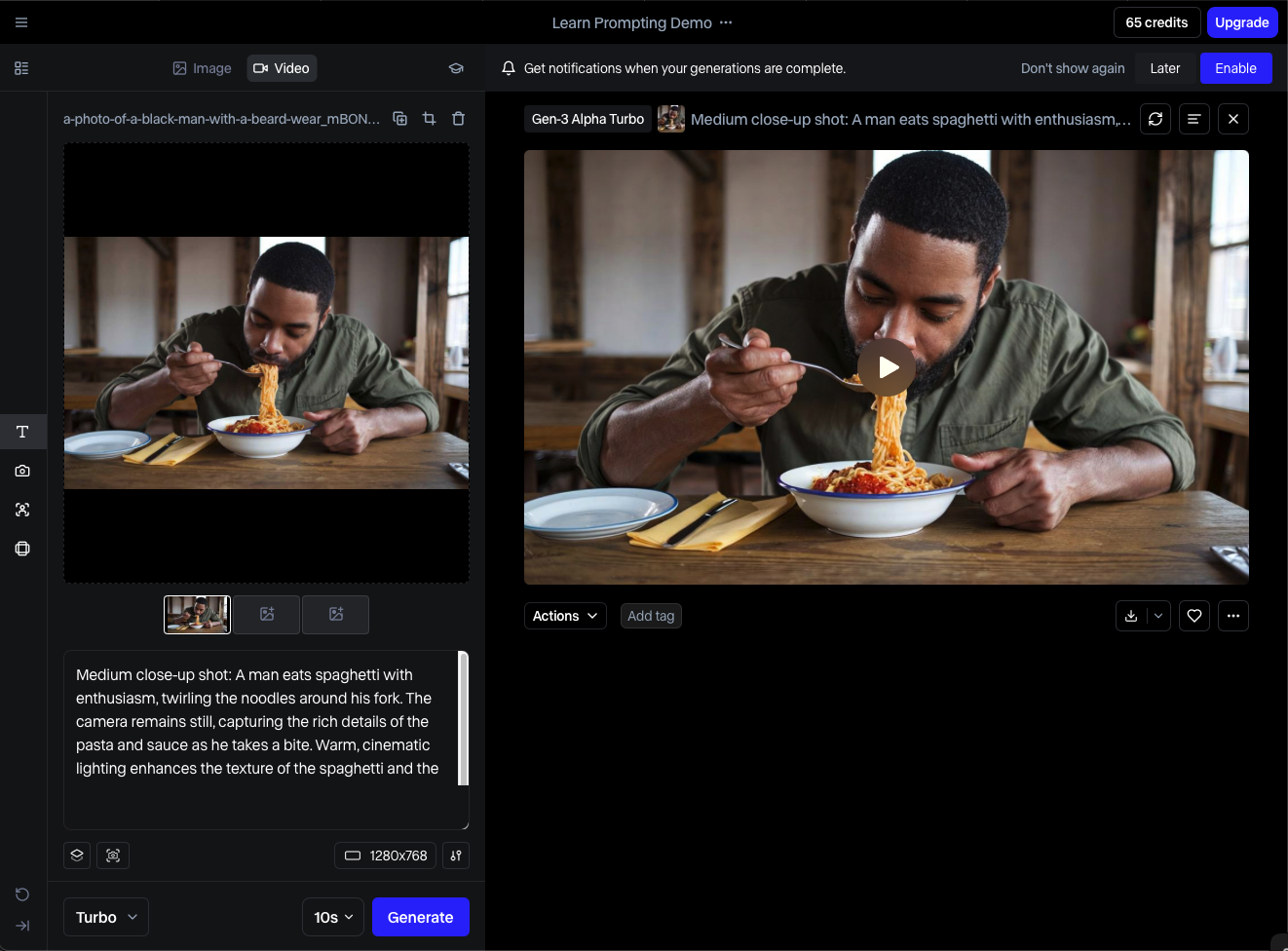
Runway answers a different prayer entirely. There is no friendly avatar reading your script. Instead you describe a scene and the model generates it — light, motion, camera feel and all. Its Gen-4.5 model and the Act-Two and Aleph tools have made it the default for filmmakers, agencies, and anyone who needs cinematic AI video rather than a corporate explainer.
The trade-off is a learning curve and a credit meter that rewards planning. Different models eat credits at wildly different rates, so the same plan can yield 7 minutes of polished Gen-4.5 or 30 minutes of lighter Gen-3 Turbo. Treat credits like film stock and the value is excellent; treat them carelessly and a single 30-second sequence can swallow a few hundred.
Feature breakdown
| Capability | What you get | Why it matters |
|---|---|---|
| Flagship model | Gen-4.5, Gen-4, Gen-4 Turbo | Top-tier motion & coherence |
| Editing suite | Act-Two, Aleph, 4K upscaling | Generation + editing in one place |
| Model marketplace | Veo 3.1, Kling 3.0 Pro built in | One subscription, many engines |
| Explore Mode | Unlimited slow-lane gens (Unlimited tier) | Experiment without burning fast credits |
Pricing (verified Q2 2026)
| Plan | Cost | Monthly credits | Reality |
|---|---|---|---|
| Free | $0 | 125 one-time (never renew) | A sample tray, not a meal |
| Standard | $12/mo annual ($15 monthly) | 625 credits | Real entry point; watermark-free |
| Pro | $28–$35/mo | 2,250 credits | Cheapest per-credit; sweet spot for volume |
| Unlimited | $76/mo annual ($95 monthly) | 2,250 fast + unlimited Explore | Heavy users who hate the credit clock |
| Enterprise | Custom | Custom | Production teams |
| Credit math: A 10-second clip runs ~50 credits on Gen-4 Turbo, ~120 on Gen-4.5. Standard's 625 credits is roughly 25 seconds of Gen-4.5 — plan iterations before you click generate. |
Pros and cons
| What wins | What grates |
|---|---|
| + Best generative-video quality for cinematic work | – Steep learning curve vs avatar tools |
| + Generation + pro editing in one platform | – Credits expire monthly; heavy iteration is costly |
| + Multiple top models under one plan | – “Unlimited” still needs credits for top quality |
| + Standard tier is genuinely affordable | – User reports of awkward cancellation flows |
Performance & use cases
| Use case | Verdict | Notes |
|---|---|---|
| Cinematic ads & teasers | Excellent | This is the home turf |
| Music videos / experimental art | Excellent | Style consistency is strong |
| Talking-head training modules | Not the tool | No native presenter — use HeyGen |
| Budget high-volume social | Mixed | Credits limit raw quantity |
Rating
Output quality ★★★★½ 4.7/5
Value for money ★★★★☆ 4.0/5
Ease of use ★★★½☆ 3.6/5
Creative range ★★★★½ 4.8/5
Overall ★★★★☆ 4.3/5
Magic Hour — the creator's Swiss Army knife
Magic Hour is what you reach for when your content lives on TikTok, Reels, and YouTube rather than in a corporate LMS. It bundles text-to-video, image-to-video, video-to-video style transfer, face swap, and lip sync into one approachable suite, and it does the one thing creators care about most: it lets you iterate without financial anxiety.
The headline kindness is that its credits (“frames”) never expire and roll forward month to month, which is the opposite of the use-it-or-lose-it model that makes HeyGen and Runway stressful. It won't out-cinema Runway or out-avatar HeyGen, but for sheer volume-per-dollar on internet-native content, few tools are friendlier.
Feature breakdown
| Capability | What you get | Standout |
|---|---|---|
| Workflow variety | Text/image/video-to-video, face swap, lip sync | True multi-tool suite |
| Model access | Multiple AI engines under one roof | No single-model lock-in |
| Credit policy | Frames never expire, roll forward | Best-in-class for iterators |
| Templates | Thousands of templates & effects | Fast starts for social |
Pricing (verified Q2 2026)
| Plan | Cost | What it covers | Best for |
|---|---|---|---|
| Free | $0 | ~400 credits, watermark, no commercial use | Learning the ropes |
| Creator | from ~$10/mo | Frames for steady short-form output | Small creators |
| Pro | Higher tier | Priority processing, commercial rights | Influencers & freelancers |
| Business | Custom / top tier | Team volume, fastest processing | Agencies & brands |
| Nice surprise: Leftover frames carry forward with no expiry, and paid plans grant full commercial rights to your generated videos — rare clarity in a category full of fine print. |
Pros and cons
| What wins | What grates |
|---|---|
| + Credits never expire — iterate freely | – Not cinematic-grade vs Runway |
| + Widest creative toolset for the price | – No polished corporate avatar presenter |
| + Low $10 entry lowers experimentation risk | – Face swap warps on motion-heavy footage |
| + Clear commercial rights on paid plans | – Free tier is watermarked & non-commercial |
Performance & use cases
| Use case | Verdict | Notes |
|---|---|---|
| High-volume short-form social | Excellent | Roll-over frames reward churn |
| Memes, face swap, remix content | Excellent | Built for internet-native media |
| Enterprise onboarding | Weak | Wrong tool — choose Synthesia/HeyGen |
| Final cinematic hero shots | Mixed | Often paired with Runway/Luma |
Rating
Output quality ★★★★☆ 4.0/5
Value for money ★★★★½ 4.7/5
Ease of use ★★★★½ 4.6/5
Creative range ★★★★½ 4.5/5
Overall ★★★★☆ 4.4/5
Character.AI — when the “presenter” should talk back

This is a left-field pick, and deliberately so. Plenty of people choose Synthesia because they want a consistent on-brand persona to front their content. If what you actually need is an interactive persona — a scripted character, a training role-play partner, a brand mascot that answers questions — Character.AI does that conversational job far better than any video tool, and you can storyboard its dialogue before handing the script to an avatar generator.
Treat it as the writers' room rather than the camera. It is the most recognizable name in character chat, and its strength is voice and personality consistency: define a persona once and it stays in character across long exchanges. Pair its dialogue output with HeyGen or Synthesia and you get a persona that is both believable on screen and responsive off it.
Feature & fit snapshot
| Dimension | Detail | How it helps a video workflow |
|---|---|---|
| Core function | Conversational AI characters | Drafts in-character scripts & dialogue |
| Persona control | Define traits, tone, backstory | Keeps brand voice consistent |
| Role-play | Interactive training scenarios | Prototype coaching/onboarding scripts |
| Best paired with | HeyGen / Synthesia for the visual layer | Persona writing + avatar delivery |
Pricing
| Plan | Cost | What you get |
|---|---|---|
| Free | $0 | Full character chat with wait times at peak |
| c.ai+ (Plus) | ~$9.99/mo | Priority access, faster replies, early features |
| Use it as a tool, not the deliverable: Character.AI doesn't render video. Its value here is upstream — nailing a persona and its dialogue before a single avatar frame is generated. |
Pros and cons
| What wins | What grates |
|---|---|
| + Unmatched persona consistency | – Produces text, not video |
| + Free tier is genuinely usable | – Content guardrails can limit edge cases |
| + Great for scripting interactive role-play | – Needs a second tool for the visual layer |
| + Cheap upgrade for priority access | – Not a true Synthesia replacement alone |
Rating
Persona quality ★★★★½ 4.6/5
Value for money ★★★★½ 4.5/5
Ease of use ★★★★½ 4.7/5
Video relevance ★★★☆☆ 3.0/5
Overall (as a tool) ★★★★☆ 4.2/5
Leonardo AI — the visual-asset feeder
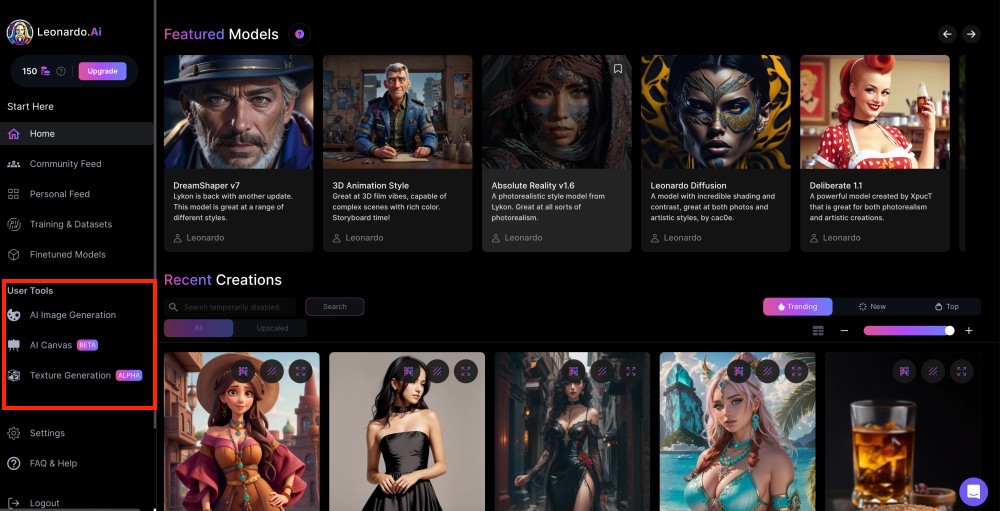
Video doesn't start at the render button; it starts with assets. Leonardo AI is the image-generation workhorse that quietly fuels a lot of video pipelines: thumbnails, title cards, B-roll stills, character references, and image-to-video starting frames. If your Synthesia frustration was really “the visuals feel generic,” the fix often lives upstream in a tool like this.
It earns a place here because the modern workflow is rarely one app. Generate a striking still in Leonardo, animate it in Runway or Magic Hour, and you sidestep the flat stock-footage look entirely. As a standalone it makes images, not finished videos — so judge it as a feeder, not a finisher.
Feature & fit snapshot
| Dimension | Detail | Workflow role |
|---|---|---|
| Core function | AI image generation & editing | Thumbnails, B-roll stills, references |
| Strength | Style control & consistent characters | Feeds image-to-video tools |
| Output | High-res stills, not video | Pre-production asset layer |
| Best paired with | Runway / Magic Hour | Animate the generated frames |
Pricing (indicative, verify on site)
| Plan | Cost | What you get |
|---|---|---|
| Free | $0 | Daily token allotment for testing |
| Apprentice / paid | from ~$12/mo annual | More tokens, faster gens, commercial use |
| Higher tiers | scales up | Team volume & priority generation |
| Where it fits: Think of Leonardo as the art department. It won't replace Synthesia on its own, but it solves the “my AI video looks like everyone else's” problem at the source. |
Pros and cons
| What wins | What grates |
|---|---|
| + Strong, controllable image quality | – Images only — no native video |
| + Consistent characters across frames | – Another subscription in the stack |
| + Generous free tier for testing | – Token system needs managing |
| + Slots cleanly into video pipelines | – Learning curve on advanced controls |
Rating
Image quality ★★★★½ 4.5/5
Value for money ★★★★☆ 4.3/5
Ease of use ★★★★☆ 4.1/5
Video relevance ★★★☆☆ 3.4/5
Overall (as a tool) ★★★★☆ 4.1/5
The head-to-head, on one screen
Stack the three core video alternatives against Synthesia itself and the lanes become obvious. The right column is the one that should decide your trial.
| Synthesia | HeyGen | Runway | Magic Hour | |
|---|---|---|---|---|
| Primary strength | Corporate training | Realistic avatars | Cinematic gen | Creator volume |
| Entry price (annual) | $18/mo | $24/mo | $12/mo | ~$10/mo |
| Languages / avatars | 140+ langs | 175+ langs | n/a (no avatar) | Multi-tool |
| Credit anxiety | Yearly min cap | Monthly burn | Monthly burn | Never expires |
| Best for short-form | Weak | Capped | Pricey | Excellent |
| Best for L&D | Excellent | Strong (SCORM) | No | No |
| The one-line verdict: Switch to HeyGen if you loved the avatar idea, Runway if you wanted a film, and Magic Hour if you just want to make a lot of content cheaply. The rest earn their place as supporting cast in your stack. |
Final verdict
After all the tables, the decision is simpler than the spec sheets make it look. There is no single Synthesia replacement, and chasing one is exactly what keeps people frustrated. The winners here each own a lane cleanly, so the only real question is which lane is yours. Match the tool to the job and almost any of these beats Synthesia at the thing you actually wanted to do.
| Award | Winner | Why it takes the crown |
|---|---|---|
| Best overall alternative | HeyGen | The cleanest like-for-like upgrade: better avatars, better translation, fair entry price. |
| Best for cinematic video | Runway | Gen-4.5 plus a real editing suite — nothing here touches it for generated scenes. |
| Best value for creators | Magic Hour | Non-expiring credits and the widest toolset for roughly $10/mo. |
| Best for interactive personas | Character.AI | Unmatched persona consistency for scripting and role-play. |
| Best visual-asset feeder | Leonardo AI | Solves the “generic AI look” upstream, before you ever hit render. |
| My pick if forced to choose one: HeyGen. It replaces the most of what Synthesia does while fixing its biggest weaknesses — and pairs with a single creative tool to cover almost everything else. |
The smartest move isn't picking a winner at all — it's refusing to force one tool to do every job. The people who feel like geniuses run a two-tool stack: one engine to generate, one to polish or persona-fy. Start each on the free tier, rebuild the exact video that frustrated you in Synthesia, and watch where the friction shows up. That friction is your answer, usually faster and cheaper than any spec sheet — and whatever you choose, recheck the pricing page before you pay, because in AI video the numbers moved again last week.