
Why the free plan stops being enough
The Free plan handles the odd rewrite and the occasional batch of subject lines, and another twenty dollars a month is one more subscription on a pile most writers already mean to prune. Then a client sends over a 70-page brand book and asks for a content refresh across their whole product range, and the free tier taps out before the second batch of pages is done.
That is the situation this review was written from. Over a full quarter, Claude Pro handled the work most content writers do: blog drafts that need a particular voice, landing pages where the word count is not negotiable, nurture emails, editing other people’s copy, and the unglamorous job of turning a rambling interview transcript into something a reader would finish.
Every price, limit and feature claim below was checked against Anthropic’s pricing page and help center on 5 September 2026, so nothing is lifted from a year-old listicle. Where something is a matter of taste, it is labelled as such. Where the numbers come from Anthropic, the source is linked at the end.
Review at a glance
| Category | Score | Notes |
|---|---|---|
| Prose quality | 9.0 | Varied sentence length, few filler phrases, paragraphs by default. |
| Voice matching | 9.0 | Holds a client’s tone across 2,000 words once a Project has their samples. |
| Editing and rewriting | 8.5 | Fast revision loops in Artifacts. Occasionally over-polishes a rough line. |
| Research and sourcing | 7.0 | Cited reports, but they eat the allowance fast. |
| Usage limits | 6.5 | Fine for daily writing. Opus plus big PDFs will hit the five-hour window. |
| Value for writers | 8.5 | Same price as rival plans, with Projects doing the heavy lifting. |
| Overall | 8.4/10 | Recommended for anyone who writes for a living and works from long source documents. |
Plan tested Pro, monthly billing | Models used Opus, Sonnet, Haiku | Surfaces Web, desktop app, iPhone app, Chrome extension | Main workload Client content, editing, SEO briefs |
What Claude Pro costs
The sticker price has not moved since the plan launched. Read the billing detail before signing up, because the annual option is one upfront charge, not twelve smaller ones.
| Claude Pro pricing, verified September 2026 | |
|---|---|
| Monthly billing | $20 per month (US pricing) |
| Annual billing | $17 per month, charged as $200 up front. Saves $40 a year. Features are identical. |
| Regional pricing | Varies by country. Some regions show tax in the price, others add it at checkout. |
| Discounts | None as standard. Occasional promotions only; support cannot issue coupons. |
| Refunds | Generally non-refundable. EEA and UK customers get a 14-day withdrawal window. |
| Cancelling | Any time in Settings then Billing. The plan runs to the end of the period, then drops to Free with chats, projects and files kept. |
| API access | Not included. API usage is billed separately through a Console account. |
What Pro adds over the Free plan
This is where older reviews go wrong. Several features people assume are paid perks now sit on Free: web search, memory, file creation, voice mode, Artifacts, Skills and connectors. Even Projects exist on Free, capped at five. The upgrade buys room to work, more models, the cap lifted on Projects, and a set of bundled apps.
| Feature | Free | Pro |
|---|---|---|
| Usage per five-hour session | Baseline | At least 5x Free |
| Models | Sonnet, Haiku | Opus, Sonnet, Haiku (Fable via usage credits) |
| Projects | Up to 5 | Unlimited |
| Project sharing | No | No (Team and above) |
| Research mode | No | Yes |
| Claude in Chrome | No | Yes |
| Claude for Microsoft 365 and Outlook | No | Yes |
| Claude Code, Cowork, Design, Science | No | Yes |
| Web search, memory, voice, Artifacts, Skills | Yes | Yes |
| Styles (including custom) | Yes | Yes |
| Context window | 200k tokens | 200k tokens |
| Usage credits when you hit a cap | No | Yes, at API rates |
| Priority access at busy times | No | Listed under Max on the pricing table |
The features that matter when you write for a living
Anthropic bundles a lot into Pro, and most of it is aimed at developers and analysts. For writers, a handful of features do nearly all the work. Each one is marked by plan so nobody upgrades for something they already have.
Five on Free, unlimited on Pro Projects A Project is a folder with its own instructions and uploaded files. One per client works well: brand book, three approved articles, banned words, the audience note. Every chat inside starts with all of that loaded, so the style guide never gets pasted in again. Free accounts get five; Pro removes the cap. | Pro only Model choice Pro lets you pick Opus, Sonnet or Haiku per chat. Opus writes the best first draft of anything long or voice-sensitive. Sonnet is the daily editor. Haiku handles meta descriptions and formatting chores cheaply. Fable, the top model, runs on pay-as-you-go usage credits on Pro rather than the plan’s included allowance. |
Free and Pro Styles Upload a few of your own pieces and Claude builds a reusable style profile you can switch on in any chat. Presets cover Normal, Concise, Formal and Explanatory. Worth knowing this is free, because plenty of guides still list it as a paid perk. | Free and Pro Artifacts Drafts open in a side panel instead of scrolling past in the chat. Ask for a tighter intro or a shorter third section and it revises in place. Free users get this too, but Pro’s larger allowance is what makes a ten-round revision loop practical. |
Pro only Research mode Runs several rounds of searches and returns a report with linked citations. Useful for stats-heavy briefs. Anthropic’s help page warns it burns through limits faster than normal chat, and testing bore that out, so save it for pieces that need proper sourcing. | Pro only Claude in Chrome The browser extension reads the page you are on. Handy for pulling specifications from a product page being rewritten, or checking a draft in a CMS preview, without copying everything across by hand. |
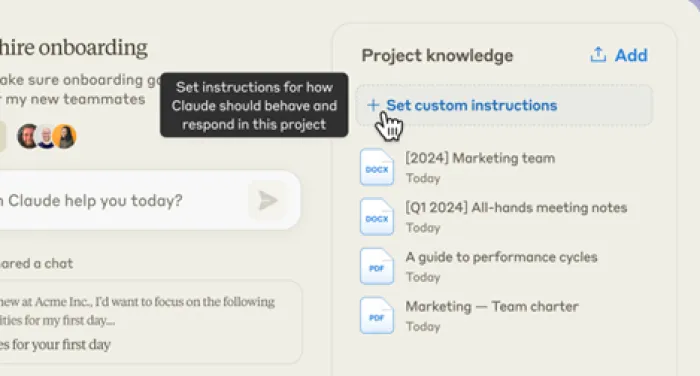
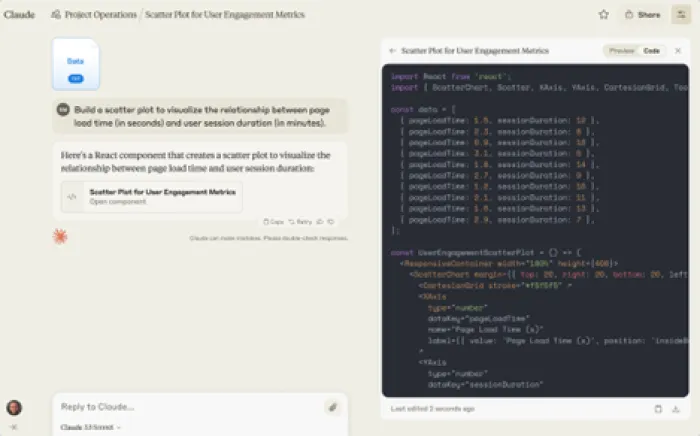
The rest of the bundle, meaning Claude Code, Cowork, Design, Science and the Microsoft 365 add-in, comes along for the ride. Cowork is a desktop mode that works across files and apps on your machine. It sorted a folder of interview recordings during testing, but it is not why a writer buys this plan.
How it held up on real work
Here is what the plan was given over the quarter, which model handled it, and how the output fared before a human edit. Every row is a real job. Client names are left out.
| Job | Model | What happened |
|---|---|---|
| 1,800-word blog post in a fintech client’s voice | Opus | Usable after a 20-minute edit. Kept the client’s short opening sentences and avoided their banned phrases without a reminder. |
| Landing page with hard word counts per section | Sonnet | Hit every count within a few words. Asked for exactly 40 in the hero, it delivered 40. Most tools drift here. |
| Editing pass on a 3,000-word guide | Sonnet | Flagged three repeated claims and one contradiction. Also softened a joke that should have stayed. |
| Interview transcript to a 1,200-word feature | Opus | Pulled the strongest quotes and a structure that mostly survived. Invented nothing, but attributed one line to the wrong speaker. |
| Forty meta titles and descriptions | Haiku | One message, all under the character limits, barely any dent in the allowance. |
| Stats-led article on remote work | Research | Cited report in about ten minutes. Two sources were secondary write-ups rather than the original survey, so the primaries still needed checking. Used a big chunk of that day’s allowance. |
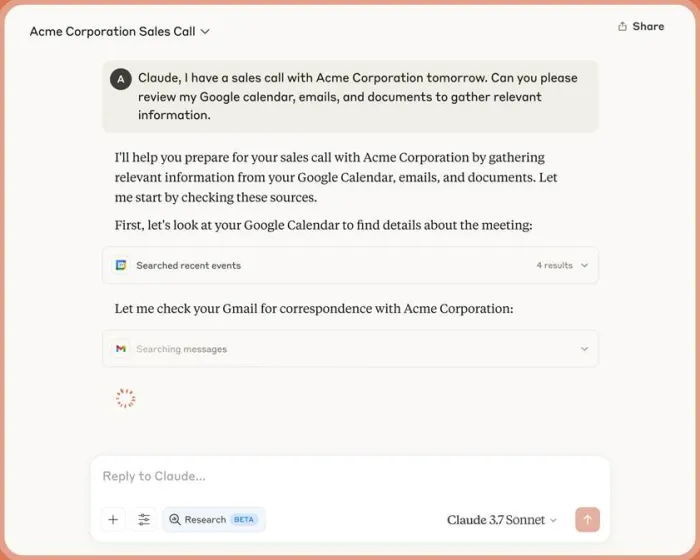
Two habits stood out. It pushes back: ask for a claim it cannot support and it says so rather than writing it anyway, which is the right behaviour for client work. And it does not default to bullet points. Ask for an article and you get paragraphs, and structure arrives only when requested.
Usage limits, explained without the marketing
Anthropic does not publish a message count, and any review that gives you one is guessing. What it does publish is the mechanism, and understanding it is the difference between an annoying plan and a workable one.
How the allowance works on Pro • Usage resets on a rolling five-hour session. Start heavy at 9am and it shows by early afternoon. • Paid plans add a weekly cap across all models, with a fixed reset time shown in Settings then Usage. • Everything draws from one pool: web, desktop, mobile and Claude Code. A long Cowork job eats the writing budget. • Cost per message depends on length, attached files, chat length and model. Opus with a 60-page PDF costs many times a Haiku one-liner. • When the allowance runs out, the options are to wait, upgrade, or turn on usage credits at standard API rates. Pre-paid usage bundles discount those credits by 10 to 30 percent depending on size. |
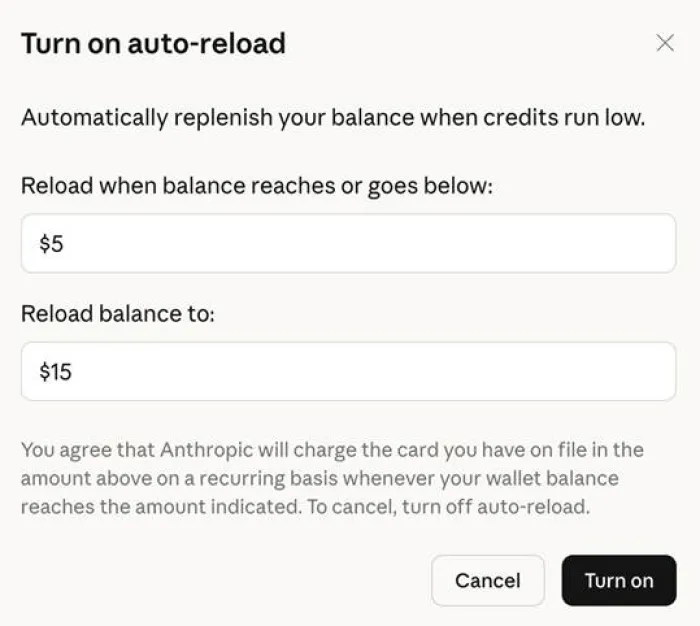
The usage credits auto-reload dialog in Settings. Credits only apply once the plan’s included allowance is used up. Image: Claude Help Center.
Across ten weeks of testing, the five-hour window was hit twice, both times running Opus against a large brand PDF for an afternoon. The weekly cap was never reached. Starting a fresh chat once a piece is done, and dropping to Sonnet for edits, kept normal days comfortably inside the allowance.
What reviewers and users are saying
One quarter of testing is a single data point. Here is how outlets that test these tools for a living describe Claude, plus verified user ratings, with links to the originals.
PCMag Claude review, 2025 PCMag praised the privacy-first approach and rated the creative writing, file handling and web search as solid, while marking down the lack of image generation, shorter deep research reports and weaker integrations. ChatGPT kept its Editors’ Choice, but Claude topped its privacy-focused picks. | TechRadar Best AI tools roundup, April 2026 In its 2026 roundup of more than 70 AI tools, TechRadar described Claude as a co-writer that stays in tune with your tone and goals, whether you are stuck on an opening line or planning a ten-chapter book. Its coverage of Styles singled out the ability to infer your voice from uploaded writing. |
G2 Learn Claude AI review, February 2026 A G2 reviewer who bought Pro after resisting the hype reported that it caught their writing style, down to short sentences and leading with the punchline, and that Artifacts removed the copy and paste loop. They also noted it writes in paragraphs rather than bullet lists. | Capterra Verified user reviews, updated March 2026 Claude holds a 4.5 out of 5 rating from 31 verified reviews on Capterra. Recurring praise centres on thorough, step-by-step responses and instruction following. The most common complaint is running into usage limits, which matches the score given to that category above. |
Pros and cons for writers
What works • Prose that reads like a person wrote it, with varied rhythm and few stock phrases • Keeps a client’s voice steady across long pieces once a Project holds their samples • Respects hard constraints such as word counts and banned terms • Three models on one plan, so the allowance goes where it is needed • 200k context fits a brand book, a brief and reference articles in one chat • Says when it cannot support a claim instead of writing it anyway | What holds it back • Opus plus large files will exhaust the five-hour session on a busy afternoon • Research mode is useful but expensive in allowance terms • No image generation, so featured images still come from elsewhere • No project sharing on Pro; shared briefs need the Team plan • Fable, the strongest model, runs on usage credits rather than the Pro allowance • Regional pricing plus card fees can push the real cost above $20 |
Free, Pro or Max for writing work
Max adds headroom rather than features. The question is only how much of the day is spent inside the tool.
| Plan | Price | Usage | Best for |
|---|---|---|---|
| Free | $0 | Baseline per session | Occasional rewrites, subject lines, trying Styles before committing |
| Pro | $20 monthly or $17 on annual | At least 5x Free, plus weekly cap | Daily writing and editing, one or several clients, long documents a few times a week |
| Max 5x | $100 monthly | 5x Pro, higher output limits, priority access | Agencies or writers running Opus on large documents most of every day |
| Max 20x | $200 monthly | 20x Pro | Heavy multi-project use, usually alongside Claude Code |
Who should buy it, and who should not
Buy Pro if You write most days for clients or a publication and need voice consistency across pieces. You work from long source documents. You have hit the free limit more than twice in a week. | Stay on Free if You open an AI tool a couple of times a week for short jobs. You mainly want Styles and Artifacts, which you already have. Nothing built on Free is lost after an upgrade. | Look at Max or Team if Several people need to share one Project and brief. Whole days are spent inside Opus with big files. Priority access at busy times matters, which the pricing table lists under Max. |
Final verdict
8.4 / 10 Recommended for working writers A quarter in, the subscription is still running, and two other writing tools were cancelled along the way. What earns the money is not any one model. It is Projects holding a client’s voice, Opus being there when a piece is difficult, and Sonnet and Haiku keeping the allowance intact for the rest of the day. It is not flawless. The five-hour window cost two afternoons of momentum, both times from throwing a huge PDF at the most expensive model. Research mode is good but costly, and primary sources still need checking by hand. If a week revolves around images or shared team briefs, this plan alone will not cover it. For a working writer who lives in text, the maths is simple. One client blog post a month pays for it several times over, and the editing time saved on everything else is the real return. Anyone getting by on Free should upgrade for a month, build one proper Project, and judge it on their own client’s voice. That test says more than any review, including this one. |