

What Monica actually is
Monica is an all-in-one AI assistant. Rather than paying for and juggling a shelf of separate tools, you get one interface that pipes you into a spread of models (Claude, Gemini, GPT-family engines and more) alongside a stack of everyday utilities.
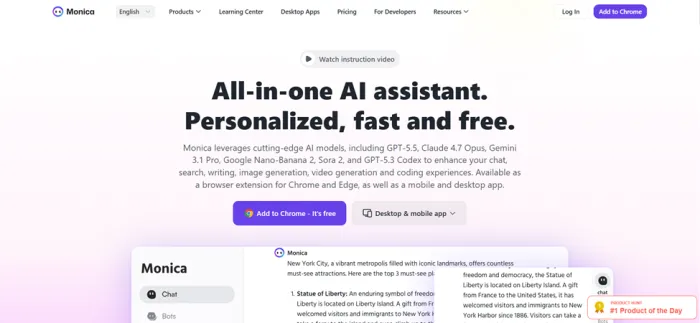
Its real home is the browser sidebar. The web app I signed into is really the front door, and most of the pitch is simple: Monica, everywhere you already work. A panel follows you across tabs to rewrite, reply, summarize and translate, all without leaving the page.
It runs on a freemium model. You get a free daily allowance to start, then paid tiers above it (Pro sits around $9 to $10 a month, with higher plans beyond) that trade in a currency of credits.
The appeal is easy to grasp before you even use it. If you already bounce between one chat model for questions, another for writing, a translator and a PDF reader, the idea of folding all of it into a single login and a single bill is tempting. Whether the execution lives up to the pitch is the real question, and that is what I set out to poke at.
What you get on day one:
• Multi-model chat: switch models mid-thread.
• Translation: text and full-page, side by side.
• Document chat: ask questions of your PDFs.
• Image and video: generate straight from a prompt.
• Writing tools: draft, rewrite and proofread.
• Web access: real-time answers and search.
Getting in: the signup
The front door is friendly enough. Three ways in: Google, Apple, or plain email. I took the email route on purpose, because that is the one that usually tells you how much a product respects your patience.
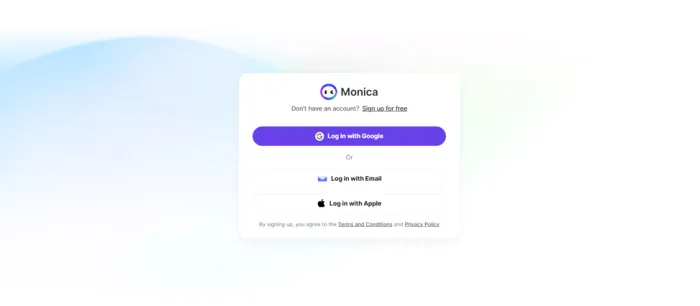
1. Pick a way in. Google, Apple, or email. I chose email to walk the long way and see the whole flow.
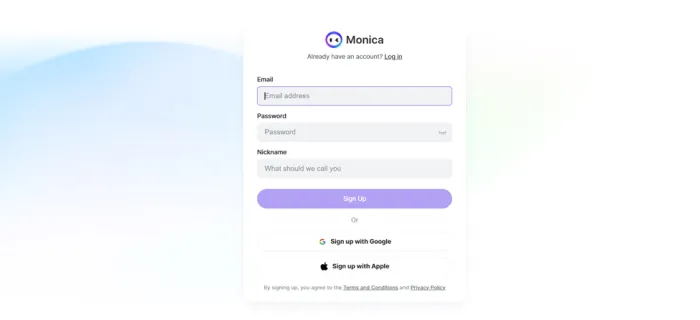
2. Fill the basics. A nickname, your email, a password. The nickname field is a small, nice touch: it means the assistant later greets you as a person, not an inbox address.
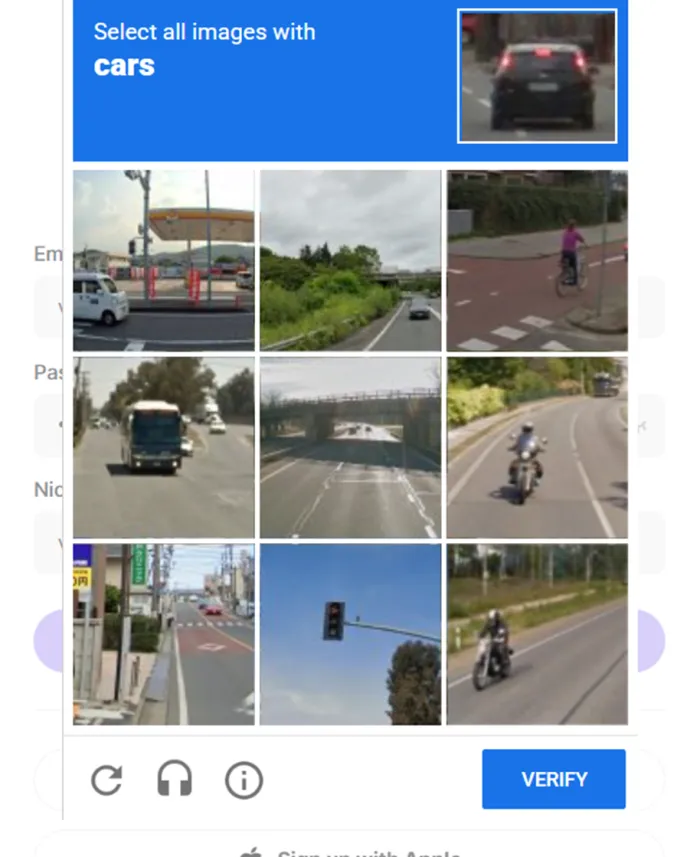
3. Clear the reCAPTCHA. The usual prove-you-are-human checkpoint after you hit sign up. Passed it on the first try.
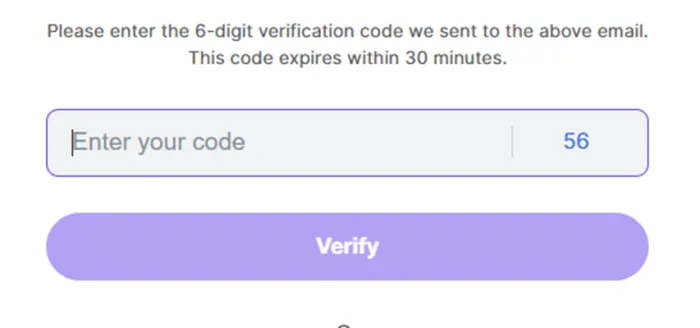
4. Punch in the code. A one-time password lands in your inbox. Type it back, and you are through the door.
| None of this is unusual, and none of it is painful. It is the standard modern sign-up, maybe two hoops more than the one-tap Google option. Two minutes, tops. Then the interface opens. |
The interface
The landing screen greets you with a plain “What can I do for you?” and a left rail that quietly tells the whole story. It is dense. Whether that reads as “powerful” or “cluttered” depends on your tolerance, and I felt both at different moments in the same afternoon.
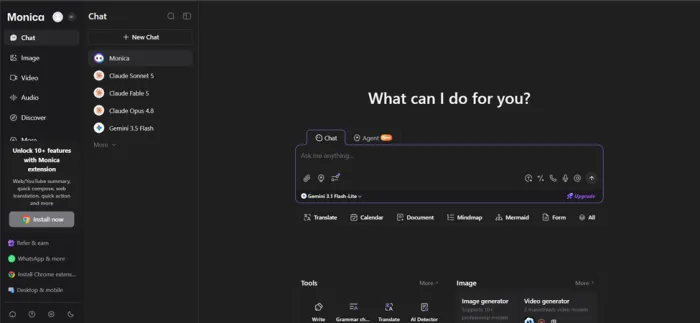
• Left rail: Chat, Image, Video, Audio and Discover, the modes stacked down the side.
• Model list: Claude Sonnet, Claude Fable, Claude Opus and Gemini, lined up like contacts you can swap between.
• Tool row: Translate, Calendar, Document, Mindmap and Form, tucked under the input box.
• The nudge: A steady, ever-present prompt to install the Chrome extension, which turns out to be more than a suggestion.
That last one is worth flagging early, because it is the thread that runs through the whole experience. Monica clearly wants to live in your browser rather than a tab, and it is not shy about steering you there.
What has moved on since my test
The product has not stood still since my afternoon with it. The Chrome Web Store currently lists Monica's extension as version 9.0.22, updated on August 6, 2026, and the pitch is noticeably broader than a sidebar that rewrites paragraphs.
A big part of that current pitch is Monica Agent. Monica now prominently describes three agent-style tools: Deep Research, which researches and synthesizes information from multiple sources; Browser Operator, which is designed to carry out browser-based workflows; and Create Slides, which turns research or ideas into presentations.
That pushes Monica a little further toward the “do the task for me” end of AI software instead of simply “answer my question.” Whether those agent features are what you need is another question, but they are significant enough that someone evaluating Monica today should know they exist.
The platform story has widened too. Monica currently supports Chrome and Edge extensions, Windows and Mac desktop apps, Android and iOS apps, and a coding assistant for VS Code and JetBrains IDEs. So while the browser sidebar still feels like the center of gravity, Monica is increasingly a cross-device suite rather than one clever extension.
Image generation: where it lost me
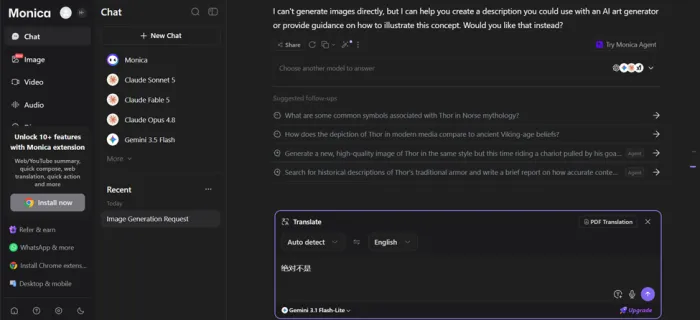
I clicked into image generation curious to see what the free tier would draw. The generator I landed on was running a fairly basic model, nothing like the DALL·E or Sora-class engines Monica advertises elsewhere. Each attempt quietly ate around four credits before I had even seen a result.
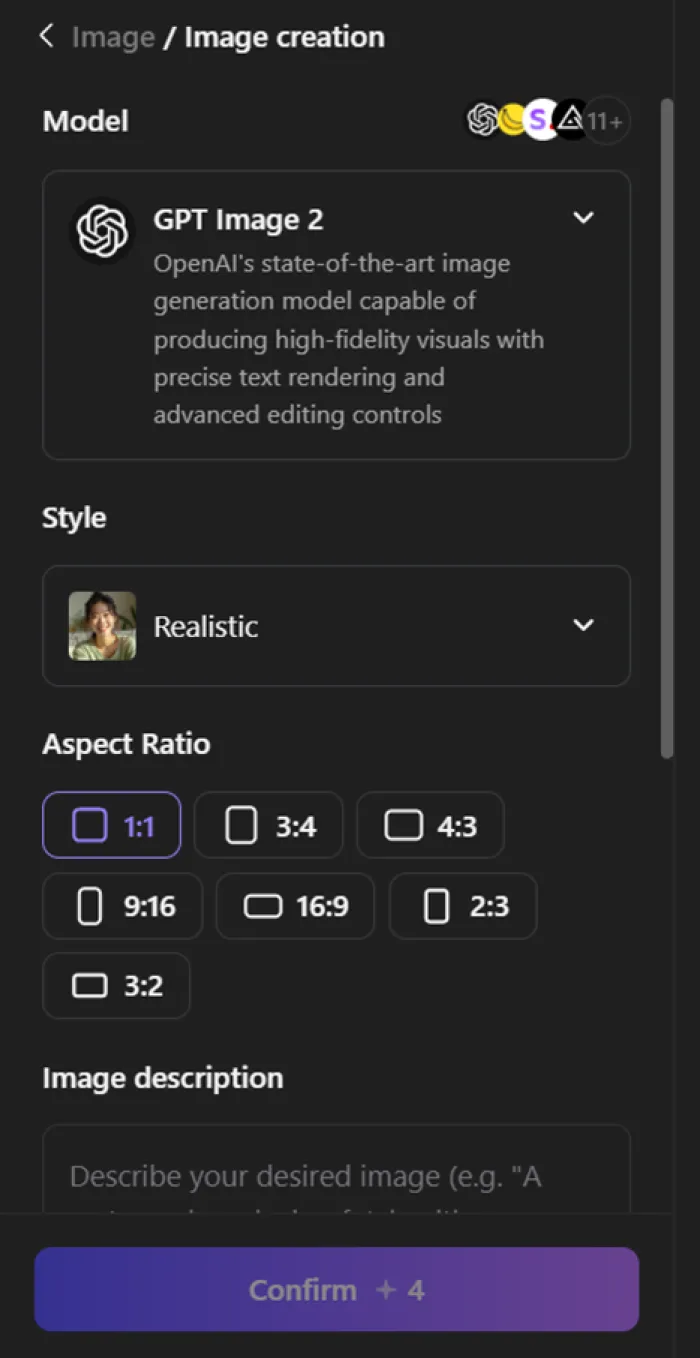
Fine, I thought. That is the free-tier tax. Then I typed a prompt, hit go, and ran straight into a wall: to generate the image at all, Monica wanted me to install a Chrome extension. For a picture.
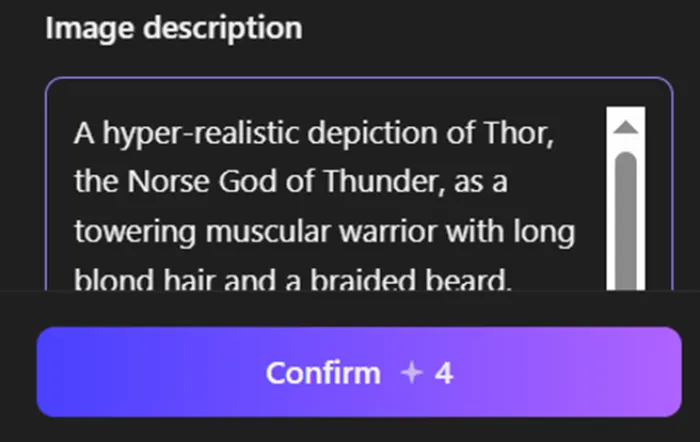
That was the moment the “all-in-one, right here in your browser” promise turned into “all-in-one, once you install this other thing.” So I passed.
| The ask: download an extension to generate one image. The reality: a big speed bump for something I expected to just work in the tab I was already sitting in. |
It is a shame, because I wanted to like this part. The credit cost alone I could live with, since that is how a free tier keeps the lights on, and it is clearly signposted. It was the sequence that stung. You pay the credits, write the prompt, get invested, and only then get asked to install something before you are allowed to see a single result.
| To be fair, the extension is the heart of Monica, and the sidebar features people rave about all live inside it. But being funneled toward an install mid-task, for a core feature, is the product getting in its own way. If you are mainly here to make images, this is the corner to test before you commit. |
The translation test
Translation is where I wanted to really pressure-test the thing, so I reached for Mandarin: tonal, compact, and unforgiving of lazy machine translation. I fed it two short phrases and read the output back like a picky editor.
| 汉语 Mandarin | Monica’s translation | My read |
|---|---|---|
| 绝对不是。 | Absolutely not. | Spot on. Clean, correct, no notes. |
| 请您说得慢些好吗? | Could you please speak a little slower? | Not wrong, but not literal either. |
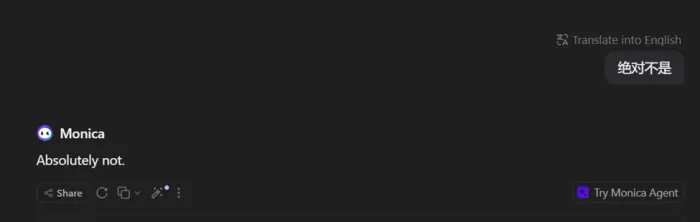
The one it nailed. “绝对不是” is “absolutely not,” and that is exactly what came back. No softening, no drift, no over-thinking a phrase that did not need it.
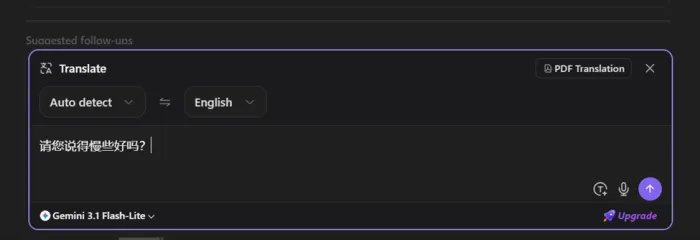
The one that got interesting. I expected the plain “Can you speak slowly?” What I got was “Could you please speak a little slower.” Fuller, softer, more polished than I had typed in.
Here is the fair reading, and it cuts both ways. That second output is arguably the more faithful one. 请您 is the polite, respectful form of “you,” and 好吗 is a softening tag that literally asks “is that okay?” Monica heard the register and matched it. But it also quietly editorialized, adding “please” and “a little,” smoothing the sentence into something more courteous than the words strictly said.

For everyday chat, that polish is a feature. My one caution: it is a small reminder that the model is interpreting, not mirroring. When every word carries weight, say a legal line, a medical instruction, or a tense negotiation, those little added softenings can nudge the intent a few degrees off course. It got the meaning right. I would just double-check the exact wording before leaning on it for anything precise.
The scorecard
One afternoon is not a lab study, so read these as a first-impression scorecard rather than a final grade. Here is where Monica landed for me, warts and wins alike.
| What I tested | Rating | Score / 10 |
|---|---|---|
Signing up Standard flow, a couple of hoops | ████████████████ | 7.0 |
Range of models The real draw of the whole thing | ██████████████████ | 8.5 |
Interface clarity Capable, but busy and upsell-heavy | ███████████████ | 6.0 |
Image generation Basic model, credit-hungry, then a wall | █████████████ | 4.5 |
Translation Accurate and register-aware | █████████████████ | 7.5 |
Free-tier value Enough to get a real feel first | ████████████████ | 7.0 |
| 6.8 / 10 | A capable all-rounder with a few rough edges. Strong where it counts, and occasionally tripping over its own packaging. |
Ratings across the platforms
One person's afternoon is one data point, so here is how the wider crowd scores Monica. The pattern is more telling than any single number. It rates close to perfect where people rate it in passing, and noticeably cooler where they sit down to write about their money.
| Platform | Score | What it means |
|---|---|---|
| Chrome Web Store | 4.9 / 5 | Its home turf, with 30M+ installs. The extension crowd rates it close to perfect. |
| Product Hunt | 4.6 / 5 | Makers love the breadth, with pointed notes on prompt limits. |
| Google Play | 3.8 / 5 | Around 110k ratings. The mobile audience runs a good deal cooler. |
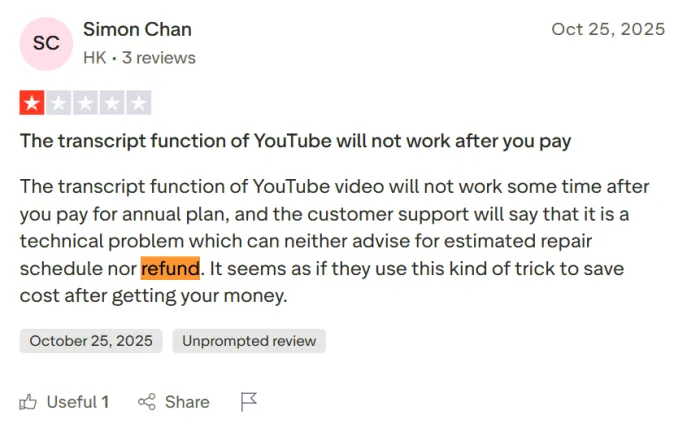
| Trustpilot | Critical | A small pool of about 29 reviews. This is where billing, refund and support complaints concentrate, so read it as the stress-test corner. |
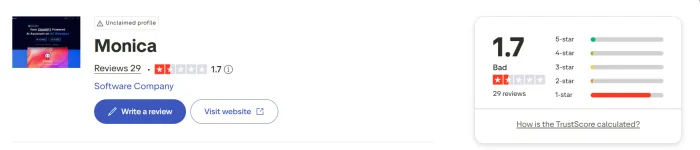
| Put together, the split is the story. Convenience-first platforms reward Monica for what it does day to day; the places where people write about billing and support are where the shine comes off. Ratings move constantly, so treat these as a snapshot rather than gospel. |
August, 2026 ratings check
Because those numbers move, I checked the major platforms again rather than quietly rewriting the original snapshot.
| Platform | August, 2026 check | What changed |
|---|---|---|
| Chrome Web Store | 4.9 / 5, about 32.2K ratings, 3M users | The rating is still exceptionally high. One important correction in the live data: Chrome currently displays 3M users, not 30M+ installs. |
| Product Hunt | 4.4 / 5, 59 reviews | Lower than the 4.6 figure in my original snapshot. Interestingly, Monica's own homepage still advertises 4.6. |
| Google Play | 4.2 / 5, roughly 147K phone reviews | Both the rating and review count are higher than the figures I recorded during the original review. |
| Trustpilot | 30 reviews, displayed TrustScore around 1.6 / 5 | Still a tiny sample beside the app stores, and still substantially more negative. |
There is one useful lesson in that mismatch: platform numbers are best treated as dated evidence, not permanent product specifications.
The Chrome figure deserves special attention. The live Chrome Web Store currently shows 3,000,000 users, while Monica's own homepage says it is trusted by 10 million users worldwide. Those two figures can coexist because one refers specifically to Chrome-extension users and the other is Monica's broader global-user claim. Neither currently supports describing the Chrome extension itself as having 30M+ users.
I would therefore keep the original table as the historical record of what I saw, but use this update alongside it so readers are not left with a number that no longer matches the source they will see when they click through.
What other users say
I am one person with one afternoon, so I read through public reviews on G2, Trustpilot, Product Hunt and Reddit to see whether my impressions held up. Paraphrased below is the sentiment that kept surfacing, the praise and the gripes both, so you get the honest spread.
What people love
+ One login, every model. Not paying for or hopping between separate ChatGPT, Claude and Gemini subscriptions. One tab, several frontier models. (G2, Product Hunt)
+ It lives in the browser. The sidebar that appears in any text box, whether to rewrite, reply to email, or summarize a page, is the thing people reach for every single day. (G2)
+ Strong on languages. Multilingual users single out the side-by-side page translation, Chinese to English especially, as a daily habit rather than a novelty. (Product Hunt)
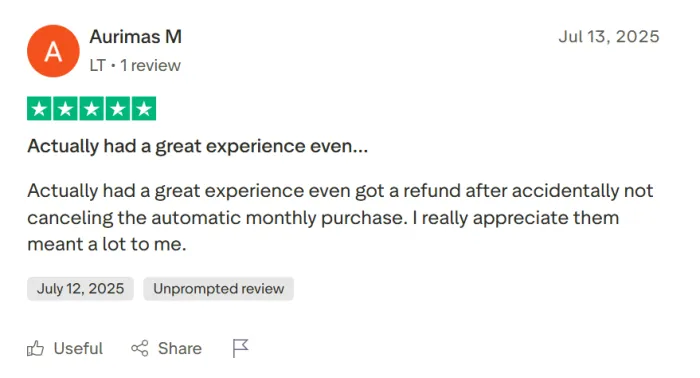
+ The little extras add up. PDF chat and YouTube summaries come up again and again as the quiet tools that keep people from opening five other sites. (Trustpilot, Reddit)
Where people grumble
× The credits confuse me. The shift to advanced credits left plenty of users missing simple, predictable pricing, and unused credits do not roll over from month to month. (Reddit, Product Hunt)
× Too many apps. Extension, desktop app, mobile app, sidebar. People report being unsure what is what, and getting nudged to install one while already using another. (Trustpilot)
× Support and refunds. The sharpest complaints cluster here: slow responses, bot-like replies, and messy refund experiences when people try to cancel. (Trustpilot)
× Is this the real model? A handful of power users suspect the bundled versions of big models feel weaker than going straight to the source for demanding work. (Trustpilot)
Every point above is a paraphrase of recurring public sentiment, not a verbatim quote, grouped so you can see the pattern rather than cherry-picked praise.
Who it is for, who should skip
No tool is for everyone, and Monica is unusually clear about the kind of person it suits. Here is my honest sorting after living in it for a session.
A good fit if you
+ Live in your browser and want AI in every text box without switching tabs.
+ Want to sample several top models without stacking subscriptions.
+ Do a lot of translating, summarizing, or reading PDFs.
+ Like a capable free tier to test-drive before you spend a cent.
Maybe skip it if you
× Want serious, high-volume image or video generation, since the defaults and credit math will frustrate you.
× Prefer one clean model and a simple, predictable price.
× Bristle at install prompts and upsells surfacing mid-task.
× Need airtight, word-for-word translation you will not want to double-check.
The verdict
So, did it win me over?
Partly, and I mean that as a compliment. Partly, after an afternoon of deliberately trying to trip a tool up, is more than most of them earn.
When Monica is doing the thing it was clearly built for, whether that is dropping a whole shelf of AI models into one tidy window, translating with a surprising ear for tone, or giving you a sidebar that follows you around the web, it is quietly, unglamorously useful. That is the version worth showing up for.
What cooled me off was not the AI. It was the product wrapped around it. The steady tap on the shoulder to install something. The extension gate on a core feature. Credits that drain a little faster than you would like. Those are the moments the experience stops feeling like a helpful assistant and starts feeling like it is steering me toward an upgrade. None of it is a dealbreaker. All of it is friction.
By the end of the afternoon I had stopped trying to break it and started, almost accidentally, using it. Swapping models to compare answers. Throwing another phrase at the translator just to see. That drift from test subject to tool I am reaching for is the most telling signal I can give you. It happened despite the friction, not because it was not there.
Monica is not trying to be the best at any one thing. It is trying to be the one tab that does a bit of everything, and for the right person, that is a good trade.
The bottom line Start on the free tier and use it for exactly what it is best at: multi-model chat, quick translation, summarizing and reading. If those slip into your daily routine, the paid step is easy to justify. If you are chasing polished image and video work, or you just want one model and a price you never have to think about, this probably is not your tool. Go in expecting to spend a little patience on the packaging to reach the parts that shine, and you will likely come away, like I did, quietly impressed in more places than you expected. |
One thing I would add to that verdict now is that Monica is moving beyond the product I tested that afternoon. Agent tools, deeper research, browser automation and a broader cross-platform setup make the current version more ambitious than a simple multi-model sidebar.
At the same time, the August data transition and the still-complicated credit structure reinforce the same conclusion I reached during the test: the AI capabilities are only half the story. The packaging, account rules, usage limits and data handling deserve just as much attention as the models themselves.
So I would leave my 6.8/10 exactly where it is. That score belongs to the afternoon I actually tested. This update is the context I would want beside it if you are deciding whether to try Monica today.
| 6.8 / 10 | Worth a free afternoon. Worth paying for if its best tricks become your habits. |





