

QUICK TAKE 3.9 / 5
|
I signed up for NoteGPT on a quiet Tuesday evening with one question: does the AI Humanizer actually do what the landing page claims? A claim like that deserves a controlled test. So I made a fresh account and ran a clean before and after. ChatGPT wrote a short story. QuillBot scored it 100% AI. NoteGPT rewrote it, and QuillBot's score fell to 24%. Then NoteGPT's own detector stamped the same text 0% with a green certification badge, and that badge deserves a closer look.
Every screenshot here comes from that single session. I also poked at the summarizer, transcriber, quota counter, and pricing page, since the humanizer is only one corner of what NoteGPT sells. Here's what I found, real figures only.
How NoteGPT Scored in My Testing
| CRITERIA | SCORE | WHY |
| Ease of use | 4.5 / 5 | Signup to first output in under three minutes; every tool is one sidebar click away. |
| Free plan value | 4.5 / 5 | 15 quotas monthly, no card, and a 10,000 word video summary costs one quota. |
| Humanizer effectiveness | 3.5 / 5 | Dropped QuillBot from 100% to 24%, but the rewrite changed the voice and grew 43%. |
| Detector reliability | 2.5 / 5 | Rated its own humanized output 0% AI while other detectors still flag it. |
| Feature breadth | 4.5 / 5 | Summaries, transcripts, flashcards, voices, images, slides, and a writing suite under one login. |
| Pricing transparency | 3 / 5 | Two credit currencies, and the Unlimited plan caps premium credits despite the name. |
| Overall | 3.9 / 5 | A genuinely useful free toolkit with marketing claims you should double-check yourself. |
What Is NoteGPT?
NoteGPT is a web platform, Chrome extension, and mobile app built around one idea: feed it long content, get back something shorter and more usable. It began as a YouTube summarizer and grew into a bundle covering transcription, notes, flashcards, text-to-speech, image and video generation, slides, and the writing suite I tested. Co-founders: CEO Hongyuan Cao and CPO Pierre Peng.
| FACT | DETAIL |
| Website | notegpt.io |
| Leadership | Hongyuan Cao (CEO), Pierre Peng (co-founder and CPO) |
| Claimed reach | 80,000,000+ users, 12,000+ schools and teams (homepage figures) |
| Platforms | Web app, Chrome extension, iOS and Android apps |
| Free plan | 15 basic quotas per month, no card required |
| Paid plans from | $9.99 / month (about $6.92 / month billed annually) |
| Chrome extension rating | 4.9 average, Featured badge |
| Trustpilot rating | 2.3 / 5 (mostly billing and quota complaints) |
The gap between a 4.9 on the Chrome Web Store and a 2.3 on Trustpilot says plenty: people love the summarizer and complain about the billing.
What You Get Under One Login
| TOOL | WHAT IT DOES |
| AI YouTube Tools (core) | Video summarizer, transcript generator, and channel digests, plus the extension that puts summaries beside the player. One quota covers roughly 10,000 words of transcript. |
| AI Transcriber | Turns video and audio into timestamped, searchable text. Clicking a timestamp jumps straight to that moment in a two hour lecture. |
| AI Summarizer | Condenses PDFs, articles, and pasted text into notes, mind maps, or flashcards, with adjustable length and detail. |
| AI Notes & Flashcards | Everything you summarize lands in a personal library. A free flashcard maker was being promoted on a banner during my test. |
| AI Voices | Text-to-speech with 100 plus voices in 40 plus languages. Speech and podcast generation draw premium credits, not basic quotas. |
| AI Images, Videos & Slides | Image generation, a video generator labeled Seedance 2.0 Mini, and automatic slide decks, mostly gated behind premium credits. |
| AI Chat | Ask questions against anything you’ve uploaded, like a tutor that already read the material. Premium models cost premium credits. |
| AI Writer Suite (tested) | Essay writer, grammar checker, AI detector, and the AI Humanizer this review puts under the microscope below. |
My Testing Session, Screenshot by Screenshot
I documented the whole run. Part one is what a new user walks through, part two is the experiment itself.
Part 1 · Signing up and finding the tools
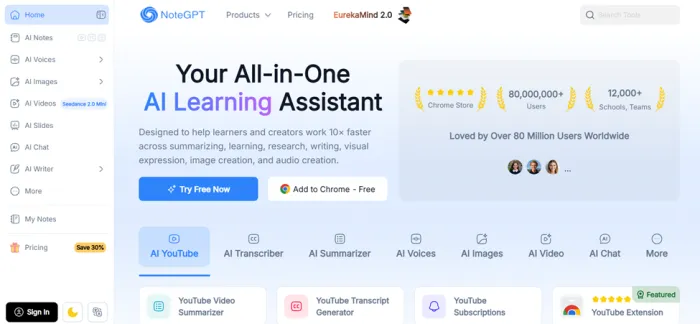
The homepage stacks its numbers up front: 80,000,000+ users, 12,000+ schools and teams, and Chrome Store laurels above the tool tabs.
STEP 2 · SIGN IN OPTIONS
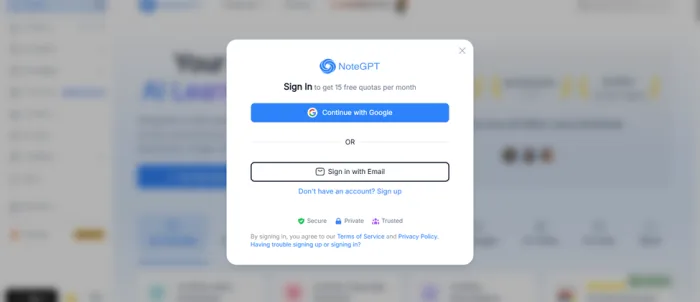
licking Try Free Now opens this modal: Google OAuth or plain email, with the key detail printed in the header, 15 free quotas per month.
STEP 3 · CREATING THE ACCOUNT
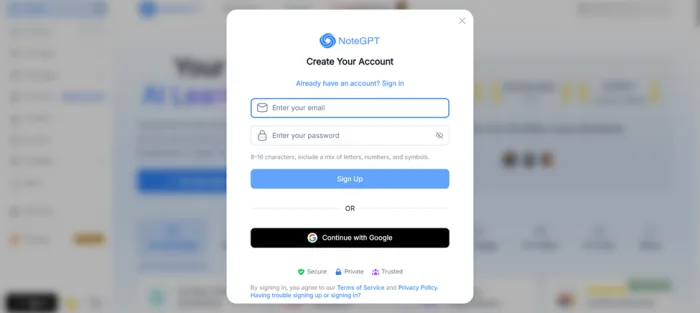
The email route. Passwords must be 8 to 16 characters mixing letters, numbers, and symbols.
STEP 4 · EMAIL VERIFICATION
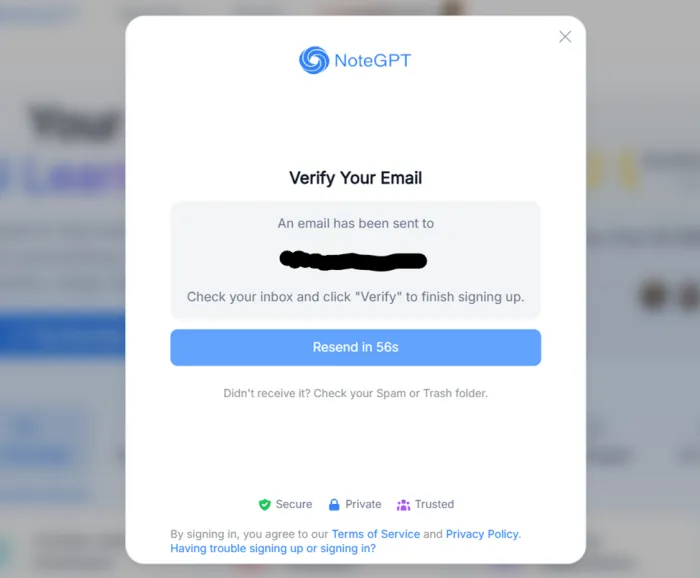
The verification email landed in under a minute; the resend cooldown sat at 56 seconds here.
STEP 5 · FIRST LOOK INSIDE
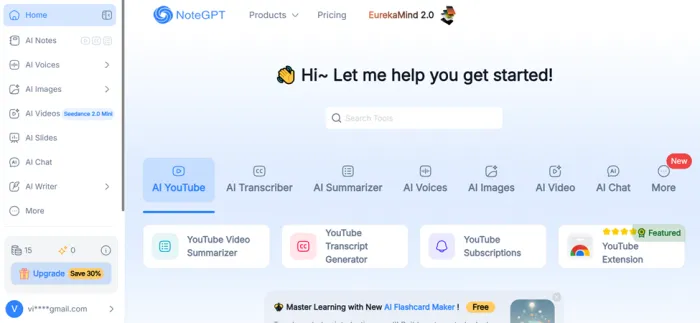
After verifying, the workspace opens on a tool search bar and the familiar tabs. The sidebar counter confirms the allowance: 15 basic quotas, 0 premium credits.
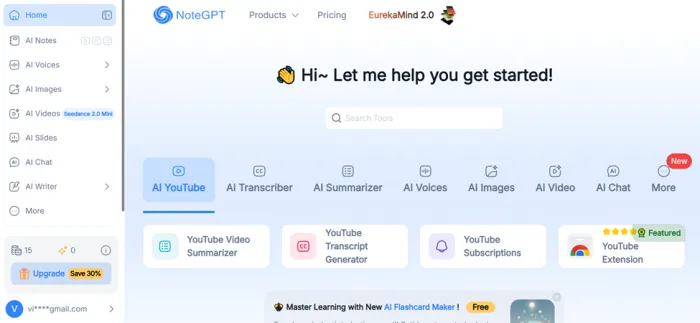
The logged-in home. An Upgrade button with a Save 30% badge sits under the quota counter on every page.
STEP 6 · FINDING THE WRITING TOOLS
The humanizer doesn't get its own sidebar entry. It hides under AI Writer, next to three siblings.
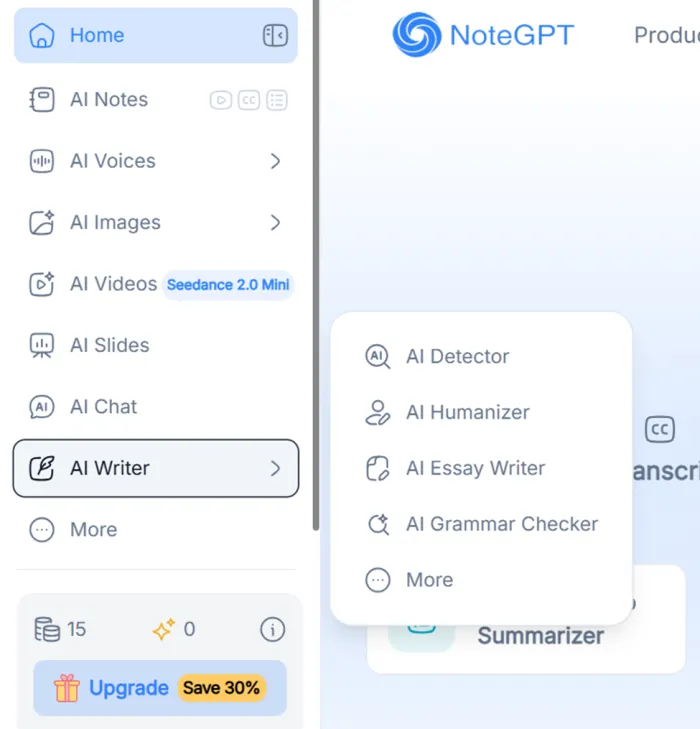
The AI Writer flyout: AI Detector, AI Humanizer, AI Essay Writer, and AI Grammar Checker.
STEP 7 · THE HUMANIZER, EMPTY
The tool page makes its promise in the subheading and sets the rules in the input box: 300 characters minimum, 20,000 maximum, text or document mode, four dropdowns for output, length, similarity, and style.
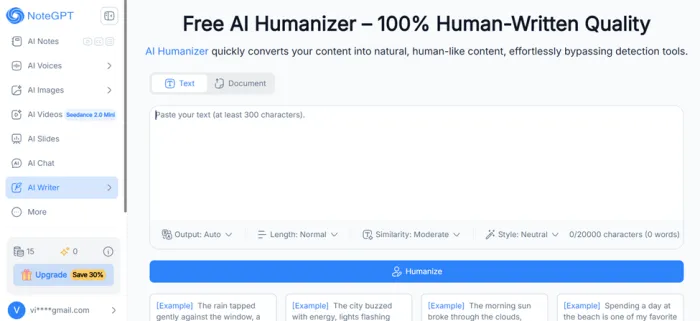
The humanizer's landing state, every setting left on default: Auto, Normal, Moderate, Neutral.
Part 2 · The humanizer experiment
The method is easy to repeat: generate a sample with ChatGPT, confirm a third party detector flags it, humanize it once on defaults, then retest with the same detector and NoteGPT's own.
STEP 1 · GENERATE THE CONTROL SAMPLE
I asked a logged-out ChatGPT for a short Doctor Doom story, no custom instructions. It produced 103 words: pure, unedited machine output.
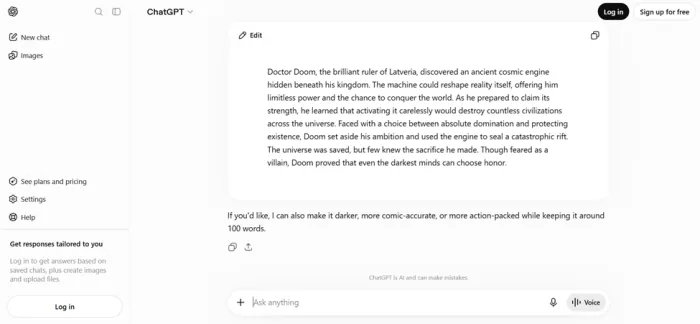
The control text, straight out of ChatGPT, zero human edits.
STEP 2 · BASELINE DETECTION
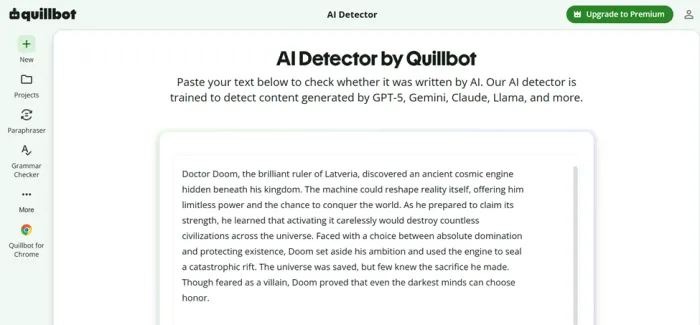
The sample going into QuillBot's AI Detector, chosen because it names its model version and splits results into three buckets.
STEP 3 · THE BASELINE RESULT
QuillBot's model v7.1.0 called it exactly what it was.
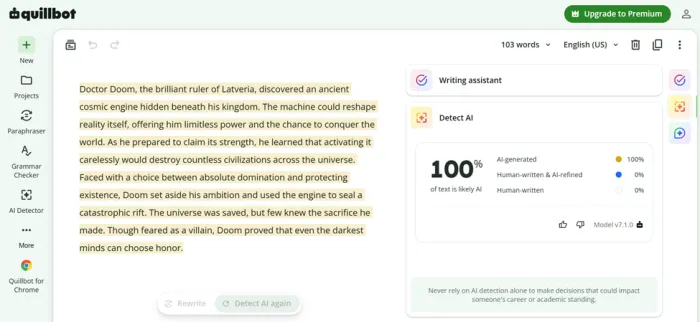
100% likely AI, every sentence highlighted. A clean baseline.
STEP 4 · INTO THE HUMANIZER
Back in NoteGPT, I pasted the same 653 characters and hit Humanize: one click, defaults untouched, credits deducted from the free allowance.
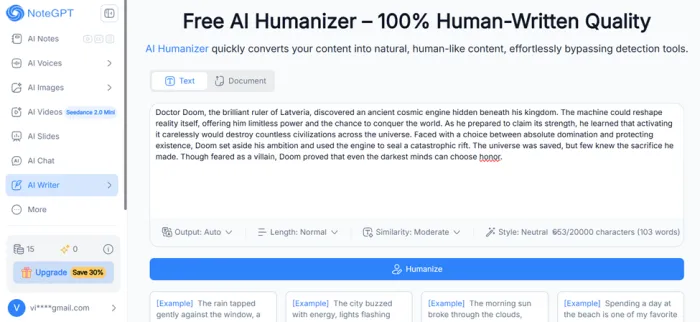
103 words in, all four settings on default.
STEP 5 · THE REWRITE
The output view shows original and rewrite side by side with every change highlighted. The rewrite grew to 147 words and 858 characters, a 43% expansion, and the register shifted from storybook formal to chatty, with filler like "just like that" appearing where the original had none.
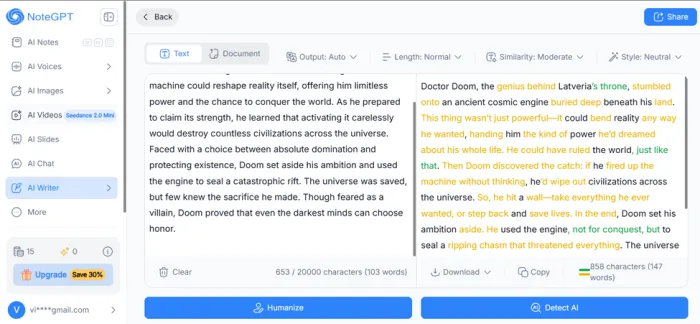
Side by side comparison with highlights, plus download, copy, and a Detect AI shortcut.
STEP 6 · RETEST WITH QUILLBOT
Same detector, same model version, new text.
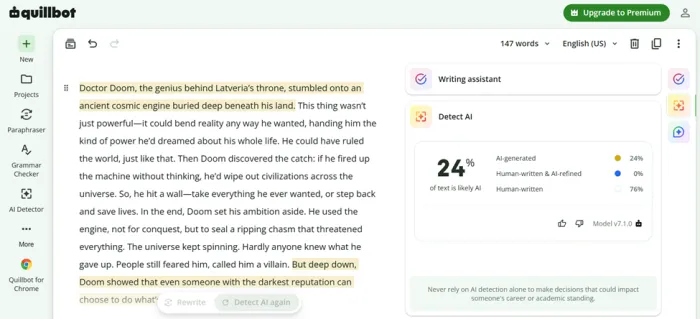
24% likely AI, 76% human-written, a 76 point drop in one pass. Only the opening and closing sentences stayed flagged.
STEP 7 · NOTEGPT GRADES ITS OWN HOMEWORK
Finally I fed the rewrite to NoteGPT’s own detector. It returned 0% AI inside a green NoteGPT Certification graphic, while small print below admits results are for reference only.
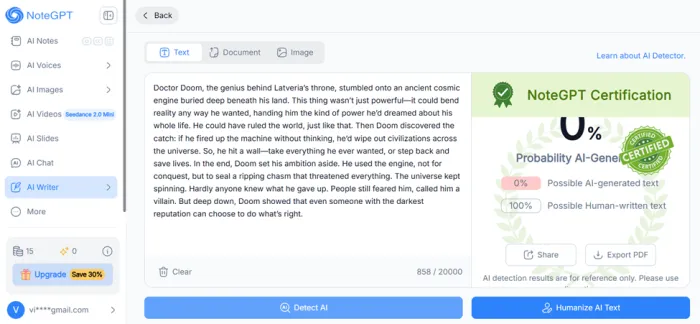
A perfect score, a certification badge, and a disclaimer in the same frame.
What the Results Actually Mean
| DETECTION SCOREBOARD · ONE HUMANIZER PASS, DEFAULT SETTINGS | ||
100% ORIGINAL TEXT / QUILLBOT v7.1.0 | 24% AFTER HUMANIZER / QUILLBOT v7.1.0 | 0% AFTER HUMANIZER / NOTEGPT DETECTOR |
Sample: 103 word ChatGPT story, expanded to 147 words by the rewrite. Only the first and last sentences stayed flagged in QuillBot.
Two detectors, one text, a 24 point disagreement. They can't both be right, and the pattern isn't unique to my session: Undetectable.ai ran its own NoteGPT test and reported the in-house detector clearing rewrites at 0% while GPTZero and Undetectable's detector still flagged them. The honest summary: the humanizer produces a real, measurable drop on at least one major detector, and 100 to 24 in one click is not nothing; it does not make text detector-proof, since some detectors still catch the output; and the 0% badge is marketing, which NoteGPT's own fine print concedes by calling results reference only.
There's also a quality cost no percentage captures: my sample came back 43% longer and noticeably more casual, and on my own draft I'd spend ten minutes pulling filler back out. One note worth stating plainly: schools and clients with originality policies treat rewritten AI text the same as raw AI text, so a lower score is a data point, not a permission slip.
NoteGPT Pricing and the Quota System, Decoded
NoteGPT runs on two currencies. Basic quotas cover everyday tools: summaries, transcripts, standard-model chat, translation, and the writing suite. Premium credits cover the expensive stuff: speech, image generation, and premium-model chat. Every plan mixes the two differently, which is where most Trustpilot complaints start.
| PLAN | MONTHLY | ANNUAL (/MO) | ALLOWANCE | BEST FOR |
| Free | $0 | $0 | 15 basic quotas / month | Testing every tool once before deciding |
| Pro | $9.99 | ~$6.92 ($83 / yr) | 1,000 quotas / month | Students living inside lecture playlists |
| Pro+ | n/a | $13 ($156 / yr) | 4,000 quotas / month | Heavy summarizing plus slides and diagrams |
| Unlimited | $29 | ~$19.92 ($239 / yr) | Unlimited basic quotas, premium credits capped | Power users who have read the fine print |
Three details before you pay. Annual billing runs roughly 30% cheaper and does not auto-renew, which is refreshingly customer-friendly. The Unlimited name only covers basic quotas; reporting on the quota policy puts the premium credit cap near 2,800 a month, so image-heavy users can still hit a wall. Monthly plans cancel from the Subscriptions menu.
Pros and Cons From Actual Use
What worked
| What didn't
|
What People Are Saying About NoteGPT
One session is one data point, so I cross-checked the loudest public sources. The split: praise for the summarizer, friction over billing and detection claims.
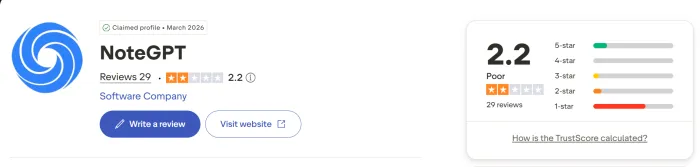
Chrome Web Store 4.9 · Featured The main extension carries a Featured badge and a clean publisher record. Reviews there center on getting summaries and transcripts directly beside the YouTube player. | Trustpilot 2.2 / 5 The rating skews low, and the theme is billing rather than output quality: quotas consumed without results, caps discovered on plans sold as unlimited. One recent reviewer wrote they'd normally rate it a 4 but dropped to a 1 after a rough week. |
tl;dv (long-term review) Free yes, paid no A months-long review that recommends staying free, calling the Unlimited naming misleading and the interface cluttered, while conceding most user reviews praise the summarizer's speed. | Undetectable.ai (lab test) Matches my result Ran the same humanize-then-detect experiment and reported the identical pattern: NoteGPT's detector scored its own rewrites at 0% while GPTZero and Undetectable's still caught them. |
Who Should Use NoteGPT, and Who Should Pass
Good fit
| Look elsewhere if
|
My Verdict After the Test
By the end of the session my quota counter was lighter and my read was settled. NoteGPT is a genuinely handy free toolkit wearing a slightly oversized marketing costume. The summarizer and transcriber are the reason to sign up; feeding an hour of video in and getting timestamped notes back in seconds never stopped feeling like a cheat code for research.
The humanizer earned a more complicated opinion. The 76 point drop on QuillBot is a real result I watched happen, and the side by side highlight view beats most rivals. But I'd never publish its output untouched, since my sample came back longer, looser, and less like the original voice. And the 0% certification badge is theater; even NoteGPT's own small print backs away from it.
| Bottom line: Start free, spend your 15 quotas on the summarizer and transcriber first, and treat the humanizer as a drafting aid you edit afterward, never a certificate. If you upgrade, annual Pro at about $6.92 a month is the sensible tier. Skip Unlimited unless you've done the premium credit math, and never buy any tool expecting detector immunity, because that product does not exist. 3.9 / 5 |





