
Introduction
Ever sat staring at a blinking cursor while two AI assistants quietly fight over a monthly subscription budget? Writers in 2026 face an unusual dilemma. The tools built to save time now demand their own decision time. Notion AI and Grammarly sit at the top of that pile, both promising sharper writing, faster output, and fewer late-night panic edits. The trouble is they solve very different problems, and confusing the two often means paying for features destined to gather digital dust.
This comparison cuts past marketing copy. Specific features, accurate 2026 pricing, honest ratings across ten aspects, and real-world workflows decide which tool earns a spot in any serious writer's toolkit.
Notion AI: What It Actually Does in 2026
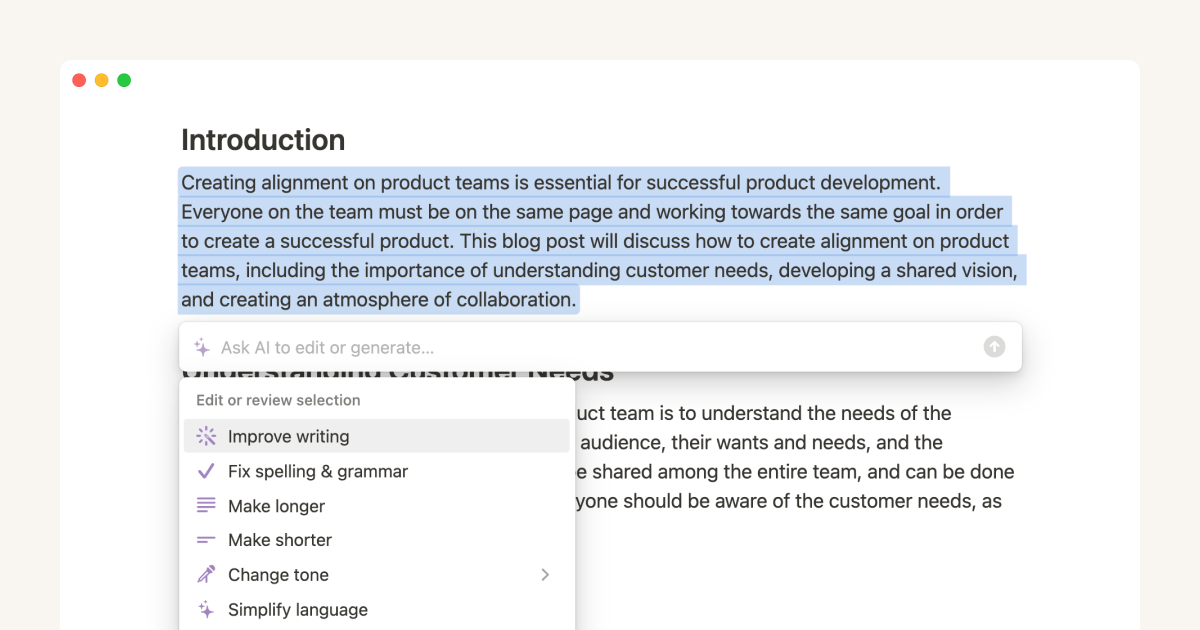
Notion AI is no longer a basic writing helper bolted onto a notes app. Updates shipped throughout 2025 and 2026 turned it into a programmable assistant living inside the workspace, capable of running tasks autonomously while the writer sleeps.
Standout Features
•Custom Agents: Autonomous AI teammates that run on schedules or triggers. They draft daily standups, triage tickets across Slack, and answer recurring questions inside private channels without manual prompting.
•AI Meeting Notes: Auto-transcribes meetings, summarizes key points, and creates linked action items. Custom instructions allow team-specific summary formats.
•50-page context window: Expanded from 20 pages in January 2026. Long project wikis can now be summarized in a single prompt without silently dropping content.
•AI Connectors: Native integration with Slack, Google Drive, Salesforce, Box, GitHub, and Figma. The AI pulls context across these sources before generating text.
•Database Autofill: Categorizes, summarizes, or extracts data into database columns automatically across thousands of rows.
•Frontier models built in: Business plans include Claude Opus 4.7, GPT-5.4, and Gemini 3 without separate subscriptions.
•Plan Mode: A pre-execution step where the agent asks clarifying questions before bulk edits, reducing surprise rewrites.
Where Notion AI Wins
The biggest advantage is workspace memory. A marketing lead can ask the AI to draft a Q3 campaign brief while it pulls from last quarter's performance docs, the brand voice guide, and prior campaign notes. No copy-pasting, no prompt gymnastics. The tool reads what already exists and uses it.
Where Notion AI Stumbles
The same workspace is also the cage. Notion AI does almost nothing outside Notion. Writers using Google Docs, Microsoft Word, or Substack as their main canvas will find the assistant out of reach. It cannot read uploaded images or PDFs, and Custom Agent runs now consume credits priced at $10 per 1,000 units starting, which adds up quickly for agent-heavy teams.
Grammarly: What It Actually Does in 2026
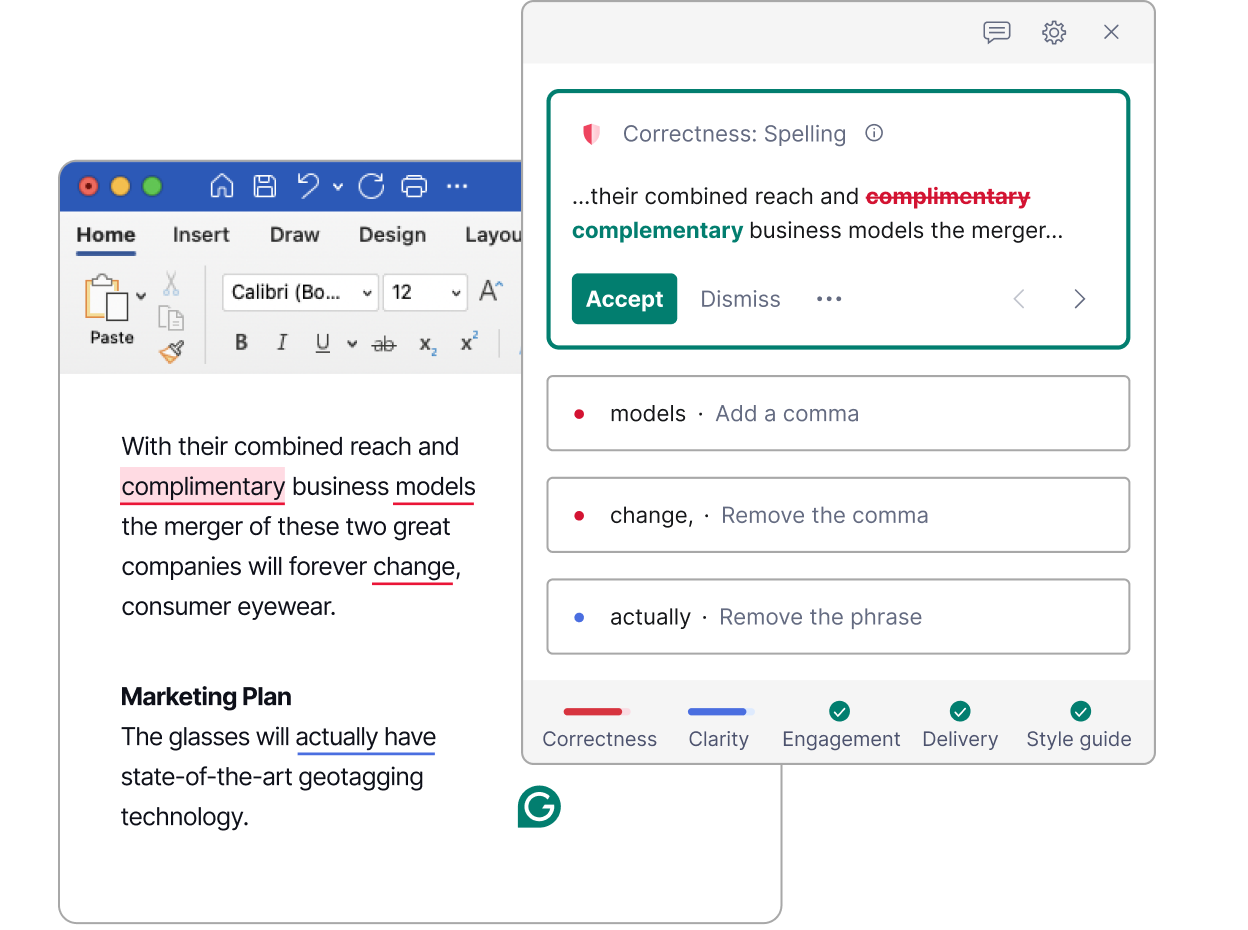
Grammarly built its reputation on grammar and spent the past two years quietly evolving into a full writing assistant. The 2024 plan overhaul merged Premium and Business under a single Pro tier, simplifying the lineup and shifting attention toward enterprise-grade features.
Standout Features
•Full-sentence rewrites: Suggests restructured versions of clunky paragraphs rather than only inline edits.
•Brand voice and style guides: Teams define banned phrases, capitalization rules, and tone preferences enforced across every member's writing.
•Plagiarism and AI-text detection: Pro includes a scanner that checks against billions of web pages and an authorship report flagging AI-generated content.
•Citation generation: Auto-formats sources in APA, MLA, and Chicago styles directly inside the editor.
•Tone detection: Identifies whether writing reads as confident, friendly, formal, or accidentally rude, with one-click rewrites.
•Data Loss Prevention: Enterprise feature that blocks employees from pasting API keys, credit card numbers, or other sensitive data into external chat windows.
•Surface coverage: Browser extension, Microsoft Word, Google Docs, Gmail, Slack, and a mobile keyboard. Roughly 500,000 apps and websites supported.
Where Grammarly Wins
Grammarly catches what tired eyes miss. A passive-aggressive email tone, a dangling modifier in a contract clause, a comma splice in a published article. Pro's 2,000 monthly AI prompts cover most professional workflows without hitting the cap, and the tool simply shows up wherever typing happens.
Where Grammarly Stumbles
Long-form drafting is where the cracks show. Generative outputs feel safe and reliable but rarely surprising. The 100-prompt cap on Free disappears within four working days of heavy use, and monthly billing at $30 looks painful next to the $12 annual rate. Refunds, by the way, are famously hard to get.
Feature-by-Feature Comparison
A direct view of where each tool genuinely leads and where it lags.
| Feature | Notion AI | Grammarly |
|---|---|---|
| Core purpose | Generation, summarization, agents | Editing, clarity, tone, brand voice |
| Context window | Up to 50 pages (Jan 2026) | Document-level, no cross-doc memory |
| Underlying models | Claude Opus 4.7, GPT-5.4, Gemini 3 | Proprietary + GenAI layer |
| Grammar engine | Basic only | Industry-leading, 400+ rules |
| Plagiarism scan | Not available | Included in Pro |
| Citation formatting | Not built-in | APA, MLA, Chicago auto-format |
| Autonomous agents | Custom Agents run 24/7 | Not available |
| Where it works | Inside Notion only | ~500,000 apps, sites, and surfaces |
| Meeting transcription | AI Meeting Notes built-in | Not available |
| Brand voice control | Prompt-based, no enforcement | Style guides and tone profiles |
Use Case Matrix: Which Tool Fits Which Job
Picking a tool by feature list is almost useless. Picking by actual scenario clears things up fast. The table below matches common writing situations with the assistant that handles them better.
| Use Case | Better Tool | Reason |
|---|---|---|
| Drafting a blog post from research notes | Notion AI | Pulls outline and context from saved sources inside the workspace |
| Polishing a sales email before sending | Grammarly | Lives inside Gmail, flags tone, suggests rewrites |
| Turning meeting recording into action items | Notion AI | AI Meeting Notes transcribes and links tasks automatically |
| Editing an academic essay | Grammarly | Plagiarism scanner plus APA, MLA, Chicago citation help |
| Enforcing brand voice across a writing team | Grammarly | Custom style guides and banned-phrase enforcement |
| Building and maintaining a content calendar | Notion AI | Custom Agents plus AI Autofill keep columns updated |
| Quick rewrite of a LinkedIn post | Grammarly | Browser extension offers one-click rewrites anywhere |
| Summarizing 30 plus pages of research | Notion AI | 50-page context window handles long documents cleanly |
| Cold outreach personalization at scale | Grammarly | Tone detection works across email and CRM apps |
| Internal SOPs and documentation | Notion AI | Workspace-native drafting, no copy-paste back and forth |
Rating Card: Scoring Each Tool Across 10 Aspects
Ratings reflect performance based on current feature sets, real-world usability, and recent third-party reviews. Green cells signal strong performance, yellow cells mark average results, and red cells flag weak areas.
| Aspect (rated out of 10) | Notion AI | Grammarly |
|---|---|---|
| Grammar and spelling accuracy | 6/10 | 10/10 |
| Long-form content generation | 9/10 | 6/10 |
| Workspace and context awareness | 10/10 | 5/10 |
| Cross-platform availability | 4/10 | 10/10 |
| Tone and style calibration | 7/10 | 9/10 |
| Editing precision and rewrites | 5/10 | 10/10 |
| Plagiarism and citation tools | 2/10 | 9/10 |
| Team and brand consistency | 8/10 | 9/10 |
| Value at entry tier | 6/10 | 9/10 |
| Setup and learning curve | 5/10 | 9/10 |
| Overall average | 6.2/10 | 8.6/10 |
Grammarly takes the higher overall average, which makes sense given the breadth of writing surfaces it covers. Notion AI scores lower on portability but unmatched on workspace intelligence. The right tool depends on which aspects matter most for a specific writer.
Pricing Breakdown
Both companies adjusted pricing in the last year. Notion shifted Custom Agents to a credit model starting, while Grammarly absorbed its old Business tier into the Pro plan. The figures below reflect current US retail rates.
| Tier | Notion AI | Grammarly | Notes |
|---|---|---|---|
| Free | Limited trial AI responses | 100 AI prompts/mo plus grammar | Grammarly Free is genuinely usable |
| Individual | $10/mo Plus + AI add-on | $12/mo annual or $30/mo | Grammarly Pro caps at 2,000 prompts |
| Business | $20/user/mo (frontier models included) | Pro covers teams up to 149 seats | Notion bundles Opus 4.7, GPT-5.4, Gemini 3 |
| Enterprise | Custom plus Credits at $10/1,000 | Custom, unlimited prompts | Grammarly adds DLP, BYOK, SSO |
Pros and Cons at a Glance
| Notion AI Pros | Notion AI Cons | Grammarly Pros | Grammarly Cons |
|---|---|---|---|
| Reads context across workspace and connectors | Locked inside Notion | Works across 500,000 plus surfaces | Weak at original drafting |
| Custom Agents automate recurring work | Credits stack on top of base pricing | Best-in-class grammar engine | 2,000 prompt cap on Pro |
| Frontier models bundled at $20/mo | Generic voice in long drafts | Plagiarism and AI-text detection | Style guides locked to paid tiers |
| AI Meeting Notes plus 50-page context | Cannot read uploaded images or PDFs | DLP catches sensitive data leaks | Refund policy is famously strict |
Where Each Tool Lives in a Writer's Workflow
Tools only matter when they show up where the work happens. Grammarly meets writers across nearly every surface, from the browser to a mobile keyboard. Notion AI stays inside Notion by design, drawing strength from the surrounding workspace. Putting the two together turns weakness into coverage.
The five-stage workflow below shows how a single piece of content moves from raw notes to publication-ready copy.
| Stage | Task | Best Tool | Outcome |
|---|---|---|---|
| 1. Research | Pull sources, summarize, extract claims | Notion AI | Condensed briefing notes |
| 2. Outline | Structure the article into sections | Notion AI | Hierarchical draft skeleton |
| 3. Drafting | Write the first complete version | Human plus Notion AI | Rough but workable draft |
| 4. Editing | Tighten sentences, fix flow and tone | Grammarly | Polished, readable copy |
| 5. Proofing | Catch typos, check citations and plagiarism | Grammarly | Publication-ready text |
The draft starts inside Notion AI, gets shaped by a human, then receives a final polish from Grammarly in the publishing platform. Each tool handles what it does best, and neither steps on the other's territory.
Final Verdict: Which One Wins?
Notion AI wins for generation, summarization, and turning existing material into usable drafts. Grammarly wins for refinement, polish, tone control, and brand consistency. They are not true rivals; they solve different parts of the writing workflow.
For writers choosing only one, the question is simple: does the bigger problem happen at the start or the end? If starting from notes, research, or a blank page feels harder, Notion AI is the better fit. If the draft already exists but needs cleaner structure, stronger phrasing, and fewer errors, Grammarly is the safer choice.
Many serious writers eventually use both because drafting and editing are separate jobs. That same workflow-first thinking is also where platforms like Writenexa fit naturally, helping writers think beyond individual tools and focus on producing stronger final content.
The winner is the tool that removes the bottleneck slowing the writer down.
Frequently Asked Questions
Does Grammarly work inside Notion?
Yes. The Grammarly browser extension runs inside Notion's web app, so writers can layer Grammarly suggestions on top of content drafted with Notion AI without extra configuration.
Is Notion AI cheaper than Grammarly Pro?
On the surface, Notion AI looks cheaper for individuals at $10 per month, but Custom Agents now consume credits at $10 per 1,000 units. Heavy agent users can end up paying more than a $12 Grammarly Pro subscription.
Can Notion AI replace ChatGPT or Claude for writers?
For workspace-bound writing, yes. For deep research with web browsing and extensive citations, no. Notion AI cannot natively browse the open web the way standalone chat assistants can.
Does Grammarly flag AI-generated text?
Pro and Enterprise include an authorship report that flags likely AI-generated content. Grammarly's own corrections do not typically trigger AI detectors, but text fully generated by its GenAI feature can be flagged by external tools.
Which tool is safer for confidential business writing?
Grammarly Enterprise includes Data Loss Prevention, BYOK encryption, and SSO, with SOC 2 Type 2 attestation. Notion Enterprise also offers strong controls but does not match Grammarly's track record in regulated industries.
Do either tool work offline?
Neither offers a real offline mode. Grammarly's desktop app retains a limited local spell check. All generative AI features in both products require an active connection.