

I did not want to write another AI writer review from the outside looking in, so I opened toolbaz.com, picked a topic that would be easy to judge for tone and coherence (Why My Alarm Clock Is My Greatest Enemy), and ran a full blog post through the tool from the empty box to a finished draft.
Two things surprised me right away. First, I never had to make an account. I typed a topic, chose a model, and the draft was on screen in well under a minute. Second, the free tool handed me an 841-word post, which is far more than the tiny word caps that older Toolbaz reviews kept warning about.
So the tool is fast and the free tier is generous. The harder questions are the ones this review is built to answer. Is the writing actually good once you read it closely? Will it clear a plagiarism check? Does it read like a person wrote it? And what is the catch with a service that asks for nothing up front? I tested each of those, and I ran the final draft through Duplichecker so I was not guessing. Let me show you exactly what happened.
| Toolbaz at a glance | Rated 3.8 / 5 | |
| Best for | Fast first drafts and beating a blank page |
| Price | Core tools free, no login. Paid tiers optional |
| Standout | Real model choice with speed and quality shown per model |
| Watch out for | Heavy ads, and output that reads as AI until you edit it |
What Toolbaz actually is
Toolbaz is not one product. It is a web-based collection of AI writing tools, and on toolbaz.com the core text tools run free without a login. The library is broad, with 80-plus tools grouped into clear categories, so instead of one generic box you pick the exact job you want done.
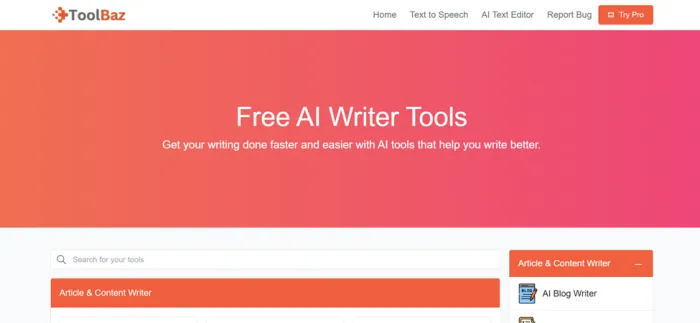
Under the hood it runs several engines. On the free side you can choose between its own in-house models and outside ones like Gemini and Deepseek. There is also a separate paid app on app.toolbaz.com and toolbaz.net that adds a dashboard, higher word limits, and premium models such as GPT-4o and Claude. For this review I stayed entirely on the free toolbaz.com side, because that is where most people land.
| Article & Content Writer | Poem & Lyrics Writer | Email & Letter Writing |
| Rewriting & Editing | Coding & Programming | Business & Professional |
| Creative | Educational | Text to Audio Tools |
How I tested it, step by step
Here is the exact path I took, from landing on the site to checking the output. If you want to repeat it, you can follow these steps as written.
| 01 | Landed on the homepage The site opens on Free AI Writer Tools with a search bar and a long, categorized menu of every tool. Nothing was gated. I could see the full toolbox before committing to anything. 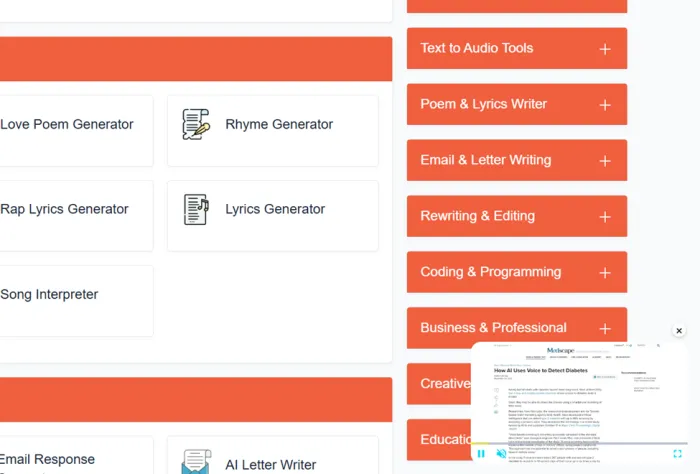 |
| 02 | Picked the AI Blog Writer Under Article & Content Writer there were a dozen options, including AI Writer, Content Generator, Paragraph Expander, and Blog Outline Generator. I chose the AI Blog Writer for a real-world test. 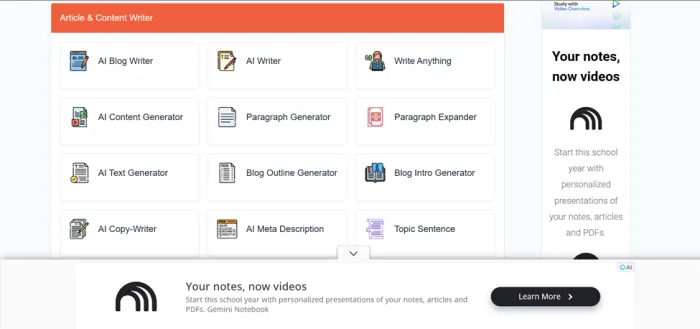 |
| 03 | Typed a topic One clean field: Enter your blog topic here. I entered “Why My Alarm Clock Is My Greatest Enemy.” There is also a Try a random prompt link if you are stuck for ideas. 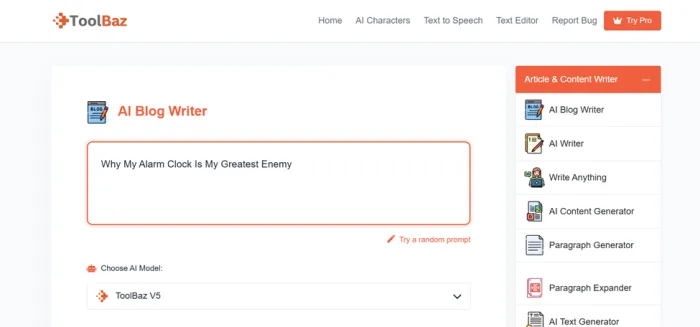 |
| 04 | Chose the AI model This is where Toolbaz beats most free tools. The Choose AI Model dropdown lists several engines, and each one shows a speed in words per second and a quality score, so you can trade speed for polish. I left it on the default, ToolBaz V5. 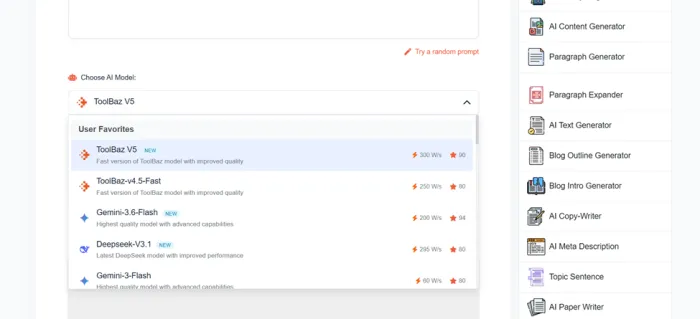 |
| 05 | Opened Advanced Options Optional fields for SEO keywords, subheadings, tables, quotes, length, tone of voice, and point of view. Useful when you want structure. I kept it light so I could judge the default behavior with a plain prompt. 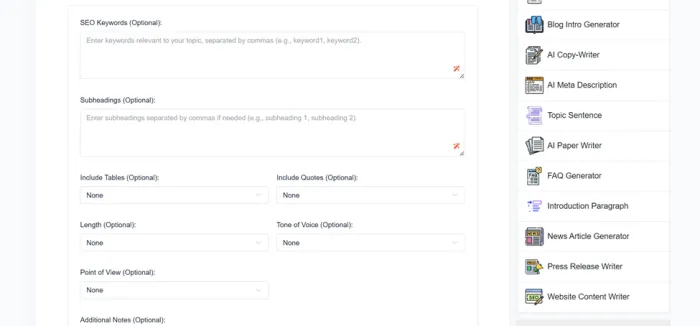 |
| 06 | Hit Generate A quick reCAPTCHA, then the draft appeared. Under a minute for 841 words, with no sign-up, no email, and no paywall in the way. 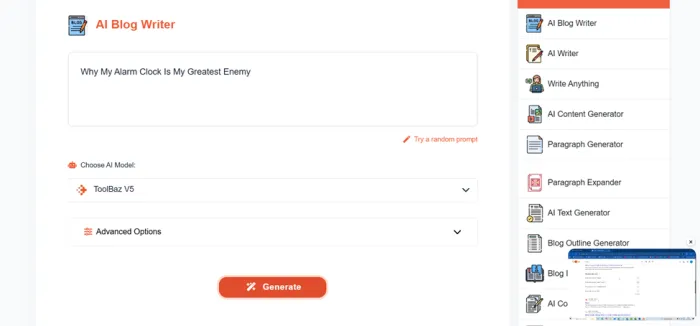 |
| 07 | Checked the result on Duplichecker I pasted the finished post into Duplichecker with AI Detection switched on, so the originality score came from an outside tool and not from Toolbaz itself. 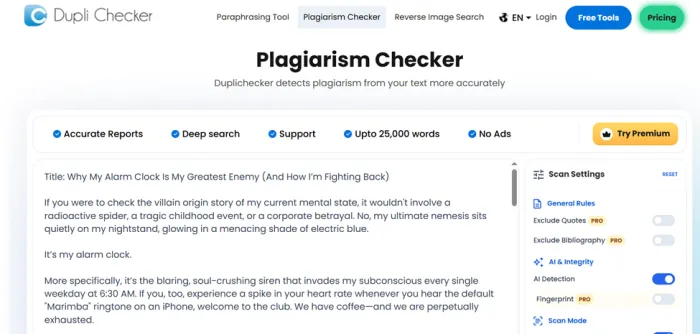 |
The models you can pick from
The model picker was the part I did not expect on a free tool. You are not locked into a single engine. These were the options in front of me, with the speed and quality figures Toolbaz displays next to each one.
| Model | Speed | Quality | Notes |
|---|---|---|---|
| ToolBaz V5 NEW | 300 w/s | 90 | Default choice, strong all-rounder |
| ToolBaz v4.5-Fast | 250 w/s | 80 | Lighter and quick |
| Gemini 3.6-Flash NEW | 200 w/s | 94 | Highest quality score of the set |
| Deepseek V3.1 NEW | 295 w/s | 80 | Fast, newest addition |
| Gemini 3-Flash | 60 w/s | 80 | Slowest option shown |
The practical read: if you care about clean prose, the higher quality score is worth the slower speed. If you just need words on a page to react to, the fast models get you a draft in seconds. Having that choice on a free tool is genuinely rare.
What the generated blog was actually like
Speed means nothing if the writing is weak, so I read the whole draft. The post opened with a funny “villain origin story” framing, cast the alarm clock as a nemesis glowing in electric blue, held a consistent first-person voice, and stayed on topic the whole way through. For a free tool with no examples fed in, that is a solid starting draft.
It was not flawless. A handful of lines were a little formulaic, and it needed a human pass to tighten the pacing and add anything specific or personal. That lines up with what other reviewers report: strong for structure and momentum, not a finished piece you publish as is.
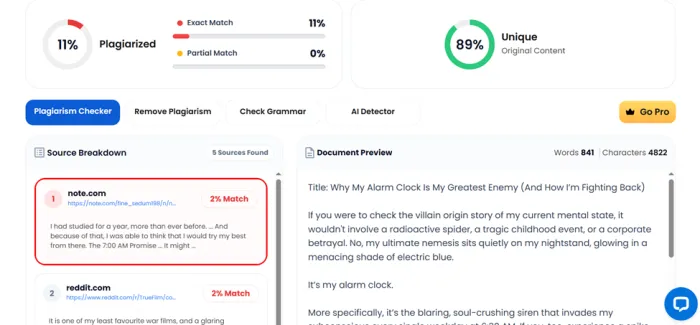
Then the test that actually matters. I ran the finished blog through Duplichecker with AI Detection turned on. Here is what it returned.
| 89% | 11% | 841 | 5 |
| Unique content | Flagged as matches | Words generated | Sources found |
The matches were small and scattered. About 2% overlapped with a note.com page and about 2% with a Reddit thread, five sources in total, none of them alarming. For an 841-word draft, that is a low and expected amount of incidental overlap.
| One honest caveat. A low plagiarism score is not the same as reading like a human wrote it. Plagiarism checks look for copied text. AI detectors look for AI patterns, and tools in this class do tend to leave those patterns unless you edit. Treat the output the way I did: a clean, mostly original draft that still needs your voice before it goes live. |
About those ads
Here is the trade-off I promised. The free version pays for itself with advertising, and there is a lot of it. During my session the page was busy in a way you should expect before you start.
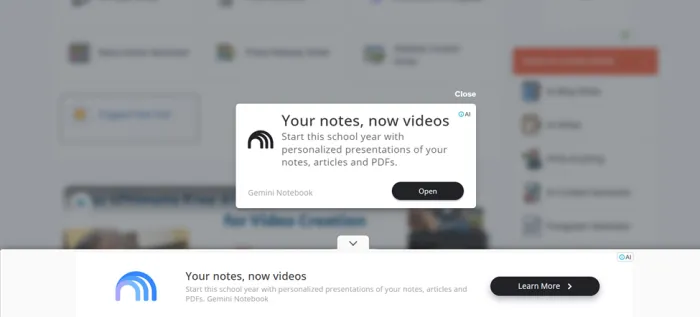
WHAT APPEARED WHILE I WORKED • A floating text-to-speech player parked in the corner of the screen • A sponsored article widget that loaded alongside the tools • A banner ad stretched across the bottom of the page • A full popup (“Your notes, now videos”) that I had to close before continuing |
None of it broke the tool, but it is cluttered, and it is the single most common complaint from real users too. One Trustpilot reviewer even reported the heavy page slowed their laptop while testing. If a clean workspace matters to you, this is the price of free, no-login access, and it is a fair thing to know going in.
Pros and cons
What works • No account needed for the core tools • Genuinely fast, with drafts in under a minute • Real model choice, including Gemini and Deepseek, with speed and quality shown • Generous free output (841 words in my test) • Broad library covering many content types • Optional controls for tone, length, keywords, and structure | What holds it back • Heavy ads on the free version • Output reads as AI until you rewrite it • Not built for polished professional or academic final work • No API for building it into a workflow • Paid pricing is confusing and varies by source • The reCAPTCHA adds a small speed bump |
What real users are saying
To sanity-check my own experience, I pulled feedback from places where real users leave reviews. The picture is mixed in a way that feels fair for a free tool trying to do a lot.
Trustpilot ★★★★★ A reviewer who leaned on the email writer and article generator for a few weeks called it “free, fast, and actually helpful,” and admitted they had been skeptical until it worked with no sign-up. Verified Trustpilot reviewer | Trustpilot ★★★★★ Another user described the AI as “detailed, descriptive and insightful” and said they got hooked on it, with their only gripe being the character limit on the story generator. Trustpilot reviewer |
Trustpilot ★★☆☆☆ A less happy reviewer felt the ads were excessive and said the heavy page slowed their laptop while testing, arguing the site is bogged down by too much sponsored content. Trustpilot reviewer | G2 ★★★★☆ A two-month G2 user rated the writing tools highly and liked the newer image and video features, but noted the sheer number of tools can confuse a first-time user. G2 reviewer |
Ratings across platforms
Here is how Toolbaz scores where people actually leave feedback. I have kept these honest rather than cherry-picked, including the parts that are less flattering.
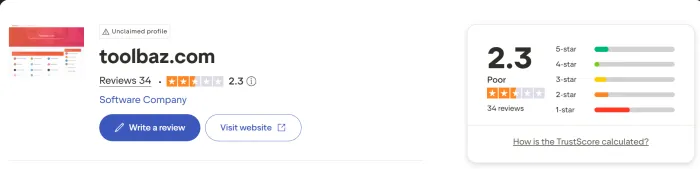
| Platform | Score | What it reflects |
|---|---|---|
| Trustpilot (toolbaz.com) | Mixed | Praise for the AI, complaints about ads and limits |
| G2 | Positive | Liked the tools, flagged tool overload for new users |
| Scam Detector (trust) | 70 / 100 | Rated a likely trustworthy site |
Worth flagging for balance: one industry roundup put the average across commercial review aggregators at roughly 2.5 stars. That gap between enthusiastic casual users and lukewarm aggregate scores is the honest story of this tool. People who use the free tier for quick drafts tend to like it. People weighing it as a paid professional platform tend not to.
Pricing, kept straight
Pricing is the one genuinely confusing part, so let me simplify it. The core tools on toolbaz.com are free and need no login, which is exactly what I tested and what most people use.
If you want higher limits and premium models, there is a separate paid app. The prices there move around a lot depending on which page and which review you read. I found tiers quoted anywhere from roughly $5.99 a month at the low end to about $19.99 for a mid plan, with higher tiers above that, all tied to word or token limits. Because the numbers shift, do not treat any single figure as gospel. Check the current plan page before you pay.
| My honest read on the paid side: the free tier is the real reason to use Toolbaz. If you are ready to pay for AI writing, the same money puts you within reach of ChatGPT or Claude directly, and those give you stronger underlying models and more flexibility. |
Who it is for, and who should skip it
A good fit if you are • A blogger who wants a fast first draft to edit • A student trying to beat a blank page • A small business owner needing occasional copy • Anyone testing AI writing before paying for it | Skip it if you need • Publish-ready or undetectable content out of the box • Research-grade accuracy on technical topics • An ad-free, distraction-free workspace • API access to build it into a workflow |
My final take after testing
3.8 out of 5 Excellent free draft engine, honest about its limits After running a real post through it from start to finish, my take on Toolbaz is simple. It is one of the better free AI writers for getting unstuck, and it is honest about being a starting point rather than a finish line. It gave me a fast, coherent, mostly original 841-word draft without asking for a cent or an email, and the model picker handed me more control than most free tools bother to offer. That is genuinely worth a bookmark. I would not publish what it produced without editing, and I would not lean on it for anything academic, technical, or reputation-sensitive. The ads are heavy, the prose needs a human pass, and the paid plans are hard to recommend when ChatGPT and Claude sit at similar prices. But judged for what it truly is, a free, no-login draft engine, it earns its score. My advice after testing: use the free tier the way I did. Type your topic, pick a higher-quality model if polish matters, generate, then run the result through a checker and rewrite it in your own voice. Do that, and Toolbaz quietly removes the hardest part of writing, which is starting. |





