

I tested Wordtune the way you would test a smoke detector: by starting a small, controlled fire. I opened ChatGPT and asked it for a 200 word paragraph about Spiderman with the grammar deliberately wrecked. “Spiderman are the hero who swing between building.” I pasted the whole mess into Wordtune's editor and watched a red counter climb to 45.
Over the next few days I let the proofreader chew through it, ran sentences through the Rewrite engine until my free credits died, and fed the summarizer one of my own published articles. I also clicked deep enough into checkout to see the real prices.
This review covers the signup flow, the free plan's real limits, verified US pricing, and what reviewers on G2, Trustpilot, and Capterra keep repeating. None of it is secondhand.
4.3 / 5 The short version Wordtune is the sharpest sentence-level rewriter I have used, attached to one of the stingiest free plans I have met. It caught 44 of my 45 planted errors and fixed them in one click. Pay yearly or do not pay at all. Free plan: Yes, 10 rewrites a day Paid from: $6.99/mo billed yearly Trial: 3 days Best for: Emails, LinkedIn, ESL writers |
How Wordtune scored in my testing
Every score below comes from a specific test, not a vibe.
| Criteria | Score | Why |
|---|---|---|
| Ease of use | 4.8 | Zero learning required, it explains itself in one glance |
| Grammar and proofreading | 4.6 | Caught 44 of my 45 planted errors, one click fixed them all |
| Rewrite quality | 4.4 | Four or more natural options per sentence, meaning intact |
| Summarizer | 4.0 | Accurate on my own article, but 3 free runs a month is a demo |
| Free plan value | 3.4 | 10 rewrites a day vanishes inside one long email |
| Pricing | 4.1 | Fair at $6.99 yearly, hard to defend at $19.99 monthly |
| Overall | 4.3 | A focused tool that does its one job unusually well |
What Wordtune actually is
Wordtune is an AI writing assistant from AI21 Labs, live since late 2020, ancient by AI tool standards. Its bet differs from ChatGPT's: instead of drafting from a blank page, it improves sentences you already wrote. Grammar checks, tone switching, a summarizer, and an Ask AI generator sit around that core.
You can run it as a browser extension inside Gmail, Google Docs, LinkedIn, and most text boxes, or as a standalone web editor. There is an iOS app too. Safari is unsupported, and the Mac desktop app has been retired.
Maker AI21 Labs, launched 2020 | Platforms Web, Chrome, Edge, Firefox, Arc, iOS |
Chrome rating 4.6, Featured badge | Output language English out, 10 languages in |
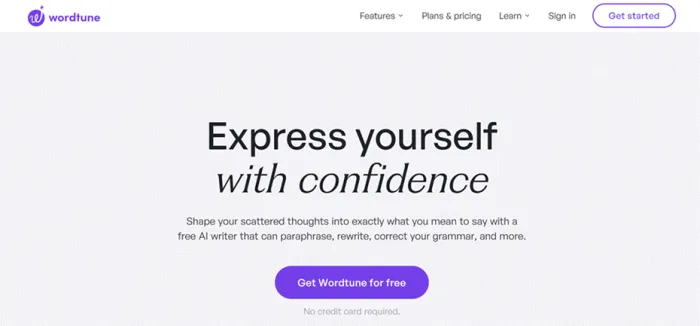
The homepage pitch: a free AI writer for paraphrasing, rewriting, and grammar.
Signup and onboarding, step by step
Landing page to open editor took under two minutes.
Step 1: Create an account
Four doors: Google, Apple, Facebook, or plain email. I used Google. No card, no address, no phone number.
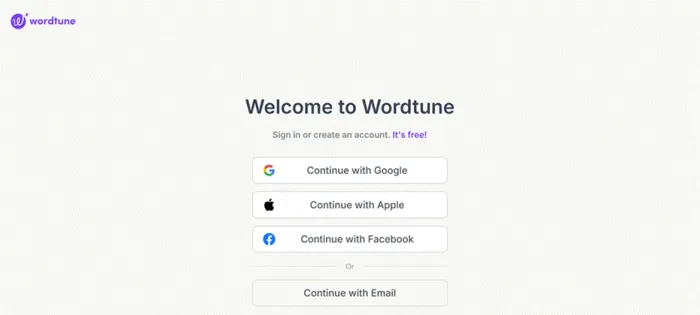
Four ways in, plus a promise that it is free. It is, with an asterisk.
Step 2: Answer three onboarding questions
Wordtune greets you by name and asks three things: what you will use it for (Work, Personal, or School), how comfortable you are writing in English (four levels, beginner to native), and where you usually write. That last screen is a wall of logos: Gmail, Outlook, Google Docs, LinkedIn, Slack, Notion, and more.
That middle question is the tell: the product is tuned for people writing English as a second language.
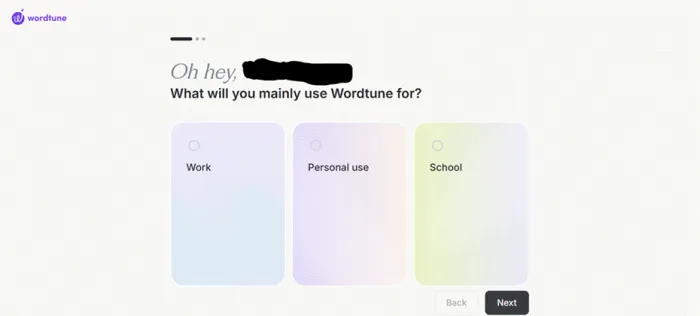
Work, personal, or school.
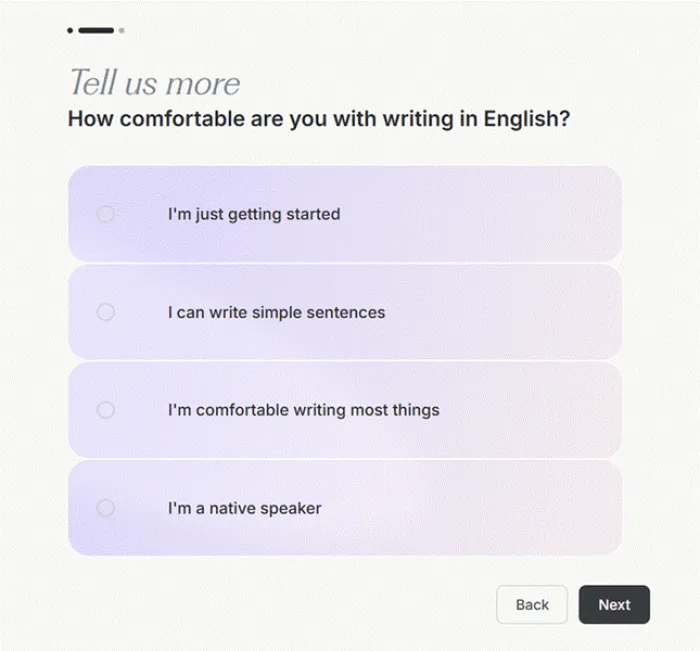
Your English comfort level.
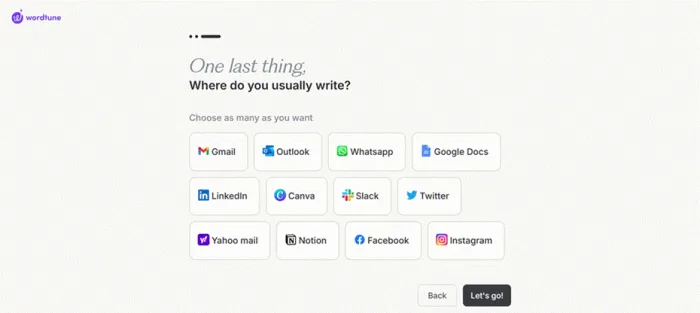
Question three doubles as a pitch for the extension: pick platforms, and Wordtune offers to live inside them.
Step 3: Pick your surface, then meet the upsell
The final screen offers the Chrome extension or the web editor. I chose the editor. Before I typed a word, a pricing modal slid up with two Start 3-day free trial buttons. First upsell, zero words written. I closed it.
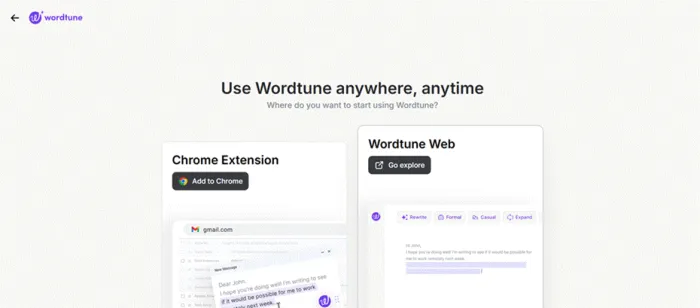
Extension or web editor. The extension earns its keep long term; the editor suits a controlled test.
Inside the editor
The editor is a clean two-panel layout: your text on the left, Ask AI and Proofread on the right. Every toolbar button does one obvious thing.
Rewrite Highlight a sentence, get four or more alternates with changes tinted purple. | Formal / Casual One-click tone switches. Formal stiffens the collar, Casual loosens it. |
Shorten / Expand Length controls for sentences too bloated or too thin to carry their point. | Ask AI The generative side: draft, continue, or answer prompts. This is what burns your daily AI generations. |
Proofread The lightbulb. Scans the whole document and stacks corrections beside a Fix all button. | Summarize A separate workspace that turns PDFs, URLs, or pasted text into structured summaries. |
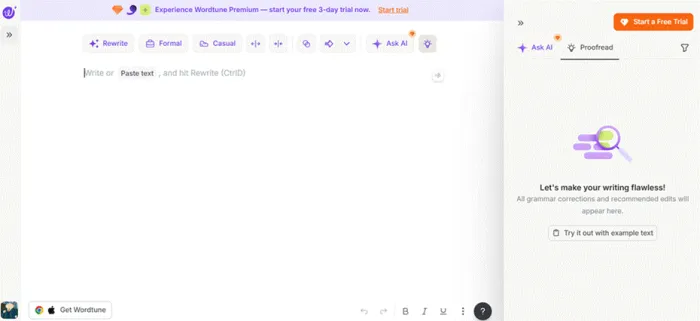
The blank editor. The trial banner and button are permanent fixtures.
The 45-error stress test
My ChatGPT-generated Spiderman paragraph was 200 words of grammatical chaos: broken verb agreement, mangled plurals, tense soup. A worst-case sample of what a rushed writer pastes in at 11pm.
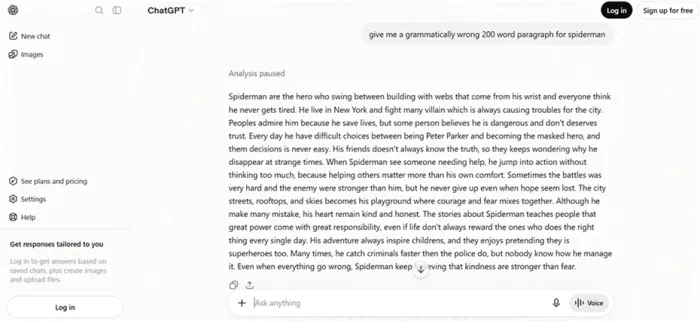
The bait: written wrong on purpose, so I knew exactly how many errors went in.
I pasted it in and clicked the lightbulb. The badge hit 45 flags, and the Corrections panel listed 44 grammar fixes as tidy before-and-after pairs:
| are → is swing → swings building → buildings think → thinks Peoples → People plus 39 more |
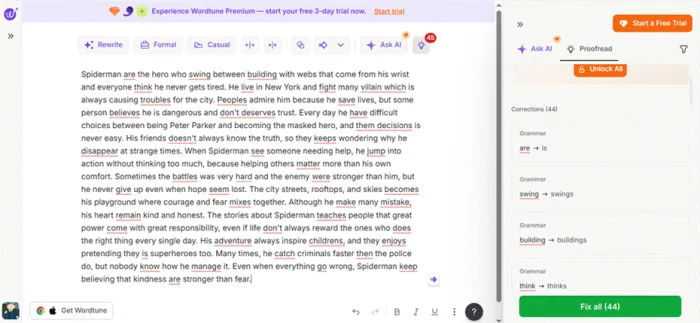
Every error underlined in red, 44 corrections stacked on the right, one Fix all button. Deeply satisfying.
One click on Fix all (44) and the paragraph snapped into shape. The panel flipped to a trophy and told me my grammar was on point. Paste to clean: about 20 seconds.
Was it perfect? Not quite. A few awkward constructions survived the sweep, like “some person believe he is dangerous.” Wordtune's fix for those lives one layer up, in its clarity and fluency recommendations, and I finished with exactly one recommendation waiting behind an orange Unlock All button.
| The line that matters: spelling and grammar corrections are unlimited on the free plan. The caps meter rewrites, AI generations, and the deeper clarity recommendations. |
Rewrite quality, sentence by sentence
Rewriting is the reason Wordtune exists, so I leaned on it hard. I highlighted the clunkiest surviving sentence, one about battles being hard and hope seeming lost, and hit Rewrite.
Four options appeared instantly, changed phrases tinted purple so you can see what moved. The first restructured the sentence around “Even when the battle seemed hopeless” and was flatly better than the original. The rest ranged from solid to lateral, shuffling clauses without improving much. None drifted from my meaning.
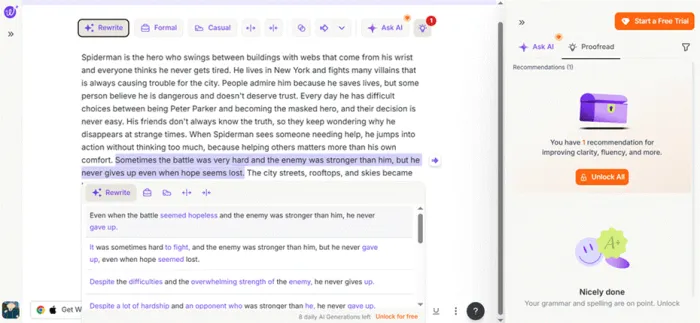
Four rewrites for one sentence. Bottom corner: 8 daily AI generations left. The meter runs fast.
Two things stood out over a week. The Formal and Casual buttons are the sleeper feature: turning a blunt Slack message into a client-safe email is a two-second job. And the free allocation is brutally tight. Comparing three versions of two sentences already spends six of your ten rewrites. I hit the wall on day one.
The summarizer, fed my own article
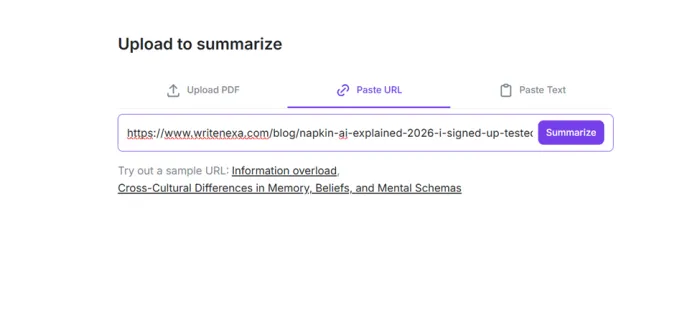
The summarizer accepts a PDF, a URL, or raw text. To judge accuracy you need source material you know cold, so I fed it my own Napkin AI walkthrough from WriteNexa.
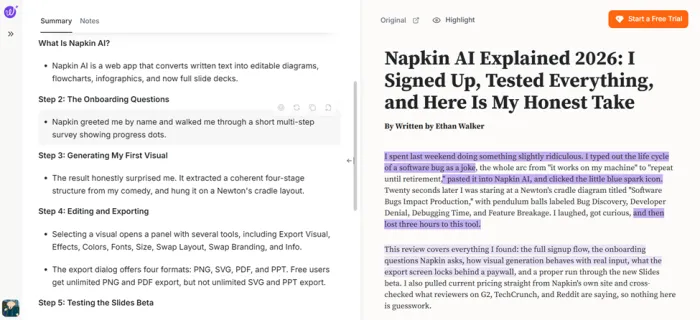
The output impressed me. It kept my article's step structure, condensed each section into two or three honest bullets, and got the details right, down to the export formats I had listed. The Highlight toggle marks the exact source sentences behind each bullet, so you can audit the summary instead of trusting it.
| The catch: free accounts get 3 summaries per month. Not per day, per month. Advanced raises it to 15, and only Unlimited removes the cap. Free, this is a test drive with the parking brake on. |
Wordtune pricing in 2026, in dollars
These figures come straight from Wordtune's US plans page in July 2026. Yearly billing cuts each paid plan roughly in half, and frequent promos shave it further, so the struck-through checkout discount is more or less permanent theater. Prices also shift by region, so your checkout may show local currency, as mine did.
| What you get | Basic | Advanced | Unlimited |
|---|---|---|---|
| Annual price, effective monthly | $0 | $6.99 | $9.99 |
| Monthly billing price* | $0 | $13.99 | $19.99 |
| Rewrites / AI suggestions | 10/day | 30/day | Unlimited |
| AI summaries | 3/month | 15/month | Unlimited |
| Grammar/spelling | Unlimited | Unlimited | Unlimited |
| AI recommendations | Limited/— | Unlimited | Unlimited |
| Vocabulary enhancements | — | — | Included |
| Clarity improvements | — | — | Included |
| Fluency improvements | — | — | Included |
| Premium support | — | — | Included |
| Trial | — | 3 days | 3 days |
| Payment method required for trial | — | Yes | Yes |
| Best suited to | Occasional edits | Regular rewriting | Heavy daily use |
Pricing checked on August 2026. Wordtune says it does not currently offer region-specific pricing; taxes, currency conversion and payment-provider charges may still affect the final amount
Both paid tiers open with a 3-day free trial. There is also a Business plan for teams, with SSO and admin controls, priced by sales call.
One reviewer's week is a data point, not a dataset, so I pulled current numbers from four verified platforms. The pattern: love for the rewriting, friction around limits and billing.
Reviews Across Websites
| Platform | Current rating | Review/rating count | What the data tells you |
|---|---|---|---|
| G2 | 4.6/5 | 196 reviews | Strong overall sentiment; clarity/rephrasing frequently praised. |
| Capterra | 4.4/5 | 82 reviews | Ease of use 4.6; customer service 4.0. |
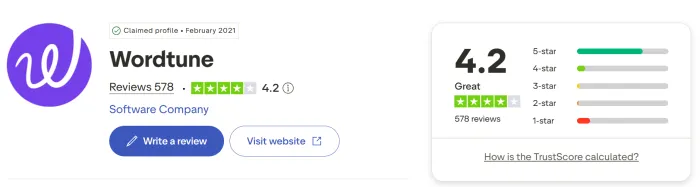
| Trustpilot | 4.2/5 | 577 reviews | 72% five-star and 14% one-star at retrieval time. |
| Chrome Web Store | 4.6/5 | ~2.4K ratings | Featured extension; 1M users shown by store. |
Ratings checked August 2026. Counts and scores change over time.
Wordtune vs Grammarly vs ChatGPT, in one honest table
These three get lumped together constantly, yet they solve different problems.
| Tool | Built to | Cheapest paid | Pick it when |
|---|---|---|---|
| Wordtune | Rewrite and polish sentences you already wrote | $6.99/mo yearly | Your ideas are fine but your phrasing fights you |
| Grammarly | Catch errors and style issues everywhere you type | $12/mo yearly | You want a strict copy editor across long documents |
| ChatGPT | Generate drafts and answers from nothing | $20/mo | The blank page is the enemy, not the phrasing |
Pros and cons after a week of real use
What won me over • Caught 44 of my 45 planted grammar errors, fixed in one click • Rewrites keep your meaning and offer genuinely different options • Spelling and grammar checks stay unlimited on the free plan • Yearly pricing undercuts Grammarly Pro and QuillBot Premium • Lives where you already write: Chrome, Edge, Firefox, Arc, iOS | What wore me down • 10 free rewrites a day can disappear inside one long email • 3 free summaries a month makes that feature a demo, not a tool • Trial banners and Unlock All buttons never leave your screen • Rewrites output English only, though it translates in from 10 languages • Trustpilot's angriest reviews are about cancellation, so diarize your trial |
Who should get it, who should skip it
Get Wordtune if you are • Writing English as a second language and tired of second-guessing every email • A professional whose Slack messages need to become client-safe emails, fast • A student polishing essays who wants rephrasing, not ghostwriting • A Grammarly user who wants better sentences, not just correct ones | Skip it if you are • Producing long-form content daily, since even 30 rewrites a day will pinch • Looking for a blank-page generator, which is ChatGPT's job, not this • Writing primarily in a language other than English • Allergic to upsell banners, because Wordtune's never blink |
Final Verdict
Would I keep using Wordtune? Yes, with a rule
Here is the moment that sold me: watching 44 red underlines evaporate from a paragraph I sabotaged on purpose, then a little trophy telling me my grammar was on point. Twenty seconds of work that would cost a careful human editor ten minutes. That is not a gimmick. That is the product working.
And here is the moment that annoyed me, the same day. I compared rewrite options for two sentences and saw 8 daily generations left before lunch. The free plan is real, and grammar checks stay unlimited, but it is engineered so you feel the ceiling in your first session.
So my rule is simple. Install it free and use it for a normal week. Bump the 10-rewrite cap twice and that is your evidence: buy Advanced yearly at $6.99 and stop thinking about it. Buy Unlimited only if summarizing is part of your job. Never pay monthly, and put your trial end date in your calendar, because the loudest complaints about this company concern exits, not entrances.
I am keeping the extension installed. For a tool whose whole pitch is making you sound more like yourself on a better day, 4.3 out of 5 feels exactly right.





