

I spent the better part of two weeks with WriteNexa and Grammarly open in adjacent tabs, and I went in expecting a clear winner. What I got instead was a reminder that "AI writing tool" is a lazy category. These two barely overlap.
On the WriteNexa side, I fed it keywords for topics I already knew well, picked one of the titles it suggested, and read the drafts that came back with a red pen in hand. On the Grammarly side, I ran my own drafts, the WriteNexa drafts, and a week of ordinary emails through the browser extension and the Docs editor, then leaned on the Pro rewrite and tone tools to see how much they actually changed.
By the end I had a firm opinion, and it is not "one is better." It is that they answer different questions. WriteNexa answers "I need a blog post that is built for search, reads like a person wrote it, and I need it today." Grammarly answers "I already have the words, make them cleaner, and follow me into every app I write in." If you came here to decide which one deserves your money, the rest of this should make that call easy. If you were hoping one tool covers both jobs, I will save you the scroll: neither does, and that turns out to be fine.
The short answer
WriteNexa wins for Producing SEO blog posts from a keyword. You get a titled, structured, long-form draft without writing a prompt. Pro runs $49 a month with unlimited generations. | Grammarly wins for Fixing and tightening writing you already have, everywhere you type. Free handles grammar and spelling; Pro is $12 per member a month on annual billing. | The pairing most people want Draft in WriteNexa, polish in Grammarly. I did this for every post during testing and it removed the one weakness each tool has on its own. |
WriteNexa vs Grammarly at a glance
| WriteNexa | Grammarly | |
|---|---|---|
| Built for | Generating SEO blog posts | Checking and improving writing anywhere |
| Starting input | A title, keyword, or rough idea | Text you have already written, or a prompt |
| Typical output | A full structured article (the demo shows about 1,850 words) | Corrections, rewrites, tone changes, short generated text |
| Free option | Starter trial, limited generations, no card | Permanent free plan, 100 AI prompts a month |
| Paid entry | $49 a month | $12 a month annual, or $30 monthly |
| Runs inside other apps | No, web app on desktop and mobile | Yes, more than 1 million apps and sites |
| Grammar and plagiarism checks | Not included | Yes, plagiarism on Pro |
| SEO structure | Core feature | Not a feature |
| Team plan | Growth, $99 a month | Pro up to 149 seats, Enterprise beyond |
What each tool actually is
WriteNexa in simple terms
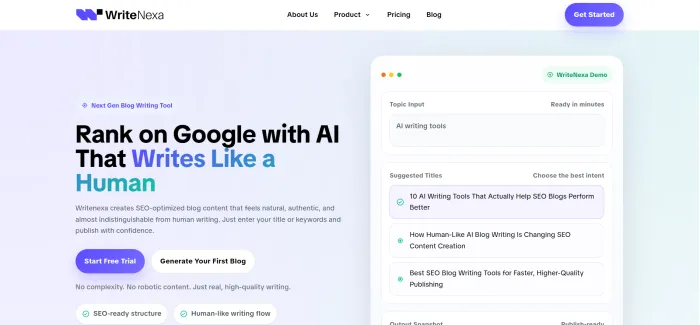
WriteNexa is a web app that does one thing: it turns a topic into a publish-ready blog post. The workflow has three steps and I never needed a fourth. You type a title, a keyword, or a loose idea. It hands back several title options so you can pick the angle that matches search intent. Then it generates a structured draft with a clear heading hierarchy, an intro that gets to the point, and sections that read in order.
The company describes its audience as bloggers, SEO professionals, founders, agencies, and content teams, and that matches what the product feels like. There is no browser extension, no grammar checker, and no chat window. It runs in the browser, works on a phone, and stays out of the way.
Grammarly in plain terms
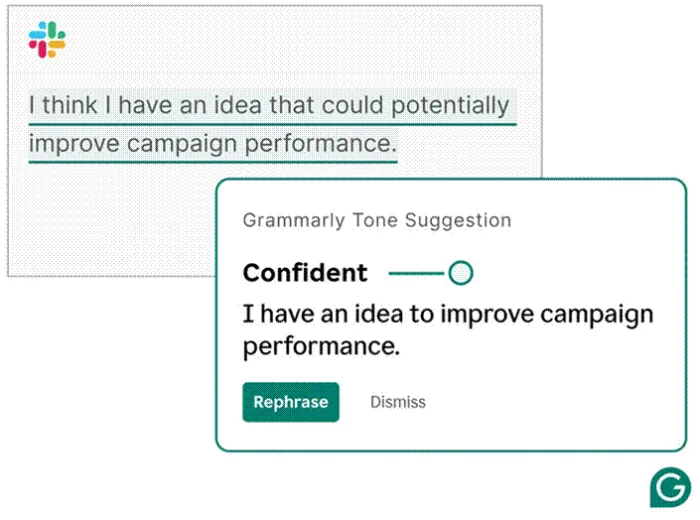
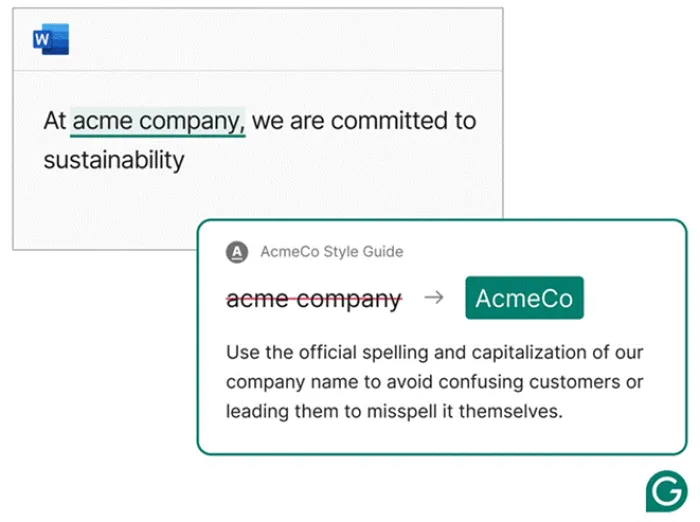
Grammarly is the writing assistant that 40 million people and 50,000 organizations use, and its whole design philosophy is to be wherever you are. The extension and desktop apps put suggestions inside Gmail, Google Docs, Word, Outlook, Slack, LinkedIn, Salesforce, Teams, Jira, and Zendesk.
The free plan covers grammar, spelling, punctuation, tone detection, and 100 AI prompts a month. Pro adds full-sentence rewrites, one-click tone changes, a plagiarism checker, style guides, brand tones, snippets, analytics, and 2,000 prompts. There is also Grammarly Docs, a standalone editor with AI agents for feedback and citations, plus support for more than 20 languages. One thing that trips people up: the parent company renamed itself Superhuman in October 2025. The product is still called Grammarly.
How I tested them
I wanted to compare what each tool does on a normal working week, not in a demo. So the setup was deliberately unglamorous.
1. Picked topics I could fact-check from memory, so any slip in a WriteNexa draft would stand out immediately.
2. Generated each post in WriteNexa from a single keyword and chose from its title suggestions rather than writing my own.
3. Ran every draft, plus my own writing and a week of emails, through Grammarly Free, then repeated the pass on Pro.
4. Kept a running note of how many changes I made before I would have been willing to hit publish.
Head to head, round by round
Writing from a blank page Edge: WriteNexa
This is the round WriteNexa was built for. A keyword goes in, a set of titles comes out, and a couple of minutes later there is a full post with an intro, subheadings, body sections, and a close. The drafts had a natural rhythm to them; sentence length varied and the paragraphs did not all open the same way, which is the tell I usually catch first in generated text. I still trimmed and I still added my own examples, but I was editing, not rebuilding.
Grammarly can generate text too. On Free you have 100 prompts a month, on Pro 2,000, and the Docs editor lets its agents stream new text straight into the page. Where it shines is short pieces: an email reply, a paragraph that needs a different framing, an outline. Long-form blog structure is on you to steer, prompt by prompt, and nothing in it thinks about keywords.
Editing and polishing Edge: Grammarly
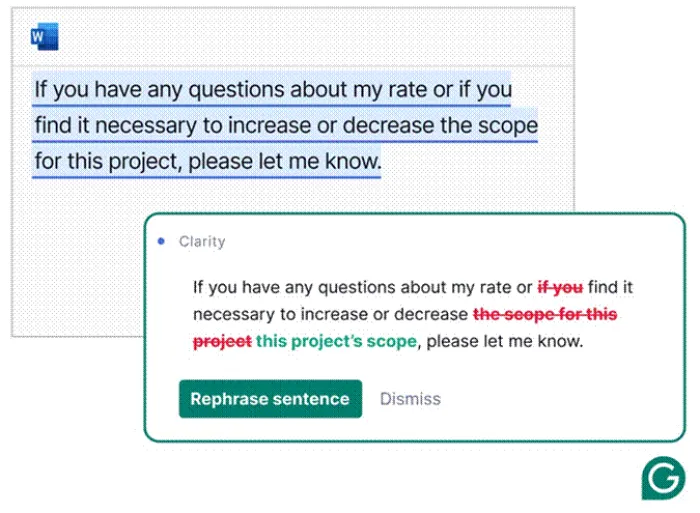
Nothing in this comparison is close here, and I do not think WriteNexa would argue. Grammarly caught the mechanical errors in my own drafts, flagged wordy sentences, offered full rewrites that were usually shorter and clearer, and let me shift a paragraph from blunt to friendly with a click. The plagiarism checker and the AI text detector on Pro are useful gut checks before a client sees anything.
WriteNexa has no editing layer. Its argument is that a cleaner draft needs less cleanup, and in practice that held up better than I expected. It does not replace a proofreading pass, and the company never claims it does.
SEO readiness Edge: WriteNexa
WriteNexa treats search as the point rather than an afterthought. The title suggestions are organized around intent, the draft follows a heading structure that search engines can parse, and the keyword you gave it shows up where you would expect without being jammed into every sentence. Grammarly has no concept of a target keyword, a search intent, or a heading hierarchy for ranking. It will make an SEO article read better; it will not make it rank.
Ease of use and setup Edge: Even
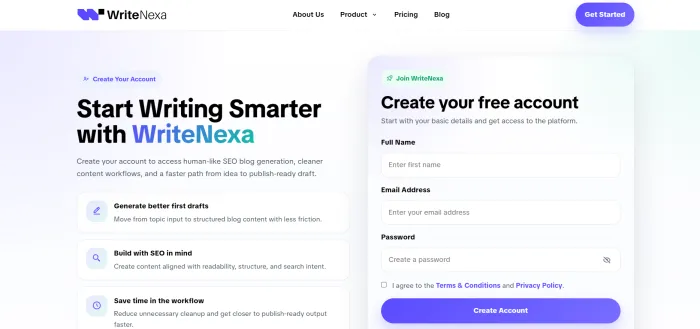
Both are easy, but in different ways. WriteNexa needs no prompt-writing skill and no credit card to start, and the three-step flow is the entire interface. Grammarly is a one-time install and then it follows you around, which is its own kind of effortless. The trade-off is that Grammarly has a lot more surface area: tone controls, rewrite menus, style guide settings, agents in Docs. You will not use all of it in week one.
Where you can use it Edge: Grammarly
Grammarly lives inside your existing tools, and that is the biggest practical difference between these two products. It runs in the browser, in Windows and Mac apps, on iPhone and Android, and inside almost anything with a text field. WriteNexa is a responsive web app. It works on a phone, but the output still has to be copied into your CMS. For blog production that is one extra step; for everyday writing it means WriteNexa is simply not in the room.
Teams and scale Edge: Split
Grammarly Pro covers teams up to 149 people with shared style guides, brand tones, snippets, knowledge share, and usage analytics. Enterprise, sold through Superhuman Go, adds unlimited members, data loss prevention, granular roles, and uncapped AI prompts. WriteNexa's Growth plan at $99 a month is its team option, and it is about volume: bulk blog generation, deeper content, premium output quality, and early access to new features. If your problem is a hundred people writing off-brand emails, Grammarly. If your problem is forty posts a month across client sites, WriteNexa.
WriteNexa vs Grammarly pricing
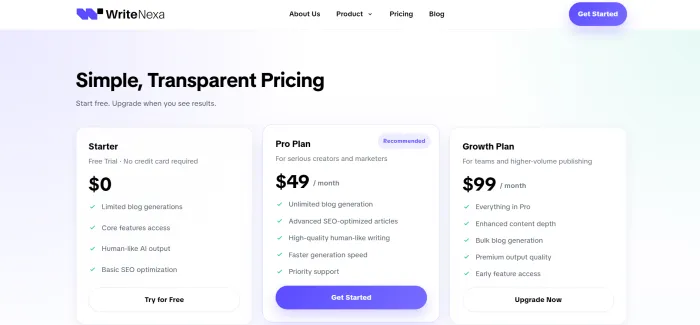
These are the numbers on both official pricing pages as of this update.
| Tool | Plan | Price | What you get |
|---|---|---|---|
| WriteNexa | Starter | $0 | Free trial, limited blog generations, core features, no credit card |
| WriteNexa | Pro | $49 a month | Unlimited blog generation, advanced SEO articles, faster generation, priority support |
| WriteNexa | Growth | $99 a month | Everything in Pro, bulk generation, enhanced depth, premium output, early feature access |
| Grammarly | Free | $0 | Grammar, spelling, punctuation, tone detection, 100 AI prompts a month |
| Grammarly | Pro | $12 a month annual, $30 monthly | Full-sentence rewrites, tone adjustment, plagiarism check, style guides and brand tones, 2,000 prompts, up to 149 seats |
| Grammarly | Enterprise | Custom quote | Unlimited members, unlimited prompts, confidential mode, data loss prevention, roles and permissions, dedicated support |
The sticker prices buy different things Grammarly Pro at $12 looks four times cheaper than WriteNexa Pro at $49, but one is a proofreader and the other is a content producer. Publish ten posts a month on WriteNexa Pro and each draft costs under $5. | Watch Grammarly's billing cycle The $12 rate is the annual plan, paid up front as $144 for the year. Month to month it is $30, and Grammarly's terms describe payments as generally non-refundable, so pick the cycle carefully. | WriteNexa keeps it flat One monthly price, no annual lock-in listed, cancel anytime with no fees, and the trial does not ask for a card. The flip side is there is no published discount for committing longer. |
Pros and cons after two weeks
WriteNexa Where it shines • Keyword to full structured draft in one short flow • Drafts read naturally and needed only light edits • No prompt engineering and nothing to learn • Unlimited generations on Pro, so cost per post drops as you scale • Free trial with no card, cancel anytime Where it stops • Web app only; nothing runs inside Docs, Word, or email • No grammar, plagiarism, or tone tools, so keep a proofreading step • Built for blog posts, so it will not help with emails, decks, or captions • $49 entry is a real commitment if you only publish now and then | Grammarly Where it shines • Works in more than a million apps and sites • Strong free plan with grammar, spelling, and tone detection • Pro rewrites, tone shifts, plagiarism and AI detection in one place • Team controls: style guides, brand tones, snippets, analytics • Support for more than 20 languages Where it stops • Monthly billing is 2.5 times the annual rate • AI prompts are capped at 100 on Free and 2,000 on Pro, with no top-ups • No SEO features; long-form structure is on you • The Superhuman rebrand and plan reshuffles make the lineup harder to follow |
Who should pick which
Solo bloggers and niche sites WriteNexa Pro. Your bottleneck is drafts, not typos, and unlimited generations at a flat price is the right shape for a publishing calendar. | Agencies and content teams WriteNexa Growth for volume across client sites, Grammarly Pro for the polish pass and for every client email that goes out the door. |
Students, professionals, support and sales teams Grammarly. Free if you just need clean writing, Pro if you want rewrites, tone control, and shared style rules for the whole team. | Founders doing their own marketing WriteNexa for the blog you keep meaning to update, Grammarly Free for investor emails, landing page copy, and everything else. |
Final verdict
After two weeks I stopped thinking of this as a contest. WriteNexa and Grammarly sit at opposite ends of the same workflow, and asking which is better is like asking whether a stove or a dishwasher is better. It depends on what you are trying to get done tonight. If I ran a blog, an affiliate site, or a small agency, WriteNexa would get the subscription. The thing I kept noticing is how little I dreaded opening it. A keyword went in, I picked a title, and a few minutes later I was editing something that already had a shape. That changes how many posts you can realistically publish in a month, and at $49 for unlimited drafts it is a rare case where the math gets better the more you use it. If my day was emails, proposals, reports, and Slack, Grammarly would win without a debate. It has been the default for a reason. The free plan is generous enough that I would tell most people to start there, and Pro earns its $12 the first time a full-sentence rewrite saves you from a clumsy paragraph in front of a client. What I actually ended up with was both. WriteNexa produced, Grammarly polished, and neither had to pretend to be the other. If you only have room for one, decide based on where your time goes: making content, or fixing it. |





