

I have spent most of this year pulling three sites off WordPress and rebuilding them on headless setups, and somewhere along the way I lost count of the free trials I signed up for. A few of those platforms I used for a single weekend and quietly deleted. Two of them are still running in production for clients right now.
This is the version of that experience I wish someone had handed me in January. Not a feature dump copied from ten pricing pages, but the platforms I would actually reach for, why, and where each one quietly costs more than the sticker suggests. If you are still weighing whether to go headless at all, it is worth reading a plain guide to what a headless CMS actually is before you compare vendors, because the wrong architecture choice is far more expensive than the wrong vendor.
Two ground rules for this list. First, every price below is a public list price checked against the vendor this month, and I flag where the real bill runs higher. Second, I skip the marketing adjectives. You already know they all claim to be fast, flexible, and developer friendly.
What changed in 2026 The headless space consolidated hard this year. Salesforce signed a definitive agreement to acquire Contentful on June 1, 2026, with the deal expected to close in Salesforce's fiscal third quarter of 2027. Payload is now owned by Figma. Directus moved to a Business Source License that charges companies above 5 million dollars in revenue even when self hosting. Strapi Cloud dropped its free tier and split hosting from CMS licensing. None of this is trivia. It shapes which platforms stay independent, and that matters when you are betting a content stack on a five year horizon. |
The quick comparison
If you only have two minutes, this table is the whole article. The detail on each platform follows underneath.
| # | Platform | Best for | Starts at | Model |
|---|---|---|---|---|
| 1 | Contentful | Enterprise content operations | Free, then $300/mo | SaaS, usage based |
| 2 | Sanity | Custom editorial builds | Free, then $15/seat/mo | SaaS, per seat |
| 3 | Storyblok | Marketing teams, visual editing | Free, then ~$99/mo | SaaS, per space |
| 4 | Strapi | Owning your own stack | Free (self hosted) | Open source, MIT |
| 5 | Hygraph | Omnichannel, content federation | Free, then $199/mo | SaaS, GraphQL first |
| 6 | Contentstack | Large regulated enterprises | Custom quote | Enterprise SaaS |
| 7 | Prismic | Fast marketing sites | Free, then ~$9/mo | SaaS, per repository |
| 8 | Payload | Next.js developers | Free (self hosted) | Open source, MIT |
| 9 | Directus | Data heavy apps and back ends | Free under $5M rev | Open core, BSL |
| 10 | DatoCMS | Media rich, multi locale sites | Free, then ~EUR 39/mo | SaaS, usage based |
List prices as of August 2026. Overages and add ons are not shown and often change the real monthly bill.
The Tools Lined Up
Contentful
Berlin, 2013 · ~4,800 brands · REST + GraphQL
Best for enterprise content operations

Contentful is still the default answer when a large organization asks which headless CMS is safe to standardize on, and there is a reason for that. The localization tooling, the SDK coverage, and the reliability at scale are genuinely hard to match. The catch this year is the Salesforce acquisition. For now nothing changes for customers, but if you are not already in the Salesforce world, you are buying into a roadmap that is about to serve Agentforce first.
Pricing: Free (10 users, 100k API calls) · Lite $300/mo · Premium custom
| Where it wins | Where it stings |
|---|---|
| Mature ecosystem with strong SDKs and both REST and GraphQL | Nothing between the free tier and $300 a month Lite |
| Excellent multi locale and multi environment support | API and bandwidth overages add up quickly |
| Proven at very high scale and traffic | Roadmap now tied to Salesforce after the June 2026 deal |
Sanity
Content Lake · GROQ + GraphQL · React Studio
Best for custom editorial builds
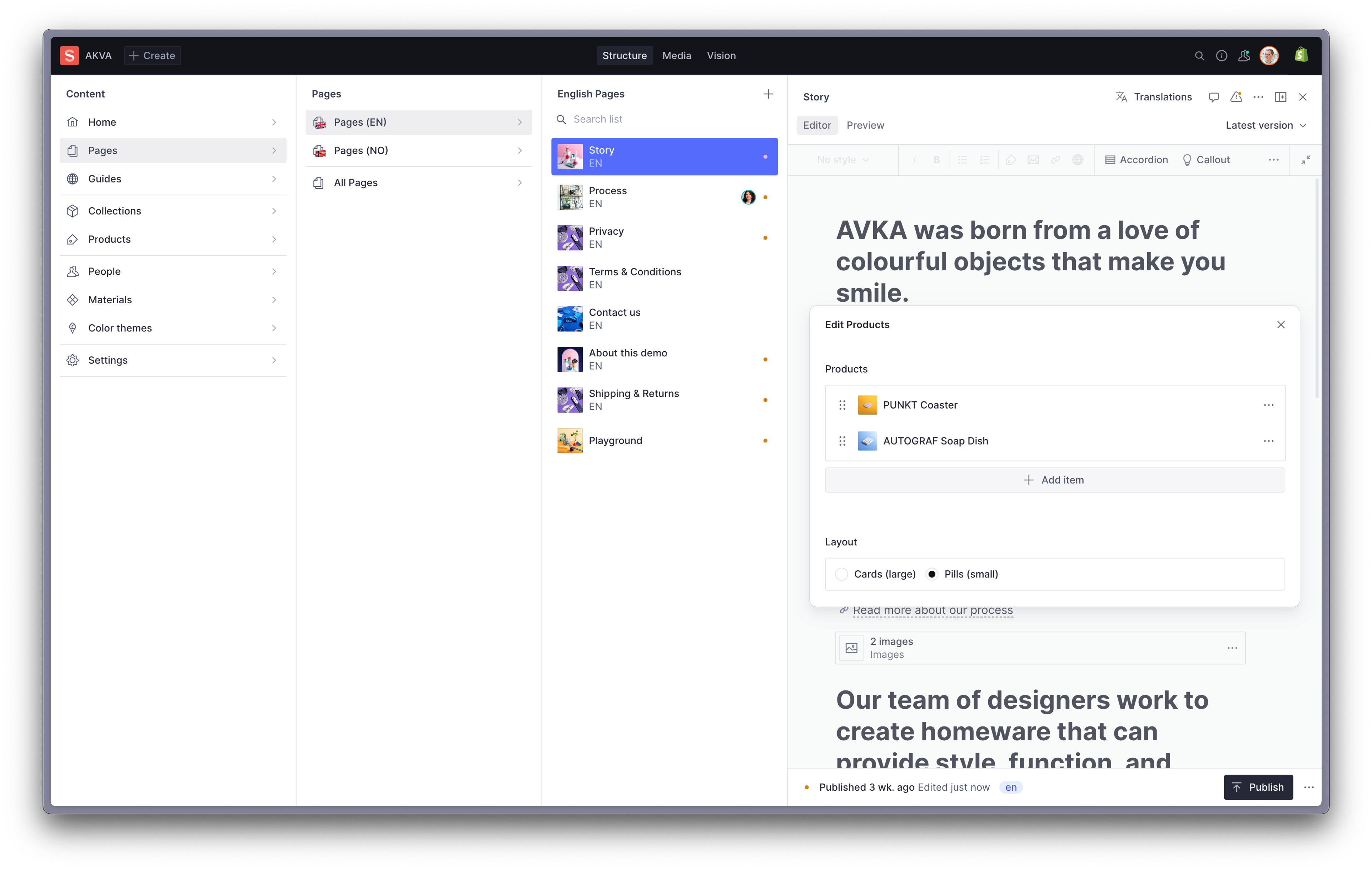
Sanity is the one I reach for when the client wants an editing experience shaped around their exact workflow rather than a generic form. You define the schema in code, customize the React based Studio however you like, and the real time collaboration actually works. Its free tier is the most production ready in this list, which is why so many startups never leave it during their first year.
Pricing: Free (unlimited projects, ~20 seats) · Growth $15/seat/mo · Enterprise custom
| Where it wins | Where it stings |
|---|---|
| Genuinely usable free tier with real time collaboration | You build the editing experience yourself, which is upfront work |
| GROQ is expressive, and you never pay per record | Per seat cost climbs for large editorial teams |
| Fully customizable Studio built in React | SAML SSO moved to Enterprise only in 2026 |
Storyblok
Austria · Visual editor · Block based content
Best for marketing teams who want a visual editor
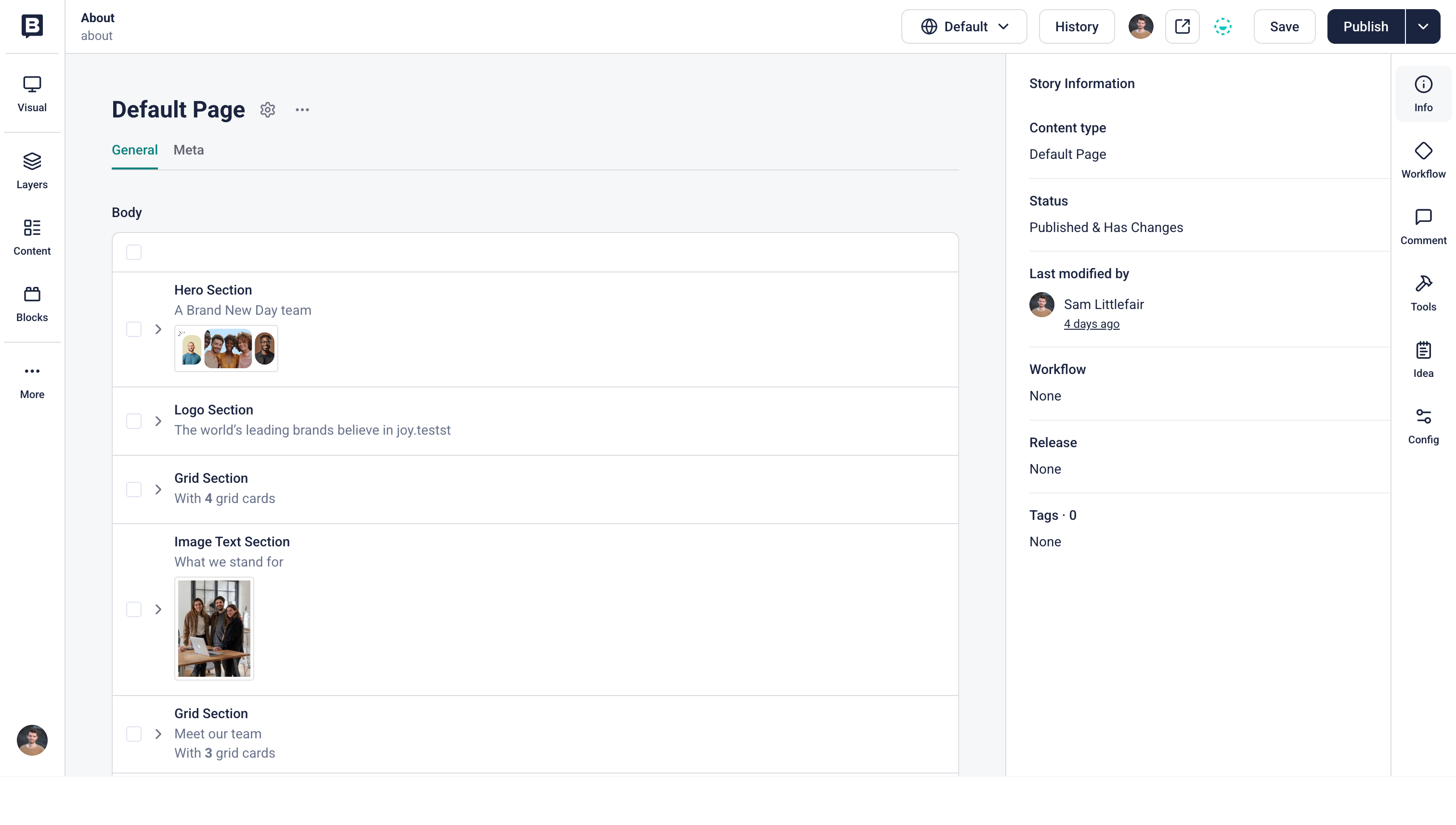
If your content team is made of marketers rather than engineers, Storyblok is the platform they will thank you for. Its visual editor is the best in this roundup, and the block based model maps cleanly onto front end components, so editors assemble pages without filing a ticket. The trade off shows up on the invoice once you run several sites, because pricing is charged per space.
Pricing: Free (1 seat) · Growth ~$99/mo per space · Growth Plus ~$349/mo · Enterprise custom
| Where it wins | Where it stings |
|---|---|
| The strongest visual editing experience for non technical editors | Per space pricing gets costly for agencies running many sites |
| Block model lines up neatly with component based front ends | The $99 to $349 jump has no middle plan |
| Fast for marketing teams shipping landing pages | API call limits on lower tiers are easy to hit on busy sites |
Strapi
Open source, MIT · Node.js · Self hostable
Best for teams who want to own the stack
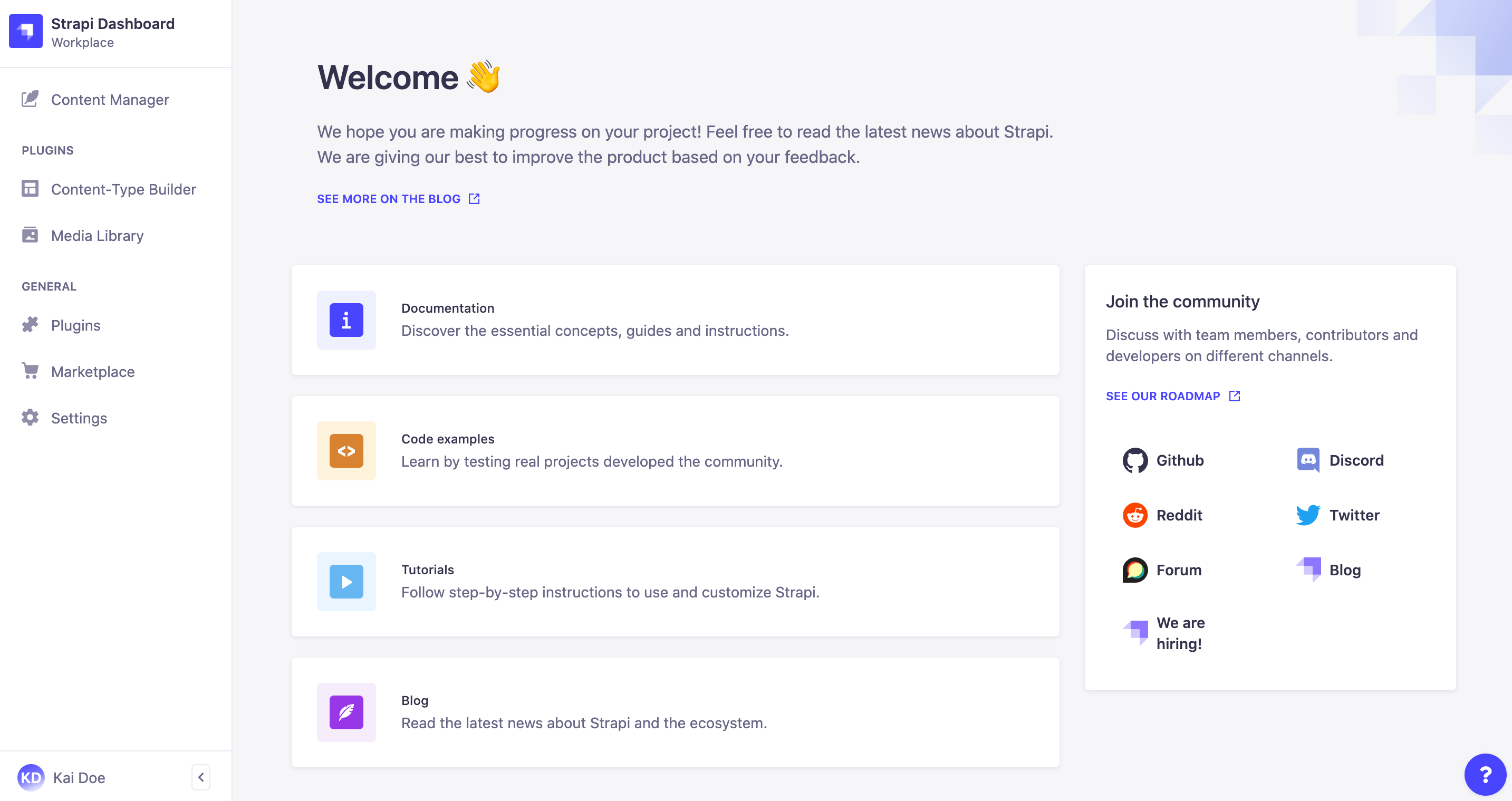
Strapi is where I point anyone who says the word lock in more than twice. The Community edition is MIT licensed and fully self hostable, which means your content, your database, and your API all sit on infrastructure you control, with no metering on API calls. The managed Strapi Cloud is there when you would rather not run servers, though note that governance features and hosting are now billed separately.
Pricing: Community free (self hosted) · Cloud Essential ~$15/mo · Pro ~$90/mo · Scale ~$450/mo
| Where it wins | Where it stings |
|---|---|
| Fully open source with no vendor lock in | You run, patch, and secure the infrastructure yourself |
| Own your data, database, and unlimited API calls when self hosted | SSO, audit logs, and review workflows sit behind separate CMS licensing |
| Deep customization of content types and the admin panel | Strapi Cloud removed its free plan in 2026 |
Hygraph
Formerly GraphCMS · GraphQL native · Content federation
Best for omnichannel and content federation
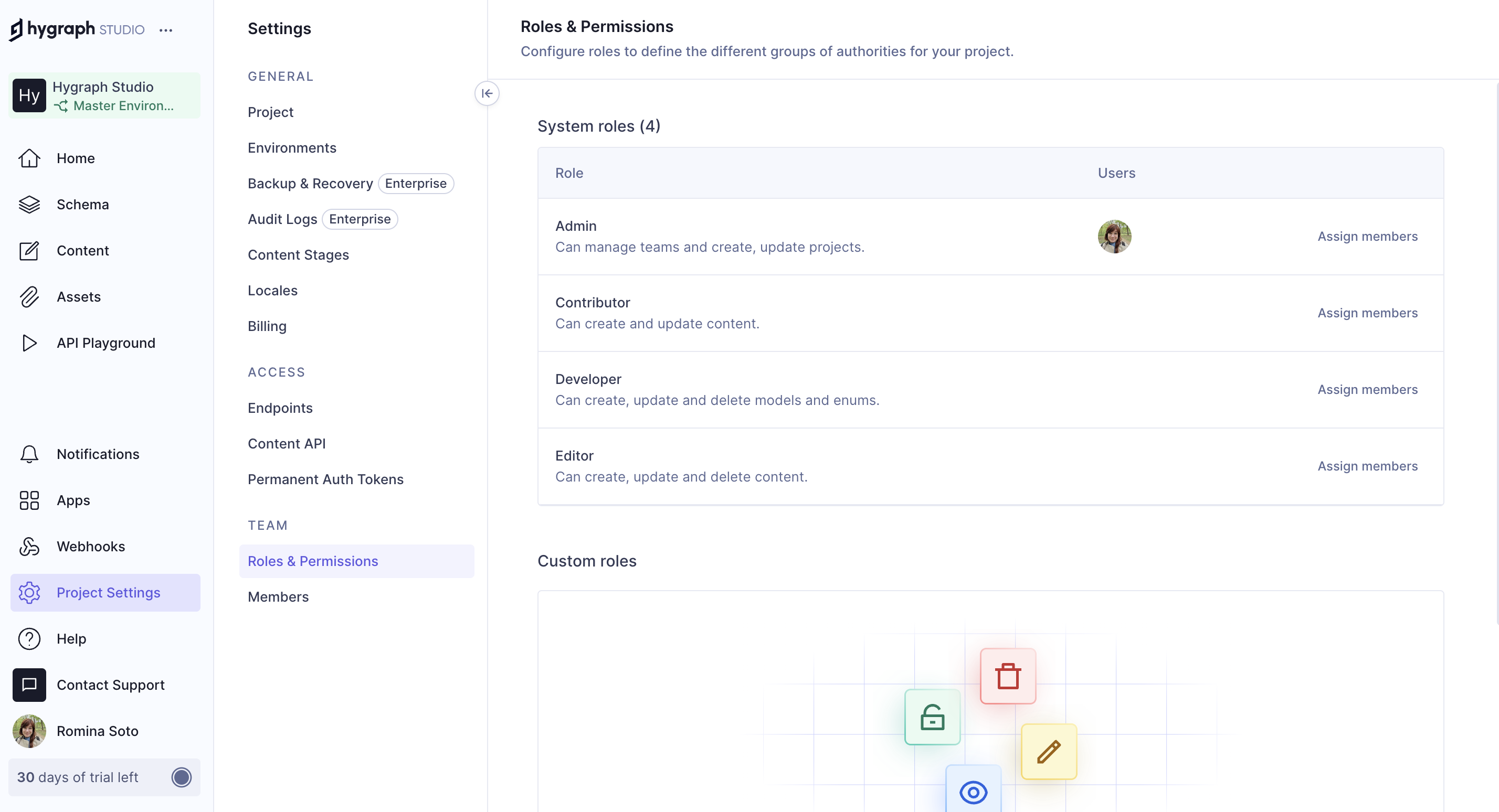
Hygraph earns its spot on one feature that the others treat as an afterthought: content federation. It can pull data from several back end systems into a single GraphQL API, which is exactly what you want when a product catalog, a marketing site, and a support portal all need to speak to one content layer. If your team lives in GraphQL already, it feels native rather than bolted on.
Pricing: Hobby free · Growth $199/mo · Enterprise custom
| Where it wins | Where it stings |
|---|---|
| GraphQL native from the ground up | Only one self serve paid tier before Enterprise |
| Federation pulls multiple sources into one API | Overage rates on API operations and asset traffic compound |
| Strong fit for omnichannel and commerce content | GraphQL only can be a constraint if your team prefers REST |
Contentstack
San Francisco · MACH certified · Composable DXP
Best for large regulated enterprises
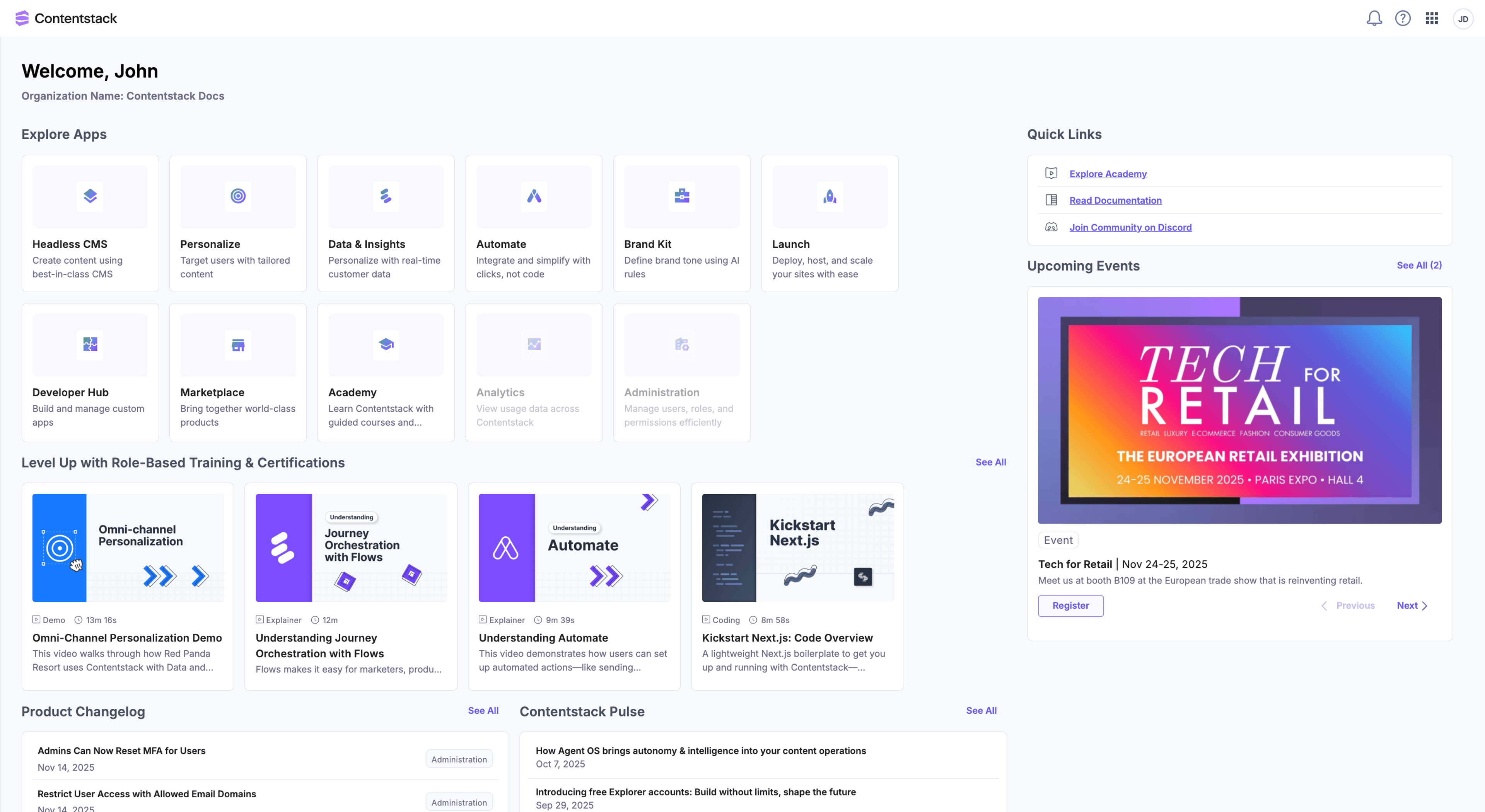
Contentstack is built for the buyer who has a procurement team, a compliance checklist, and content spread across a dozen brands and regions. It leans into the composable digital experience story with strong workflows, personalization, and support that mid market SaaS tools cannot match. The flip side is that there is no self serve path. Everything meaningful starts with a sales call and a custom quote.
Pricing: Explorer free account · Headless CMS custom · DXP custom
| Where it wins | Where it stings |
|---|---|
| Purpose built for large, governed content operations | No public per tier pricing, so everything is a quote |
| MACH certified composable stack with mature workflows | Contracts commonly land in the five to six figures per year |
| Enterprise grade support and personalization | Far more than a small team or simple site needs |
Prismic
Slice Machine · Reusable page sections · Per repository
Best for fast marketing and content sites

Prismic gets a marketing site live faster than almost anything else here. Its Slices are reusable, developer built page sections that editors then arrange into pages, which is a clean division of labor: engineers ship the components once, marketers assemble endlessly. It is not the tool I would pick for a complex relational data model, but for a content driven site it is a pleasure.
Pricing: Free (1 user) · Paid from ~$9/mo · Platinum ~$500+/mo · Enterprise custom
| Where it wins | Where it stings |
|---|---|
| Slice based page building empowers marketers | Priced per repository, so multiple projects multiply cost |
| Generous free tier for small projects | Locale limits push you toward the pricier Platinum tier |
| Very quick to launch content sites | Less flexible than code first tools for complex models |
Payload
TypeScript · Next.js native · Owned by Figma
Best for Next.js developers
Payload is the one I keep coming back to on new Next.js projects. Since version 3 it runs natively inside the Next.js app folder, so the CMS and the front end share one codebase and one deploy. You configure everything in TypeScript, it generates your types and both REST and GraphQL APIs, and the developer experience is the cleanest in this list. It is also, plainly, a tool for people who write code.
Pricing: Core free (MIT, self hosted) · Enterprise custom support
| Where it wins | Where it stings |
|---|---|
| Runs inside your Next.js app with generated types | Needs real JavaScript and TypeScript skill, not for non developers |
| Free and MIT licensed with an excellent developer experience | You own hosting and every layer of the stack |
| Works with Postgres, MongoDB, and serverless deploys | The managed cloud offering has been in flux since the Figma acquisition |
Directus
Wraps any SQL database · REST + GraphQL · BSL license
Best for data heavy apps and back ends

Directus is the odd and useful one. Instead of asking you to model content its way, it sits on top of an existing SQL database and turns it into a REST and GraphQL API with an admin interface on top. That makes it as much an application back end as a CMS, which is perfect when content and app data live in the same tables. Watch the license, though, because it changed this year.
Pricing: Community free (self host under $5M rev) · Cloud from $99/mo · Enterprise ~$499+/mo
| Where it wins | Where it stings |
|---|---|
| Exposes any SQL database as an instant API | The BSL license requires a paid license above $5M revenue, even self hosted |
| Doubles as an app back end, not just a content tool | More of a data platform than an editor first CMS |
| Free to self host for smaller organizations | The interface can feel technical for pure content teams |
DatoCMS
Florence, 2015 · Image CDN · GraphQL + REST
Best for media rich, multi locale sites

DatoCMS is the one I recommend when a project lives or dies on images and translations. Its digital asset management, automatic image optimization, and CDN delivery are the strongest of any platform here, and the localization model handles many languages inside a single record without turning into a mess. For an editorial or media brand that ships across markets, it is a quietly excellent choice.
Pricing: Developer free · Professional from ~EUR 39/mo · Enterprise custom
| Where it wins | Where it stings |
|---|---|
| Best in class image CDN and media handling | Record and API limits on lower tiers trigger add on charges |
| Clean editor with strong multi locale support | Usage based extras make the real bill harder to predict |
| Both GraphQL and REST content APIs | Smaller ecosystem than Contentful or Sanity |
Side by side: pricing and features
The cards above give you the reasoning. These two tables give you the receipts. The first lines up what every plan actually costs at each step, and the second cuts through the marketing to the capabilities most teams care about when they shortlist.
Pricing compared
| Platform | Free tier | Entry paid | Higher self serve | Enterprise | Billing |
|---|---|---|---|---|---|
| Contentful | Free (10 users) | Lite $300/mo | None | Premium custom | Usage based |
| Sanity | Free (~20 seats) | Growth $15/seat | None | Enterprise custom | Per seat |
| Storyblok | Free (1 seat) | Growth ~$99/mo | Growth Plus ~$349 | Enterprise custom | Per space |
| Strapi | Community free | Cloud ~$15/mo | Pro ~$90 / Scale ~$450 | Enterprise custom | Open source + cloud |
| Hygraph | Hobby free | Growth $199/mo | None | Enterprise custom | Usage based |
| Contentstack | Explorer free | Custom quote | Custom | DXP custom | Enterprise SaaS |
| Prismic | Free (1 user) | From ~$9/mo | Platinum ~$500+ | Enterprise custom | Per repository |
| Payload | Core free (MIT) | None | None | Enterprise custom | Open source |
| Directus | Community free | Cloud from $99/mo | Enterprise ~$499+ | Custom | Open core (BSL) |
| DatoCMS | Developer free | Pro from ~EUR 39 | Up to ~EUR 199 | Enterprise custom | Usage based |
List prices as of August 2026. Overages and add ons are excluded and often raise the real bill.
Features compared
| Platform | Content API | Self host | Visual editor | Localization | Open source |
|---|---|---|---|---|---|
| Contentful | REST + GraphQL | No | Add on (Studio) | Strong | No |
| Sanity | GROQ + GraphQL | No | Yes, customizable | Strong | Studio is OSS |
| Storyblok | REST + GraphQL | No | Yes, best in class | Strong | No |
| Strapi | REST + GraphQL | Yes | Preview | Yes | Yes (MIT) |
| Hygraph | GraphQL | No | Limited | Strong | No |
| Contentstack | REST + GraphQL | No | Yes | Strong | No |
| Prismic | REST + GraphQL | No | Yes (Slices) | Yes | No |
| Payload | REST + GraphQL | Yes | Live preview | Yes | Yes (MIT) |
| Directus | REST + GraphQL | Yes | Limited | Yes | Open core (BSL) |
| DatoCMS | REST + GraphQL | No | Yes | Strong | No |
Capability summary based on each vendor's current documentation, August 2026.
How to choose without the paralysis
The mistake I see most often is starting from a feature spreadsheet. Start from your team instead. Who edits the content, who maintains the code, and how many sites are you running? Answer those three and the field narrows fast.
| If this is you | Start with |
|---|---|
| You are a solo dev or small startup shipping fast | Sanity or DatoCMS |
| Your editors are non technical marketers | Storyblok or Prismic |
| You want to own your infrastructure | Strapi, Payload, or Directus |
| You are an enterprise with compliance needs | Contentstack or Contentful |
| You are building on Next.js | Payload or Sanity |
| You need many content sources in one API | Hygraph |
My actual verdict
If I had to put my own money down today and could only keep three accounts, they would be Sanity, Payload, and Storyblok. Sanity because its free tier carries a real project further than anyone else's and the Studio bends to whatever workflow a client dreams up. Payload because on a Next.js build the shared codebase removes a whole category of friction, and I trust the developer experience more each release. Storyblok because when the people writing the content are not engineers, the visual editor pays for itself in tickets never filed.
For a large enterprise, Contentful and Contentstack still earn their price, and I would not talk anyone out of them, though I would go in with clear eyes about the Salesforce chapter Contentful is now entering. The platform I would think hardest about before committing is any of the ones whose ownership or licensing shifted this year, not because they got worse, but because a content stack is a multi year decision and independence is worth pricing in. Pick the tool that fits the people using it, run a real project on the free tier before you pay a cent, and check the current pricing page yourself, because in this category it changes more often than anyone would like.





