

TOOL AI Scrambler | MADE BY SEOptimer | TYPE AI humanizer | TESTED July 2026 | MY RATING 2.0 / 5 |
I did not come to AI Scrambler looking for a fight. I came as someone who writes a lot, leans on AI for messy first drafts, and now and then needs that draft to read less like a machine and more like a person.
So I gave it a fair shot. I made an account. I poked around. I ran a genuine test with real text and two real AI detectors, then watched what the tool did with it. This is the full walkthrough of that sitting: the sign-up, the pricing, the humanizing test, what other people report, and a verdict shaped entirely by what I saw on my own screen.
One thing worth flagging first. The tool lives at seoptimer.com/ai-scrambler, and the page never really announces itself with a product name. The URL says ai-scrambler, not GPT scrambler, which matters if you went hunting for it after reading a review that used a different label. Same idea, different name.
THE SHORT VERDICT If you only read one box, read this one. THE CLAIM Paste your AI text, click a button, and get natural, human-sounding writing that slips past AI detectors. WHAT I FOUND The output was a reworded version of my input that still scored 100% AI on both detectors I tried. It read AI-ish, carrying the same stock phrasing that gives machine text away. BOTTOM LINE As a humanizer, it did not do the one job I needed. It rephrases fast and for free, but rephrasing is not humanizing. It did not earn a spot in my workflow. |
So what exactly is AI Scrambler?
In plain terms, it is a text box on SEOptimer's site. You paste in a paragraph, an essay, or any block of writing, pick a language, and it hands back a rewritten version that is meant to look, in its own words, meaningfully different. Under the hood, it rephrases your text.
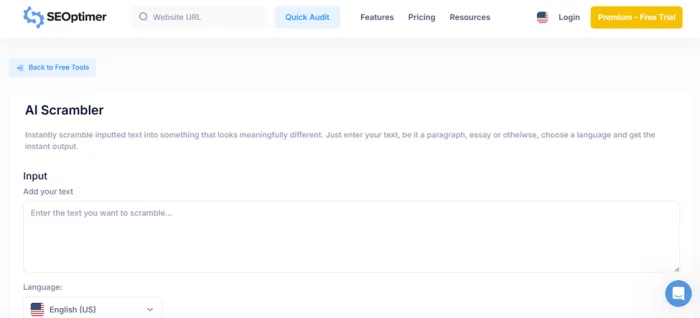
The interesting part is the promise stapled to that rephrasing: that the new version will read as human and pass AI detection. That single promise is the whole reason a tool like this exists, and it is exactly what I set out to check. Not did it change the words, but did it change the verdict a detector gives.
Quick name check: AI Scrambler is not GPT Scrambler There is a separate product elsewhere on the web called GPT Scrambler. Do not confuse the two. Everything here is about SEOptimer's tool at the ai-scrambler address, and nothing else. |
Product Snapshot
| Detail | Information |
|---|---|
| Tool | AI Scrambler |
| Provider | SEOptimer |
| Type | AI text rewriting/scrambling tool |
| Access | Listed among SEOptimer's free tools |
| Input | Paragraphs, essays and other text |
| Language selection | Available |
| Official description | Makes input text look “meaningfully different” |
| Explicit AI-detector bypass claim on official page | Not found on the current page |
| Review test date | July 2026 |
SEOptimer currently lists AI Scrambler in its collection of free tools and describes it primarily as a text-scrambling/rewrite utility.
First Impression
Signing up felt backwards
Before I could test anything, I went through the account flow. Here is exactly how those first few minutes played out.
Step 1 Logging in with an email, and nothing else
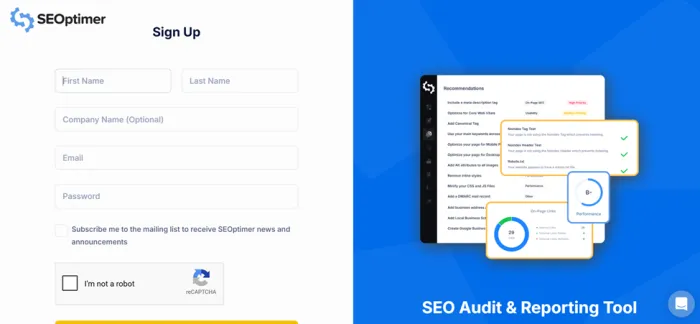
The sign-in was about as bare as it gets. It asked for an email. That was the whole ask. No password field waiting for me, no profile setup, just an email address to get through the door.
Step 2 Landing straight on a payment page

The instant I was in, the very first screen was the plan selection and payment page. Not a welcome tour, not the tool, not a sandbox to play in. Pricing, right away, front and center.
Step 3 Hunting for the free trial button

The page proudly wears a 14 Day Free Trial badge, so naturally I went looking for the button to start that trial. I could not find it. There was no obvious control to begin the trial where I expected one to be, so I could not kick it off the way the badge implied I could.
Step 4 Logging out to test the free tool instead
Since the scrambler itself is usable without paying a cent, I logged back out and went straight to the humanizer to run my test. That is where the real evaluation actually happened.
Worth understanding The payment wall is for SEOptimer's wider SEO audit platform, not a gate on the scrambler text box itself. The humanizer is free to try. The friction I hit was the account flow, not the tool. |
Pricing
The plan page I landed on
Because pricing was the first thing I saw, let me lay it out clearly. Here is the exact plan page, monthly first and then annual, with the numbers pulled into tables so you can compare without squinting at the screenshots.

Monthly plans, exactly as they appeared on sign-up. Note the 14 Day Free Trial badge, top right.
| PLAN | PRICE | BEST FOR | HEADLINE FEATURES |
|---|---|---|---|
| DIY SEO | $29 / mo | Your own website | SEO Audits |
| White Label | $39 / mo | Marketers | SEO Audits, White Label PDF Reporting |
| White Label & Embedding | $59 / mo | Agencies | SEO Audits, White Label PDF Reporting, Embeddable Audit Forms |

Annual plans. Switching to yearly billing knocks 25% off every tier.
| PLAN | PRICE / MO | BILLED YEARLY | BEST FOR |
|---|---|---|---|
| DIY SEO Annual | $21.75 | $261 | Your own website |
| White Label Annual | $29.25 | $351 | Marketers |
| White Label & Embedding Annual | $44.25 | $531 | Agencies |
The pricing itself is reasonable for an SEO audit suite, and annual billing is a genuine saving. My only snag was practical: a 14-day free trial is advertised right across the top, but finding where to actually start it was the sticking point.
The Real Testing
I gave it a ChatGPT story and two detectors
A humanizer is only worth something if it moves the number a detector shows you. So I built a clean, repeatable test with a clear before and after.
Step 1 Generate the source text
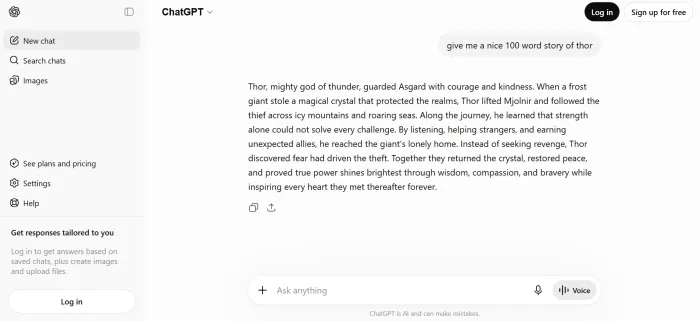
I asked ChatGPT to write a short Thor story. Straight AI output, nothing hand-edited, nothing softened. A perfectly ordinary block of machine-written text.
Step 2 Get a baseline reading
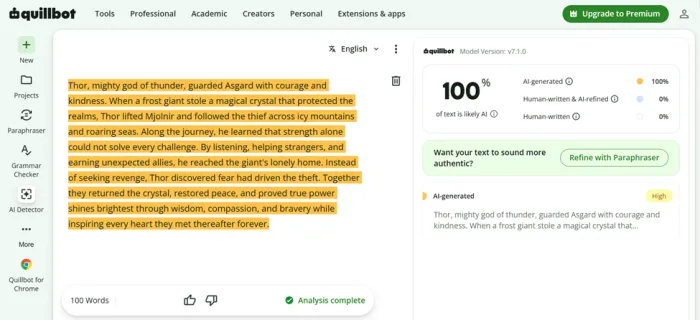
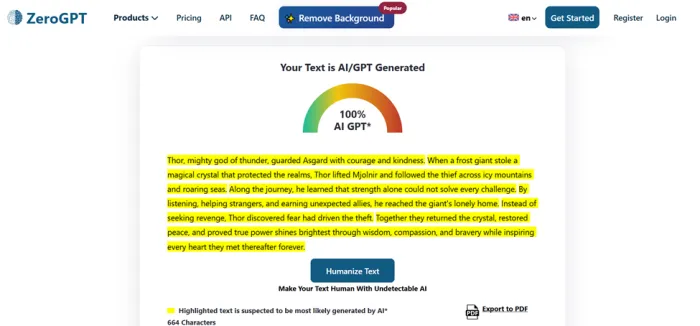
I ran that story through two checkers first, ZeroGPT and QuillBot's AI detector. Both came back at 100% AI. That is an ideal starting point, because a working humanizer should drag that number down.
Step 3 Scramble it
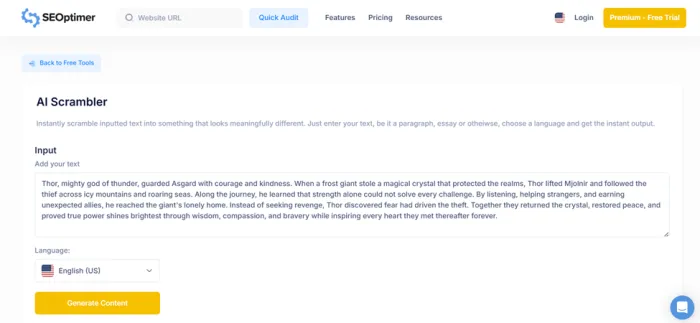
I pasted the story into AI Scrambler and clicked the Humanize button. Output came back quickly, which is a point in its favor.
Step 4 Read the output
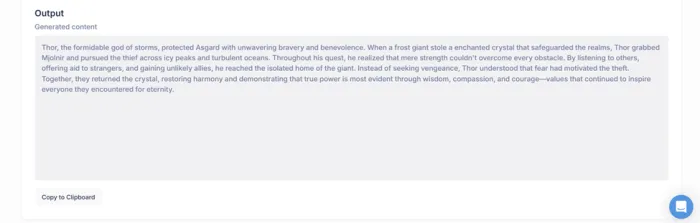
My first reaction was that it still felt like AI. The rewrite leaned on the same kind of stock phrasing and predictable rhythm that gives machine text away. It read like a reshuffle of the original, not like something a person actually wrote.
Step 5 Re-check the humanized version
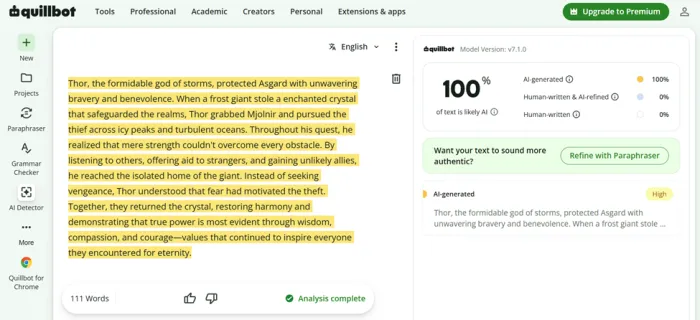
I dropped the humanized text back into ZeroGPT and QuillBot. Both still said 100% AI. Identical verdict to the original, top to bottom.
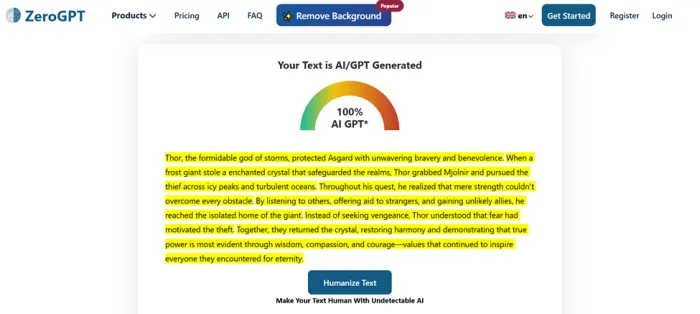
| DETECTOR | ORIGINAL CHATGPT TEXT | AFTER AI SCRAMBLER | CHANGE |
|---|---|---|---|
| ZeroGPT | 100% AI | 100% AI | No change |
| QuillBot AI Detector | 100% AI | 100% AI | No change |
Here is the honest read on that. The tool did rephrase my text. Sentences were reordered, words were swapped, the surface looked different. But rephrasing and humanizing are not the same thing. The output kept the exact fingerprints that detectors are trained to catch, so both tools flagged it precisely the way they flagged the original. If your goal is to get past a detector, this did not get me there.
Test Limitations
There are some important limits to this experiment. Only one AI-generated source text was reported, and only two AI detectors were used. Different writing samples, languages, prompts, detector versions, or product updates could produce different results. AI-detector scores should also be treated as indicators rather than definitive proof of authorship.
For that reason, the fairest conclusion is not that AI Scrambler can never change an AI-detection result. It is that, in this July 2026 test, processing one ChatGPT-generated sample through AI Scrambler produced no change in either ZeroGPT's or QuillBot's reported AI score.
What AI Scrambler Did in the Test
| Area | Result | What that means |
|---|---|---|
| Rewriting | Yes | Wording and sentence structure changed |
| Speed | Fast in the reported test | Output returned quickly |
| Free access | Available as a free tool | No standalone paid Scrambler plan is shown |
| Language selection | Available | Users can select a language before generation |
| ZeroGPT score reduction | No | Stayed at 100% AI in this test |
| QuillBot score reduction | No | Stayed at 100% AI in this test |
| Proven detector bypass | No | One test cannot establish reliable bypass capability |
The most defensible distinction is between rewriting and detector performance. SEOptimer officially presents AI Scrambler as a tool that makes text look meaningfully different. In the reported test, it accomplished the rewriting part, but that rewriting did not change either of the two detector scores.
What worked, and what did not
Worth noting ✓ The scrambler text box is free to try, no payment needed to run it. ✓ It returns a result almost instantly. ✓ Multiple language options are offered. ✓ It sits inside SEOptimer, a legitimate SEO brand with genuinely useful audit tools. | Where it fell short ✗ The humanized output still scored 100% AI on both detectors I used. ✗ The rewrite read AI-ish, with recognizable, predictable phrasing. ✗ It behaved like a paraphraser, not a true humanizer. ✗ Sign-up dropped me onto a payment page before I saw a single feature. ✗ The advertised free trial button was nowhere I could find it. |
What people are saying about AI Scrambler
Are there dedicated reviews for AI Scrambler? Not really. The humanizer is a free tool tucked inside SEOptimer, so it has no standalone user reviews on sites like G2, Capterra, or Trustpilot. Those platforms rate the wider SEOptimer SEO audit suite, which averages around 4.4 out of 5, but that number reflects its audit and reporting features, not this humanizer. For the tool itself, the most honest signal is a direct test, so the takeaways below come straight from mine. |
Here is what my hands-on run actually surfaced, distilled into the points that matter.
| AREA | VERDICT | WHAT THE TEST SHOWED |
|---|---|---|
| Detectors | Fail | Both ZeroGPT and QuillBot flagged the humanized output at 100% AI, identical to the original ChatGPT text. |
| Output | Weak | The rewrite kept the same stock phrasing and predictable rhythm that gives machine-written text away. |
| Method | Shallow | Sentences were reordered and words were swapped, but the fingerprints detectors look for stayed fully intact. |
| Speed | Plus | The one clear positive. Output came back almost instantly, with no payment needed just to try it. |
| Sign-up | Friction | The account flow opened straight onto a pricing page, and the free-trial button was nowhere I could find. |
| Net result | 0% | Across both checkers, the AI score did not drop a single point after I clicked Humanize. |
My scorecard, category by category
| CATEGORY | SCORE | READ |
|---|---|---|
| Ease of use | 3.5 / 5 | The text box itself is simple and quick. |
| Sign-up experience | 2.0 / 5 | Paywall first, hidden trial button. |
| Humanizing quality | 1.5 / 5 | Reads AI-ish, stock phrasing intact. |
| Beats AI detectors | 1.0 / 5 | No movement on either detector. |
| Value as a standalone tool | 2.0 / 5 | Free, but does not do its main job. |
| Overall | 2.0 / 5 | Rephrases, does not humanize. |
Who is this actually for?
Rather than a blanket yes or no, here is how it maps against the reasons people usually reach for a tool like this.
| IF YOU WANT TO... | GOOD FIT? | WHY |
|---|---|---|
| Get a fast, free reword of a paragraph | Maybe | It does this instantly, just do not expect more. |
| Produce text that reliably passes AI detectors | No | It did not, in my test, on either detector. |
| Add a bonus tool to an existing SEOptimer setup | Sure | As a minor extra, it costs you nothing. |
| Clear a Turnitin-style check for coursework | Risky | Do not rely on it, and mind your institution's rules. |
| Get genuinely human, polished copy | No | A real edit, or a stronger tool, serves you better. |
A note on the honest alternative If humanizing is your real goal, the pattern most hands-on testers land on is that a human edit still beats a one-click button, and only a small handful of dedicated tools move detection scores in a meaningful way. Whatever you choose, test it the way I did here. Baseline, run, re-check. Trust your own before and after, not the marketing number. |
The Verdict
My call, based only on what I saw
Rephrases fast. Does not humanize. I went in genuinely willing to be impressed. I signed in with just an email, landed on a payment page before anything else loaded, and could not find the free trial button that the badge kept promising. Then I ran the single test that matters for a humanizer: I took a ChatGPT Thor story that scored 100% AI, scrambled it, and checked again. The output still read like AI. It still leaned on the same stock phrasing. And it still scored 100% AI on both ZeroGPT and QuillBot. Nothing changed except the arrangement of the words. So my verdict is simple and specific. As a humanizer, AI Scrambler did not do the job I needed. It rephrases, and it does that quickly and for free, but rephrasing is not the same as making text read human or slip past a detector. If you already live inside SEOptimer for its SEO audits, treat the scrambler as a small extra and keep your expectations low. If your actual need is beating AI detection, this did not get me there, and I would look elsewhere or, honestly, just edit the draft myself. 2.0 / 5 A pass on speed, a fail on the promise. Free to try, but it did not move a single detector for me. |





