

I ran Wordtune's free plan as my only editing tool for three weeks. Not a quick demo, an actual stretch of real work: emails before breakfast, a client proposal on a Tuesday, two blog drafts, and one long report I had no business trying to summarize on a free account. By day four there was a sticky note on my monitor that just said "rewrites left?" because that counter shapes your whole experience of this tool.
Here is the short version. Wordtune is genuinely free, with a plan that never expires and never asks for a card. It is also one of the tightest free tiers in the writing tool space, and you usually discover that at 9:40 in the morning, mid-sentence, when the rewrite button stops responding. This guide walks through exactly what the free plan includes, where the caps sit, what stays locked, and how far you can realistically stretch it, all based on the version I used through August 2026.
QUICK ANSWER Yes, Wordtune is free, permanently, with real limits. The free tier is called Basic. It gives you 10 rewrites and AI suggestions per day, 3 AI summaries per month, and unlimited spelling and grammar corrections. There is no trial clock and no credit card required. Paid plans exist purely to raise or remove those caps. |
What Wordtune's Free Plan Actually Includes
Signing up takes an email address and nothing else. Once you are in, the free plan hands you the same core engine that paying users get, portioned out in small daily and monthly servings. Four things matter.
• 10 rewrites and suggestions, daily. Rewrites and AI suggestions pull from one shared pool of 10 credits. The pool refills every day, and unused credits do not roll over.
• 3 AI summaries, monthly. The summarizer condenses long articles and documents into key points. Free accounts get three uses per month, not per day.
• Unlimited spelling and grammar. Corrections have no cap at all. You can proofread from morning to night without touching your rewrite count.
• Every surface, same as paid. The free plan runs on the web editor, the Chrome extension, and the Microsoft Word add-in. Paying changes your limits, not where the tool works.
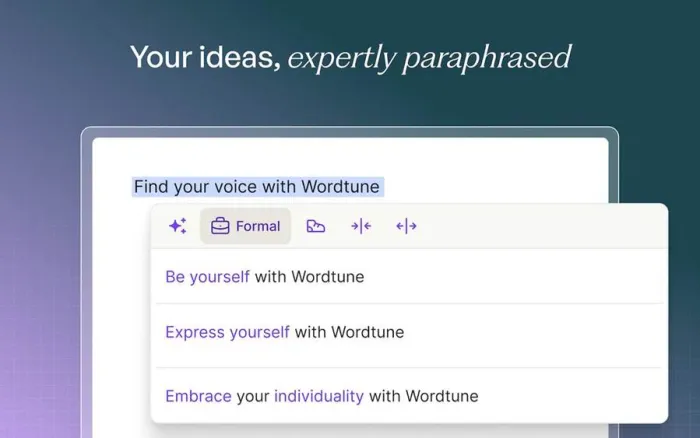
A rewrite works like this: you highlight a sentence, Wordtune serves up a list of alternative phrasings, and you swap one in or ignore them all. Each request costs one credit whether or not you use the result, which stings the first time you burn a credit on suggestions you hate.
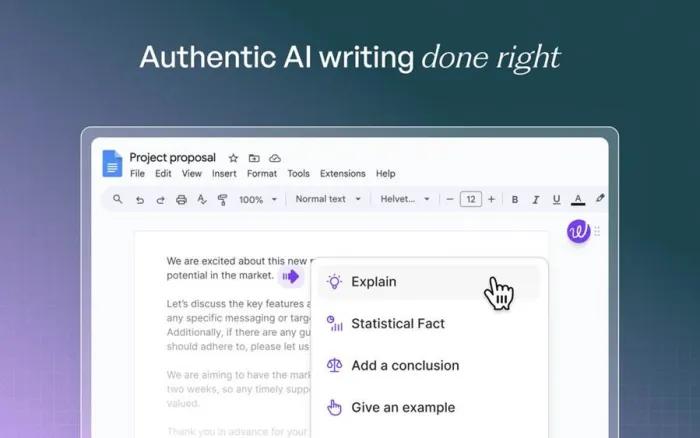
The suggestion menu inside Google Docs. Options like adding an example, a conclusion, or a statistical fact draw from the same daily pool as your rewrites, so they disappear together.
The unlimited grammar layer is the quiet hero of the free plan. It flags typos, agreement slips, and punctuation problems as you type, and it held up better than I expected when I planted 45 grammar errors on purpose and kept score. For a feature that costs nothing and never runs out, that performance genuinely surprised me.
How the 10-a-Day Limit Behaves in Real Use
Ten sounds like a workable number until you understand what counts against it. Here is the ledger as I experienced it, action by action.
| Action | What it costs you | Resets |
| Rewriting one highlighted sentence | 1 credit from the daily pool | Daily |
| Requesting an AI suggestion | 1 credit from the same pool | Daily |
| Re-running a rewrite on the same sentence | Another full credit | Daily |
| Fixing a spelling or grammar flag | Nothing, it is uncapped | Never needed |
| Summarizing a document | 1 of your 3 monthly summaries | Monthly |
The practical math is brutal on longer work. A single paragraph often holds eight to twelve sentences, so rewriting every line of one paragraph can wipe out your entire day. I did exactly that twice in my first week, both times on an introduction I kept fussing over, and both times I spent the afternoon editing by hand like it was 2019.
The daily reset does soften things. If a draft is not urgent, you can split the polish across two mornings and effectively double your budget. That rhythm became my normal by week two, though it demands a kind of planning that a writing tool probably should not require.
Free vs Paid at a Glance
Wordtune sells two individual paid tiers above the free plan: Advanced and Unlimited. This is how the three compare on the things that actually matter day to day.
| Feature | Basic (Free) | Advanced | Unlimited |
| Price | $0, forever | $13.99 monthly, or $6.99 a month billed annually | $19.99 monthly, or $9.99 a month billed annually |
| Rewrites + AI suggestions | 10 per day | 30 per day | Unlimited |
| AI summaries | 3 per month | 15 per month | Unlimited |
| Spelling and grammar checks | Unlimited | Unlimited | Unlimited |
| Paraphrasing, AI generation, fluency tools | Not included | Included, usage limits | Unlimited |
| Tone and length controls | Not included | Included | Included |
| Premium support | No | No | Yes |
Prices verified against Wordtune's published plans in August 2026. Wordtune runs regional pricing and periodic promotions, so the checkout page may show different numbers than the list price.
What Stays Locked Without Paying
The free plan is not a crippled trial, but Wordtune keeps its most convenient controls behind the paywall. These are the ones I reached for and could not use.
• Tone switching. The casual and formal toggles are paid features. On free, you get alternative phrasings but no control over their register.
• Shorten and expand. Trimming a bloated sentence or fleshing out a thin one with a single click requires a subscription.
• Paragraph-level rewriting. Free accounts work one sentence at a time. Rewriting a whole paragraph in a single pass belongs to paid users.
• Fluency and vocabulary tools. The deeper polish features, including paraphrasing modes and fluency suggestions, start at the Advanced tier with their own limits.
The tone controls were the one I missed most. Half the reason people rephrase a sentence is to sound more or less formal, and the free plan makes you fish for that outcome across generic suggestions instead of just asking for it.
Where the Free Version Works
Wordtune does not gate platforms by plan, which I appreciated. A free account gets three surfaces:
• The web editor. A clean, distraction-light document editor on Wordtune's site. This is where I did most of my longer editing sessions.
• Chrome extension. Brings suggestions into Gmail, Google Docs, LinkedIn, and most editable text fields you meet in the browser. This is the version most people actually live in.
• Microsoft Word add-in. Puts the rewrite panel directly inside Word, which matters if your drafts never leave a .docx file.
One honest caveat from my testing: the experience is clearly built around Chrome. If you write in another browser, the web editor still works fine, but you lose the everywhere-at-once convenience that makes the extension so sticky.
Who the Free Plan Actually Fits
• Great fit: the occasional email polisher. A few important messages a week sit comfortably inside 10 daily credits. This person may never feel the cap at all.
• Great fit: the proofreader. If typos and grammar are your main worry, free Wordtune is a legitimately good deal because that entire layer is uncapped.
• Good fit: the evaluator. Deciding whether to pay? The free plan shows you the real engine, just less of it. What you see is what you would be buying more of.
• Poor fit: the daily drafter. Bloggers, students mid-essay season, and anyone editing full documents will hit the wall before lunch. This is who the paid tiers exist for.
My own usage landed between the second and fourth boxes. On email-heavy days the free plan felt generous. On drafting days it felt like writing with a parking meter running.
Six Ways I Stretched 10 Rewrites
By the end of week one I had a system. None of this is clever, but all of it came from running out of credits at the worst possible moments.
1. Grammar first, rewrites second. Run the unlimited correction pass before spending anything, so your credits go toward style instead of typos the free checker would have caught anyway.
2. Rewrite the sentences that earn their keep. Opening lines, subject lines, and the ask. The middle of a paragraph rarely deserves a credit.
3. Take one pass at the options. Each request shows several alternatives. Pick the best of that batch instead of re-rolling, because a second spin costs a second credit.
4. Draft cold, edit once. Writing and polishing in separate sittings kept me from leaking credits on sentences I later deleted entirely.
5. Guard the summaries like gold. Three per month disappears in one curious afternoon. Save them for genuinely long reads where the payoff is real.
6. Time big edits around the reset. The pool refills daily, so a heavy document polished across two mornings gets 20 credits instead of 10.
Paid Plans, If You Outgrow Free
If the counter starts dictating how you edit, the upgrade path is simple. There are two personal tiers plus a team option, and every paid plan comes with a 3-day free trial so you can confirm the fit before money moves.
| Plan | Monthly billing | Annual billing | The headline change |
| Advanced | $13.99 per month | $6.99 per month | Triples the daily pool to 30 and lifts summaries to 15 per month |
| Unlimited | $19.99 per month | $9.99 per month | Removes every cap and adds premium support |
| Teams | $15.99 per seat | $7.99 per seat | Unlimited features for a group, with centralized billing; larger companies get custom quotes |
The annual discount is the real story here, cutting both individual plans roughly in half. Paying month to month for Wordtune is one of the worse deals in this category, while the annual Advanced price lands in genuinely reasonable territory for how much writing help it covers.
Wordtune Pricing Over the Years
Here is something most reviews skip: Wordtune has actually gotten cheaper. I went back through archived listings and older vendor pages to trace how the paid pricing moved from launch to now, and the direction is the opposite of what you would expect from an AI product in this decade.
| Period | Paid lineup | Monthly billing | Annual billing (per month) |
| 2020 to 2022 | One plan, called Premium | $24.99 | $9.99 |
| 2023 to 2024 | Plus and Unlimited tiers | $24.99 and $37.50 | $9.99 and $14.99 |
| 2025 to today | Advanced and Unlimited tiers | $13.99 and $19.99 | $6.99 and $9.99 |
The story in three acts. At launch, Wordtune sold a single Premium plan at $24.99 a month, with the annual rate at $9.99, and that structure held for the tool's first couple of years. Around 2023 the company split its subscription into a mid tier and a top tier, and the ceiling actually rose: the Unlimited plan of that era listed at a steep $37.50 on monthly billing. Then came the current lineup, which cut the entry paid plan to $13.99 monthly and the top plan to $19.99, with annual rates of $6.99 and $9.99. Measured against the 2023 sticker prices, that is close to a 47 percent drop at the top end.
Two things stayed put through all of it. The free plan has existed since the beginning, and its daily rewrite cap has barely moved from the 10-a-day figure early reviewers were already grumbling about. So while paying customers got a better deal each year, free users are living with roughly the same allowance the plan launched with. Worth knowing if you are waiting for the free tier to loosen up: history says it will not.
Historical figures come from Wordtune's own listings preserved in software directories and older published reviews. They reflect standard US list prices, and short-term promotions along the way may have differed.
Final Verdict: Free Wordtune Is a Yes, With an Asterisk
Here is what Wordtune's free plan really is: a full product on a short leash. The grammar checker alone justifies installing it. That layer is unlimited, quick, and caught mistakes I had stopped expecting free tools to catch. The rewrites are what will decide things for you. Ten a day sounds fine until Thursday afternoon, when a paragraph you actually care about needs seven of them and you have three left.
My honest recommendation: stay free if your writing life is emails, messages, and the occasional short document. The cap will brush against you maybe once a week and you will shrug it off. Upgrade the moment you notice the counter changing how you edit, because that is when the tool stops helping and starts rationing you. For me that moment arrived in week two, on a deadline, and I felt it in my shoulders.
If you would rather see receipts than impressions, the error-by-error scores from my full hands-on test are all logged. Free Wordtune earns a yes from me. Just a measured one, with a sticky note on the monitor.





