Faceless YouTube channels have quietly become one of the smartest ways to build an audience without ever stepping in front of a camera. No lighting setup, no on-camera nerves, no personal brand to maintain, just a script, a voice, and visuals that carry the story. The catch is that the workflow has a lot of moving parts, and the tool you pick decides whether you publish three videos a month or thirty.
The market has answered with a flood of AI video tools, and most “best of” lists read like sponsored link dumps. This one takes a different angle. Every tool below is judged through the same lens: feed it a faceless-style script or idea, look at what comes out, and weigh it on quality, speed, cost, and how little babysitting it needs.
One reality check before the list. No single tool does everything well. A faceless workflow usually combines four things: a script, an AI voice, visuals (stock, generated, or an avatar), and an assembly step that stitches it together. Some tools own the whole pipeline; others are excellent at one slice of it. The breakdown below groups them by the job they do, so you can build a stack that fits your niche and your budget instead of overpaying for features you will never touch.
The market reality (and why this niche keeps growing)
This is not a passing trend. Grand View Research valued the AI video generator market at roughly 788.5 million dollars in 2025 and projects it to reach about 3.44 billion dollars by 2033, a compound annual growth rate above 20 percent. Fortune Business Insights tells a similar story, placing the 2025 figure near 716.8 million dollars and forecasting around 3.35 billion dollars by 2034. The driver is simple: video is where attention lives, and one person can now produce what used to take a small crew. Social media content creation is one of the fastest-growing slices of that market, which is exactly the lane faceless channels occupy.
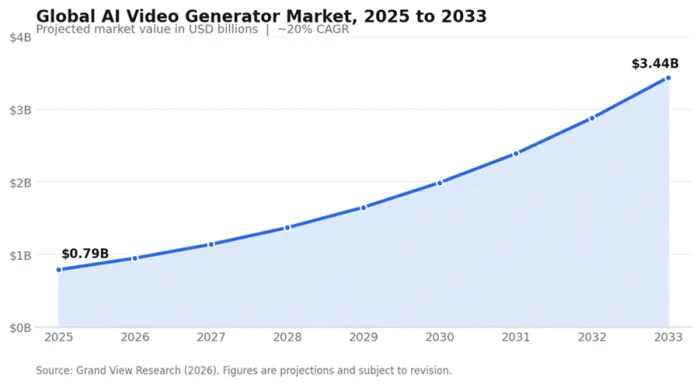
What that growth means in practice: the tools are improving fast, prices at the entry level keep dropping, and the gap between “AI video” and “watchable video” is closing quarter by quarter.
Faceless YouTube tools at a glance
Seven tools, grouped by the job they do. Use this as the map; the detailed reviews follow.
| Tool | Category | Best for | Free plan | Paid from |
|---|---|---|---|---|
| Revid AI | Short-form automation | High-volume faceless Shorts | No (trial) | ~$32/mo |
| Pictory | Content repurposing | Blogs and long video to clips | Free trial | ~$25/mo |
| InVideo AI | Prompt-to-video | Type-and-publish drafts | Yes (limited) | ~$25/mo |
| HeyGen | AI avatar presenter | Talking-head explainers | Yes (3/mo) | $29/mo |
| Synthesia | AI avatar (teams) | Training and explainers | Yes (limited) | $29/mo |
| PixVerse AI | Generative clips | Custom B-roll and cutaways | Yes | $10/mo |
| ElevenLabs | AI voiceover | Narration audio layer | Yes | $5/mo |
The tools, reviewed
Revid AI: the faceless automation specialist
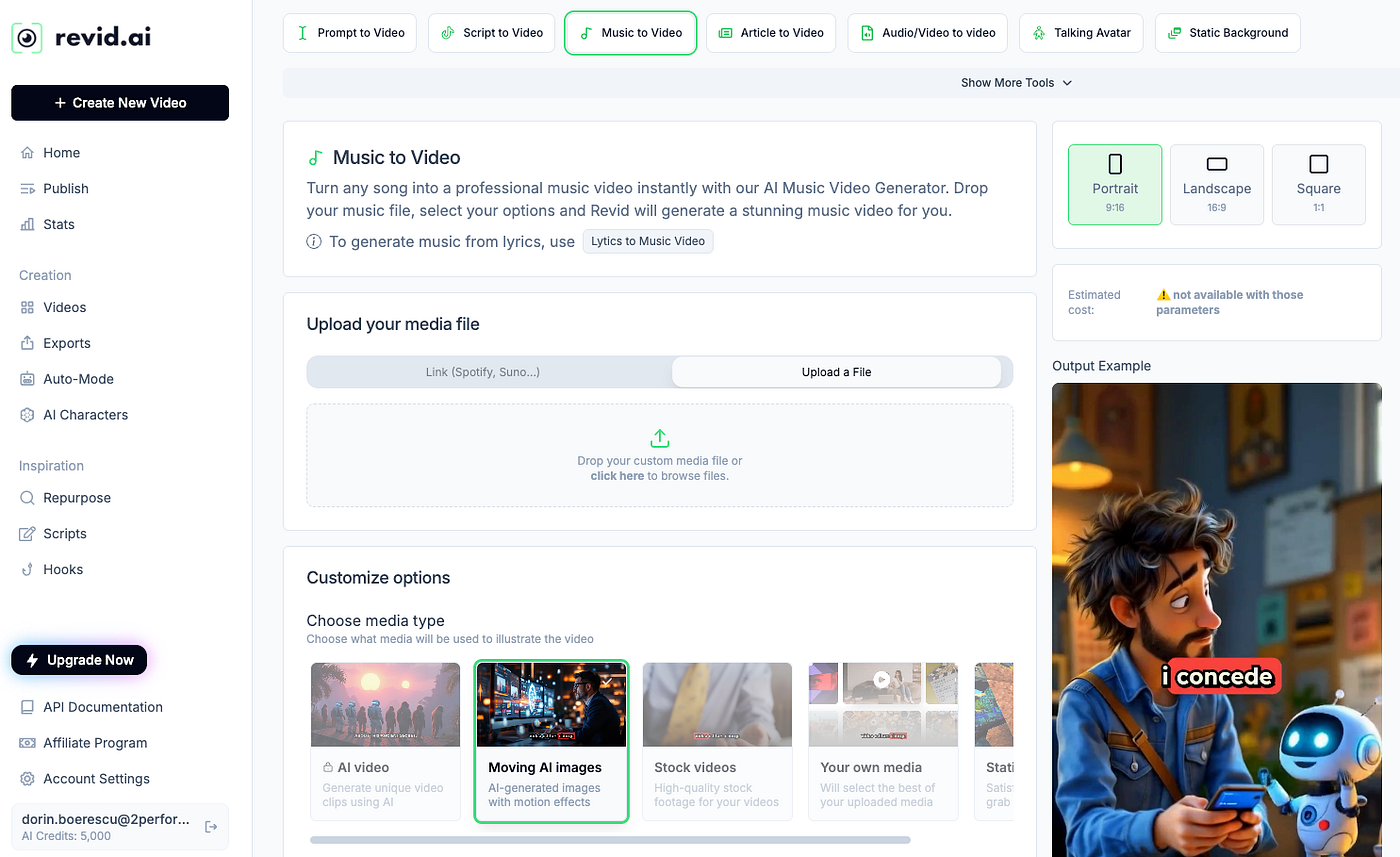
Revid is built for one job: turning a script, a URL, or a rough idea into a short, captioned, faceless video without anyone touching a timeline. Spend an afternoon inside it and the appeal is clear. A Reddit story, a “top five facts” idea, or a motivational script becomes a publish-ready vertical clip in minutes, with auto-selected footage, a synthetic voice, and animated captions baked in.
Best for: high-volume faceless Shorts (Reddit stories, facts, motivation) for YouTube Shorts, TikTok, and Reels.
Standout features
• Script-to-video and URL-to-video with automatic B-roll and captions.
• 50-plus AI voices, voice cloning, and support for 30-plus languages.
• Templates tuned for proven short-form formats.
• Auto-posting and scheduling straight to social accounts.
Where it shines
• Fast enough to batch a week of content in one sitting.
• Caption styling and voice options are strong out of the box.
Watch-outs
• The credit system drains faster than expected on HD exports and re-renders.
• Stock-clip selection can repeat or miss the mark on niche topics.
• No free plan, only a limited trial, and refunds are tightly restricted.
Pricing: plans change often. Entry tiers land around 32 to 39 dollars per month, with the top “Ultra” tier near 166 dollars per month on annual billing. Credit-based.
Ratings snapshot
| Review platform | Rating | Context |
|---|---|---|
| G2 | Limited | Minimal verified-review presence. |
| Capterra | Small sample | Around 2 reviews; mixed-to-positive on value, critical of stock and credit use. |
| Trustpilot | Not widely listed | Thin third-party footprint overall. |
Bottom line: a powerful shortcut for creators who care about cadence over polish. With a thin review footprint, weigh the trial output more than the star averages.
Pictory: the repurposing workhorse
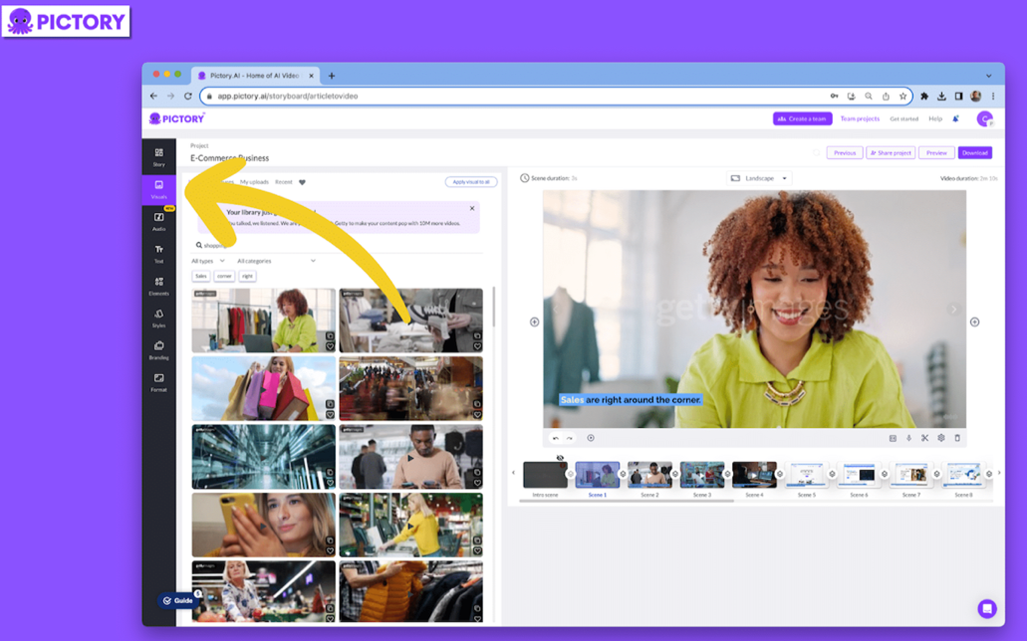
Pictory leans into repurposing. Paste a blog post, a script, or a long video, and it pulls the key moments, matches stock footage, adds captions, and produces a tidy faceless edit. For creators sitting on a back catalogue of articles, podcasts, or webinars, it quietly does the heavy lifting and keeps a consistent look across uploads.
Best for: turning long-form written or recorded content into faceless videos and clips at scale.
Standout features
• Blog, script, and URL to video, plus long-video-to-Shorts.
• 18 million-plus stock assets, auto captions, and AI voiceovers in 20-plus languages.
• Text-based editing: change the video by editing the transcript.
• Brand kits and team collaboration on higher tiers.
Where it shines
• Caption accuracy on clean English audio is reliable.
• Beginner-friendly workflow that produces consistent results.
Watch-outs
• Editing and preview speed get clunky on larger projects.
• Voice naturalness and non-English support trail the category leaders.
• Some users flag restrictive credit and refund rules.
Pricing: starts around 25 dollars per month (billed annually) for Starter, about 39 dollars per month for Professional, and roughly 119 dollars per month for Teams. A free trial is available.
Ratings snapshot
| Review platform | Rating | Context |
|---|---|---|
| G2 | 4.6 / 5 | Around 81 reviews; ease of use rated highest. |
| Capterra | ~4.7 / 5 | 200-plus reviews; praised as fun and time-saving. |
| Trustpilot | Limited | Billing and refund complaints noted across review hubs. |
Bottom line: the steady pick for content marketers who already have written material to repurpose, less suited to fully generative or cinematic output.
InVideo AI: the prompt-to-video all-rounder
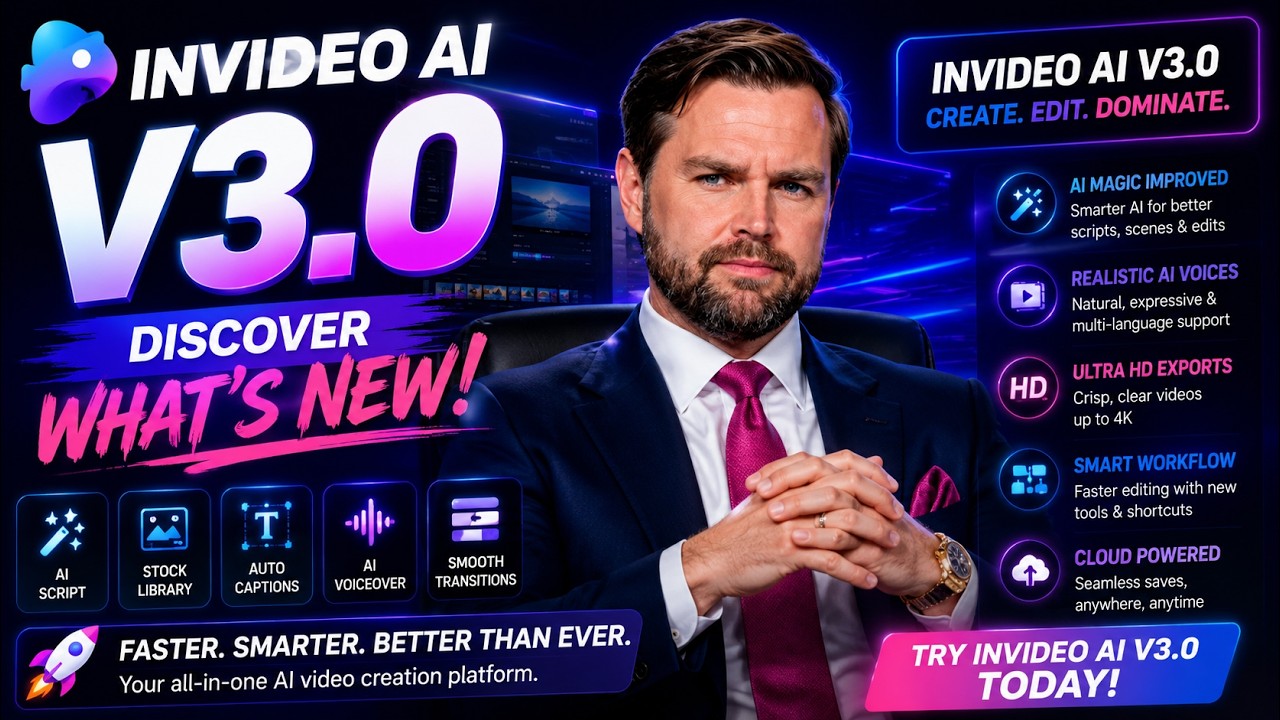
InVideo AI is the “type a prompt, get a finished video” tool that holds up under testing. Describe the video or paste a script, and it assembles scenes, stock footage, a voiceover, music, and subtitles, then lets you refine with plain-English commands. Its headline edge for 2025 to 2026 is bundling access to frontier models (OpenAI Sora and Google Veo) inside a single subscription.
Best for: prompt-first faceless videos for YouTube and social, especially when you want generative clips and stock footage in one place.
Standout features
• A full video from one prompt: script, footage, voice, music, and subtitles.
• “Magic Box” natural-language editing for quick revisions.
• 50-plus languages with AI voiceovers and auto-dubbing.
• Bundled Sora and Veo access on paid plans at a fraction of standalone cost.
Where it shines
• One of the few tools that takes you from a prompt to a usable draft.
• Frontier-model access without paying separate premium subscriptions.
Watch-outs
• AI scripts skew formulaic; plan to rewrite them.
• Roughly one in four edit commands needs a retry, and credits are spent on misses.
• Not built for frame-precise editing control.
Pricing: a free plan exists (limited, watermarked). Paid plans start around 25 to 28 dollars per month and are credit-based, with higher tiers adding credits and resolution.
Ratings snapshot
| Review platform | Rating | Context |
|---|---|---|
| G2 | 4.5 / 5 | Around 170 reviews; praised for intuitive AI workflow. |
| Capterra | ~4.5 / 5 | Positive on ease of use; credit-on-failure a recurring gripe. |
| Trustpilot | Limited | Not a primary review channel for the product. |
Bottom line: treat it as a rapid-drafting engine rather than a finished-product machine, and it earns its place in most faceless stacks.
HeyGen: the avatar heavyweight
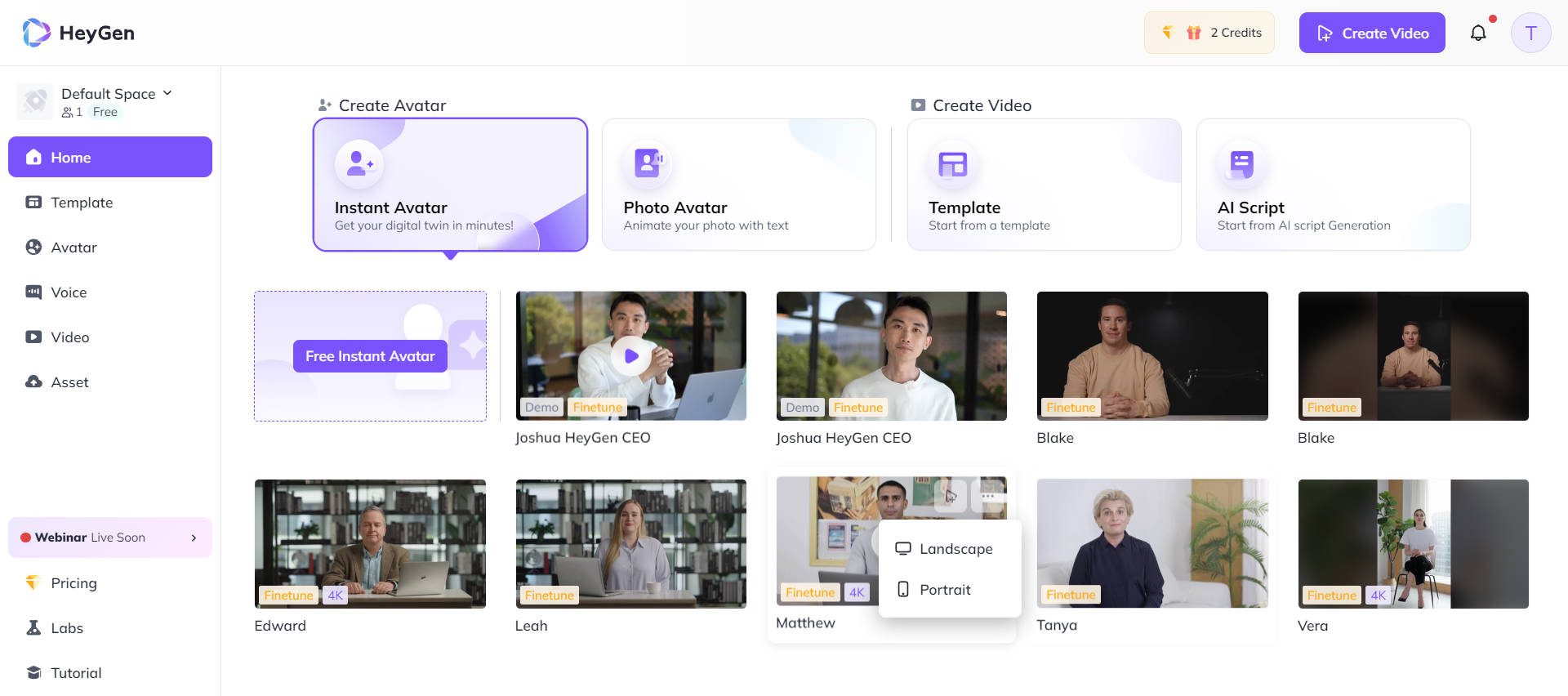
HeyGen is the strongest name in AI presenters. Pick a digital host (or clone yourself), type a script, and it produces a polished talking-head video with accurate lip-sync in 175-plus languages. “Faceless” here means your own face stays off camera while a synthetic presenter carries the narration, a good fit for explainer and tutorial formats.
Best for: presenter-led faceless videos, explainers, and multilingual content where a talking head fits the format.
Standout features
• 150-plus avatars, 300-plus voices, and custom avatar or voice cloning.
• Among the best lip-sync and video translation in the category.
• Script-to-video with reusable templates.
• Integrations (Zapier, HubSpot, Make, n8n) on higher tiers.
Where it shines
• Avatar realism and lip-sync are top-tier in side-by-side tests.
• Localization and translation workflow is excellent.
Watch-outs
• It generates the presenter, not B-roll; supply visuals and cutaways separately.
• Premium avatars use about 20 credits per minute, and credits do not roll over.
• The free plan is capped (3 videos per month, 720p, watermark, short clips).
Pricing: free tier at 0 dollars; Creator at 29 dollars per month (about 24 dollars on annual billing); a higher Pro tier; Business at 149 dollars per month plus per-seat. Credit-based.
Ratings snapshot
| Review platform | Rating | Context |
|---|---|---|
| G2 | 4.8 / 5 | Over 1,000 reviews; high marks for ease and realism. |
| Capterra | 4.7 / 5 | Around 313 verified reviews. |
| Trustpilot | Limited | Less active than its G2 and Capterra presence. |
Bottom line: the best avatar tool for a solo creator who wants a host on screen, as long as you budget for credits and bring your own B-roll.
Synthesia: the enterprise-grade presenter
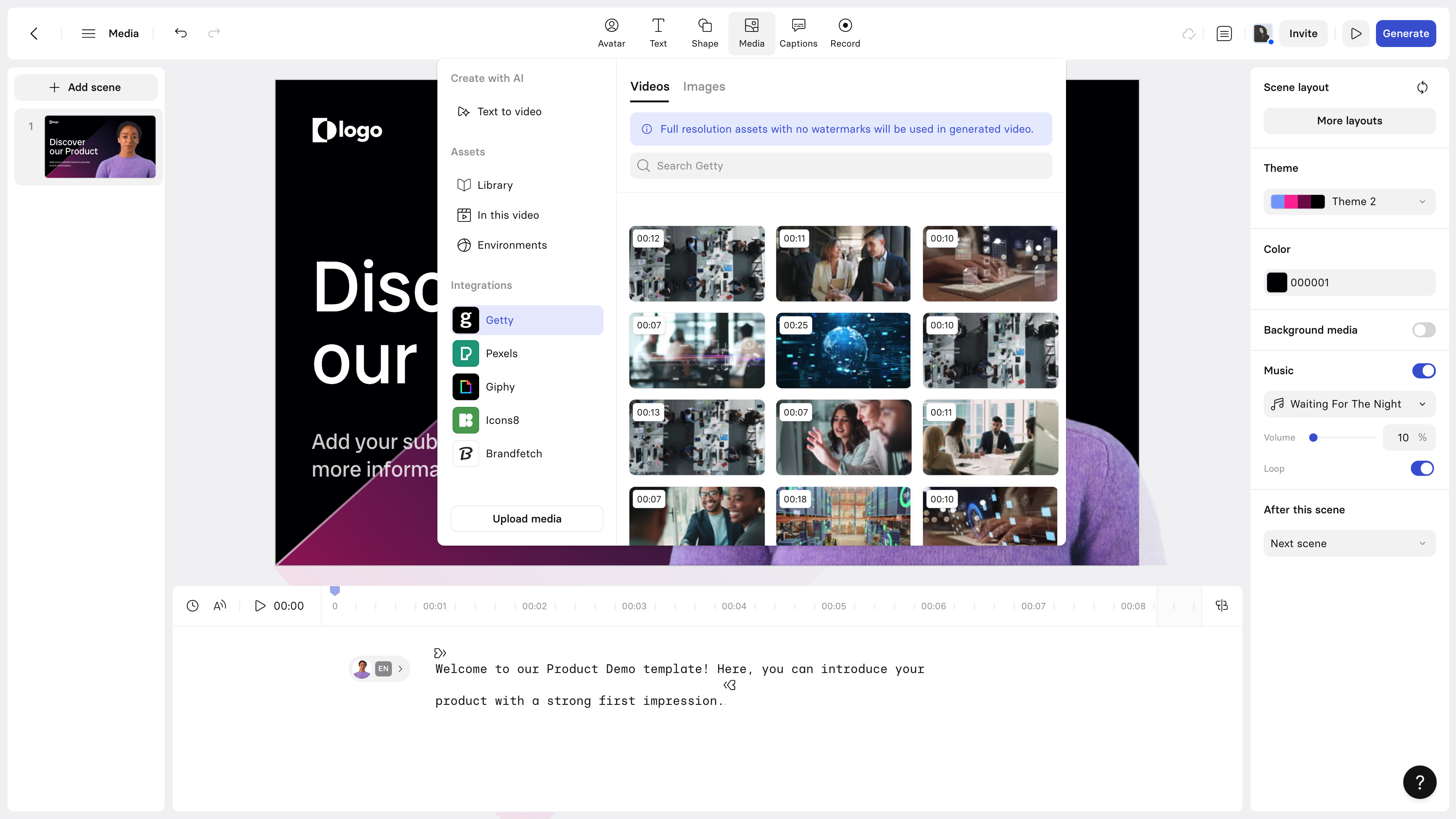
Synthesia is the corporate cousin of HeyGen, built around studio-clean AI presenters for training, onboarding, and explainer content. The avatars are convincing, the editor feels like building slides, and the output is consistent. It is faceless in the same presenter-led sense, just aimed more at teams than solo Shorts creators.
Best for: polished, presenter-led training and explainer videos held to a professional standard.
Standout features
• 230-plus avatars, 140-plus languages, and voice cloning.
• Slide-style editor with templates and screen recording.
• Brand controls and team collaboration features.
• Strong consistency and uptime in regular use.
Where it shines
• Avatar quality and stability are excellent.
• Easy enough that non-editors get clean results quickly.
Watch-outs
• Minute caps are tight (Starter around 10 minutes per month) and pricing climbs quickly.
• Strict content moderation can flag legitimate topics.
• Re-rendering after a small edit can take several minutes.
Pricing: free tier (limited minutes, 9 avatars); Starter at 29 dollars per month (about 10 video minutes); Creator at 89 dollars per month (about 30 minutes); Enterprise is custom.
Ratings snapshot
| Review platform | Rating | Context |
|---|---|---|
| G2 | 4.7 / 5 | Over 1,000 reviews; strong ROI feedback from training teams. |
| Capterra | 4.6 / 5 | Around 313 reviews. |
| Trustpilot | Mixed | Content-moderation complaints surface here and on Reddit. |
Bottom line: the right call when a team and brand standards are involved; the minute caps make it a tougher fit for solo high-volume publishing.
PixVerse AI: the B-roll and clip generator
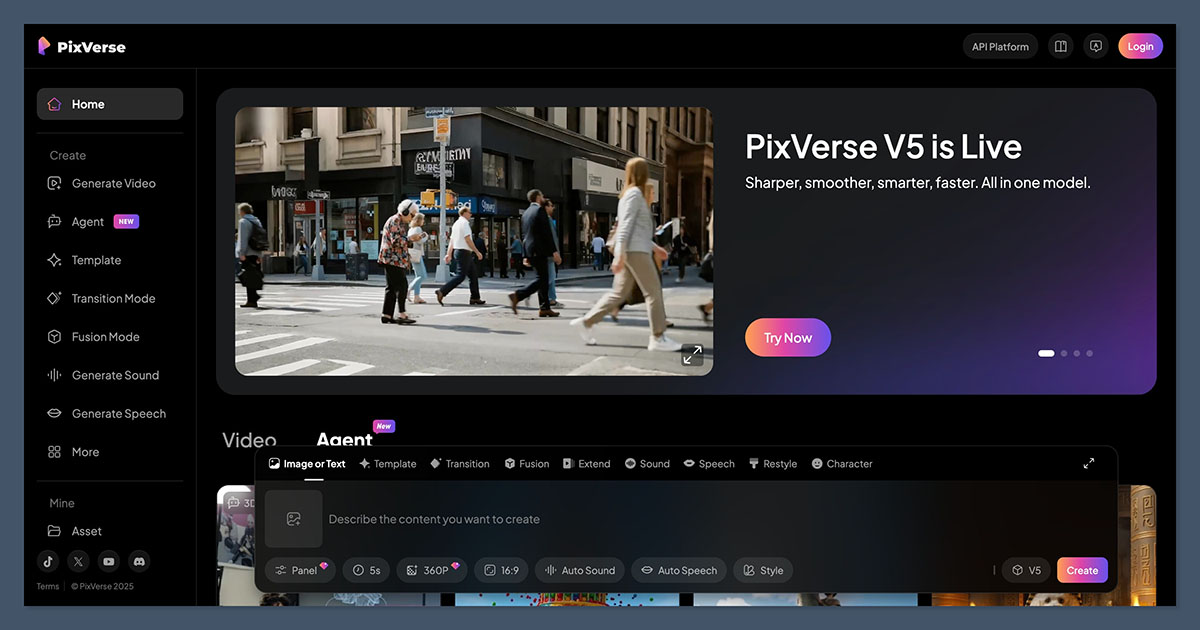
PixVerse is not an all-in-one narration tool; it is a fast, affordable generative-clip engine. Feed it a text prompt or an image and it returns a short, stylized video clip in under a minute. For faceless channels, the value is as a B-roll and cutaway generator, the cinematic or anime-style shots that make a stock-heavy video feel custom.
Best for: generating short AI B-roll, cutaways, and stylized clips to layer into a faceless edit.
Standout features
• Text-to-video and image-to-video in multiple styles (realistic, anime, 3D, cinematic).
• Fast generation, often well under a minute per clip.
• Auto sound and speech, plus effects and templates.
• A usable free tier with daily renewing credits.
Where it shines
• Low cost of entry and quick iteration on ideas.
• Wide style range adds visual texture to otherwise generic edits.
Watch-outs
• Clips are short (roughly 5 to 10 seconds); not for full narration.
• Free outputs carry a watermark and cap at 540p.
• Credits drain quickly, and prompts take some practice to get right.
Pricing: free (90-plus initial credits plus daily renewals, 540p, watermark); Standard at 10 dollars per month (720p); Pro at 30 dollars per month (1080p); Premium at 60 dollars per month.
Ratings snapshot
| Review platform | Rating | Context |
|---|---|---|
| G2 | Not widely listed | Limited verified business-review coverage. |
| Capterra | Not widely listed | Consumer tool with thin formal review presence. |
| User sentiment | Generally positive | Aggregated review hubs (e.g., Tekpon) skew favorable. |
Bottom line: a cheap, fun way to add custom visuals to a faceless edit; judge it on the free-tier output before paying.
ElevenLabs: the voice that carries the channel
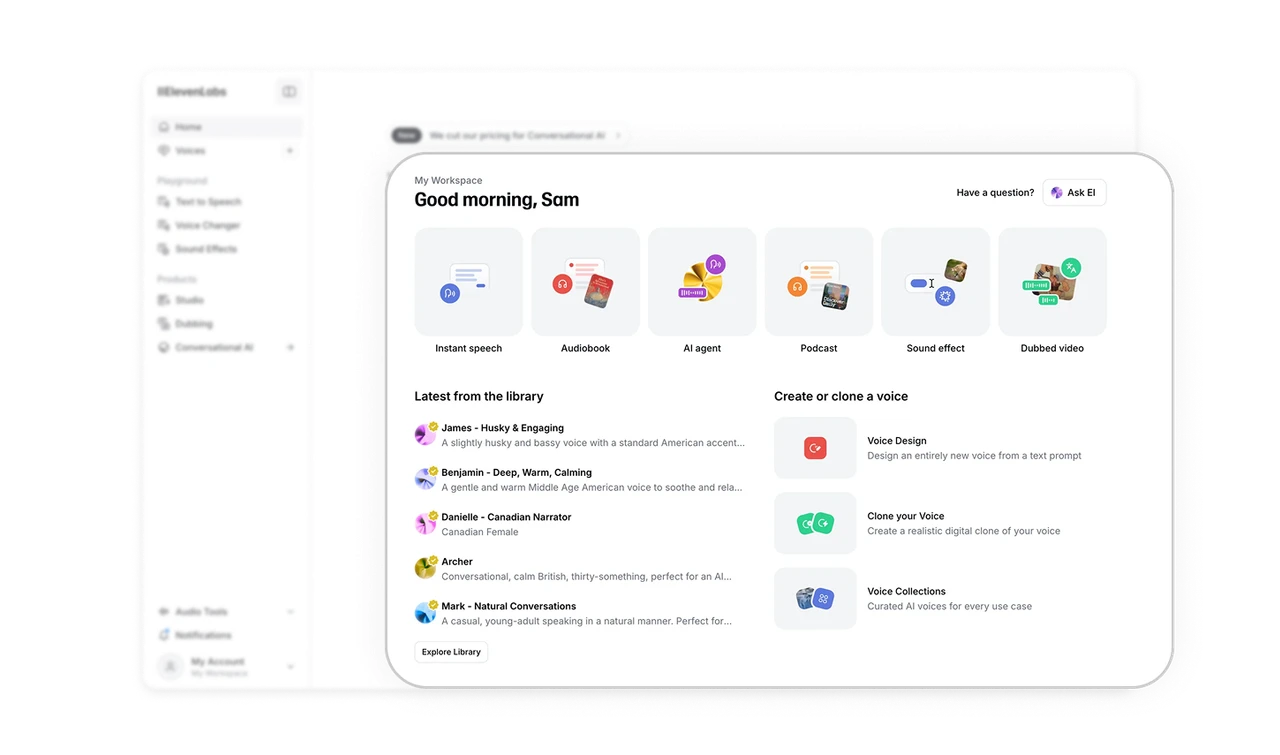
For many faceless channels, the voice is the channel. ElevenLabs is widely regarded as the leader in natural AI narration, with expressive delivery, context-aware pacing, and voice cloning that holds up across long scripts. It is not a video editor; it is the audio layer you drop into the tools above.
Best for: high-quality AI voiceover and narration to pair with any video tool in your stack.
Standout features
• Lifelike text-to-speech with emotion and pacing control.
• Voice cloning and a large, varied voice library.
• 30-plus languages, dubbing, and voice isolation.
• Studio projects designed for long-form narration.
Where it shines
• Voice quality and realism lead the category.
• The free tier is unusually usable for testing voices.
Watch-outs
• Credits are consumed even on failed or glitched generations.
• Long scripts can trigger retries that eat the budget.
• No video; it is one piece of the stack, not a full solution.
Pricing: free (10,000 credits per month, about 10 minutes); Starter at 5 dollars per month; Creator at 22 dollars per month (about 150 minutes); Pro at 99 dollars per month; Scale at 330 dollars per month. Annual billing saves about 17 percent.
Ratings snapshot
| Review platform | Rating | Context |
|---|---|---|
| G2 | 4.5 / 5 | Over 1,000 reviews; praised for voice variety and realism. |
| Capterra | ~4.5 / 5 | Smaller sample (around 18 reviews). |
| Trustpilot | Limited | Not a primary review channel for the product. |
Bottom line: pair it with one of the video tools above. Narration quality is often what separates a channel that grows from one that stalls.
Match the tool to your goal
The fastest way to choose: find your goal, start with the tool next to it, then add a voice or B-roll layer if your format needs one.
| Your goal | Start with | Why it fits |
|---|---|---|
| Batch faceless Shorts quickly | Revid AI | Script-to-video with auto captions, voices, and posting. |
| Repurpose a blog or webinar library | Pictory | Built around turning long content into short clips. |
| Go from a single prompt to a draft | InVideo AI | Full video from one prompt, with Sora and Veo bundled. |
| Presenter-led explainers, no camera | HeyGen | Among the best avatars and lip-sync for solo creators. |
| Professional training videos for a team | Synthesia | Studio-clean avatars with brand and team controls. |
| Custom AI B-roll and cutaways | PixVerse AI | Fast, low-cost, stylized clip generation. |
| A narration voice that sounds human | ElevenLabs | Category-leading voice realism and cloning. |
Pricing snapshot
A side-by-side view of where each tool starts and where it climbs. Prices change frequently, so confirm the current numbers on each vendor's site before committing.
| Tool | Free option | Entry plan | Notable higher tier |
|---|---|---|---|
| Revid AI | Limited trial | ~$32 to $39/mo | Ultra ~$166/mo |
| Pictory | Free trial | Starter ~$25/mo | Teams ~$119/mo |
| InVideo AI | Yes (watermark) | ~$25 to $28/mo | Higher credit tiers |
| HeyGen | Yes (3 videos/mo) | Creator $29/mo | Business $149/mo |
| Synthesia | Yes (limited min) | Starter $29/mo | Creator $89/mo |
| PixVerse AI | Yes (540p) | Standard $10/mo | Premium $60/mo |
| ElevenLabs | Yes (10k credits) | Starter $5/mo | Pro $99/mo |
The final verdict
There is no universal winner here, and any article that crowns one is selling something. The right choice depends on the kind of faceless channel being built.
If the goal is volume, daily Shorts built on Reddit stories, facts, or motivation, Revid AI or InVideo AI will get you from idea to draft fastest. Revid is the more automated of the two; InVideo brings generative-model muscle and a bit more control. Go in clear-eyed about credit systems, because both will spend credits on outputs that end up in the trash.
If the channel is presenter-led, an explainer or tutorial format where a digital host carries the narration, HeyGen is the stronger pick for solo creators, and Synthesia makes more sense once a team and brand standards are in play. Pictory stays the quiet pick for anyone repurposing a back catalogue of blogs, podcasts, or webinars into clips.
For the visual and audio layers, treat PixVerse AI as a B-roll generator for custom, stylized shots, and let ElevenLabs handle the voice. A faceless channel lives or dies on whether people keep listening, and the narration is usually the deciding factor.
The smart move is to start free or cheap, run the same script through two or three of these, and keep the one that needs the least cleanup. The best tool is the one that gets opened every week. Pick for the workflow, not the hype, and let the output decide.