Editing short clips from long videos sounds easy until you actually try it.
A 45-minute podcast might contain five great moments worth sharing on YouTube Shorts or TikTok. The problem is that finding those moments means scrubbing through the entire timeline, trimming clips, reframing them vertically, and adding captions. By the time the fifth clip is ready, the editor has already spent hours staring at a timeline.
That frustration is exactly what tools like 2short.ai claim to solve. Instead of manually scanning a long video, the platform analyzes the content automatically and produces short clips ready for vertical platforms.
The big promise is simple: take a long video, press a button, and get multiple short clips in minutes. But how well does that actually work when a creator tries it in a real workflow?
The Typical Editing Problem Creators Face
Anyone who repurposes content knows the routine. After recording a podcast or tutorial, the real work begins. Editors must watch the entire recording again just to identify good moments.
Those moments are then trimmed into short clips. The video needs to be cropped to a vertical frame, captions must be added, and sometimes logos or branding overlays are included. Even experienced editors often spend two or three hours creating five short clips.

The rise of short-form video platforms has made this workflow even more demanding. Creators are expected to produce multiple clips from a single video to maintain consistent posting schedules.
That is where AI tools step in. Instead of manually searching through footage, the AI analyzes the video and attempts to identify the most engaging moments automatically.
Traditional Editing vs AI Repurposing
| Editing Step | Manual Editing | AI Repurposing |
| Reviewing full video | Watch entire recording | AI scans transcript |
| Finding highlights | Manual search | AI highlight detection |
| Vertical formatting | Resize and crop manually | Automatic framing |
| Caption creation | Typed manually | Auto captions |
| Total time | 2–3 hours | 20–30 minutes |
Trying 2short.ai: The Actual Workflow
Using the platform feels surprisingly simple. The interface focuses on one task: turning long videos into short clips.
The process starts with a YouTube link. Instead of uploading a large file, creators simply paste the video URL into the dashboard. Paid plans also allow importing from Google Drive or public links.
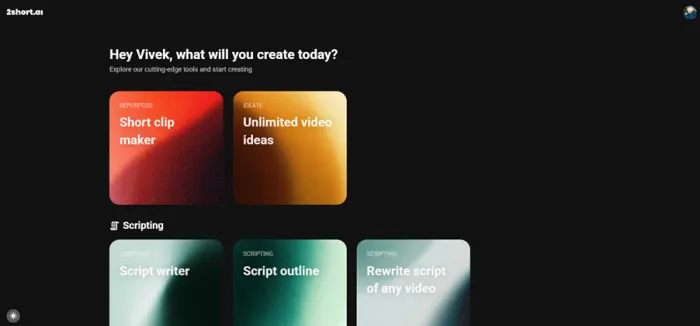
Once the link is submitted, the AI begins analyzing the content. The system scans speech patterns, pauses, facial motion, and pacing changes to determine where interesting moments occur.
After processing finishes, the platform generates several candidate clips automatically. Each clip is already trimmed and formatted for vertical viewing, which means the editing process shifts from creation to review and selection.
How Shorts Are Generated
- Paste a YouTube video link
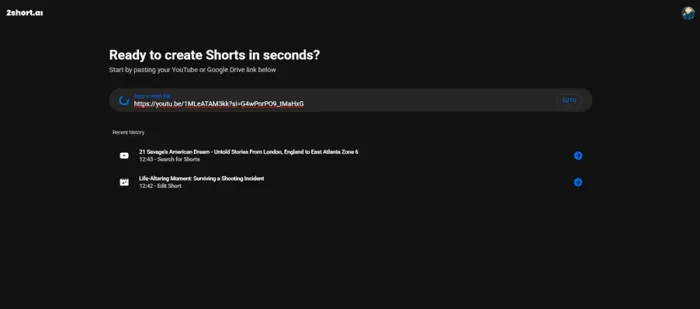
- AI scans the video for engaging moments
- Multiple short clips are generated automatically
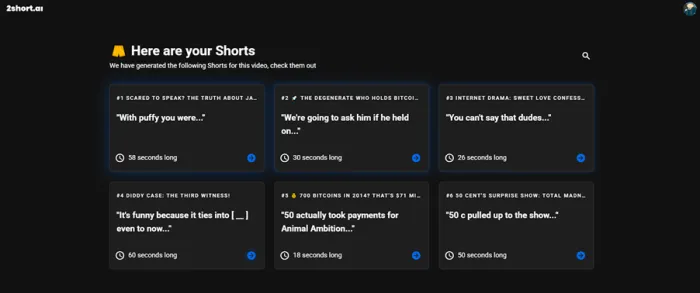
- Captions are added automatically
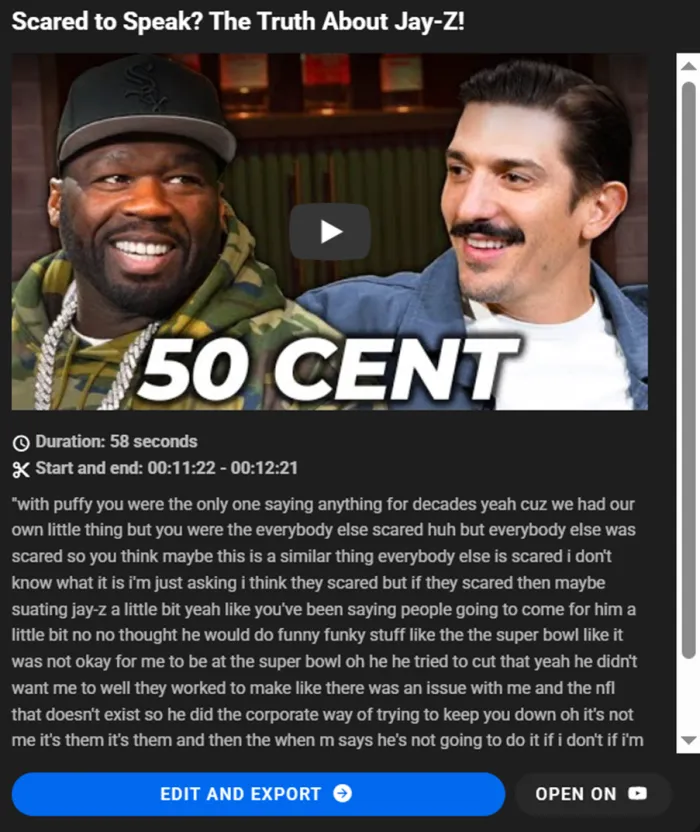
- Creator reviews, edits slightly, and exports
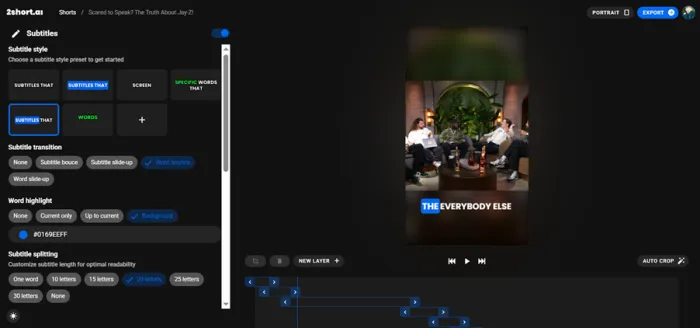
This process replaces most of the tedious editing tasks that normally consume hours.
What the AI Actually Does Well
The platform performs several tasks automatically that normally require manual editing.
Key Time-Saving Features
• AI highlight detection
• Automatic vertical video cropping
• Caption generation
• Speaker tracking for framing
These features are especially useful for dialogue-based videos like podcasts, interviews, and tutorials.
Instead of manually selecting clips, creators review the AI suggestions and choose the ones worth publishing.
The caption feature is particularly valuable because subtitles dramatically increase engagement on short-form platforms.
Pricing and Creator Limits
The platform’s pricing structure is based primarily on how much video content the AI can analyze each month.
2short.ai Pricing
| Plan | Price | AI Repurposing Time | Features |
| Starter | Free | 30 minutes / month | Basic clip generation |
| Lite | $9.90 / month | 5 hours / month | Faster exports, Drive imports |
| Pro | $19.90 / month | 15 hours / month | Unlimited fast exports |
| Premium | $49.90 / month | 50 hours / month | Priority support + beta features |
For creators posting regularly, the Pro plan tends to be the most practical option.
Where the Tool Saves the Most Time
The biggest advantage appears during the clip discovery phase.
Finding good moments inside a long video normally takes the longest time. AI tools remove that step by scanning the entire recording automatically.
Estimated Editing Time Comparison
| Task | Manual Workflow | AI Workflow |
| Reviewing footage | 1–2 hours | Automated |
| Editing clips | ~1 hour | ~15 minutes |
| Caption creation | ~30 minutes | Automatic |
| Total | 2–3 hours | ~20–30 minutes |
This time difference becomes significant for creators producing large amounts of content.
A single podcast episode could easily generate five to ten short clips.
Things the AI Still Struggles With
AI tools are useful, but they are not perfect editors.
Limitations Creators Notice
• AI sometimes chooses weak moments
• Captions occasionally need correction
• Editing customization is limited
• Works best with dialogue-heavy videos
Creators still need to review the generated clips before publishing them.
However, the difference is that the human role shifts from editing everything to refining AI-generated clips.
When 2short.ai Makes the Most Sense
The platform is especially helpful for creators who already produce long videos.
Podcast creators, educators, and YouTubers often have large amounts of content that can be repurposed into smaller clips.
Marketing teams also use similar workflows when repurposing webinars or product demonstrations for social media platforms.
Creators who rely heavily on cinematic editing or visual storytelling may still prefer traditional editing tools like Premiere Pro or CapCut.
Final Thoughts
2short.ai does not completely remove the need for editing. Clips still require a quick review, captions may need minor corrections, and creators still decide which moments are actually worth publishing. The AI mainly handles the time-consuming task of scanning long videos and identifying potential highlight moments.
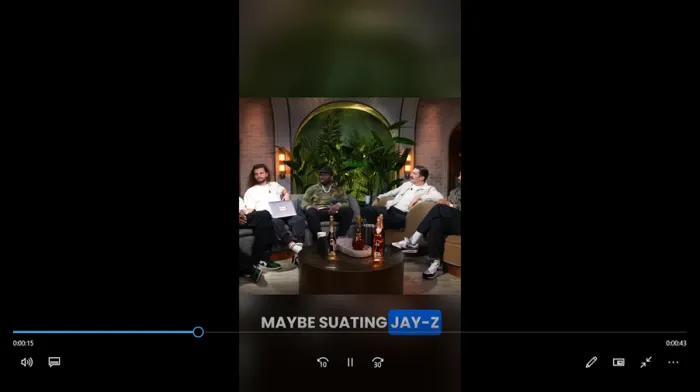
During export, one practical detail stands out. The downloaded clips keep the title assigned during editing, which makes organizing multiple shorts easier. The exported videos also arrive without any watermark, even under plan limitations, and there is no visible platform branding attached to the final file.
The audio quality also remains clear after export, with subtitles staying properly synced to speech. For creators producing dialogue-heavy content such as podcasts or interviews, this reliability matters. Recording content is rarely the difficult part of social media. Turning long videos into engaging short clips quickly is where tools like 2short.ai make a noticeable difference.