When I first discovered getimg AI, I was simply looking for a faster way to create visuals for my content without depending on designers or spending hours fixing prompts. What I found instead was a platform that felt surprisingly powerful, occasionally frustrating, and overall very practical once you understand how it really works.
After spending time with the tool and studying real user feedback from platforms like G2, Trustpilot, Reddit, and expert review sites, I realized something important:
getimg AI is not a “magic button” but in the right hands, it can be an extremely useful creative companion.
What is getimg AI in Simple Terms?
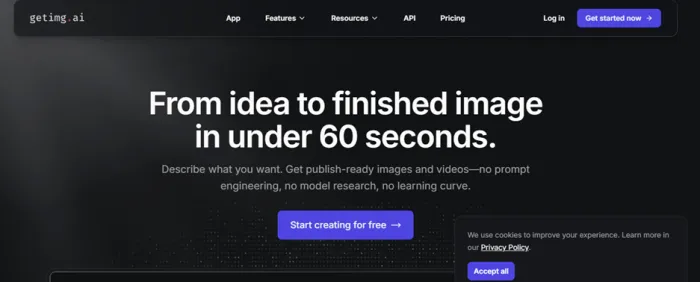
In simple terms, getimg AI is a creative tool that turns your ideas into images and short visuals using artificial intelligence. Instead of needing design skills, complicated software, or hours of editing, you just describe what you want in plain language, and the platform generates it for you within seconds.
When I used getimg AI, it felt like having a virtual designer that understands basic instructions. I could type a short description like “a modern workspace with warm lighting” or “a fantasy character in a cinematic style,” and the system instantly created realistic, artistic images based on that idea. What makes it more than just an image generator is that it also lets you edit those images, fix small details, extend backgrounds, and even turn still visuals into short videos.
So, at its core, getimg AI is a fast and intelligent visual creation assistant. It helps you go from a simple thought in your mind to a finished image on your screen, without needing technical knowledge or creative software experience.
Understanding the Pricing (And Why Credits Matter)
One of the first things I had to learn was how credits work. Every image, edit, or video consumes a certain number of credits. The more complex the task, the more credits it uses.
Here is the official pricing structure I worked with:
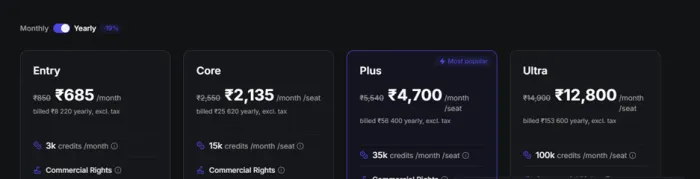
| Plan | Credits |
| Free | 120 |
| Entry | 3,000 |
| Core | 15,000 |
| Plus | 35,000 |
| Ultra | 100,000 |
When I was on the free plan, I quickly realized that credits disappear faster than expected if you generate multiple versions or high-resolution images. Once I moved to a paid plan, the experience felt smoother, but it also taught me to be intentional with every prompt.
This pricing model is flexible, but it definitely rewards users who plan their usage carefully.
What Real Users Are Actually Saying
When we look at the sentiment across platforms, several clear themes emerge and these align closely with my own impressions:
Positive Impressions
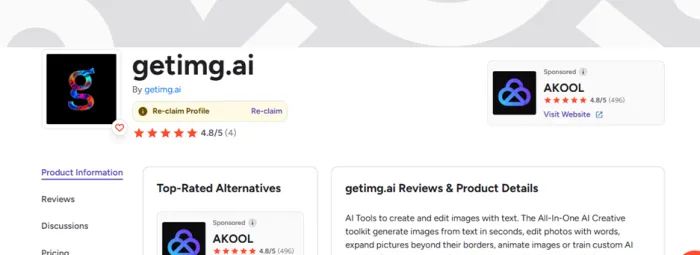
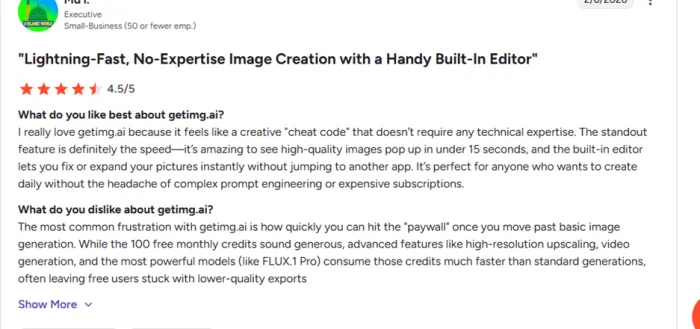
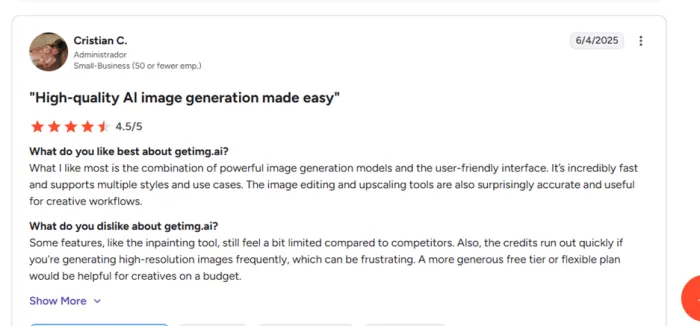
- Many users on professional review sites praise getimg AI’s ease of use and feature set. On G2, for example, reviewers consistently give high scores like 4.8/5, applauding the combination of powerful generation tools with a straightforward interface.
- Real-world commenters often note that once you understand the interface, the generation speed and variety of creative tools (like inpainting, multi-render, editing, and video creation) make it a robust creative resource.
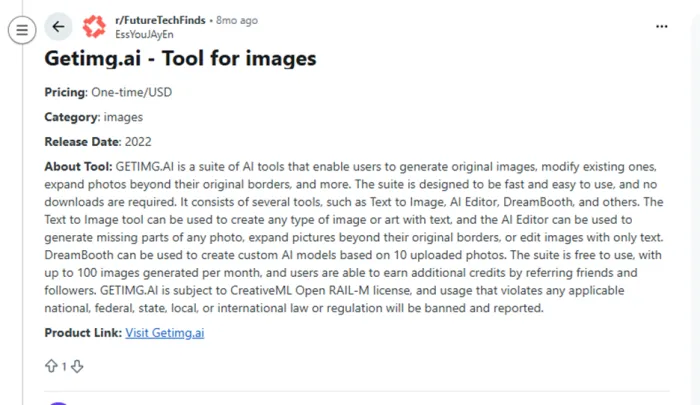
- Some Reddit users also appreciated the generosity of free credits and creative options compared to other generators (especially if you’re experimenting casually). Reddit
In my own experience, the platform feels strong in versatility and its AI Canvas and DreamBooth tools let me explore styles I hadn’t tried elsewhere.
Criticisms & Pain Points
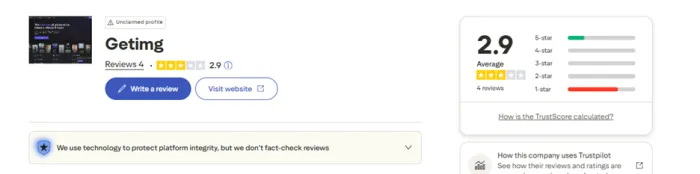
- On Trustpilot, users skew significantly more negative, with many comments centering on credit and billing frustrations. Several reviewers describe losing credits unexpectedly or encountering unhelpful support responses.
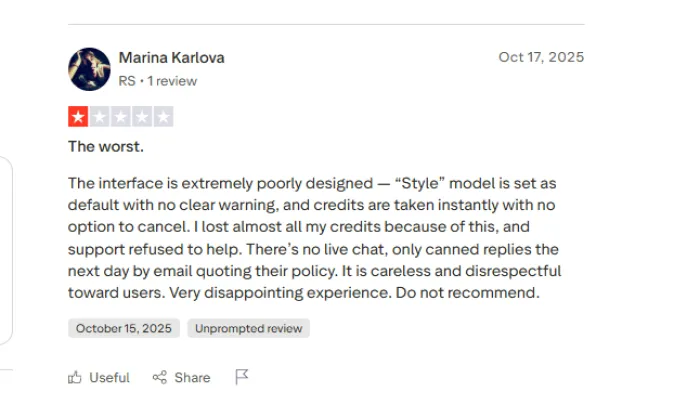
- Reddit discussions about pricing and subscription management are also candid. Some users say credits expire quickly and that charging a full month’s fee for partial use feels unfair if you forget to cancel mid-cycle.
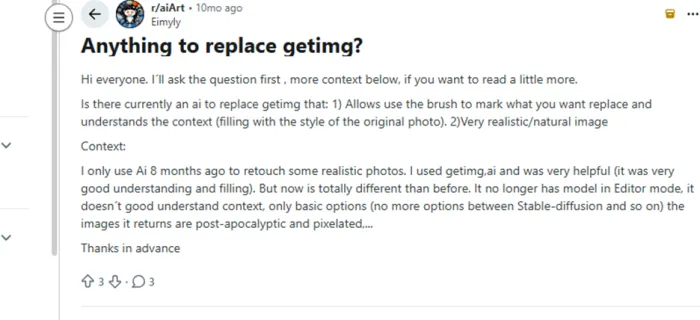
- Others discuss changes to credit purchasing and subscription models that made long-time users feel they’d lost flexibility they once had.
Personally, this matches what I’ve heard from contacts who tried getimg AI without reading the subscription terms carefully and it’s a major reason I track credit usage closely every month.
Mixed Technical Feedback
Across Reddit threads, a few technical quirks come up:
- Some users mention that specific advanced tools, like outpainting, can feel clunky or inconsistent compared to more refined implementations on competitor services.
- Others talk about prompt behavior changing after UI updates or model changes not uncommon with AI services, but worth noting if stability matters to you.
These islands of criticism don’t make the platform useless, they just highlight that you get best results when you understand its quirks.
Why People Love getimg AI
From my usage and the data:
- The image quality is strong, especially for marketing and social media.
- The inpainting and outpainting tools feel genuinely powerful.
- You don’t need advanced prompt skills; the interface helps guide you.
- It’s fast, which makes experimentation enjoyable.
Many G2 users echo this, calling it an efficient creative workflow tool rather than a novelty AI toy.
Where Frustrations Come In
This is where Trustpilot and Reddit voices matter.
Some users, including myself at times, felt confused about:
- Credits disappearing quickly
- Subscription rules
- Delayed or generic support replies
These complaints don’t mean the tool is bad; they simply show that communication and transparency still need improvement.
Who getimg AI is Best For
From everything I’ve seen, getimg AI works best for:
- Content creators who need quick visuals
- Marketers creating campaigns and ads
- Designers experimenting with concepts
- Bloggers and social media managers
If you expect unlimited use for a low price, you may feel disappointed. But if you treat it like a professional creative tool, it becomes far more rewarding.
Best Competitors & Comparison Table (2026)
getimg AI operates in a crowded field of AI art and image generation tools. Different creators want different things, some want maximum realism, others want workflow depth, and still others prioritize free credits or community support.
Here’s a comprehensive comparison of major alternatives, based on pricing, feature sets, and user reviews:
| Tool | Core Strengths | Typical Pricing | Who It’s Best For |
| getimg AI | Feature-rich suite (generation, editing, video), versatile models | Free + tiered plans ($8–$150 +/mo) | Creators, marketers, designers |
| Midjourney | Highly creative, stylistic outputs | $10–$120 /mo | Artists, designers seeking distinctive imagery |
| Leonardo AI | Strong character models & tools | $9–$299+ /mo | Professional image/video creators |
| DALL·E 3 (OpenAI) | Reliable photorealism, integrated with AI assistants | Often via subscription services | Simple & fast idea generation |
| Stockimg AI | Efficient batch processing with simpler tools | Lower starting price | Quick graphics, less depth |
| Fooocus | Advanced inpainting & multi-prompt | $0–$9.9 /mo+ | Experimental users & detailed editing |
My Final Thoughts
getimg AI feels like a platform that is technically advanced but still emotionally human powerful, sometimes confusing, and always evolving. The sentiment data proves one thing clearly:
People don’t dislike getimg AI; they simply want it to be more transparent and user-friendly.
Once you understand the credit system and plan your usage, getimg AI can become a reliable part of your creative workflow.
If you use it wisely, it doesn’t just generate images, it saves time, sparks ideas, and removes creative barriers.