I ran a weekly newsletter for a little over a year before I admitted it was not doing the one job I had given it. The list was growing, opens looked healthy, and replies were friendly. Then I opened Google Analytics, filtered for email traffic, and found the blog was getting fewer than 40 visits per send from a list of roughly 3,000 people. Readers were finishing the email and stopping there.
So I spent the next six months treating every issue as a test. I rewrote teasers, moved links around, cut each issue down to one lead story, tagged every link, and finally fixed the dull sender setup I had been ignoring. My click rate went from about 1.3% to a little under 4%, and email became the second largest referrer to the blog after search. This guide is what I would hand to someone starting that same fix today. Numbers come from published benchmarks or my own sends, and I say which.
Why readers stay in the inbox
The most common reason a newsletter does not send traffic is that it does not need to. If the whole post is in the email, the reader has nothing left to click for. That is fine if the inbox is your product. It is a problem if the blog is, because your comments, related posts and ad revenue all live on the site.
There are three ways to structure an issue, and the choice matters more than any subject line trick.
Three ways to structure a newsletter issue
| Structure | What it looks like | Best for | Effect on blog traffic |
|---|---|---|---|
| Full post in the email | The entire article pasted into the issue, often with a link at the bottom | Paid newsletters, writers whose income comes from the list itself | Lowest. Readers have already read it. |
| Teaser plus link | Three or four sentences that set up the problem and promise the payoff on the blog | Blogs that earn from ads, affiliates, products or search visibility | Highest, provided the teaser does its job |
| Hybrid | A short original note that only exists in email, followed by a teaser for the post | Writers who want the email to feel personal without giving the post away | High, and it keeps unsubscribes lower in my sends |
From my own sends I switched from full posts to the hybrid format in week nine of testing. Clicks on the lead link more than doubled within three issues. Unsubscribes barely moved, which surprised me; I expected people to resent leaving the inbox. The short personal note at the top seemed to be what kept them. |
Measure clicks, not opens
Before you change anything, stop looking at open rate as a health signal. Since Apple Mail Privacy Protection shipped with iOS 15 in September 2021, Apple's proxy servers preload email content, including the tracking pixel your platform uses to detect opens. That registers as an open whether or not the person ever looked at the message. If much of your list uses Apple Mail, your open rate is inflated by an amount you cannot see.
Click rate uses delivered emails as its denominator, so it stays honest. Here is what large platform datasets reported for 2025 sends.
Published newsletter benchmarks, 2025 data
| Source | Sample | Average click rate | Notes |
|---|---|---|---|
| MailerLite | 3.6 million campaigns | 2.09% | Click-to-open rate 6.81%. Unsubscribe rate rose from 0.08% to 0.22% year on year, which MailerLite links to Gmail's one-click unsubscribe button. |
| Brevo | 175,000+ active accounts | 3.96% | Mixes campaign types, so it runs higher than newsletter-only figures. |
| Cross-platform rule of thumb | Several 2026 benchmark reports | 2% to 3% | Under 1% points to a list, structure or deliverability problem. Above 3.5% is strong at any list size. |
Platforms count differently and some include automated emails. Compare against your own last twelve issues first.
Two more numbers deserve a column in your spreadsheet: clicks on the lead link as a share of all clicks, which shows whether the issue has a clear hierarchy, and blog sessions from email in Google Analytics, which shows whether those clicks survive the trip to a slow page or a pop-up.
Anatomy of an issue that earns the click
This is the layout that performed best for me across roughly two dozen tests. The sample is a fictional baking blog, but every element transfers.
1 Why your sourdough spreads flat (and the one change that fixed mine) 2 Plus the hydration chart I wish I had two years ago Hi Sam, 3 If your loaves spread wide instead of rising tall, the flour is more likely the cause than your starter. I changed one variable last month and got a taller loaf on the first try. The post has the hydration chart for eight common flours and the exact bake I used. 4 Read the hydration chart 5 Also this week The banneton I finally stopped fighting with Reader question: can I freeze shaped dough? 6 PS: hit reply and tell me which flour you use. I read every one and it decides next month's tests. |
1 The subject names the problem, not the post title. A title describes content. A problem describes the reader.
2 The preheader adds a second reason to open. Repeating the subject wastes the most visible line in the inbox.
3 The teaser is three sentences. Situation, what changed, what the post gives you. Nothing else.
4 One button, verb first, that says where it goes. The same link also sits in the teaser text for people who skim past buttons.
5 Secondary links sit below, in plain text. They exist for regulars, and they never compete with the lead.
6 The PS asks for a reply. Replies feed inbox placement and hand you next month's topics.
Writing the teaser
The teaser is where most newsletters lose the click. The usual version announces that a post exists and asks the reader to check it out. That is an announcement, not a reason. Here is the sequence I follow now. It takes about fifteen minutes an issue.
1. Open with the reader's situation
The first sentence describes something they are living with, in under twenty words. Not what you wrote. What they are stuck on.
2. Give away the outcome, keep the method on the blog
Say what happened. Hold back how. That gap earns the click, and it only works if the post closes it in the first screen.
3. Name the format
A chart with eight rows. A six-minute read. A checklist you can print. When people know what they are committing to, more of them commit.
4. Link twice, once in text and once as a button
The text link goes inside the teaser. The button follows it. Between them they catch readers who scan for buttons and readers who scan for underlined words.
Before “This week I wrote about sourdough hydration. It's a big topic and I go pretty deep on it. Check it out on the blog!” Nothing about the reader, no outcome, no format, and the link text points nowhere in particular. | After “If your loaves spread wide instead of rising tall, the flour is more likely the cause than your starter. I changed one variable and got a taller loaf on the first try. The post has the hydration chart for eight common flours.” Situation, outcome, format, and a link that describes its destination. |
A warning about the gap I overdid this once. The teaser promised a fix, and the post buried it under 600 words of backstory. Clicks on that issue were fine. Clicks on the next one dropped by a third and took a month to recover. The promise in the email is a debt the post has to pay immediately. |
Links, buttons and UTM tags
Most mail apps do not pass a referrer, so untagged email clicks land in Google Analytics as direct traffic and vanish. Tag every link. GA4 files traffic under its Email channel when the medium is set to email. Search Console will never show email visits, since it only reports search.
The UTM pattern I use on every newsletter link
| Parameter | Value | Why |
|---|---|---|
| utm_source | newsletter | Separates the list from other email, such as automated welcome sequences. |
| utm_medium | The value GA4 needs to group the traffic under Email. | |
| utm_campaign | 2026-09-01-issue-42 | Date plus issue number makes each send easy to find months later. |
| utm_content | button, text-link or also-1 | Optional. Tells you which placement inside the issue got the click. |
A few rules on the links themselves, each learned by getting it wrong first.
□ Link to the post, never the homepage. A homepage link cost me about half the clicks the one time I tried it.
□ Keep it to three to five links per issue, two of them on the lead post. More spreads clicks thin.
□ Write link text that describes the destination. “Read the hydration chart” tells the reader what happens next. “Click here” does not.
□ Build buttons from HTML and CSS rather than images. Image buttons disappear for anyone whose mail client blocks images.
The sender rules that decide who sees it
None of the above matters if the issue lands in spam or bounces. Google and Yahoo began enforcing shared sender requirements in February 2024, and Microsoft followed for Outlook in May 2025. The hard thresholds apply to anyone sending 5,000 or more messages a day, but every item on the list is plain good practice, and my Gmail placement improved after I fixed them at a fraction of that volume.
□ Send from a domain you own, with SPF and DKIM configured. Free mailbox addresses in the From field fail authentication.
□ Publish a DMARC record. A policy of p=none is accepted as a starting point, with the expectation that you move toward quarantine or reject.
□ Add one-click unsubscribe headers (RFC 8058) to every marketing send, plus a visible unsubscribe link in the body. Honor requests within two days. Most platforms add the headers; check that yours does.
□ Keep your spam complaint rate under 0.1%, and never let it reach 0.3%. At 0.3%, Gmail removes you from delivery mitigation until you stay below the line for seven straight days.
□ Watch your numbers in Google Postmaster Tools. The version two dashboard, launched in October 2025, shows a plain pass or fail compliance status and names the requirement you are missing.
From my own sends My DMARC record was missing for the first eleven months. I only noticed because a reader forwarded a screenshot of my issue in her spam folder. Fixing SPF, DKIM and DMARC took an afternoon. The next issue had the highest click count I had recorded to that point, and nothing else about it had changed. |
Fix the blog side too
A click is only half the trip. Email readers arrive with more trust than search visitors and less patience, and benchmark reports put mobile at around 55% of email opens, so the post has to load fast and pay off the promise on a small screen.

What an email visitor should find on the post page
| Element | What to do | Reason |
|---|---|---|
| Pop-ups | Suppress subscribe pop-ups when utm_medium equals email | They already subscribed. Asking again is the fastest way to lose the visit. |
| First screen | Put the promised answer, chart or checklist above the first scroll | The teaser made a promise. The blog intro pays it before any backstory. |
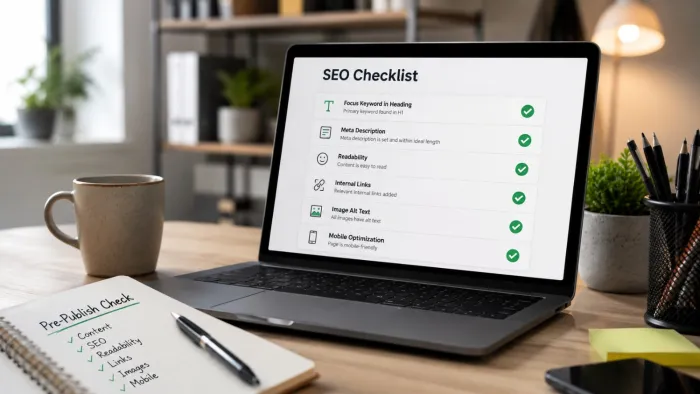
| Page speed | Compress images, drop scripts the post does not need, and run your usual on-page SEO checks | Most of these readers are on a phone, often on mobile data. |
| Next step | End with two or three related posts, not a wall of ten | In my analytics, email visitors read a second page more often than search visitors when the choice is easy. |
Mistakes that quietly kill clicks
Six equal links When every item gets the same weight, readers pick none. Choose one lead and demote the rest visually. | The post title as the subject Titles are written for search. Subject lines are written for someone deciding whether to open. |
Moving the send day I shifted from Tuesday to Thursday for a month. Clicks fell and did not recover until I moved back. | Treating unsubscribes as noise A spike after one issue is feedback about that issue. Read the topic, the length and the subject line again. |
Heavy templates Multi-column designs with headers and image blocks lost to a plain, single-column layout in every test I ran. | No reply prompt Replies help inbox placement and tell you what to write next. Skipping the PS leaves both on the table. |
Final verdict
After a year of sending it wrong and six months of sending it deliberately, my conclusion is that a newsletter that sends readers back to your blog is mostly a matter of subtraction. One story instead of five. Three sentences instead of the whole post. A subject line that names the reader's problem instead of my title. The tests that moved the needle were the ones where I removed something. If you only have one afternoon, spend it on two things. Fix your sending domain, because nothing you write matters if it lands in spam, and mine did for months without my knowing. Then rewrite next week's teaser using the four-step sequence above, tag the links, and watch the email row in Google Analytics rather than the open rate on your dashboard. Those two changes did more for my blog traffic than anything in the year before them, and they cost nothing but time. |