
Every school eventually reaches the same moment. Someone in the staff room says, “There has to be a better way to track grades than this spreadsheet.” A few months later, the school is searching for a student information system that promises to organize everything from attendance to report cards.
That search often leads to two names that appear frequently in education technology discussions: ThinkWave and PowerSchool. Both platforms help schools manage student records, grades, attendance, and communication. However, they operate at completely different scales. ThinkWave is designed for smaller institutions that want a simple and affordable way to manage classroom data. PowerSchool is a large enterprise platform used by entire school districts.
Choosing between them is not just about features. It is about understanding the type of school you run, the complexity of your administrative needs, and how much infrastructure you are willing to manage. In this article, we will compare ThinkWave and PowerSchool across key areas such as features, integrations, pricing, mobile access, security, and real-world use cases so schools can decide which platform fits their environment best.
What Is ThinkWave
ThinkWave is a cloud-based student information system built for teachers and small educational institutions that want a straightforward way to manage classroom operations. The platform focuses on core academic management tasks such as recording grades, tracking attendance, and generating progress reports.

One of ThinkWave’s main strengths is its simplicity. Teachers can create classes, enroll students, and start entering grades within minutes. The platform runs entirely through a web interface, which means users can access it from laptops, tablets, or phones without installing special software.
Because of its lightweight structure, ThinkWave is commonly used by private schools, tutoring centers, and homeschooling programs. These environments typically do not require large administrative systems or complex integrations. Instead, they need a reliable platform that keeps student records organized while remaining easy to operate.
What Is PowerSchool
PowerSchool is one of the largest student information systems in the education technology industry. It is widely used by K-12 school districts, particularly in North America, where entire school systems rely on it to manage student records, attendance data, and academic performance.

Unlike simpler systems that focus on classroom tasks, PowerSchool operates as a full education management ecosystem. The platform connects administrators, teachers, students, and parents through centralized dashboards and portals. This allows school districts to track academic data across multiple campuses from a single system.
Another major advantage of PowerSchool is its integration ecosystem. Schools can connect the platform with learning management systems, digital classroom tools, and analytics platforms through its App Center and API network. This makes it possible for districts to create an interconnected digital education environment where multiple tools share student data.
Market Adoption and Platform Scale
The difference between ThinkWave and PowerSchool becomes clear when looking at how widely each system is used.
| Metric | ThinkWave | PowerSchool |
| Target users | Small schools and teachers | Large school districts |
| Typical institution size | Dozens to hundreds of students | Thousands to millions |
| Market adoption | Smaller private institutions | 18,000+ organizations |
| Students supported globally | Not publicly disclosed | 60+ million students |
PowerSchool’s adoption across thousands of organizations shows its role as a large enterprise platform in the education sector. ThinkWave, in contrast, is designed for schools that need a simple and accessible system without the complexity of district-level infrastructure.
ThinkWave vs PowerSchool: Core Comparison
Both platforms include the essential capabilities expected from a student information system. The major difference lies in how advanced those capabilities are and how well they scale.
| Feature | ThinkWave | PowerSchool |
| Platform type | Student information system | Education management ecosystem |
| Best suited for | Small schools and teachers | Large districts |
| Gradebook | Basic grade tracking | Advanced district grade management |
| Attendance tracking | Simple daily attendance | Real-time attendance analytics |
| Parent access | Parent portal | Parent and student portals |
| Integrations | Limited integrations | Extensive integration ecosystem |
| API support | Minimal | Full API and App Center |
| AI features | None | PowerBuddy AI tools |
| Deployment speed | Setup within minutes | Average 4-month implementation |
| Mobile experience | Web-based access | Dedicated mobile app |
ThinkWave focuses on essential classroom management tools that teachers can use immediately. PowerSchool expands these features significantly by adding district-level analytics, integrations, and reporting tools.
Integrations and Technology Ecosystem
Schools today rely on multiple digital platforms. Learning management systems, communication tools, analytics dashboards, and digital curriculum platforms often need to exchange student data.
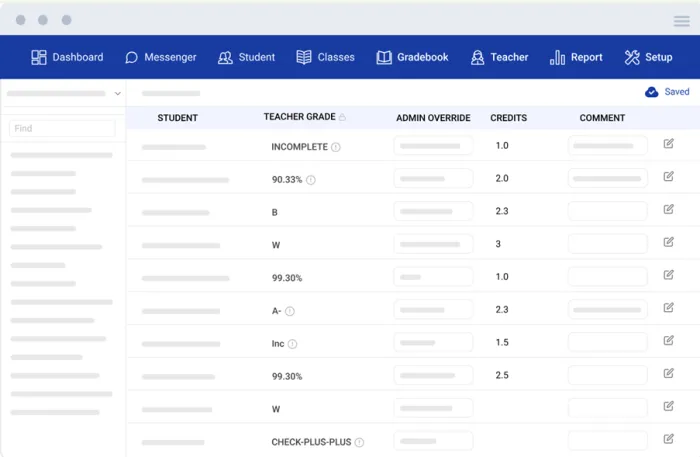
ThinkWave operates primarily as a standalone platform. It allows educators to manage grades, attendance, and student information efficiently, but it does not offer a large integration ecosystem. For small schools, this limitation is rarely a problem because they typically use fewer technology tools.
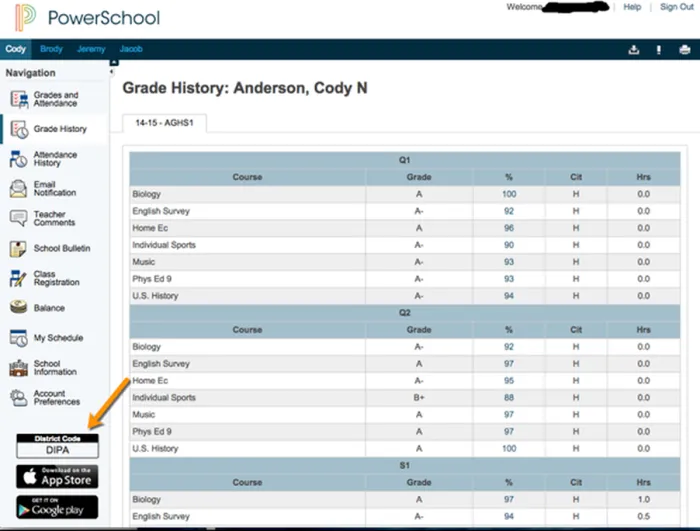
PowerSchool, however, was designed to function as the central data hub of a district’s digital ecosystem. Through its App Center and API network, the system integrates with platforms such as Google Classroom, Schoology, and various educational analytics tools. This makes PowerSchool far more flexible in environments where multiple digital learning systems are in use.
Pricing and Cost Structure
Budget considerations often play a major role in selecting school management software.
| Pricing Factor | ThinkWave | PowerSchool |
| Teacher plan | Around $17 per month | Not applicable |
| School pricing | Low per-student cost | Enterprise pricing |
| Target budget | Small schools | Large districts |
| Implementation cost | Minimal setup cost | Higher enterprise deployment cost |
ThinkWave’s transparent pricing makes it accessible for schools with limited budgets. Institutions can adopt the platform quickly without major financial commitments.
PowerSchool follows a custom enterprise pricing model. The final cost depends on the size of the school district, the number of modules deployed, and the level of customization required.
Mobile Experience and Accessibility
Teachers and parents increasingly access school systems through smartphones and tablets, making mobile support an important factor.
ThinkWave relies on a responsive web interface that adapts to different screen sizes. Users can log in through a browser on mobile devices and access most of the platform’s features.
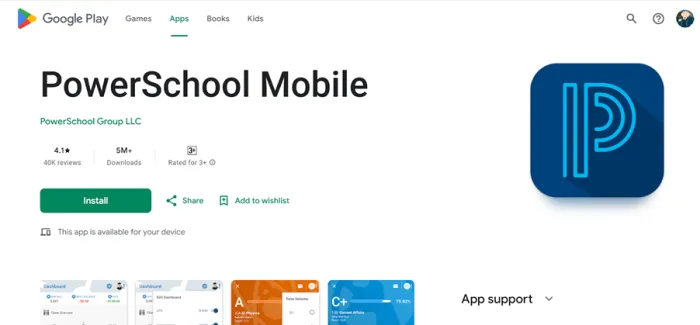
PowerSchool offers a dedicated mobile application used by parents and students. The app allows families to check grades, assignments, and attendance updates directly from their phones. This real-time access strengthens communication between schools and households.
Data Security and Compliance
Protecting student data is a major responsibility for education technology platforms. Both ThinkWave and PowerSchool claim to follow FERPA compliance standards, which regulate how student records are stored and shared.
Because PowerSchool operates at a much larger scale, it faces more scrutiny regarding security. In December 2024, a data breach involving PowerSchool reportedly exposed data connected to around 62 million individuals. Incidents like this highlight the challenges of protecting large centralized databases.
Smaller systems such as ThinkWave generally store less aggregated data, which can reduce exposure risk. However, all student information systems must implement strong security measures to protect sensitive academic records.
Real Use Case Scenarios
The choice between ThinkWave and PowerSchool becomes clearer when examining real-world scenarios.
A small private school with fewer than 200 students may prefer ThinkWave because it offers quick setup, affordable pricing, and a straightforward interface that teachers can use without extensive training.
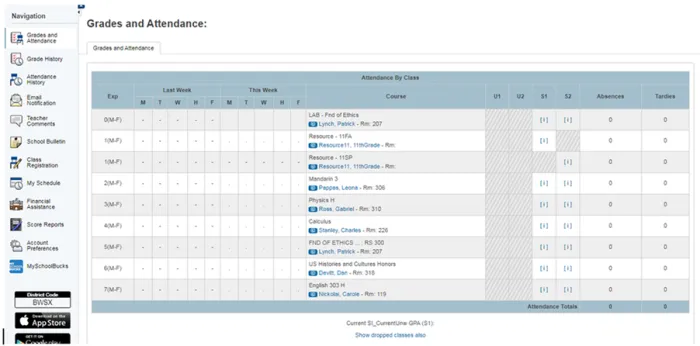
A large public school district managing thousands of students will likely require PowerSchool’s advanced infrastructure. The platform supports large datasets, complex reporting requirements, and integrations with other educational technologies.
An international school network operating multiple campuses may also favor PowerSchool due to its ability to centralize student data across multiple locations.
What Real Schools Say About ThinkWave and PowerSchool
- “Many teachers say ThinkWave becomes easy to use after a short learning curve and makes it much clearer for students to see their grades and missing work.”
- “Several admins report that ThinkWave dramatically reduced the time they spend compiling report cards and progress reports.”
- “Some users mention frustration with slow or inconsistent customer support when they need help.”
| Tool | What Users Like Most | Common Complaints |
| ThinkWave | Teachers and small schools say it is simple once set up, with clear grade and assignment views for students and parents, and big time savings versus paper or spreadsheets. | Some schools feel the feature set is basic compared to larger SIS platforms, and a few mention that support responses can be slow. |
| PowerSchool | Districts praise its ability to centralise data across multiple schools, run detailed reports, and connect with many other education tools used in classrooms. | Users regularly mention complexity, longer implementation timelines, and an interface that can feel dated or slow at times for new staff. |
Pros and Cons
ThinkWave
Pros
- Simple interface that teachers can learn quickly
- Affordable pricing suitable for small institutions
- Fast deployment with minimal technical setup
- Works entirely through a web browser
Cons
- Limited integrations with external education tools
- No advanced analytics or AI features
- Not designed for large district-level operations
- Smaller technology ecosystem
PowerSchool
Pros
- Highly scalable platform used by major school districts
- Extensive integration ecosystem with education technology tools
- Advanced reporting and analytics capabilities
- Dedicated mobile apps for parents and students
Cons
- Complex implementation that can take several months
- Higher enterprise pricing structure
- Requires technical support and training
- Large centralized databases create higher security risks if breaches occur
Final Verdict
ThinkWave and PowerSchool represent two very different approaches to school management software.
ThinkWave focuses on simplicity and accessibility. It is ideal for small schools, tutoring centers, and educators who want a straightforward system for tracking grades and attendance without the complexity of enterprise platforms.
PowerSchool is built for scale. Its platform supports large districts, advanced analytics, and extensive integrations that allow entire school systems to manage student data across multiple campuses.
In simple terms, ThinkWave is a practical tool for smaller educational environments, while PowerSchool is a powerful infrastructure platform designed for large institutions. Choosing between them ultimately depends on the size of the school and the level of administrative complexity it needs to manage.