The first blog post I ever tried to optimize properly ate an entire weekend. I had the keyword scribbled on a sticky note, twelve open tabs of contradicting advice, and a draft that repeated the phrase so often it read like a ransom note. It ranked nowhere. The post that finally cracked page one, months later, used the keyword fewer times, not more. That lesson has held up on every article I have worked on since: optimizing for a single keyword is mostly a game of placement and intent, not repetition.
What follows is the process I run today, start to finish, on my own posts and on client work. It assumes you already have a keyword picked out and a topic you genuinely know something about. Everything below is either documented Google behavior or something I have tested on live posts enough times to trust. If I would not do it on my own site this afternoon, it is not in this guide.
Before you start, have these four things open • Your one target keyword, written down exactly as people search it • An incognito browser tab with the live search results for that keyword • Google Search Console access for your site • Your draft, or at least a working outline |
Commit to a single primary phrase
A target keyword is the one phrase your post exists to answer. Secondary phrases will attach themselves for free once the content is thorough, so you never need to chase them on purpose. What you do need to avoid is the opposite problem: two posts on your own site competing for the same phrase. This is keyword cannibalization, and it splits your internal links and relevance signals between two URLs, leaving Google to pick a winner inconsistently, sometimes swapping which page ranks from week to week.
The commit rule Before writing anything new, search site:yourdomain.com "your keyword" in Google. If an existing post already targets the phrase, update and expand that post instead of publishing a rival to it. An old URL with history almost always outranks a fresh duplicate. |
Here is what the relationship between a primary keyword and its supporting phrases looks like in practice, using a kitchen example I have run myself:
| ROLE | PHRASE | WHERE IT LIVES |
|---|---|---|
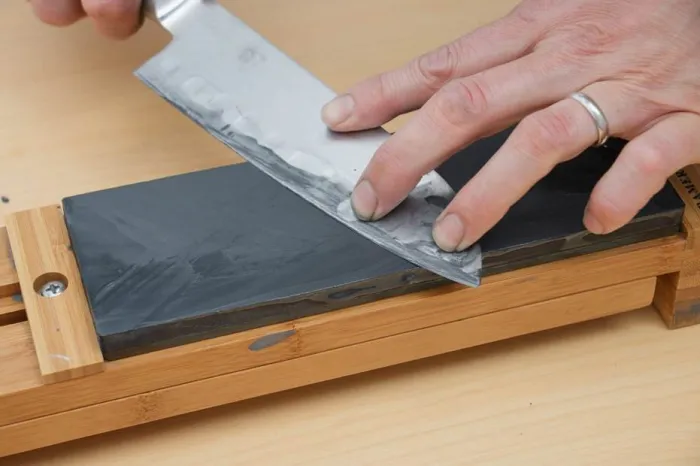
| Primary keyword | how to sharpen a chef knife | Title, H1, URL, intro, one H2 |
| Secondary | whetstone sharpening angle | Its own H2 and section |
| Secondary | honing rod vs sharpening stone | A comparison section |
| Secondary | sharpening stone grit guide | A short explainer block |
Read the results page before writing a word
Google's first page is its public statement about what a keyword means. Open your keyword in an incognito tab and study the top five results: their format, their angle, and what the People Also Ask box wants answered. If everything ranking is a step-by-step guide and you publish a personal essay, you have lost before hitting publish. Matching format to intent is the single highest-leverage decision in this whole process, and it costs ten minutes.

| INTENT | EXAMPLE QUERY | WHAT RANKS |
|---|---|---|
| Informational | how to sharpen a chef knife | Guides, tutorials, videos |
| Commercial | best whetstone for beginners | Comparison posts, tested reviews |
| Transactional | buy king kw65 whetstone | Product and category pages |
| Navigational | korin knife store nyc | The brand's own pages |
Blog posts realistically compete for the first two rows. If your keyword turns out to be transactional, no amount of on-page work will push an article past product pages, and the honest move is to pick a different keyword. I have wasted real weeks learning this the slow way.
Put the keyword in these exact spots
This is the core of the job. Each placement below is ordered roughly by how much it has mattered in my own testing, with the limits worth respecting written out. Notice how short the list is. Everything else in the post can be written entirely for humans.
| LOCATION | WHAT TO DO | LIMIT / NOTE |
|---|---|---|
| Title tag | Keyword near the front, phrased like a headline a person would click. Google rewrites titles it considers weak, so write for the click, not the crawler. | 50 to 60 chars (about 600 px) |
| H1 | Match the title tag or use a close variation. One H1 per page, always. | 1 per page |
| URL slug | Short, lowercase, hyphen-separated version of the keyword. Google has called this a lightweight signal, but clean slugs also earn better anchor text when people link to you. | 3 to 5 words |
| First 100 words | Use the keyword once and start answering the query immediately. This is for relevance and for readers deciding whether to stay. | 1 natural mention |
| One H2 | Work the keyword or a close variant into a single subheading. Stuffing it into every heading reads as spam to both parties. | 1 subheading only |
| Meta description | Google has stated descriptions are not a ranking factor, but matching query words get bolded in the snippet, which visibly lifts clicks. Include the keyword and a reason to choose you. | About 155 chars |
| Image alt text | Describe the image honestly. Include the keyword only when the image genuinely shows it. | Where truthful |
| Closing section | A final natural mention while summarizing. Nothing forced. | 1 mention |
What this looks like on the results page
Two versions of the same post, as Google would show them. The difference is not talent, it is character discipline and front-loading.
OPTIMIZED Sharp Habits sharphabits.com > sharpen-chef-knife How to Sharpen a Chef Knife: A Whetstone Guide for Beginners Learn how to sharpen a chef knife with a whetstone in 15 minutes. Exact angles, grit choices, and the two mistakes that ruin most edges. Title: 59 chars, keyword front-loaded. Description: 148 chars, keyword bolded by Google. |
UNOPTIMIZED Sharp Habits sharphabits.com > blog > post-id-4721 Everything You Could Possibly Want to Know About Knives and Kee Welcome back to the blog! This week we are talking about knives. Knives are one of the most important tools in any kitchen and today we wil Title truncated at about 60 chars. No keyword anywhere. Description wastes its bolding chance. |
Draft for the reader, then optimize in one sweep
I write the full draft with the placement map in the back of my mind but without policing myself, then do a single optimization pass at the end. Two things make this pass fast. First, keyword density is not a metric Google uses, so there is no percentage to hit and no plugin traffic light worth obeying. Second, Google's language systems handle stemming and synonyms well: a post about “sharpening a chef's knife” matches “chef knife sharpening” without you contorting a sentence. Vary your phrasing freely.
For supporting vocabulary, I pull straight from Google itself rather than guessing: autocomplete suggestions, the People Also Ask questions, the related searches at the bottom of the page, and the recurring terms in the posts already ranking. Those sources tell you what a complete answer contains. A reader who has to bounce back to the results page to finish their question is a reader you failed, and pages that fully resolve the query are consistently the ones that hold rankings for me.

DO, in the optimization pass • Answer the core question within the first screen of the post • Put a direct 40 to 60 word answer under a question-style H2, the length most paragraph featured snippets pull • Use natural variants: sharpening a chef's knife, knife sharpening at home • Cover the People Also Ask questions somewhere in the body • Read the post aloud once; awkward keyword mentions expose themselves instantly |
DON'T, ever, for any keyword • Repeat the exact-match phrase where a human would not say it • Chase a density percentage or a plugin's green light • Stuff keywords into alt text on unrelated images • Write a 300-word intro that delays the answer • Publish a second post targeting the same phrase |
Links, images, and heading structure
Once the words are in place, three structural jobs remain, and one of them is the most underrated lever on this entire page.
Internal links, both directions
Go into three to five of your older, related posts and add a link pointing at the new one, using the keyword or a close variant as the anchor text. This is the underrated lever: it is the only ranking signal you fully control on day one, and I have watched stuck posts climb within weeks of nothing more than this. Then link out from the new post to your related pieces so readers and crawlers can keep moving.
Headings as a table of contents
Keep the hierarchy strict: one H1, H2s for major sections, H3s nested inside them, no skipped levels. A good test is reading only your headings top to bottom. If they summarize the post on their own, both readers and Google can parse your structure.
Images that pull their weight
Compress every image, give files descriptive names like whetstone-15-degree-angle.jpg, and write alt text that describes what is shown. Honest alt text serves screen reader users and image search at the same time; dishonest alt text serves neither.
External links matter too, in a quieter way. Citing primary sources, official docs, studies, manufacturer specs, signals that the post was researched and gives readers somewhere to verify claims. I link out generously and have never seen it hurt a post.
The part most guides skip entirely
Hitting publish is the halfway point. The real optimization happens once Google starts showing you data, because Search Console tells you what the post ranks for in reality rather than in your plan.
| WHEN | ACTION | WHY |
|---|---|---|
| Day 0 | Request indexing via URL Inspection in Search Console | Gets the page into the queue faster than waiting for a crawl |
| Week 3 to 4 | Open the Queries report filtered to the new URL | You will find search phrases you never targeted; fold the best ones into existing subheadings |
| Week 4 and on | Check CTR against position. Decent position, weak clicks means rewrite the title and description, not the post | The snippet is failing, not the content |
| Stuck at 5 to 15 | Add depth and internal links, not more keyword mentions | Positions just off page one are almost always a content gap or authority gap |
| Every 6 to 12 months | Refresh facts, screenshots, and the year in the title if you use one | Decaying posts lose rankings quietly; updates recover them cheaply |
That Queries report deserves a special mention. On one of my own guides, the phrase driving the most impressions after a month was a question I had answered in a single throwaway sentence. I promoted it to its own H2, expanded the answer, and the page's total clicks roughly doubled over the following weeks. Google was telling me what the post should have been, and all I had to do was listen.
Run this before every publish
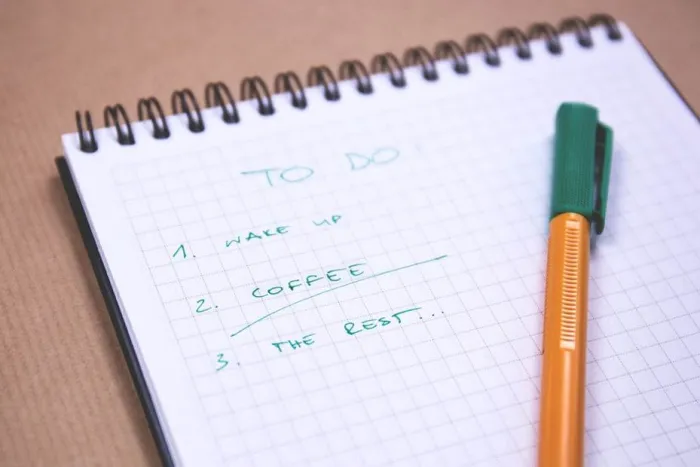
☐ No other post on my site targets this keyword ☐ Format matches what currently ranks ☐ Title tag: keyword front, 50 to 60 characters ☐ Exactly one H1, matching the title closely ☐ Slug is short, lowercase, hyphenated ☐ Keyword appears once in the first 100 words ☐ Keyword or variant in exactly one H2 ☐ Meta description under 155 characters with keyword ☐ A 40 to 60 word direct answer sits under a question H2 ☐ People Also Ask questions covered in the body ☐ 3 to 5 internal links added from older posts ☐ Images compressed, named, and honestly described |
My honest verdict after doing this.Having run this process on more posts than I can count, my optimization pass now takes about thirty minutes per article, and most of that is the title tag, because it is the one line I will happily rewrite six times. Looking back at what actually moved rankings for me, four things did nearly all the work: matching the format to intent before writing, a disciplined title tag, internal links from older posts, and mining Search Console a month after publishing. The things that never once mattered: density scores, plugin traffic lights, and cramming the phrase into every heading. So pick one keyword, place it deliberately in the handful of spots that count, resolve the reader's question so completely they never return to the results page, and then let your own search data tell you what to fix. That is the entire craft. Everything else sold to you as optimization is decoration. |