For the past three weeks, I have kept four browser tabs open at all times. Grammarly on the left. ProWritingAid next to it. LanguageTool after that. And Hemingway Editor pinned on the far right. Every article I wrote (including the one you are reading now) went through all four tools before I published it. I logged every suggestion, every catch, every false positive, and every moment where a tool made my sentence worse instead of better.
I did this because I have used Grammarly Premium for almost four years, and lately I have felt like I am paying $144 a year for a tool that flags the same three habits over and over without helping me actually grow as a writer. If you have felt the same, this article is for you. I am not going to tell you Grammarly is bad, because it is not. I am going to show you what three specific alternatives do better, backed by the results from my desk, and let you decide which one belongs in your workflow.
Why writers are looking past Grammarly in 2026
Grammarly still leads the market. On G2, it holds a 4.7 out of 5 rating from over 12,900 reviews, which is impressive by any measure. But the writer community has quietly split into camps. Fiction writers say Grammarly flattens voice. Bloggers say the tone rewrites feel generic. ESL writers say the suggestions ignore their intent. And nearly everyone points at the same thing: Grammarly Pro costs $12 per month billed annually, or $30 per month billed monthly, and the free tier holds back most of the sentence-level clarity feedback you actually want.
$144 Grammarly Pro annual cost | 85 to 95% Accuracy of top AI proofreaders on common errors | 4M+ Writers using ProWritingAid as of 2026 |
In independent testing published in early 2026, the top proofreading tools caught between 11 and 13 out of 15 planted errors, which sounds strong until you realize that number drops sharply for contextual mistakes, idioms, and industry jargon. In other words, all of these tools are useful, and none of them is a full replacement for human review. The right question is not "which one is perfect." It is "which one fits how I actually write."
Below are the three alternatives that consistently beat Grammarly in specific categories during my testing. I have included a review table for each, followed by my testing methodology and a final scoring section.
ProWritingAid
9.1 / 10
| Free tier · Premium $10/mo (annual) · Lifetime $399 one-time |
If you have ever finished a 2,000-word blog post and realized you leaned on the word "really" fifteen times without noticing, ProWritingAid was built for you. It does not just check your grammar. It reads your entire draft and shows you the patterns you have stopped noticing.
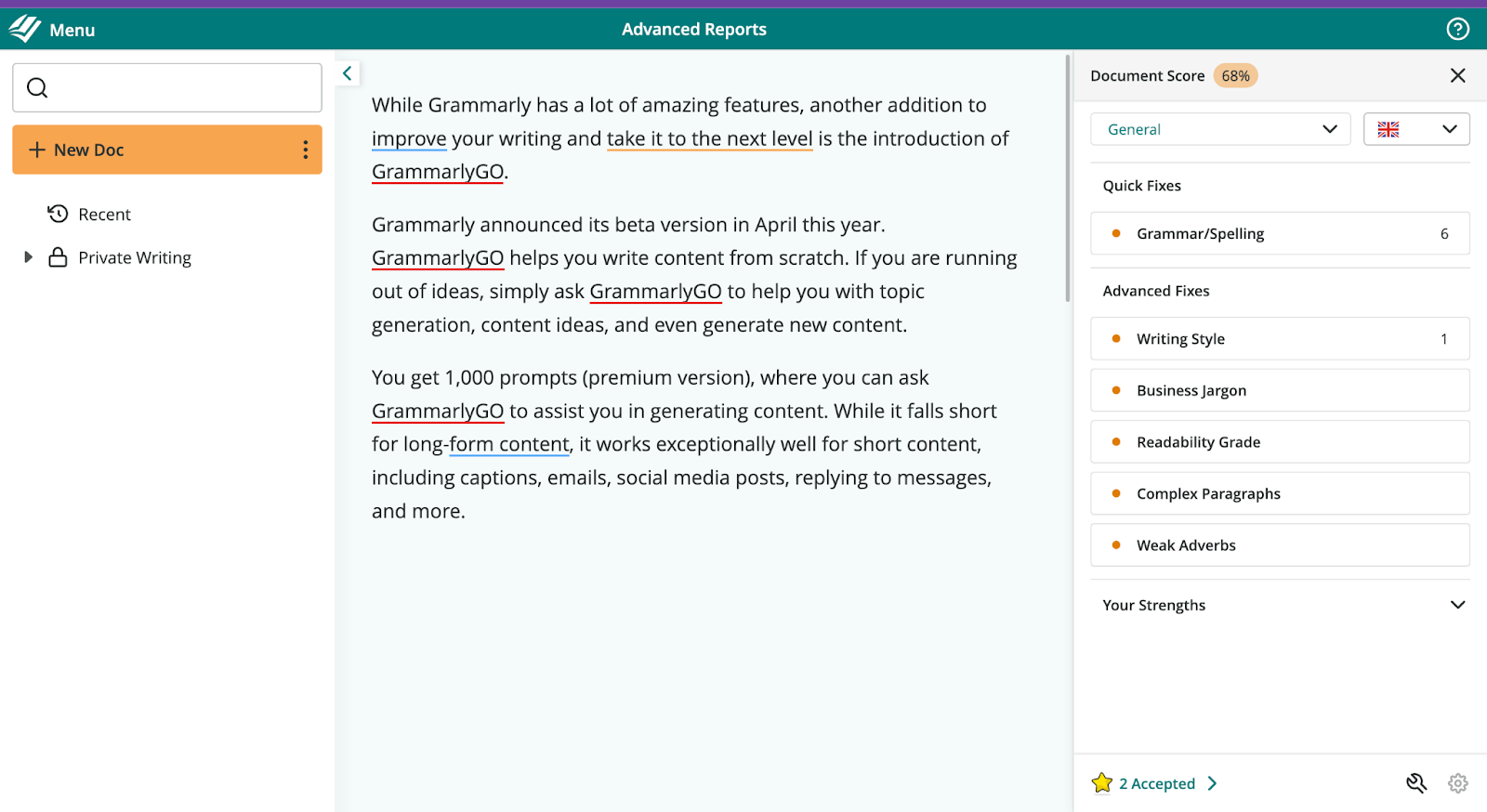
That is what makes it feel different compared to Grammarly. Grammarly polishes each sentence as you write it. ProWritingAid waits until you are done, then gives you 25 different reports on your habits: overused words, sentence length variation, pacing, dialogue tags, cliché density, sensory detail. It is the closest thing to having a copy editor look over your shoulder every single day.
In my testing, it caught 9 out of 13 planted errors, which is a bit lower than Grammarly on raw grammar catching. But the style feedback is on a different level entirely. If you write anything over 1,200 words on a regular basis, this is the tool that will actually make you a better writer, not just a cleaner one.
WHAT YOU WILL LOVE • 25+ reports show patterns across your whole draft • Scrivener integration is best in class for fiction • Never trains AI on your text (great for client work) • Lifetime license pays for itself in ~3 years | WHAT MIGHT ANNOY YOU • Interface can feel overwhelming for the first week • No mobile app, so nothing on-the-go • Free tier limited to 500 words per check • Occasionally flags proper nouns and academic references |
THIS IS FOR YOU IF YOU Write long-form blogs, essays, or fiction; care about voice; want to improve as a writer, not just polish a draft; edit in Scrivener or Word. | LOOK ELSEWHERE IF YOU Just need quick email fixes; write mostly on your phone; want tone detection across 12+ tones; prefer a lean, minimal interface. |
| Free tier | 500 words per check |
| Best price | $10/mo annual, or $399 lifetime one-time |
| Standout feature | 25+ reports covering pacing, dialogue, sensory detail |
| Integrations | Word, Google Docs, Chrome, Firefox, Edge, Scrivener, desktop |
| My verdict | The best pick for writers who want coaching, not just corrections |
LanguageTool
8.7 / 10
| Free tier (20,000 chars/check) · Premium from $4.99/mo (annual) |
If Grammarly's $144 annual fee stings a little, or you write in more than one language, LanguageTool deserves your attention before you renew anything. The pitch is simple: you get almost everything Grammarly does, for less than half the price, across 30+ languages instead of just English.
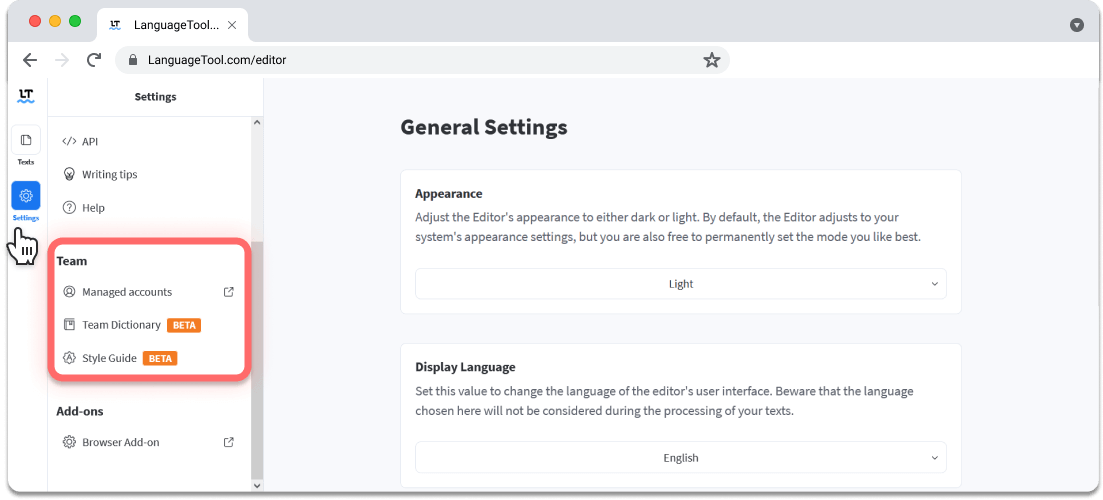
Here is the moment that sold me. I pasted a 250-word paragraph with 13 planted errors into LanguageTool. It caught all 13. Grammarly caught 12. And LanguageTool Premium costs $4.99 per month, not $12. The free tier alone gives you 20,000 characters per check with no account required, which is more usable than most competitors' entry-level paid plans.
The multilingual coverage is where LanguageTool leaves the competition behind. It handles German, French, Spanish, Dutch, Polish, and 25 other languages with proper grammar and style rules. If you write anything sensitive, there is also a self-hosted version where your text never leaves your own server. Grammarly cannot do that. Neither can most of the paid competition.
WHAT YOU WILL LOVE • Genuinely useful free tier (20,000 chars per check) • Half the price of Grammarly Pro • 30+ languages with real grammar rules • Self-hosted option for confidential work | WHAT MIGHT ANNOY YOU • Style suggestions lighter than ProWritingAid • Limited mobile support • No plagiarism checker built in • Interface feels utilitarian, not polished |
THIS IS FOR YOU IF YOU Write in multiple languages; want a serious tool without a serious price; handle confidential work; need a free tier that actually gets the job done. | LOOK ELSEWHERE IF YOU Want deep style reports on long-form pieces; write mainly on mobile; need plagiarism detection built in; care about a polished, modern interface. |
| Free tier | 20,000 characters per check, no account required |
| Best price | $4.99/mo annual, or $4.17/mo on the 2-year plan |
| Standout feature | 30+ languages plus a self-hosted deployment option |
| Integrations | Chrome, Firefox, Safari, Edge, Word, Google Docs, desktop apps |
| My verdict | The best value tool in the category. Free tier alone beats most paid rivals |
Hemingway Editor
8.2 / 10
| Free web app · Editor Plus subscription · $19.99 one-time desktop |
Hemingway is not going to replace Grammarly. It is not really a grammar checker at all. But here is why it lives in my toolbar anyway: it is the fastest way to spot a sentence that is carrying too much weight.

You paste your draft in. Long sentences turn yellow. Very long ones turn red. Passive voice turns green. Adverbs turn blue. Complex phrases turn purple. A grade level appears in the corner. Suddenly the intro you thought was clean is a wall of Grade 12 prose that will lose casual readers by paragraph two. It is honest feedback delivered in ten seconds, and I have not found anything else that does it as well.
I use Hemingway as my final pass, always. Grammar goes through Grammarly or LanguageTool first, then I paste the cleaned draft into Hemingway to tighten flow and cut adverbs. The free web version does everything the paid Editor Plus does, minus AI rewrites (which I do not find essential). If dense writing is your pattern, this will help you fix it faster than anything else on the market.
WHAT YOU WILL LOVE • Free web version is fully featured, no upsell • Instant grade-level readability score • Color-coded highlights make issues obvious • Desktop app works offline for $19.99 one-time | WHAT MIGHT ANNOY YOU • Not a real grammar checker; misses most errors • No browser extension, so no in-line editing • Will flag stylistic sentences you meant to keep • English only, no multilingual support |
THIS IS FOR YOU IF YOU Struggle with dense, wordy first drafts; write for a broad audience; want a fast final-pass tool; care about readability grade for SEO or web copy. | LOOK ELSEWHERE IF YOU Need grammar and spelling as the primary job; write in multiple languages; want browser extension coverage; write fiction where sentence rhythm matters more than grade level. |
| Free tier | Full readability features on the web app |
| Best price | $19.99 one-time for the desktop app |
| Standout feature | Color-coded readability grading in real time |
| Integrations | Standalone web and desktop app (no extensions) |
| My verdict | Not a Grammarly replacement, but the best clarity tool ever made |
Head-to-head comparison
Here is how the four tools stacked up across the categories that actually matter for a working writer. All scores are out of 10 based on my 21-day test.
| Category | Grammarly | ProWritingAid | LanguageTool | Hemingway |
|---|---|---|---|---|
| Grammar accuracy | 9.3 | 7.5 | 9.0 | 5.5 |
| Style depth | 7.5 | 9.8 | 7.0 | 8.5 |
| False positive control | 7.0 | 8.0 | 8.5 | 9.0 |
| Price / value | 6.0 | 9.0 | 9.8 | 9.5 |
| Integrations | 9.5 | 9.0 | 8.5 | 4.0 |
| Overall | 7.9 | 9.1 | 8.7 | 8.2 |
| The pattern I noticed: Grammarly wins on integrations and raw grammar catching, but every other tool beats it on price. And when your writing gets longer than 1,500 words, ProWritingAid becomes the more useful editor by a real margin. |
What each tool actually gives you for free
Every tool in this test advertises a free tier. Most are useless past a paragraph or two. Two of them are legitimately generous. Here is what you get without paying a cent.
| Free tier feature | Grammarly | ProWritingAid | LanguageTool | Hemingway |
|---|---|---|---|---|
| Word or character cap | Unlimited grammar | 500 words per check | 20,000 chars per check | Unlimited |
| Account required | Yes | Yes | No | No |
| Advanced clarity edits | No (paywalled) | No (paywalled) | Partial | Yes, full set |
| AI writing prompts | 100/month | None free | None free | None free |
| Free-tier verdict | Basic only | Too limited | Best in class | Fully complete |
The verdict here surprised me. LanguageTool and Hemingway are the only two tools where the free tier is genuinely enough for most writers. Grammarly's free version is a demo. ProWritingAid's is barely a taste.
Which tool wins for the kind of writing you actually do
A grammar checker that is perfect for a novelist is often the wrong pick for a marketer. Here is which tool I would put in each writer's hand based on the testing.
| Writing type | Winner | Why |
|---|---|---|
| Blog posts (1,200+ words) | ProWritingAid | Pattern analysis across a full draft, not just single sentences |
| Short-form marketing copy | Grammarly | Tone detection and real-time suggestions inside every browser field |
| Fiction and short stories | ProWritingAid | Only tool with dialogue tag, pacing, and sensory detail reports |
| Non-English writing | LanguageTool | 30+ languages with real grammar rules, not just spellcheck |
| Client emails and Slack | Grammarly | Extension works everywhere; catches typos in real time |
| Landing pages and web copy | Hemingway | Nothing beats it for tightening dense sentences |
| Sensitive or confidential work | LanguageTool | Only option with a self-hosted deployment |
Feature availability at a glance
The last comparison is a straight yes-or-no on the features writers ask me about most often. I checked each one in the actual product during my testing period.
| Feature | Grammarly | ProWritingAid | LanguageTool | Hemingway |
|---|---|---|---|---|
| Plagiarism checker | Yes (Pro) | Yes (add-on) | No | No |
| AI rewrite / paraphrase | Yes | Yes (Sparks) | Yes | Yes (Plus) |
| Tone detection | Yes (12+ tones) | Limited | Limited | No |
| Readability grade | Yes | Yes | Yes | Yes, best in class |
| Browser extension | Yes | Yes | Yes | No |
| Mobile app | Yes (iOS + Android) | No | Limited | No |
| Scrivener integration | No | Yes | No | No |
| Trains AI on your text | Opt-out available | No | No | No |
| The takeaway from these three angles: Grammarly wins on ecosystem (mobile, extensions, plagiarism, tone). ProWritingAid wins on craft depth and privacy. LanguageTool wins on free tier and language coverage. Hemingway wins on one narrow thing (readability) and wins hard. |
Final verdict: what actually beats Grammarly?
Three weeks in, my honest answer is that no single tool beats Grammarly across the board. The right pick depends on what you actually write.
My final scoring ProWritingAid (overall winner for writers) 9.1 / 10 LanguageTool (best value) 8.7 / 10 Hemingway Editor (best clarity tool) 8.2 / 10 Grammarly (still solid, but no longer the clear leader) 7.9 / 10 |
ProWritingAid wins for long-form writers. It costs $24 less per year than Grammarly Pro, and the style reports actually teach you something. The $399 lifetime license pays for itself in about three years.
LanguageTool wins on value. The free tier alone handles most casual editing, and Premium at $4.99 per month is half the price of Grammarly with stronger multilingual accuracy.
Hemingway is not a Grammarly replacement, but it earns a spot in your workflow as a final clarity pass. The free web version is complete.
The issues nobody talks about
Every tool has blind spots. ProWritingAid flags academic references as errors. LanguageTool's style suggestions are lighter than the marketing claims. Hemingway will break up sentences whose rhythm you meant to keep. Grammarly's tone rewrites can flatten a distinctive voice into HR-memo blandness.
None of these tools replace a human editor. They speed up the boring part of proofreading so you can spend attention on what actually matters: your ideas, your structure, and your voice.