

If you have spent any time cleaning up AI drafts, you know the feeling. The paragraphs are grammatically fine, the facts are mostly there, and yet the whole thing reads like a robot in a suit. GPTHuman AI is one of the tools built to fix exactly that. It rewrites machine text so it sounds more natural, and it leans hard on being cheap and simple.
That budget-first approach is a real strength for one-off jobs. It is also why a lot of people go looking for something else once they start writing regularly. Maybe the free trial ran dry after 300 words. Maybe the output felt a little flat on longer pieces. Maybe you wanted a proper detector built in, a diff view, or an API you can wire into a real workflow.
This guide walks through the alternatives that are genuinely worth your time in 2026. It is anchored around GPTHuman AI and then lined up the humanizers people most often switch to, with the trade-offs spelled out plainly. No inflated claims, no invented benchmarks, and no pretending one tool wins for everyone. Prices and limits move around in this category, so treat every number here as a recent snapshot to confirm on the vendor's own page before you pay.
First, a straight word about responsible use
Humanizers sit in an awkward spot. Used well, they are editing tools: you feed in an AI draft, they smooth the rhythm, and you polish from there. Used badly, they become a way to dodge rules you already agreed to follow.
So keep the line clear. If your school, publisher, or employer requires you to disclose AI assistance, running text through a humanizer to hide it is still a policy violation, no matter how clean the output looks. Reputable academic publishers have been explicit about disclosure. Treat these tools as a way to make your own drafting read better, not as a shortcut around integrity rules. The rest of this guide assumes you are on the right side of that line.
What actually separates a good humanizer from a bad one
Every tool in this space makes the same promise on its homepage, which means the marketing tells you almost nothing. Here is what to weigh instead, based on how these tools behave in real use:
• Meaning survives the rewrite. The weak tools hit a detector target by mangling your point. The good ones rebuild sentences and keep what you meant. This is the single biggest quality gap.
• Semantic rewriting, not synonym swapping. Detectors in 2026 are trained to see through word-for-word substitution. Tools that only rotate synonyms are fighting a losing battle.
• A detector you can see. Being able to check a live score in the same window beats rewriting blind and hoping.
• A free tier you can actually test with. A 200 to 500 word sample tells you far more than any review, including this one. Always run your own paragraph through it.
• Fair pricing for your volume. Cost per word matters more than the sticker price once you write regularly. A cheap plan you burn through in a week is not cheap.
• Tone and readability controls. High school through doctorate presets, or purpose modes for essays versus marketing copy, help the output match where it is going.
• An API or integrations, if you build. For teams wiring humanization into a pipeline, REST access or an MCP connector is the difference between usable and not.
The shortlist at a glance
Before the deep dives, here is the free allowance each tool advertises. Free tiers come in three flavors: a recurring monthly quota, a one-time trial you burn once, and a small daily drip. The chart below is a quick orientation, not a quality ranking, and these figures shift often.
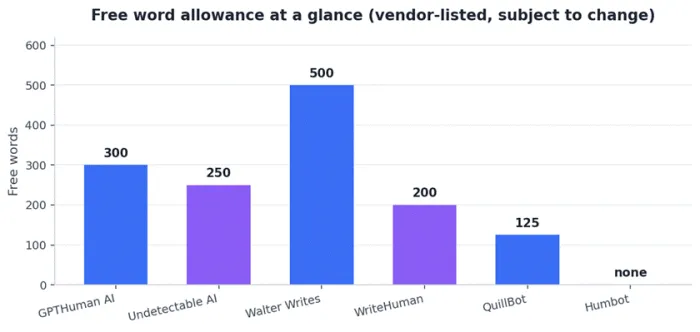
Free word allowances as listed by each vendor during research. One-time versus recurring terms vary by tool and change frequently.
Quick comparison table
| Tool | Best for | Free tier | Entry price (approx.) |
|---|---|---|---|
| GPTHuman AI | Cheap one-off rewrites | 300 words, one-time | Budget tiers, verify on site |
| Undetectable AI | Most established all-rounder | 250 words, one-time | About $9.99/mo |
| Walter Writes AI | Long-form and academic | 500 words/month | Agency-leaning, verify |
| WriteHuman | Seeing every change (diff view) | 200 words, one-time | $12/mo Basic |
| QuillBot | A full writing suite | 125 words per pass | About $19.95/mo Premium |
| Humbot | Light cleanup, short pieces | None | About $14.99/mo |
The alternatives, one by one
Each pick below gets the same treatment: what it is, where it genuinely shines, and what to watch out for. Read the watch-outs as carefully as the strengths. That is where the real decision lives.
Undetectable AI: the safe default
Undetectable AI is the most established name in the category, and it shows in the polish. You paste your draft, pick a readability level from high school up to doctorate, choose a purpose preset like essay or marketing copy, and it rewrites while trying to hold your tone steady. A detector is built into the same workflow, so you can rewrite and re-check without leaving the tab.
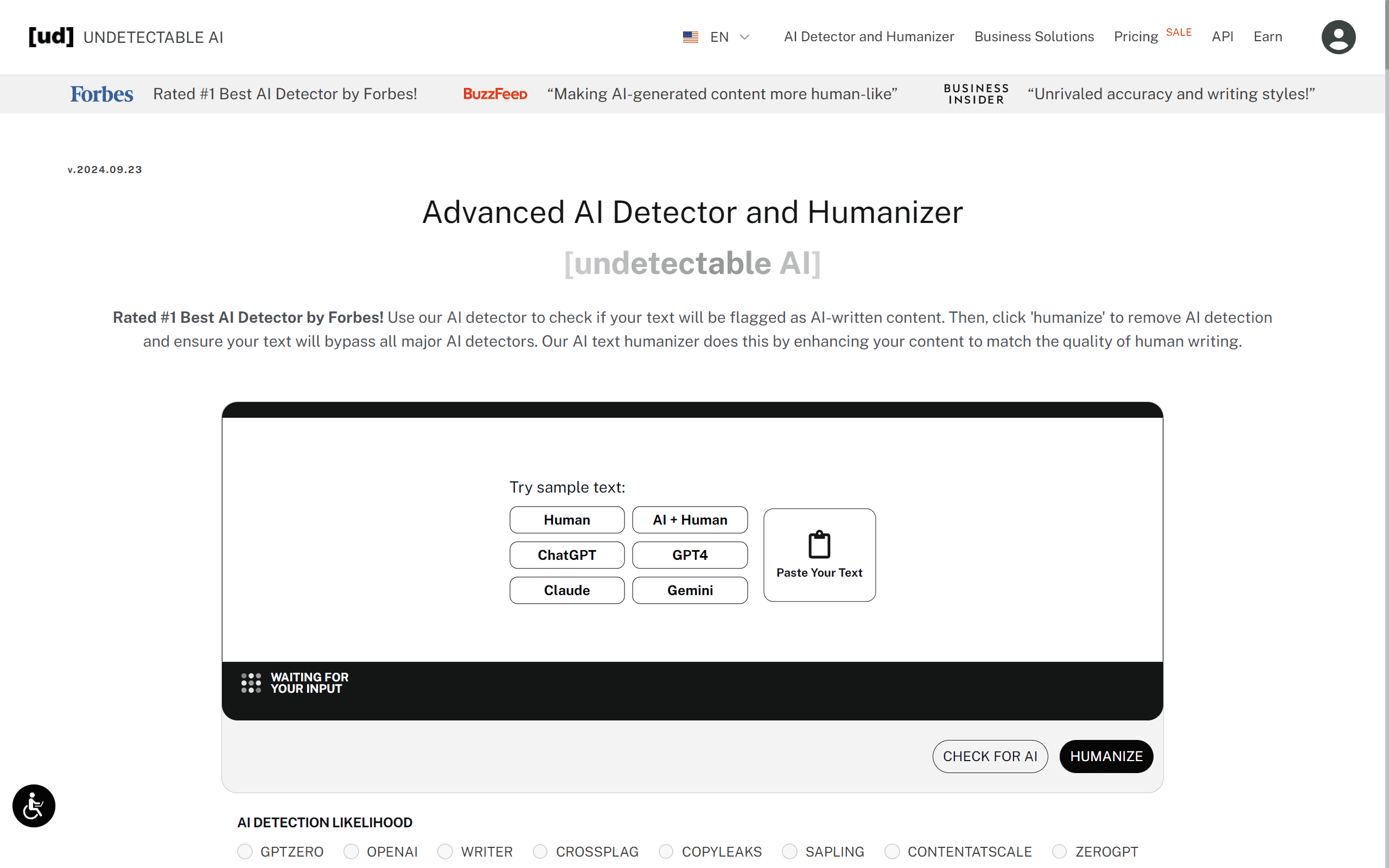
For most people leaving GPTHuman AI, this is the natural first stop. It is straightforward, the yearly pricing is aggressive, and it handles long articles without falling apart. It is the kind of tool to hand to someone who just wants something that works and does not want to think about it.
Where it shines
• Readability presets from high school to doctorate, plus purpose modes.
• Built-in detector so you can verify in the same window.
• Very competitive on annual billing, often the cheapest yearly price in the category.
• Handles long-form drafts more gracefully than most one-click tools.
Watch outs
• The free trial is small, around 250 words, and fills up fast.
• Some reviewers describe the output as readable but occasionally a touch robotic, so plan on a light human edit.
• Premium pricing skews toward professional budgets once you scale up volume.
Bottom line: the sensible default. If you only try one alternative, try this one, then judge the sample against the detector your audience actually uses.
Walter Writes AI: built for long, serious drafts
Walter Writes takes a different technical route than most of the field. Instead of swapping words in place, it restructures at the level of meaning, reading a passage and rebuilding it from the ground up. On long academic content that approach tends to hold together better, because the rhythm changes rather than just the vocabulary.
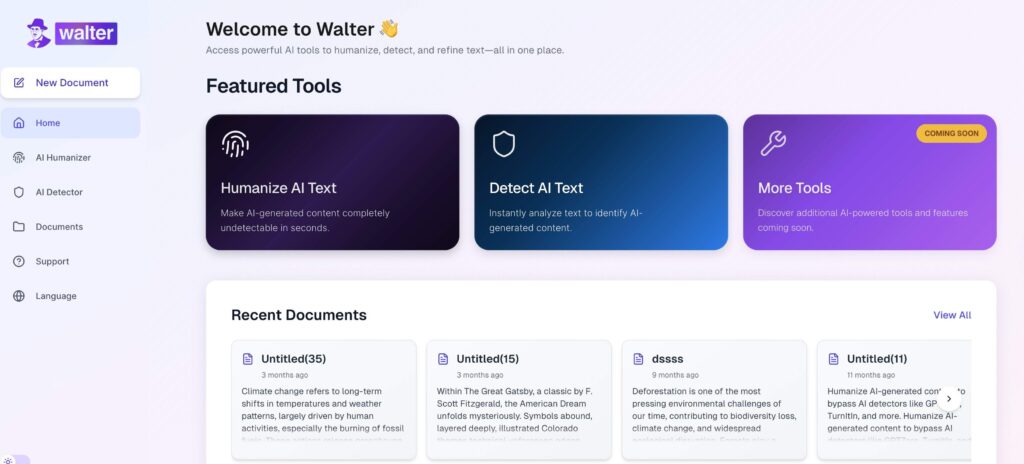
It pairs its humanizer with its own detector, so check-and-fix happens in one loop, and it ships API and MCP connector access for teams automating the work. The catch is that it feels aimed at agencies and power users more than at a student humanizing one essay a month.
Where it shines
• Semantic restructuring rather than synonym rotation, which ages better against modern detectors.
• Strong on long-form and academic writing specifically.
• Humanizer and detector in a single workflow.
• API and MCP access for pipelines, plus a recurring 500 words per month free tier.
Watch outs
• A steeper learning curve than the one-click tools.
• Pricing and framing lean toward agencies, which can feel like overkill for casual use.
Bottom line: the pick when the document is long and the stakes are high, and when you value a rewrite you can verify over one you have to trust.
WriteHuman: when you want to see every change
WriteHuman's standout feature is its diff view. It shows you exactly what changed between your draft and the rewrite, which is a real advantage for careful work where you do not want silent edits slipping past you. It also includes a human-score tracker and lets you wrap words in brackets to protect them from being rewritten, which is handy for names, quotes, and technical terms.
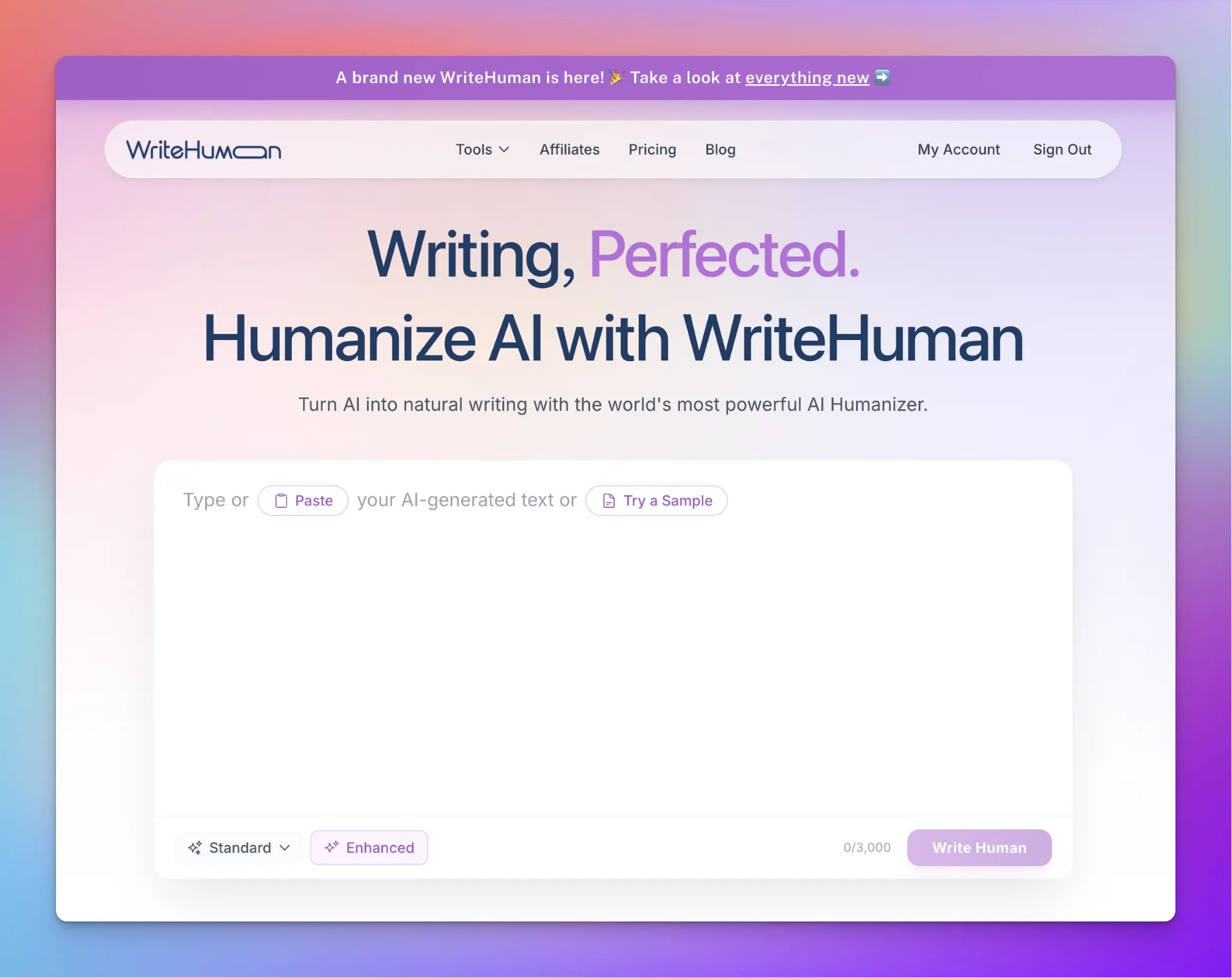
Pricing is friendly for the volume you get, and there is an API plus MCP access if you are building on top of it. The stronger Enhanced rewrite mode sits behind the Pro plan, so the free sample only shows you the Standard engine.
Where it shines
• A visible diff of every change, which synonym-swapping tools simply do not offer.
• Bracket-protect feature to lock names, quotes, and terms.
• Generous word volume per dollar: Basic around $12/month for a large monthly cap.
• API and MCP access, backed by a refund window.
Watch outs
• The free tier is 200 words once, on Standard mode only.
• Enhanced mode requires Pro, so you cannot sample the strongest output for free.
• No grammar suite, so pair it with a separate proofreader if you need one.
Bottom line: the best choice for meticulous editors who want control and transparency over a black-box rewrite.
QuillBot: the writing suite, not a pure humanizer
QuillBot is the odd one out here, and it is important to be honest about why. It is primarily a paraphrasing and grammar suite, and its humanizer is an extension of that paraphraser. It is excellent for tightening sentences, cutting repetition, and cleaning up phrasing, and the free paraphraser is genuinely useful for quick passes.
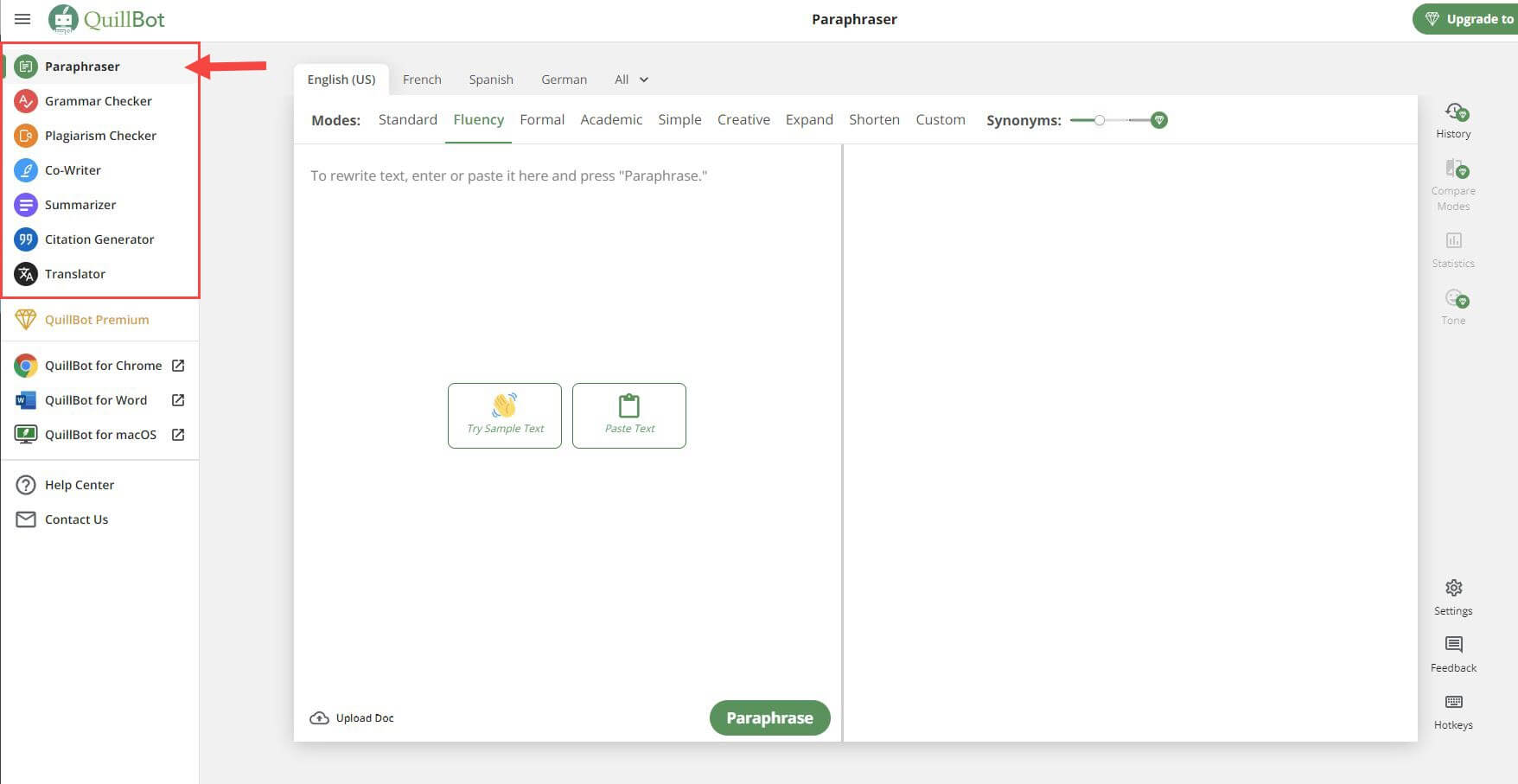
Where it struggles is dedicated detection bypass. Independent testing consistently finds that paraphrase-style rewriting does not change structure deeply enough to fool stricter detectors, so if that is your only goal, a purpose-built humanizer will serve you better. Think of QuillBot as the everyday editing companion rather than the specialist.
Where it shines
• A full toolkit: paraphraser, grammar checker, summarizer, and citation help in one place.
• Free paraphrasing for short passes, roughly 125 words at a time.
• Great for controlled, targeted rewrites where you want precision, not a full transformation.
• Deep integrations with Chrome, Docs, and Word.
Watch outs
• Not a specialist humanizer, and weaker at fooling strict detectors like the academic ones.
• The humanizer mode lives behind Premium, around $19.95/month.
• Overusing paraphrase modes at scale can introduce its own unnatural patterns.
Bottom line: keep it for everyday editing and pair it with a dedicated humanizer if bypass is the actual job.
Humbot: light cleanup for short pieces
Humbot is built for gentler rewrites that make AI-assisted writing read a little more naturally without changing the core message. It works best on short to mid-length text where your draft already mostly holds together and just needs the processed feel sanded off.
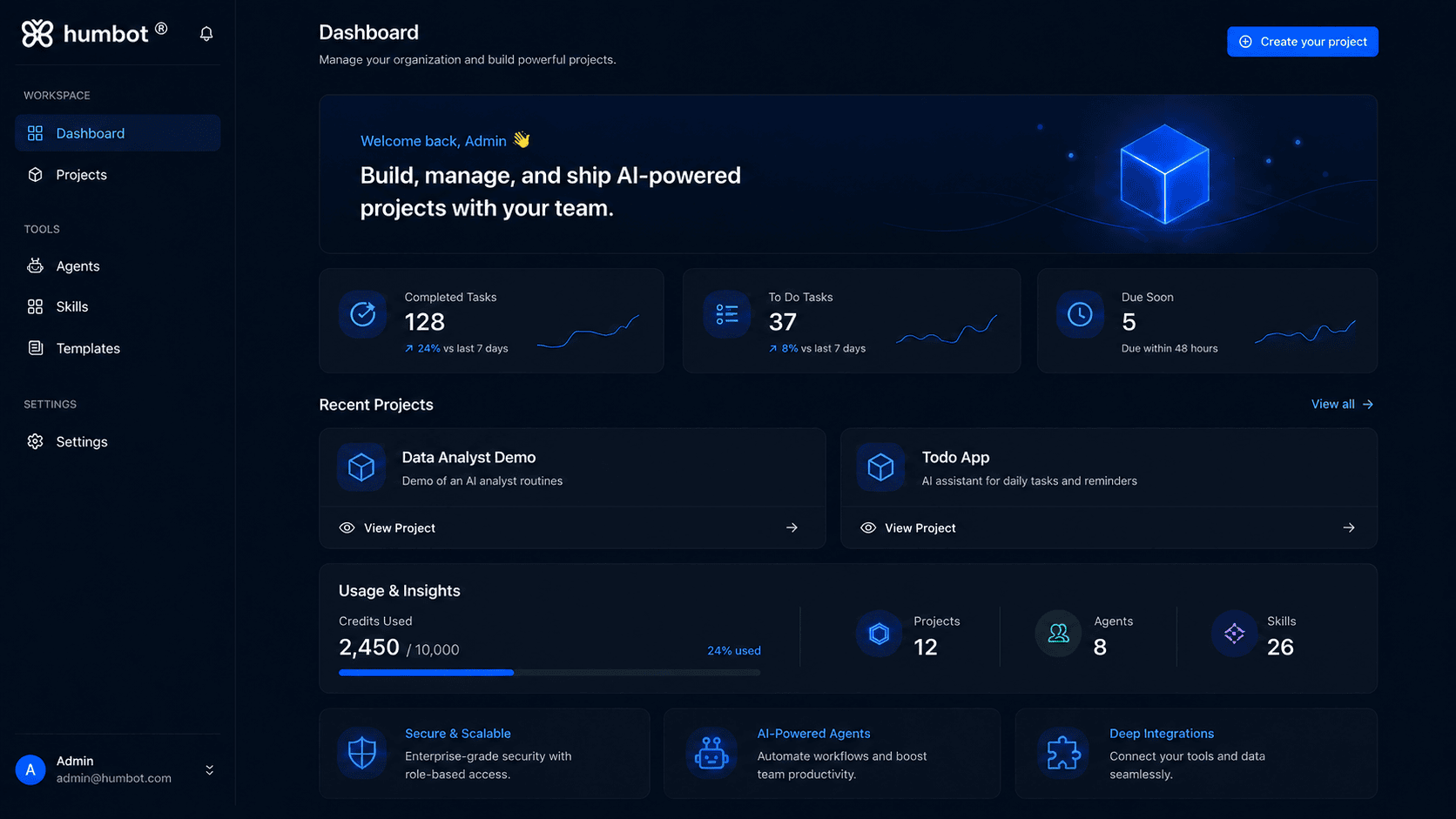
The honest caveat is that it has no free tier at all, so you are paying before you see a single humanized sentence, and independent tests tend to put its bypass rate lower than the top performers. That combination asks you to trust the marketing with your wallet, which is worth weighing.
Where it shines
• Clean, natural cleanup on short-to-mid pieces without a dramatic rewrite.
• Simple, fast, and easy to pick up.
Watch outs
• No free tier, so there is no way to test before paying.
• Bypass rates tend to trail the leaders in independent testing.
• Less suited to long-form or high-stakes academic work.
Bottom line: fine for a light polish on short copy, but the no-free-tier gamble makes it a harder recommendation than the others.
Two more worth knowing: HIX Bypass and Phrasly
HIX Bypass lives inside a broader writing platform, so it suits people who want to draft, rewrite, and polish in one workspace rather than juggling standalone tools. It is geared toward speed and higher volume, which makes it convenient if you already work inside that ecosystem. Just plan on a final human polish before anything ships.
Phrasly is often praised for its essay-focused workflow and citation handling, which makes it a comfortable fit for students who want an all-in-one setup. Watch the billing terms, since the essay UX can nudge you toward plans you do not strictly need.
Side-by-side comparisons
Deep dives are useful, but sometimes you just want the numbers lined up. The chart and tables below pull the key facts together. Remember that pricing and free limits in this category change frequently, so use these as a starting point and confirm on each vendor's page.
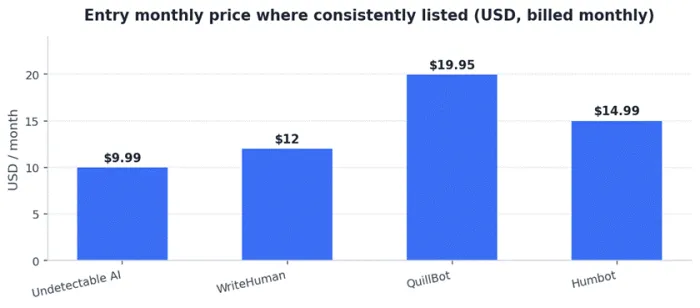
Comparison table: pricing and free tiers
| Tool | Free tier | Free tier type | Entry paid (approx.) | Refund note |
|---|---|---|---|---|
| GPTHuman AI | 300 words | One-time trial | Budget, verify on site | 3-day policy on some plans |
| Undetectable AI | 250 words | One-time trial | ~$9.99/mo | Refund on flagged output |
| Walter Writes AI | 500 words | Recurring monthly | Agency-leaning, verify | Verify current terms |
| WriteHuman | 200 words | One-time trial | $12/mo Basic | 14-day window |
| QuillBot | 125 words | Per-pass daily | ~$19.95/mo Premium | Standard SaaS terms |
| Humbot | None | No free tier | ~$14.99/mo | Verify current terms |
Snapshot figures gathered during research and subject to change. Always confirm before subscribing.
Comparison table: who each tool is really for
| Tool | Ideal user | Skip it if |
|---|---|---|
| GPTHuman AI | Budget users doing occasional one-off rewrites | You write regularly or need polish and support |
| Undetectable AI | Anyone wanting a reliable, low-fuss all-rounder | You need a big free tier before committing |
| Walter Writes AI | Long-form writers, academics, and teams with pipelines | You want one-click simplicity |
| WriteHuman | Careful editors who want to see every change | You need the strongest mode for free first |
| QuillBot | Writers who want a full editing suite daily | Detector bypass is your only goal |
| Humbot | Light polish on short copy | You want to test before paying |
Comparison table: features that matter
| Tool | Built-in detector | Readability / tone modes | Diff view | API / MCP | Grammar suite |
|---|---|---|---|---|---|
| GPTHuman AI | Limited | Yes | No | API | No |
| Undetectable AI | Yes | Yes | No | API | No |
| Walter Writes AI | Yes | Yes | Partial | Yes | No |
| WriteHuman | Yes | Partial | Yes | Yes | No |
| QuillBot | Yes | Yes | No | API | Yes |
| Humbot | Limited | Partial | No | Partial | No |
How to choose, based on what you actually do
Skip the feature checklist for a second and match the tool to your real situation. Here is the shortcut version:
• You just want a solid replacement that works. Start with Undetectable AI. It is the safe default and the annual price is hard to argue with.
• You write long or academic pieces. Walter Writes AI, for the semantic rewriting and the check-and-fix loop in one place.
• You are a careful editor. WriteHuman, so you can see every change and lock the words you do not want touched.
• You want one tool for all your writing. QuillBot, and add a dedicated humanizer only if bypass becomes the real job.
• You are building into a product or pipeline. Look at WriteHuman or Walter Writes for API and MCP access, and read the per-word cost closely.
• You genuinely only need this once in a while. GPTHuman AI's own cheapness still makes sense, or lean on a recurring free tier like Walter Writes for light spot-checks.
Tips to get output that actually reads human
Whichever tool you land on, the result is only as good as how you use it. A few habits make a noticeable difference:
• Always run your own paragraph through the free tier first. One real sample beats every review, including this guide. Test it against the specific detector your reader uses, since a tool tuned for one detector can trail on another.
• Do a human pass after the humanizer. Swap one generic sentence for something only you would write. That small edit does more for authenticity than a second round of rewriting.
• Feed it clean input. Cleaner drafts humanize better. Fix obvious repetition and filler before you paste, not after.
• Protect names, quotes, and data. Use bracket-protect features where they exist so the tool does not quietly reword a citation or a figure.
• Do not over-process. Running text through multiple passes can add its own mechanical patterns. Usually one good pass plus a human edit wins.
• Re-check periodically. Detectors and humanizers evolve together. A tool that clears detection today may not next quarter, so verify rather than assume.
Final thoughts
GPTHuman AI earns its place by being cheap and simple, and for the occasional rewrite that is a perfectly good reason to use it. The moment you start writing regularly, though, the trade-offs it makes to hit that low price start to show, and that is exactly when the alternatives above pull ahead.
If you want a single recommendation to start with, it is Undetectable AI for its balance of price, polish, and reliability. If your work is long or academic, Walter Writes AI is the stronger specialist. If you care about seeing and controlling every change, WriteHuman is built for you. And if you want one everyday writing suite, QuillBot covers that ground, just not the detector-bypass corner of it.
The real advice, though, is simpler than any ranking: test two or three of these on your own writing, check the sample against the detector your audience uses, and always finish with a human edit. The tool narrows the gap. You close it. And keep it honest, disclose AI assistance wherever the rules ask you to.





