AI video looks great… until you try to make it move like a human
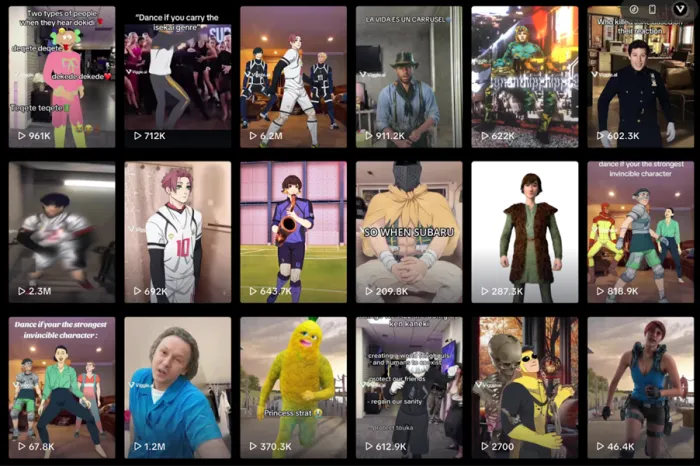
Most AI tools today can generate stunning images. Some can even create decent videos. But the moment you try to make a character actually move like a human, everything starts falling apart. Arms bend weirdly, faces distort, and motion turns into chaos.
That is exactly the gap Viggle AI is trying to fill.
It does not try to create entire cinematic videos. Instead, it focuses on one thing that most tools still struggle with: motion transfer. Take a character, give it movement, and turn it into a usable video.
But once you move past the demo phase and actually use it, the experience becomes a mix of surprisingly good results, creative possibilities, and a few very real frustrations.
This article breaks down what Viggle AI actually is, how it works, and what happens when you push it beyond its comfort zone.
What Viggle AI Actually Is (And What It Is Not)
Viggle AI is not a traditional AI video generator. It does not create scenes from scratch like Runway or Pika. Instead, it works as a motion engine that applies movement to a character based on a reference video or template.
At its core, the system takes two inputs. A character image and a motion source. The AI then maps that movement onto the character and generates a short animated clip.
This makes it fundamentally different from most AI tools. It is not about generating visuals. It is about animating them.
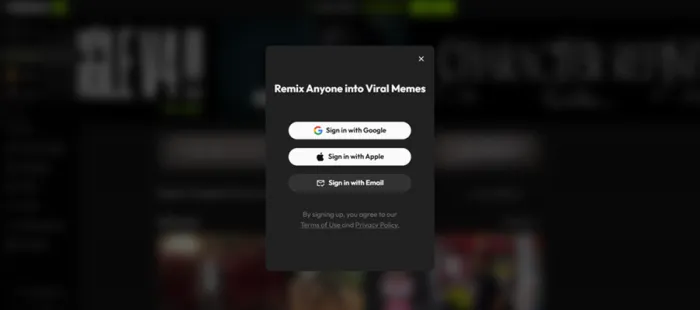
The platform is accessible via web and also integrates login options through Google, Apple, and email. During testing, the signup flow was straightforward, including OTP verification for email-based login, which adds a layer of security without slowing down access significantly.
Once inside, there is no heavy onboarding. The platform drops you directly into templates and generation tools, which immediately signals its focus on quick creation rather than guided workflows.
How Viggle AI Works (In Practice, Not Theory)
Viggle AI operates in a three-step pipeline that feels simple on the surface but behaves differently depending on how you use it.
| Stage | What Happens | Real Impact |
| Input | Upload character image + choose template or motion | Defines quality ceiling |
| Processing | AI maps motion onto character | Where most glitches happen |
| Output | Generates short animated clip | Final usable content |
The first thing visible inside the platform is the template system. Instead of asking for prompts immediately, it shows ready-made scenarios.
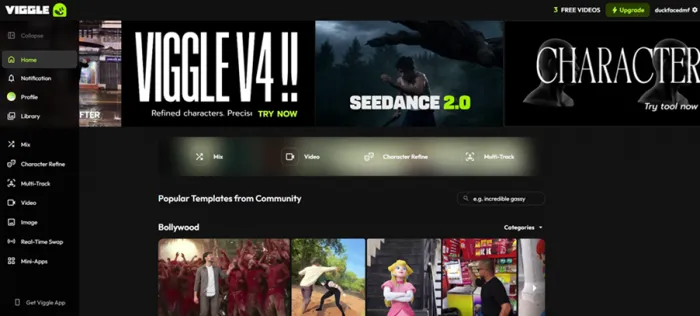
One of the first tests involved selecting a template where a person was making a drink. The character in that scene was replaced by uploading an image of Young Thug.
The system processed the swap and generated a result that was visually convincing for most of the clip. The character alignment was clean, motion tracking worked well, and overall output felt surprisingly usable.
But like most AI video tools, the imperfections showed up in certain frames.
Before vs After: Character Swap Test
Before (Template Scene)
- Original video: person preparing a drink
- Natural human motion, consistent body tracking
After (Generated Output)
- Character replaced with Young Thug image
- Motion preserved across most frames
- Minor glitches during fast hand movement
The important observation here is not perfection. It is usability. For meme content, these imperfections are often acceptable or even part of the charm.
Core Features That Actually Matter
Viggle AI is built around a few core capabilities, but not all of them are equally usable in practice.
Template-Based Animation
The template system is the most accessible feature. It allows users to quickly test motion transfer without needing to upload custom videos.
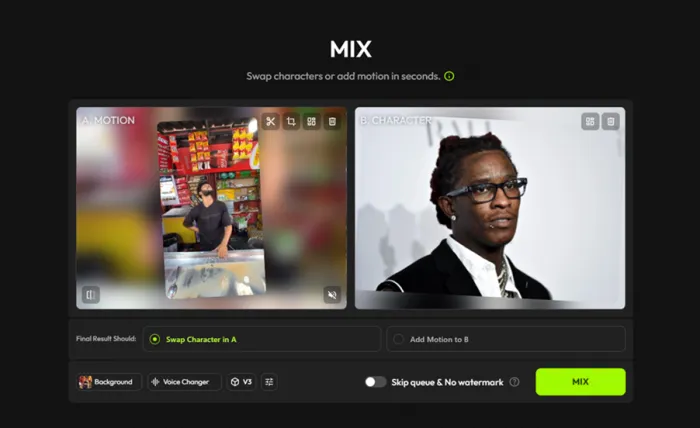
This makes it ideal for first-time users and quick meme creation. The output quality depends heavily on how clean the template motion is.
Here is the link to the output - https://limewire.com/d/3CcVd#filRWZMKpi
Character Refine (Limited Access Reality)
The character refine feature looks promising on paper. It allows users to upload a character image, define attributes, and refine appearance.
During testing, a Peter Griffin image was uploaded. The system asked for a name and a prompt describing appearance and clothing.
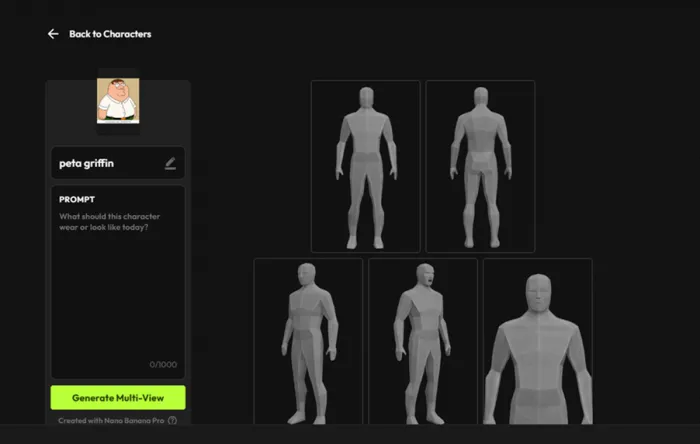
However, this is where the experience breaks.
The feature is locked behind a paid plan, and there is no meaningful free access to test it properly. This creates a gap between what the tool promises and what users can actually evaluate before paying.
Prompt-Based Video Generation (Also Locked)
A prompt was tested:
“Peter Griffin is running in a chaotic footrace… exaggerated cartoon motion, crying, dynamic scene…”
The system again required an upgrade before allowing generation.
This is one of the biggest friction points. The platform introduces capabilities but restricts access before users can evaluate them.
Image Generation (Partially Functional)
Another test involved generating a cartoon-style scene using a detailed prompt involving Lois and Peter Griffin in a chaotic environment.
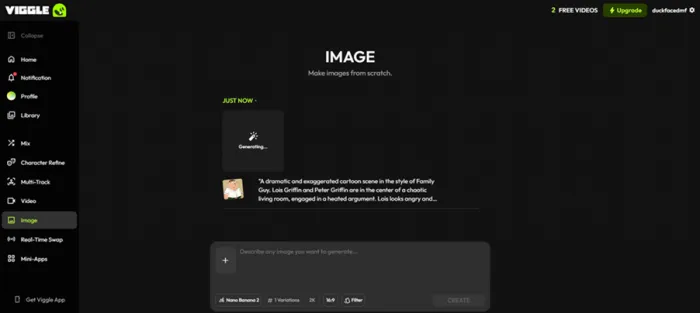
The output was partially aligned with the prompt. Some elements appeared correctly, such as exaggerated expressions and composition. However, overall accuracy was inconsistent.
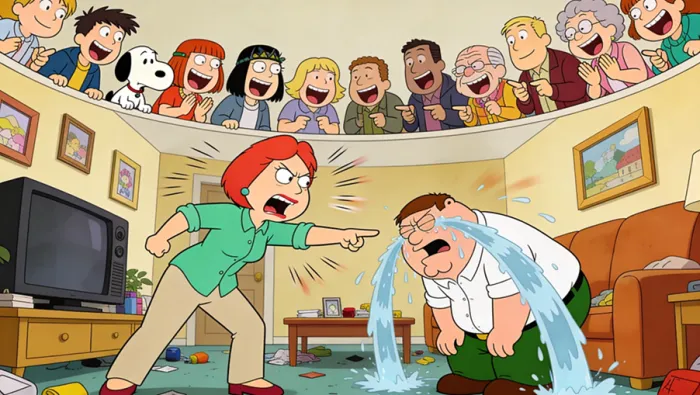
This suggests that image generation is not the platform’s strongest area.
Real Testing: What Actually Happens When You Use It
Test Summary Table
| Feature Tested | Input Type | Result | Verdict |
| Template Swap | Young Thug image | Good motion, minor glitches | Strong |
| Character Refine | Peter Griffin | Locked behind paywall | Limited |
| Prompt Video | Detailed animation prompt | Not accessible (upgrade required) | Weak access |
| Image Generation | Cartoon scene prompt | Partial accuracy | Inconsistent |
Key Observations
The platform performs best when:
- using templates
- working with clean, front-facing images
- keeping motion simple
It struggles when:
- prompts become complex
- motion becomes fast
- features are locked behind plans
Output Quality: Where It Impresses and Where It Slips
Motion Realism
For basic actions, the motion looks natural and stable. The AI handles body movement surprisingly well when the reference is clean.
However, fast motion introduces instability. Hands, arms, and facial elements can distort in certain frames.
Character Consistency
Character identity is preserved well in short clips. But over longer sequences or complex motion, consistency drops.
This makes it suitable for short-form content but unreliable for longer storytelling.
Prompt Accuracy
Prompt-based outputs are less reliable compared to motion-based outputs.
The system performs better when given visual references rather than textual instructions.
Pricing and Plans (Updated from Actual Dashboard)
| Plan | Monthly Price | Credits | Key Limits | Practical Reality |
| Free | $0 | N/A | 3 videos/day, limited sessions | Enough for testing only |
| Pro | $9.99 | 80/month | Unlimited videos, 4 at a time | Entry-level serious use |
| Live | $24.99 | 250/month | 6 concurrent generations | Best balance |
| Max | $79.99 | 800/month | 10 concurrent generations | High-volume users |
Yearly Pricing (Discounted)
| Plan | Monthly Equivalent |
| Pro | $7.99/month |
| Live | $19.99/month |
| Max | $63.99/month |
What Actually Matters in Pricing
- Free plan is heavily restricted
- Core features are locked behind upgrades
- Credits define usage more than features
The biggest issue is not pricing itself. It is the limited ability to test premium features before paying.
Where Viggle AI Works Best
- Meme content creation
- Short-form social media videos
- Quick character animation experiments
Where It Breaks Down
- Advanced prompt-based generation
- Long-form storytelling
- Feature accessibility without payment
- Consistency across multiple outputs
Final Verdict: A Powerful Motion Tool That Still Feels Like a Demo
Viggle AI gets one thing right.
Motion.
It solves a problem that most AI tools still struggle with. The ability to animate characters convincingly, even with minor imperfections, makes it extremely valuable for creators focused on short-form content.
But the experience is uneven.
The best features are either limited or locked behind paywalls. The free version shows potential but does not allow meaningful exploration of the tool’s full capabilities.
The result is a tool that feels impressive at first, useful in specific cases, but incomplete as a full creative system.
Viggle AI is not a complete video tool.
It is a motion engine for creators who already know how to use it.