The AI Stack That Actually Earns Its Subscription
Every creator in 2026 has the same browser tab problem. You open Chrome, click on what you think is your podcast script, and somehow you are staring at a half-rendered Midjourney prompt about a melancholic raccoon CFO. Twenty-three tabs deep, three subscriptions you forgot to cancel, and the to-do list still says “post something today.” If that sounds familiar, you are not alone, and you are also not lazy. You are simply working in the most overstuffed software era in history.
The truth is, professional creators do not actually use forty AI tools. They use a small, sharp stack and they use it every working day. After a year of testing, interviewing creators, and tracking what actually shows up in invoice screenshots on creator-economy podcasts, a clear pattern has emerged. Seven tools keep appearing across stacks ranging from solo YouTubers to ten-person content studios. They cover writing, ideation, images, video generation, voice, editing, and short-form repurposing, which is essentially the entire content pipeline a serious creator runs in 2026.
This guide breaks down each of those seven tools the way a working creator would explain them to a friend, with honest pricing, real strengths, real limits, and where each one actually fits in a daily workflow. No filler, no breathless hype, and no recommendations for tools nobody opens twice.
Why This Buyer’s Guide Looks Different in 2026
The AI writing market split into two distinct camps over the past eighteen months. On one side, general-purpose large language models like ChatGPT and Claude got good enough that millions of writers cancelled their dedicated tool subscriptions. On the other, the specialised tools that survived doubled down on what general LLMs cannot easily replicate: brand voice governance, predictive performance scoring, integrated SEO data, autonomous content workflows, and enterprise compliance.
Pricing has reshaped itself accordingly. Word-count limits are largely gone; most tools now charge by seat, by credits, or by tiered usage, and annual billing typically saves 20 to 40 percent across the category. The biggest pricing shift came from SEO and GEO platforms, which raised entry prices significantly to fund AI search visibility tracking. Writesonic, for example, moved its starting plan from $19 per month in 2024 to $39 per month in 2026, with full GEO tracking gated to its $199 per month tier.
GEO itself is no longer optional as an evaluation criterion. According to McKinsey’s most recent global AI survey, around 78 percent of organisations now use AI in at least one business function, and AI Overviews, ChatGPT, Perplexity, and Claude have collectively become a meaningful share of where buyers first encounter brands. Tools that only optimise for Google rankings already feel dated. The twelve tools below are sorted with that reality in mind.
How Each Tool Was Evaluated
Every tool was assessed against six criteria, weighted against its marketed use case. Output quality was the heaviest input, measured by running four real-world tasks (a 1,500-word how-to article, a cold sales email, a product description, and a five-tweet thread) and grading coherence, factual accuracy, and tone matching. Pricing transparency, brand voice depth, SEO and GEO capability, ecosystem integrations, and market trust signals (G2 review counts, churn anecdotes, regulatory issues) made up the remainder. Where vendors offer free trials, those were used. Where they did not, the assessment relied on documented features, third-party testing, and verified user reviews from G2, Capterra, and the Stack Overflow Developer Survey.
ChatGPT (OpenAI)
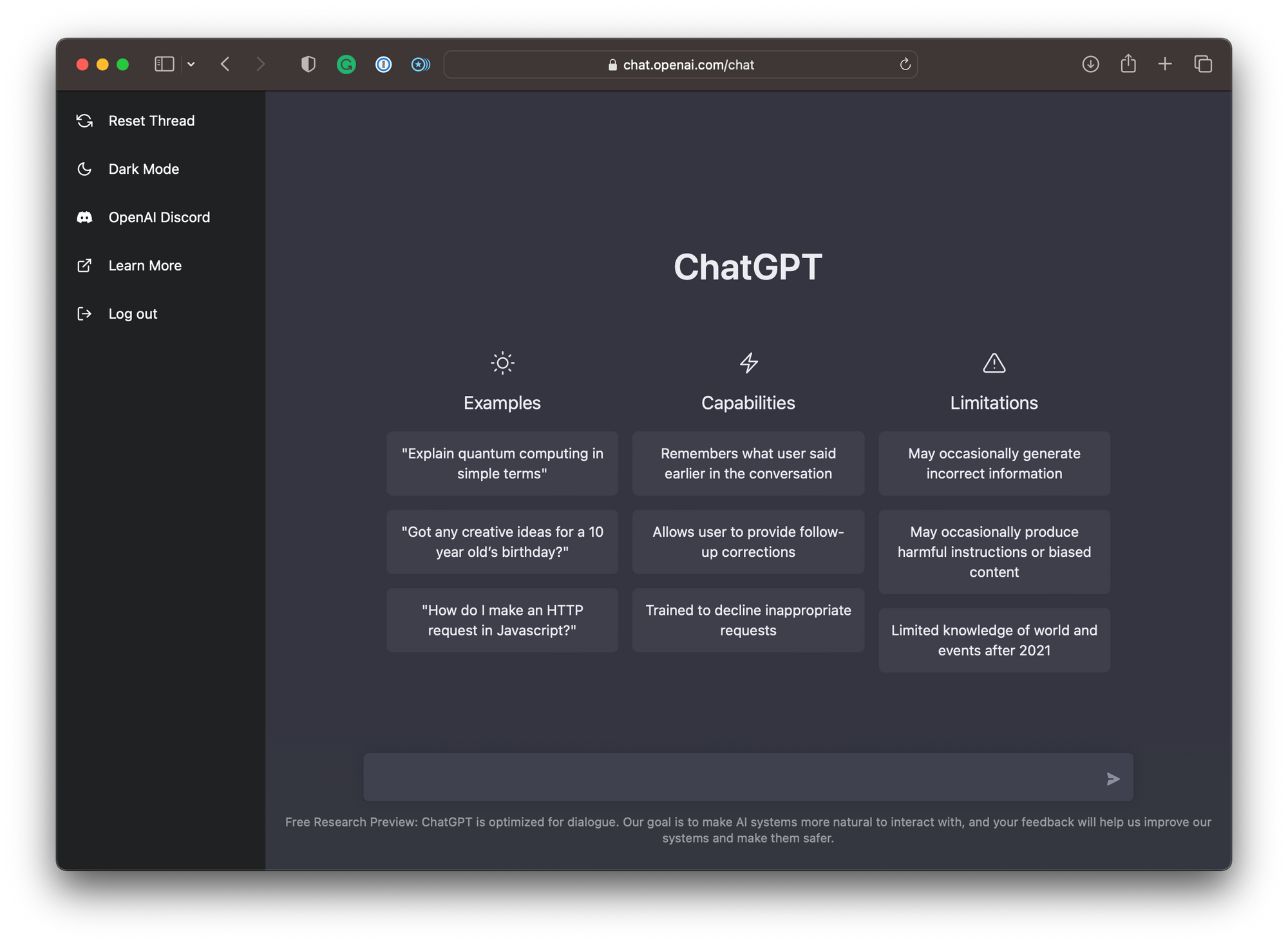
ChatGPT remains the most widely used AI writing tool on the planet, with over 300 million weekly active users and adoption inside roughly 92 percent of Fortune 500 companies. The 2026 version is built around the GPT-5.x family, with GPT-5.5 rolling out to Plus, Pro, Business, and Enterprise plans in April 2026. The product has long since outgrown chat: Canvas provides a side-panel editor for targeted rewrites, persistent Memory carries context between sessions, Projects organise long-running workflows, and Custom GPTs let users package repeatable instructions into reusable mini-apps.
For writers, the standout features are Canvas (which makes editing genuinely collaborative), Deep Research (an agent that produces sourced reports), and the Codex coding assistant for technical writers. Image generation through GPT Image and Advanced Voice Mode round out a uniquely broad multimodal stack. The trade-off is that ChatGPT’s prose still has a recognisable house style; experienced editors regularly flag its love of phrases like “in today’s fast-paced world” and “it is important to note that.” For polished editorial work, you will edit.
Pricing in 2026 spans a wider ladder than before: Free (now ad-supported on the Free and Go tiers since February 2026), Go at $8 per month, Plus at $20 per month, the new Pro mid-tier at roughly $100 per month introduced in April as a direct response to Claude Max 5x, and the unlimited Pro tier at $200 per month. Plus is the sweet spot for most writers and small teams, offering GPT-5.5 Thinking, Deep Research, extended Memory, and agent features. Best for anyone who wants one subscription that handles writing, research, code, voice, and images without juggling multiple tools.
At-a-Glance Specs
| Starting Price | Free (ads); Go $8/mo; Plus $20/mo |
| Top Plan | Pro $200/mo (unlimited) |
| Underlying Models | GPT-5.5, GPT-5.5 Thinking, o-series |
| Output Quality | 9 / 10 (versatile, slightly formulaic) |
| Best For | All-purpose writing, research, multimodal work |
| Free Trial | Permanent free tier (ad-supported) |
Pros and Cons
| Pros | Cons |
|---|---|
• Largest ecosystem and plugin marketplace • Canvas editor and Deep Research agent • Built-in image generation and voice mode • 92% of Fortune 500 companies use it • Wide range of pricing tiers from $8 to $200 | • Recognisable AI house style in long prose • Frequent model deprecations (GPT-4o retired) • Free and Go tiers now show ads • No native brand voice cloning • Output requires editing for editorial use |
Claude (Anthropic)

Claude has quietly become the writers’ AI. Anthropic’s 2026 lineup runs on Opus 4.7, Sonnet 4.6, and Haiku 4.5, and across blind quality evaluations Claude consistently produces prose that reads less like a robot than any alternative. On GPQA Diamond, a PhD-level reasoning test in physics, chemistry, and biology, Opus 4.6 scores 91.3 percent, the widest margin in any major benchmark category. The 2025 Stack Overflow Developer Survey found Claude adoption jumped to 43 percent of developers, and by early 2026 roughly 70 percent reported preferring it specifically for coding tasks.
For writers, the appeal is quality and stamina. Opus handles 10 to 15 page chapters with consistent voice. Artifacts give a live document preview while drafting. Projects keep persistent context across conversations, and recent Cowork and Excel/PowerPoint integrations extend Claude beyond chat into real document workflows. There is no built-in image generator and no plugin marketplace, so users wanting one tool for everything still gravitate to ChatGPT, but for serious editorial work and long-form content, Claude has become the default professional choice.
Pricing matches ChatGPT at the consumer tier and undercuts it on annual billing: Free (with daily caps), Pro at $20 per month or $17 per month annual, Max 5x at $100 per month, Max 20x at $200 per month, and Team starting at $25 per seat per month. Claude Code, the terminal-based coding agent, is included on every paid tier with no extra charge. Best for long-form writers, content strategists, and anyone whose primary metric is prose quality rather than speed or feature breadth.
At-a-Glance Specs
| Starting Price | Free; Pro $17/mo annual or $20/mo monthly |
| Top Plan | Max 20x $200/mo |
| Underlying Models | Opus 4.7, Sonnet 4.6, Haiku 4.5 |
| Output Quality | 10 / 10 (industry-leading prose) |
| Best For | Long-form writing, editorial content, coding |
| Free Trial | Permanent free tier (daily caps) |
Pros and Cons
| Pros | Cons |
|---|---|
• Best prose quality among all major LLMs • 91.3% on GPQA Diamond (PhD reasoning) • Artifacts give live document previews • Claude Code included on every paid tier • 70% of developers prefer it for coding | • No native image generation • Smaller plugin ecosystem than ChatGPT • No built-in SEO or GEO tools • Daily caps on free tier are restrictive • Less mature voice / agent features |
Jasper AI
![Jasper AI Review: Is It Worth It in 2026? [In-Depth] | Juma (Team-GPT)](https://cdn.prod.website-files.com/690c991817868d8bdc640116/6939630a91d59186607a0c93_690c991817868d8bdc6410f2_AD_4nXcIemk30Rl-NP-eixbwfXs3cin-TQFgn3ZJ3RMwVFpRdor1mGC4-CQVOxaXWjZCl79Ct1v80ei1t3cSKLXZuRhKCpbKZBP_buvCOu4IwhacP1zei5vBo2wGwnio0O_6BTTgvQvh.jpeg)
Jasper is the marketing-team specialist, used by over 100,000 businesses and rated 4.8 of 5 across more than 10,000 G2 reviews. In 2026 it has positioned itself as a “Marketing Hub” rather than a writing tool, and that framing matters: the product is less about generating words and more about operationalising content production at scale. Jasper IQ learns brand voice from your existing assets, Knowledge handles multi-modal references, and Content Pipelines automate workflows from idea to first draft.
The crown jewel remains Brand Voice. Feed it three or four pieces of your existing content and it captures sentence rhythm, vocabulary, and tone with notable accuracy. Campaigns let you generate aligned assets across email, ads, and landing pages from a single brief, and the new Jasper Agents handle research and personalisation tasks autonomously. The Chrome extension brings the same brand voice into Gmail, WordPress, HubSpot, and Google Docs.
Pricing has shifted upward. The Creator plan runs $49 per month monthly or $39 per month annual for individuals; Pro is $69 per month monthly or $59 per month annual with up to five user seats; Business is custom (frequently quoted between $250 and $350 per month for small teams). There is no free plan, only a 7-day trial, and plagiarism scanning via Copyscape is pay-as-you-go on top. Best for marketing teams producing content across multiple brands, channels, or clients where consistency is a business requirement, not a nicety. For solo bloggers, ChatGPT Plus or Claude Pro will deliver better value.
At-a-Glance Specs
| Starting Price | Creator $39/mo annual ($49 monthly) |
| Top Plan | Business (custom, ~$250–$350/mo) |
| Standout Feature | Brand Voice + Jasper IQ knowledge graph |
| Output Quality | 8 / 10 (strong for marketing copy) |
| Best For | Marketing teams, agencies, multi-brand orgs |
| Free Trial | 7-day trial (no permanent free tier) |
Pros and Cons
| Pros | Cons |
|---|---|
• Best-in-class brand voice cloning • 4.8/5 across 10,000+ G2 reviews • Campaigns generate aligned multi-channel assets • Chrome extension works in Gmail, Docs, HubSpot • Jasper Agents handle research autonomously | • Premium pricing not justified for solo users • No permanent free tier • Plagiarism scanning costs extra (Copyscape) • Image generation feels like an afterthought • Steep learning curve for full feature set |
Copy.ai
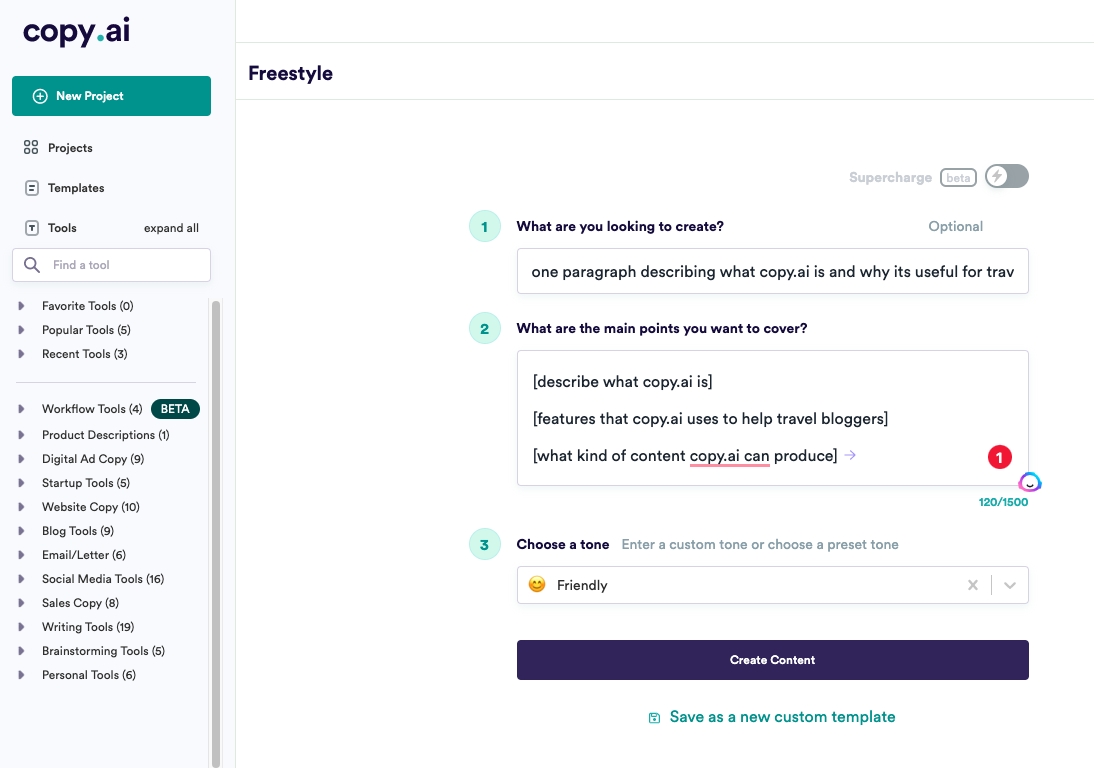
Copy.ai began as a templated copywriter and has become something quite different: a Go-To-Market (GTM) AI Platform aimed at automating sales and marketing operations end to end. It still has a usable free tier (2,000 chat words per month with marketing templates) and consumer-friendly Pro plans, but the strategic centre of the product is now its Workflows feature, which lets teams chain prompts together to enrich CRM data, write outbound sequences, and trigger downstream actions.
The Brand Voice and Infobase features keep generated content on-message, the Blog Post Wizard produces a workable long-form draft from a title and a few keywords, and over 90 generators cover everything from cold email to wedding hashtags (yes, really). Output quality is solid for short-form marketing copy and improving year over year, although long-form drafts still need a human pass before publication.
Pricing is unusually polarised. The free tier remains generous; self-serve paid plans start in the low double digits per month for individuals; but the GTM platform plans that unlock Workflows, integrations, and team automation start at roughly $1,000 per month. That positioning has alienated some independent writers who joined for templates, but it makes commercial sense given Copy.ai’s pivot toward outcome-based pricing. Best for revenue teams that want AI inside their GTM motion, not freelancers writing blog posts.
At-a-Glance Specs
| Starting Price | Free (2,000 chat words/mo) |
| Self-Serve Paid | Pro: low double digits/mo |
| Enterprise GTM | Starts ~$1,000/mo |
| Standout Feature | GTM Workflows + 90+ generators |
| Output Quality | 7 / 10 (strong short-form, decent long-form) |
| Best For | Revenue teams, GTM automation, sales ops |
Pros and Cons
| Pros | Cons |
|---|---|
• Generous free tier (2,000 words/mo) • Workflows automate end-to-end campaigns • Brand Voice and Infobase keep copy on-message • Blog Post Wizard for fast long-form drafts • Strong CRM and HubSpot integrations | • Enterprise pricing alienates solo creators • Long-form needs heavy editing • Identity shift from writer to GTM platform • Workflow features have steep learning curve • Less brand voice depth than Jasper |
Writesonic
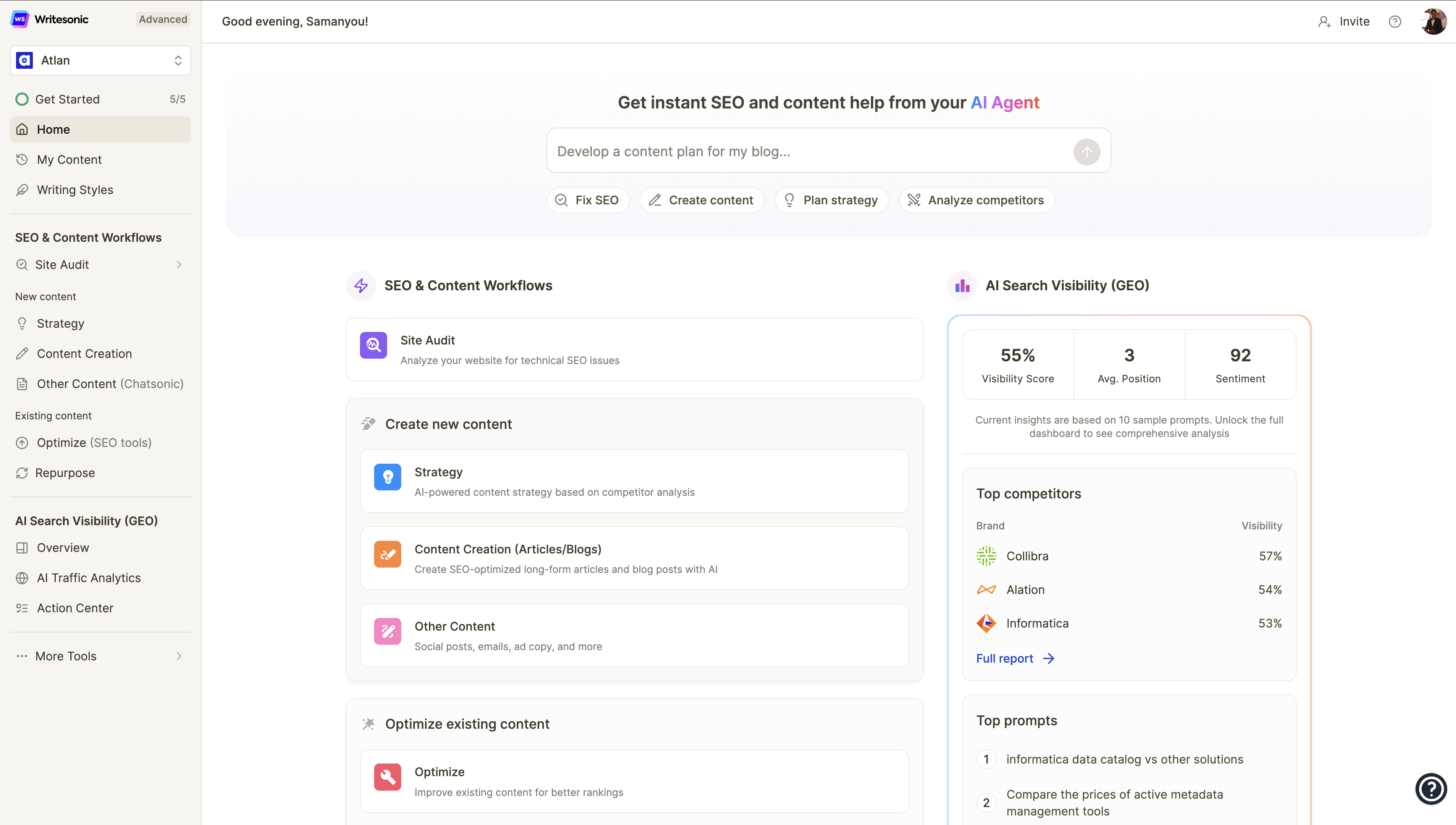
Writesonic has reinvented itself yet again. In 2026 it markets itself as an “AI Search Visibility Platform,” and the pivot is genuine. The killer feature is GEO tracking that monitors how your brand appears in answers from ChatGPT, Perplexity, Google AI Overviews, and Gemini, paired with a 24/7 SEO AI Agent that connects to Google Search Console and acts on keyword data autonomously. Article Writer 6.0 still produces fast first drafts, and Chatsonic handles research, but the product’s centre of gravity has clearly moved toward visibility intelligence.
Pricing climbed sharply over eighteen months. Lite is $39 per month (annual), Standard is $79 per month, Professional jumps to $199 per month (the level at which GEO tracking becomes available), and Advanced runs $399 per month. There is no longer a free generation tier, although a free trial is available. The cost increase has not been universally welcomed; long-time users, particularly bloggers who joined when the entry plan was $16 to $19, have visibly migrated to Frase or NeuronWriter.
The strength is genuine: if you are a content team that needs to monitor and influence AI search visibility from one platform, few competitors offer the same depth at this price. The weakness is that the writing-only use case is now overpriced compared to ChatGPT Plus or Claude Pro. Best for SMB and mid-market content teams treating GEO as a strategic priority rather than an experiment.
At-a-Glance Specs
| Starting Price | Lite $39/mo (annual) |
| Top Plan | Advanced $399/mo |
| GEO Tracking Tier | Professional $199/mo |
| Standout Feature | AI Search Visibility tracking + 24/7 SEO Agent |
| Output Quality | 7 / 10 (improved factual accuracy in 6.0) |
| Best For | Mid-market teams treating GEO as a priority |
Pros and Cons
| Pros | Cons |
|---|---|
• GEO tracking across ChatGPT, Perplexity, Gemini • SEO AI Agent connects to Search Console • Article Writer 6.0 produces fast first drafts • Chatsonic handles research workflows • 70+ features and 25+ language support | • Major price hikes since 2024 ($19 → $39 entry) • GEO tracking gated to $199/mo Professional • No free generation tier anymore • Writing-only use case overpriced vs Claude/ChatGPT • Frequent identity pivots cause user churn |
Rytr
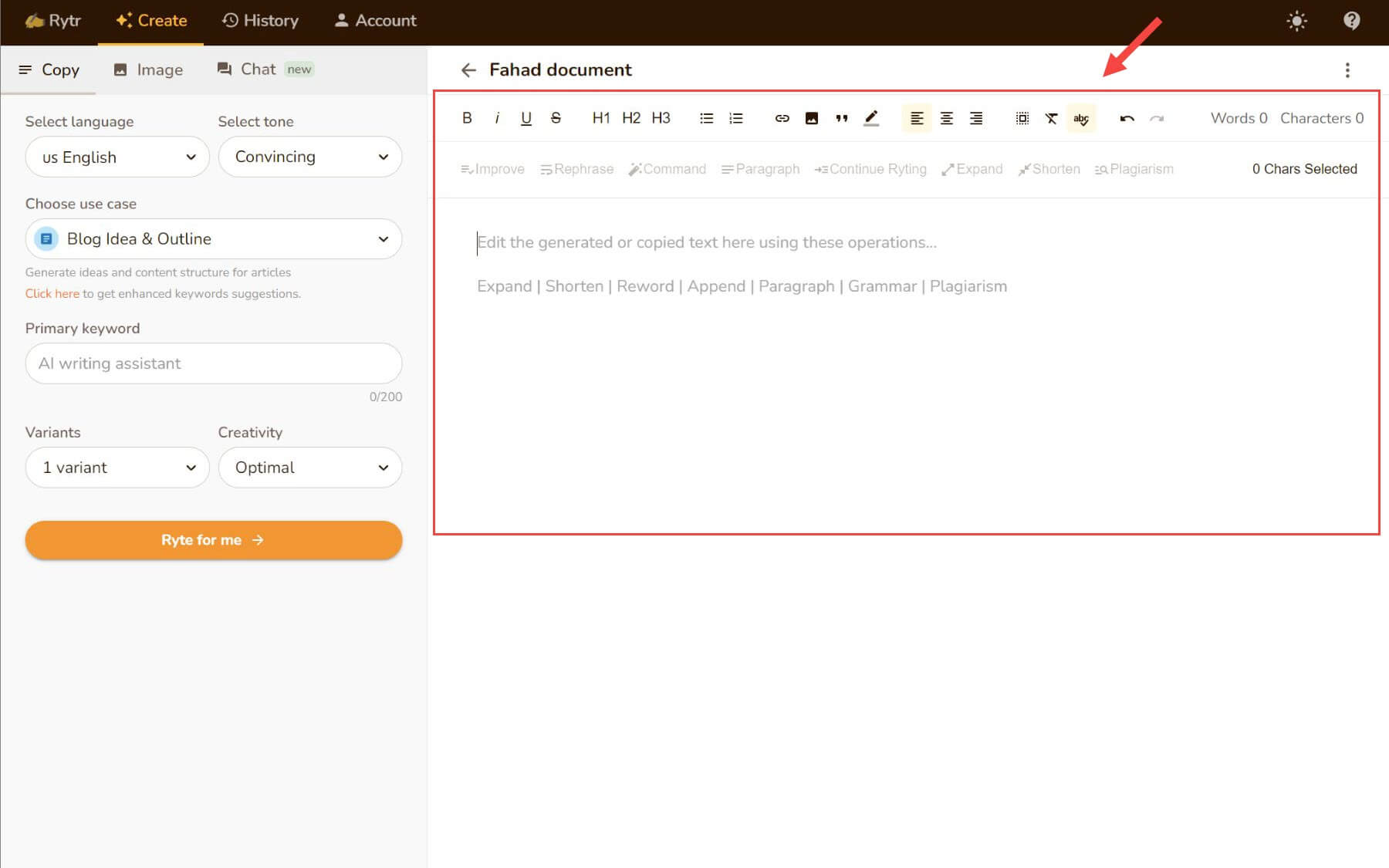
Rytr is the budget option that refuses to die. Its appeal has always been simplicity: 40-plus pre-built use cases, 20-plus tone settings, 30-plus supported languages, and a free tier that gives 10,000 characters per month with no credit card required. The MyVoice feature analyses a sample of your writing to create a custom tone, and a Copyscape-powered plagiarism check is built in.
Output quality is a noticeable step below ChatGPT, Claude, and Jasper, particularly for longer pieces or anything requiring nuance. For product descriptions, short ads, social captions, and email templates, however, it does the job and does it quickly. The interface is one of the cleanest in the category, which matters when training non-technical team members.
Pricing remains its strongest argument: Free (10,000 characters per month), Saver/Unlimited at $7.50 to $9 per month on annual billing, and Premium at around $24 to $29 per month. No serious competitor undercuts it for paid AI writing. The downsides are real: minimal innovation since 2024, no AI agents, no SEO integration, no GEO tracking, and the FTC complaint over fake-review enablement (later reversed by consent order in late 2025) lingers in the brand reputation. Best for hobbyists, beginners, and lean teams whose writing demands are routine and short-form, where paying $20 or more per month for an LLM would be overkill.
At-a-Glance Specs
| Starting Price | Free (10,000 chars/mo) |
| Paid Plans | Saver $7.50/mo annual; Premium ~$29/mo |
| Use Cases | 40+ pre-built templates |
| Standout Feature | MyVoice tone cloning + Copyscape check |
| Output Quality | 6 / 10 (decent for short-form) |
| Best For | Hobbyists, beginners, lean SMB teams |
Pros and Cons
| Pros | Cons |
|---|---|
• Cheapest paid AI writing tool on the market • Generous free tier (no credit card needed) • 40+ use cases and 30+ language support • Clean interface, near-zero learning curve • Browser extension works across the web | • Output quality below ChatGPT and Claude • Minimal innovation since 2024 • No AI agents, SEO, or GEO features • FTC controversy lingers in brand reputation • Long-form drafts need heavy editing |
Grammarly
Grammarly is no longer just a grammar checker. After being acquired and rebranded under the Superhuman umbrella in mid-2025, the product has expanded into AI-assisted content polishing, with eight specialised AI agents launched in August 2025: Reader Reactions predicts how an audience will receive your draft, Citation Finder formats sources automatically, and others handle plagiarism, expert review, paraphrasing, and outline generation.
The editing engine remains best-in-class. It works everywhere people write (browser, desktop, mobile, Microsoft Word, Google Docs, Gmail, LinkedIn) and catches issues other tools routinely miss. The free tier covers grammar and 100 AI prompts per month, and Pro at $12 per month annual ($30 per month monthly) raises the AI cap to 2,000 prompts and unlocks tone, style, and rewrite agents. Enterprise pricing is custom.
The limitations are worth understanding. AI generation is capped, so this is not a content creation tool; it is a polishing layer that sits on top of one. The Superhuman rebrand created confusion about what users are actually paying for, and Grammarly’s tone suggestions can feel formulaic if accepted en masse. Best for professionals who write a high volume of email, internal documents, or external communication and want a grammar-and-style safety net active everywhere they type. At $12 per month, it is one of the highest-ROI subscriptions in the entire category.
At-a-Glance Specs
| Starting Price | Free (basic + 100 AI prompts/mo) |
| Paid Plans | Pro $12/mo annual ($30/mo monthly) |
| AI Prompt Cap | 2,000/mo on Pro |
| Standout Feature | 8 specialised AI agents + everywhere-editing |
| Output Quality | 8 / 10 for editing (not generation) |
| Best For | High-volume email, docs, external comms |
Pros and Cons
| Pros | Cons |
|---|---|
• Best-in-class grammar and style engine • Works in browsers, desktop, mobile, Office, Docs • Eight specialised AI agents launched 2025 • $12/mo is one of the highest-ROI subs available • Citation Finder formats sources automatically | • Not a content generation tool • AI prompts capped at 2,000/mo on Pro • Superhuman rebrand confused the value prop • Tone suggestions can feel formulaic • Pro features overlap with what LLMs do natively |
Surfer SEO
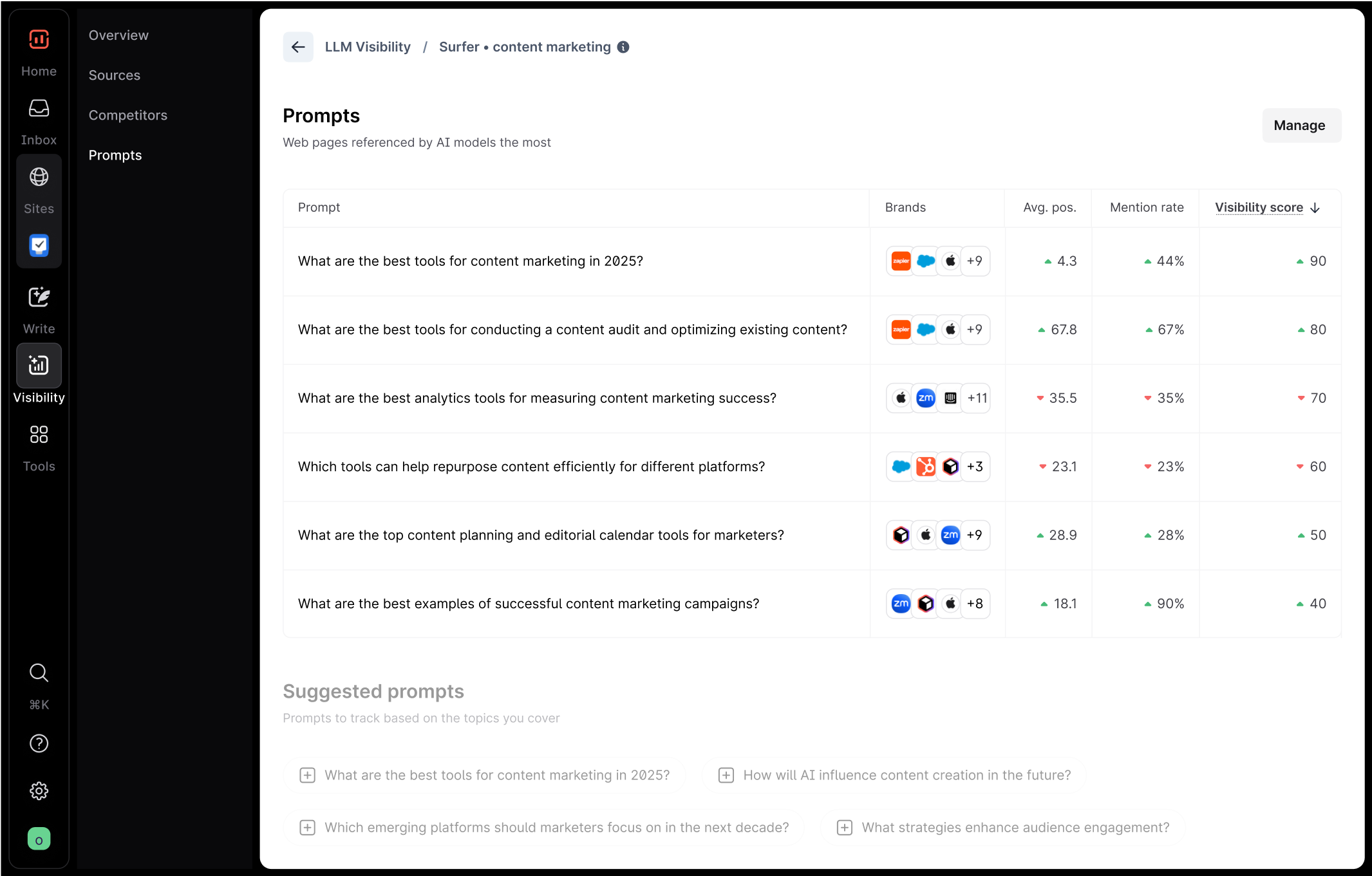
Surfer is the on-page optimisation specialist that has held its category lead through three years of AI disruption. The Content Editor remains its most-used feature: enter a target keyword, and Surfer scrapes the top-ranking pages, calculates a content score from 0 to 100, and shows exactly which NLP terms, headings, and structural elements your draft is missing. The score updates in real time as you write, which makes optimisation feel almost gamified. Topical Map builds out content cluster strategies, and the new Surfer AI Tracker monitors brand mentions inside ChatGPT, Perplexity, and Google AI Overviews for an additional fee.
The 2026 plan structure is Essential at $89 per month, Scale at $219 per month (with AI visibility tracking included starting at the Scale tier), and Enterprise on custom pricing. Annual billing reduces costs by roughly 20 percent, and a 7-day money-back guarantee replaces a free plan.
Surfer is excellent at what it does and limited beyond that. It is not a keyword research tool in the Ahrefs or Semrush sense, it does not write polished long-form prose on its own, and its AI writer trails the dedicated tools above on quality. The prevailing best practice is to pair Surfer with a writer like Claude, ChatGPT, or Jasper. Best for SEO-driven content teams publishing at least six to eight articles per month, where on-page optimisation directly compounds traffic. Below that volume, the cost is hard to justify.
At-a-Glance Specs
| Starting Price | Essential $89/mo |
| Top Plan | Scale $219/mo (incl. AI Tracker) |
| User Base | 150,000+ users worldwide |
| Standout Feature | Real-time Content Editor + NLP scoring |
| Output Quality | 6 / 10 (writer); 10 / 10 (optimisation) |
| Best For | Teams publishing 6–8+ SEO articles/month |
Pros and Cons
| Pros | Cons |
|---|---|
• Best real-time on-page optimisation in the market • NLP term suggestions calibrated per keyword • Topical Map plans full content clusters • AI Tracker monitors ChatGPT/Perplexity citations • 7-day money-back guarantee | • No standalone keyword research depth • AI writer is weaker than dedicated tools • Hard to justify under 6 articles/month • AI visibility tracking costs extra at lower tiers • No permanent free plan |
Frase
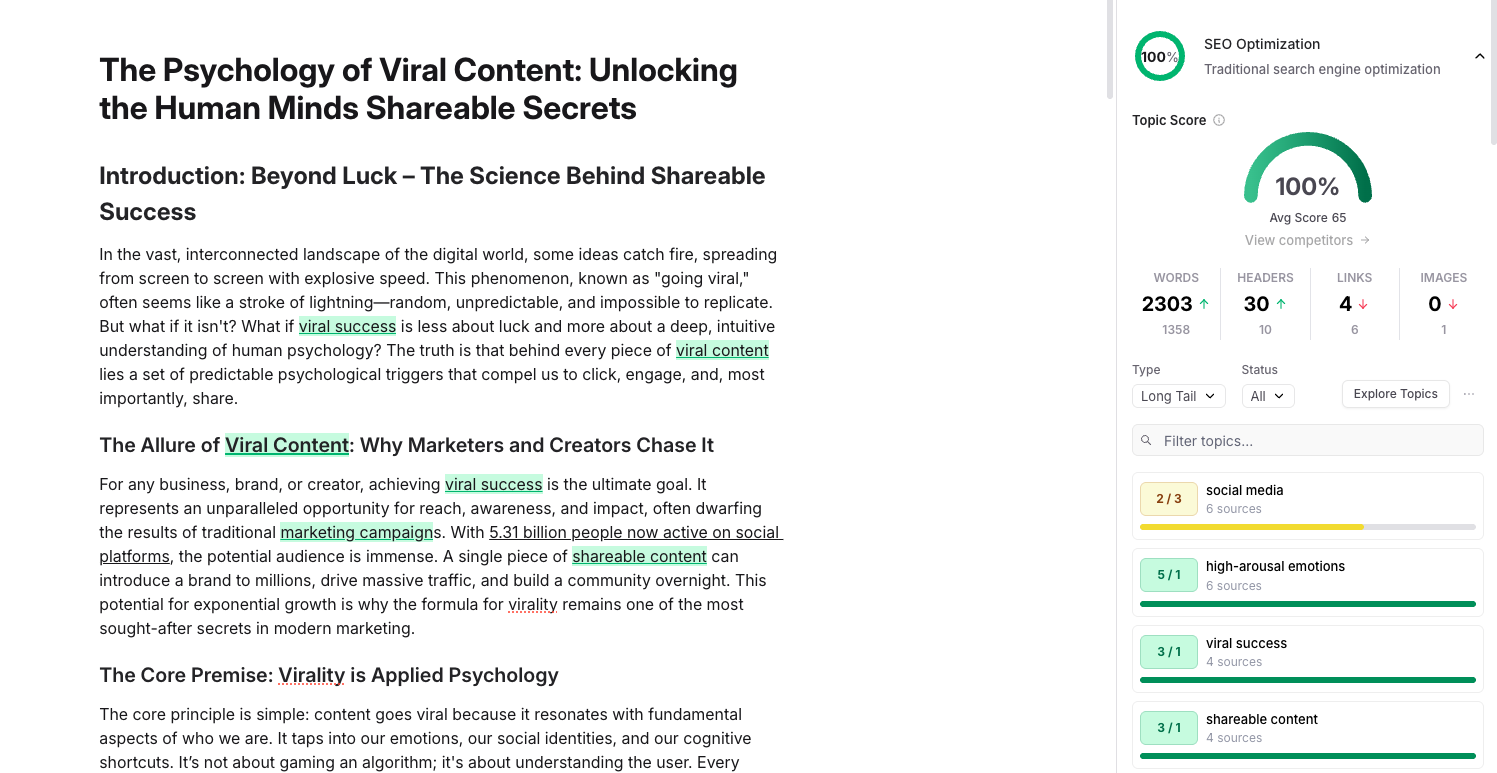
Frase competes with Surfer on similar territory but takes a different shape. Where Surfer leads on real-time scoring, Frase leads on briefs and research. Enter a keyword and Frase delivers, in under a minute, a structured brief with competitor headings clustered by frequency, People Also Ask questions, and a content score baseline. The Google Search Console integration surfaces existing pages ranked in positions 5 to 20 so you can prioritise updates over net-new content. A new dual SEO + GEO scoring system, added in late 2025, flags passages likely to be cited by AI answer engines.
The pricing advantage is real: Solo at $15 per month, Basic at $39 per month annual, Team at $115 per month, and a Pro Add-on at $35 per month for unlimited AI words. For agencies running 10 or more articles per month, Frase is meaningfully cheaper than Surfer. The Content Watchdog feature autonomously monitors ranking decay and triggers refresh recommendations, and the read-write MCP server (released in early 2026) allows Claude Desktop, Cursor, and Windsurf agents to drive Frase workflows directly.
The trade-offs: Frase’s optimisation scoring is slightly less polished than Surfer’s in highly competitive niches, and the AI writer is competent rather than exceptional. Best for content marketers and SEO writers producing 5 to 20 articles per month who want briefing speed, GSC-driven prioritisation, and GEO baked in at a lower price than Surfer.
At-a-Glance Specs
| Starting Price | Solo $15/mo |
| Mid Plan | Basic $39/mo annual |
| Team Plan | Team $115/mo + Pro Add-on $35/mo |
| Standout Feature | Briefs in 30 seconds + GSC integration |
| Output Quality | 7 / 10 (writer); 9 / 10 (briefs) |
| Best For | Content marketers, agencies, 5–20 articles/month |
Pros and Cons
| Pros | Cons |
|---|---|
• Cheapest mature SEO platform with GEO scoring • Briefs auto-generated in ~30 seconds • GSC integration surfaces refresh opportunities • Content Watchdog autonomously flags ranking decay • Read-write MCP server for AI agent workflows | • Optimisation scoring less precise than Surfer in tough niches • AI writer is competent, not exceptional • Pro Add-on ($35/mo) needed for unlimited words • Limited keyword research depth vs Semrush • Smaller user base than Surfer |
Anyword
![Writer.com vs. Anyword: In-depth Comparison [2026]](https://driebipxfld1t.cloudfront.net/ai-tools-screenshots/anyword-ui.jpg)
Anyword’s niche is performance, not prose. The product trains a predictive scoring model on real A/B test data from thousands of campaigns and tells you, before you publish, which copy variant is likely to convert better. For performance marketers running paid campaigns at any meaningful scale, this is genuinely different from any other tool on this list.
Copy Intelligence scans your top-performing content to learn patterns, Cross-Channel Scoring works across email, ads, and landing pages, and Brand Voice keeps generated copy on-message. The writing itself is competent rather than exceptional; the value is in the analytics layer, not the prose engine.
Pricing starts at $39 per month annual for the Starter plan and $79 per month for Data-Driven, with Business and Enterprise tiers running custom (the Enterprise plan with full predictive analytics has historically been quoted around $999 per month). Free trials are 7 days. Best for performance marketers who A/B test frequently and value predictive scoring over creative quality. Casual writers will find it overkill.
At-a-Glance Specs
| Starting Price | Starter $39/mo annual |
| Mid Plan | Data-Driven $79/mo |
| Enterprise | Custom (~$999/mo for full analytics) |
| Standout Feature | Predictive performance scoring on real A/B data |
| Output Quality | 7 / 10 (analytics > creative quality) |
| Best For | Performance marketers running paid campaigns |
Pros and Cons
| Pros | Cons |
|---|---|
• Predictive scoring trained on real A/B test data • Cross-channel scoring across email, ads, landing pages • Copy Intelligence scans top-performing content • Brand Voice keeps generated copy on-message • Saves real testing budget on paid campaigns | • Writing itself is competent, not exceptional • Top features locked behind enterprise pricing • Smaller ecosystem than larger competitors • Overkill for non-performance use cases • 7-day trial may not capture full ROI signal |
Sudowrite
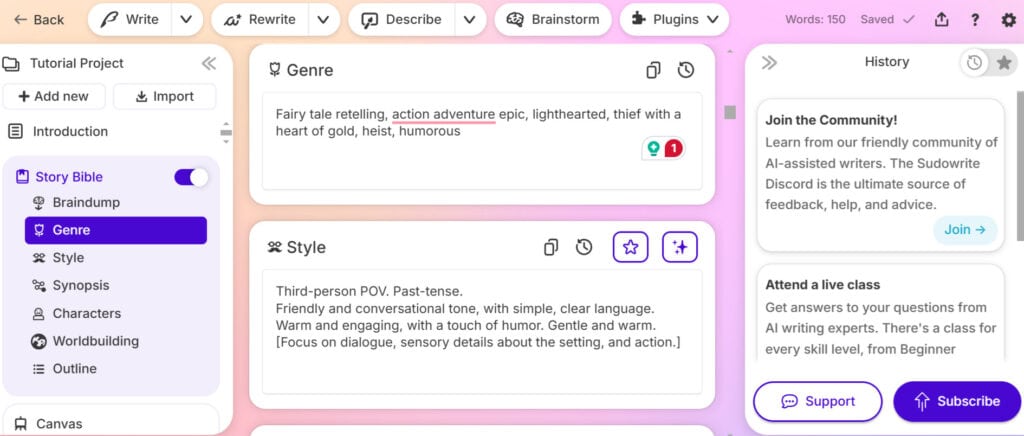
Sudowrite is the only fiction-focused tool that has crossed into mainstream awareness, and it earns the spot. Its custom-trained Muse model is fine-tuned on published fiction (with author consent) and produces dialogue cadence, sensory detail, and genre-aware prose that general LLMs struggle to match out of the box. Story Engine generates full drafts from an outline, Guided Write writes scenes from your bullet-point briefs, and the Describe, Rewrite, and Expand tools turn it into a real revision aid rather than just a generator.
Pricing is credit-based across three tiers: Hobby at $19 per month, Professional at $29 per month, and Max at $59 per month. Each tier raises monthly credit limits, which heavy drafters can exhaust during intensive writing sprints. Sudowrite is a writing tool only; there is no formatting, no publishing pipeline, no commercial integrations. Best for novelists, screenwriters, and fiction creators where prose voice, genre conventions, and revision tools matter more than business automation. Outside fiction, the use case is narrow.
At-a-Glance Specs
| Starting Price | Hobby $19/mo |
| Mid Plan | Professional $29/mo |
| Top Plan | Max $59/mo |
| Standout Feature | Muse model fine-tuned on published fiction |
| Output Quality | 9 / 10 (fiction); narrow elsewhere |
| Best For | Novelists, screenwriters, genre fiction creators |
Pros and Cons
| Pros | Cons |
|---|---|
• Muse model produces polished fiction prose • Story Engine drafts full chapters from outlines • Describe, Rewrite, Expand are real revision tools • Strong on dialogue cadence and sensory detail • Fiction-trained on consenting authors’ work | • Credit-based; heavy drafting hits limits fast • No publishing, formatting, or distribution • Narrow use case outside fiction • No commercial CMS integrations • Hobby tier may be too restrictive for novelists |
Scalenut
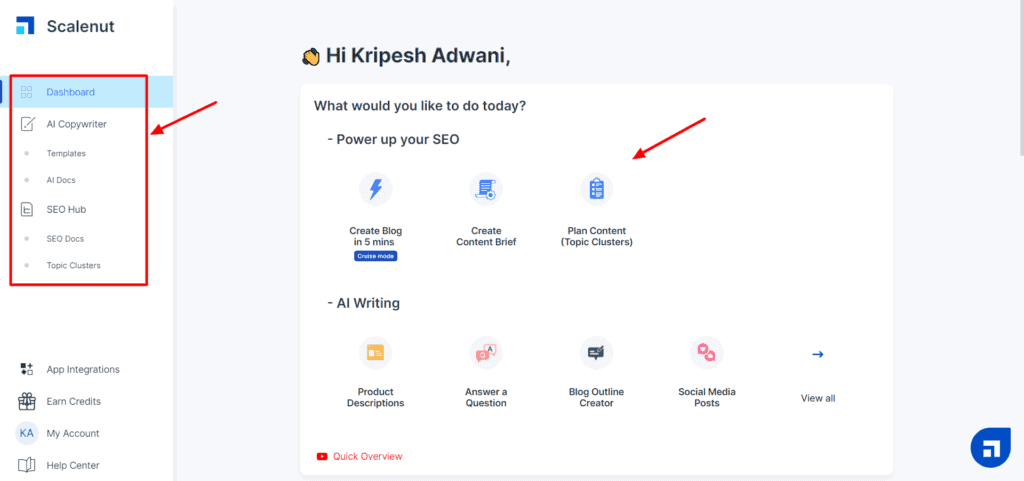
Scalenut occupies the affordable all-in-one slot, bundling keyword planning, AI long-form writing, content optimisation, and AI visibility tracking into one subscription. The Cruise Mode feature generates a full SEO-optimised article from a keyword in a few clicks, the Content Optimizer assigns a real-time GEO Score across 11 parameters (including prompt coverage, schema, and featured snippet readiness), and the platform has expanded into a managed-service offering for agencies that want a hybrid AI-plus-human team.
Plan pricing in 2026 ranges roughly from $39 to $49 per month for Essential or Starter, $79 to $99 per month for Growth or Plus, and $149 or more per month for Pro, with seasonal discounts that have brought lifetime savings down materially for early adopters. AI visibility tracking is included in every plan, with Perplexity and additional engines unlocked at higher tiers.
The honest read is that Scalenut is not the best at any single thing. Surfer’s on-page scoring is more refined, Jasper’s brand voice is deeper, Claude’s prose is better. But for one subscription at a competitive price you get a workable version of nearly every capability content teams need, which makes the math compelling for solo creators and lean agencies. Best for budget-conscious content marketers who want planning, drafting, optimisation, and AI visibility tracking under one roof rather than juggling four tools.
At-a-Glance Specs
| Starting Price | Essential ~$39–$49/mo |
| Mid Plan | Growth/Plus ~$79–$99/mo |
| Top Plan | Pro ~$149/mo |
| Standout Feature | Cruise Mode + GEO Score across 11 parameters |
| Output Quality | 7 / 10 (consistent across tasks) |
| Best For | Solo creators and lean agencies on a budget |
Pros and Cons
| Pros | Cons |
|---|---|
• Single subscription replaces 3–4 separate tools • AI visibility tracking included on every plan • Cruise Mode generates full SEO articles fast • GEO Score covers 11 critical parameters • Used by 100,000+ marketers; competitive pricing | • Not best-in-class at any single capability • AI writing quality can be inconsistent • Limited integrations (WordPress, Semrush, Copyscape) • No mobile app; English-only support • Repetitive phrasing in long-form output |
Pricing-at-a-Glance Comparison
The table below summarises the entry-level paid plan for each of the twelve tools, alongside the most popular professional tier. Annual billing typically reduces these prices by 17 to 20 percent, and most vendors offer free trials of 7 to 14 days.
| Tool | Entry Plan | Most Popular Tier | Free Tier |
|---|---|---|---|
| ChatGPT (OpenAI) | Go: $8/mo | Plus: $20/mo | Yes (ad-supported) |
| Claude (Anthropic) | Pro: $17/mo annual | Pro: $20/mo monthly | Yes (daily caps) |
| Jasper AI | Creator: $39/mo annual | Pro: $59/mo annual | No (7-day trial) |
| Copy.ai | Free | Pro: low double digits | Yes (2K words/mo) |
| Writesonic | Lite: $39/mo annual | Professional: $199/mo | No (trial only) |
| Rytr | Saver: $7.50/mo annual | Unlimited: $24/mo | Yes (10K chars/mo) |
| Grammarly | Pro: $12/mo annual | Pro: $30/mo monthly | Yes (100 AI/mo) |
| Surfer SEO | Essential: $89/mo | Scale: $219/mo | No (7-day refund) |
| Frase | Solo: $15/mo | Basic: $39/mo annual | No (free trial) |
| Anyword | Starter: $39/mo annual | Data-Driven: $79/mo | No (7-day trial) |
| Sudowrite | Hobby: $19/mo | Professional: $29/mo | No (free credits) |
| Scalenut | Essential: ~$39/mo | Growth: ~$79/mo | No (7-day trial) |
Output Quality and SEO Score Matrix
The following matrix scores each tool on four dimensions on a 1 to 10 scale, based on the testing methodology described above. “Output Quality” measures prose readability and accuracy. “SEO/GEO” measures search optimisation and AI search visibility tooling. “Brand Voice” measures depth of customisation. “Workflow Fit” measures collaboration, integrations, and automation depth.
| Tool | Output Quality | SEO / GEO | Brand Voice | Workflow Fit |
|---|---|---|---|---|
| ChatGPT | 9 | 5 | 6 | 9 |
| Claude | 10 | 5 | 7 | 8 |
| Jasper AI | 8 | 7 | 10 | 9 |
| Copy.ai | 7 | 6 | 8 | 9 |
| Writesonic | 7 | 9 | 7 | 8 |
| Rytr | 6 | 4 | 5 | 6 |
| Grammarly | 8 (editing) | 3 | 6 | 9 |
| Surfer SEO | 6 (writer) | 10 | 5 | 7 |
| Frase | 7 | 9 | 6 | 8 |
| Anyword | 7 | 6 | 8 | 7 |
| Sudowrite | 9 (fiction) | 2 | 9 | 5 |
| Scalenut | 7 | 8 | 7 | 8 |
Choosing the Right Tool by Use Case
If you are a solo writer, blogger, or freelancer, the answer in 2026 is straightforward: Claude Pro at $20 per month for prose quality, optionally paired with Grammarly Pro at $12 per month for an everywhere-editing safety net. ChatGPT Plus is the alternative if you also need image generation, voice, or a plugin ecosystem alongside writing.
If you are running a marketing team across multiple brands or campaigns, Jasper Pro is the strongest fit because of Brand Voice depth and team workflows, although the cost gap versus Claude or ChatGPT means you should be confident the brand voice and collaboration features are doing real work for you. Copy.ai is the better choice if your priority is GTM automation rather than writing alone.
If your priority is search performance, layer Surfer SEO or Frase on top of a writing tool. Frase is the better value for teams under 20 articles per month; Surfer wins for established SEO operations that already have rank-tracking infrastructure. Add Writesonic Professional or Scalenut Growth if AI search visibility is a board-level priority and you want tracking, content optimisation, and AI-engine monitoring in a single subscription.
If your work is performance copy, Anyword’s predictive scoring saves real testing budget for teams running frequent A/B campaigns. If you are writing fiction, Sudowrite is purpose-built and meaningfully better than general LLMs for genre prose. If you are budget-constrained or new to AI writing entirely, Rytr’s free tier remains the lowest-friction starting point in the category.
Conclusion: Actionable Takeaways
Three patterns matter going into the rest of 2026. First, general-purpose LLMs (Claude and ChatGPT) have absorbed the casual-writing market and are now the default for individuals; specialised tools must justify their price with a feature general LLMs cannot replicate. Second, GEO is no longer optional. If your content strategy ignores how AI engines cite and surface brands, you are already playing yesterday’s game, and the tools that price GEO into their core (Frase, Writesonic, Scalenut) are pulling ahead. Third, the cheapest stack that actually works for most professional writers in 2026 lands around $32 per month: Claude Pro at $20 plus Grammarly Pro at $12. Anything beyond that should be justified by a specific, measurable workflow gap, not aspirational features.
The smartest buyers in this market are not loyal to one vendor; they assemble small, deliberate stacks. A common high-performing combination is Claude or ChatGPT for drafting, Grammarly for polish, Frase or Surfer for optimisation, and Anyword for paid-campaign scoring. Before signing up for anything, time-box a 14-day trial against a real project, measure output quality, time saved, and search performance, and only commit when the numbers justify the spend. The category has matured. The right tool for you almost certainly already exists; the work is matching it to what your writing actually demands.